How to Protect Against Identity Theft: Practical Steps You Can Take Now
By Josh C.
Protecting yourself from identity theft isn't about becoming a tech genius. It’s about building a few smart habits, keeping an eye on your finances, and using the right tools to put up a strong defense. The best things you can do right now are freezing your credit, creating unique, complex passphrases for important accounts, and switching on multi-factor authentication wherever it's offered. These simple steps create powerful barriers that stop criminals in their tracks.
Why Identity Theft Is a Clear and Present Danger
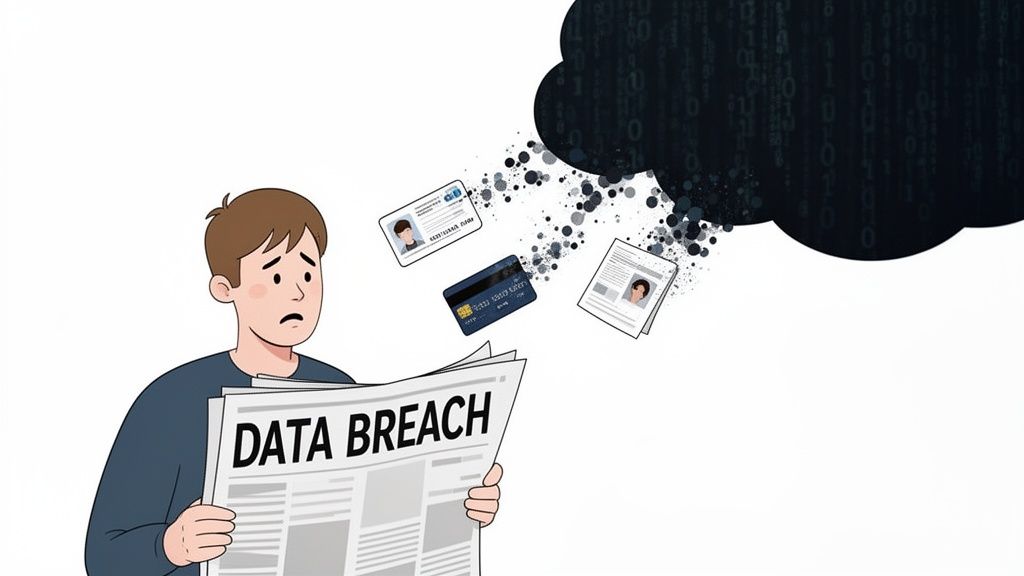
When you hear about another massive data breach on the news, it’s easy to tune it out. It feels distant, like something that happens to other people. But the reality is that each of these events has intensely personal and immediate consequences, creating a very real threat for every single one of us.
Every breach dumps a fresh supply of our most sensitive information—Social Security numbers, birthdates, financial details—onto the dark web. This stolen data doesn't just sit there; it becomes the raw material for a thriving criminal economy where identities are bought, sold, and used to cause incredible damage.
For a criminal, your personal data is a master key. They can use it to drain your bank account, apply for credit cards, take out loans, or even commit crimes in your name. The fallout can take months, sometimes years, to unravel, leaving a wake of financial ruin and emotional stress.
Understanding this isn't about being paranoid. It's about recognizing that the rules have changed. Having a good defense is no longer optional; it's a fundamental life skill.
The Staggering Scale of Modern Identity Fraud
The numbers are truly eye-watering. Recent data from the Federal Trade Commission shows this criminal activity has exploded, with over 6.47 million victim reports last year alone, resulting in $12 billion in losses.
Massive events like the recent UnitedHealth Group data breach, which compromised the health information of a significant portion of Americans, only add fuel to the fire. Experts estimate there are now over 53 billion unique identity records for sale on the dark web, giving thieves a bottomless toolkit for account takeovers.
Older adults are often hit the hardest, with average losses per senior reaching a staggering $83,000. You can explore these identity fraud numbers to see the full scope of the problem for yourself.
This isn't just about anonymous hackers. These are sophisticated operations that directly harm people in our own communities.
Protecting Your Family and Future
The impact of a stolen identity rarely stops with one person. It can ripple through an entire family, especially when caregivers are trying to protect older relatives who might be less familiar with online scams and more trusting of a friendly voice on the phone.
This is exactly why a layered defense is so important.
The best strategy combines smart personal habits with powerful, modern tools. An AI-driven service like the Gini Help app acts as your real-time shield, analyzing and blocking scam calls, texts, and emails before they ever reach you. It adds an essential layer of security that traditional methods simply can't provide.
You can start building that defense today by downloading the Gini Help app from the Google Play Store or the Apple App Store.
Building Your Digital Fortress One Habit at a Time
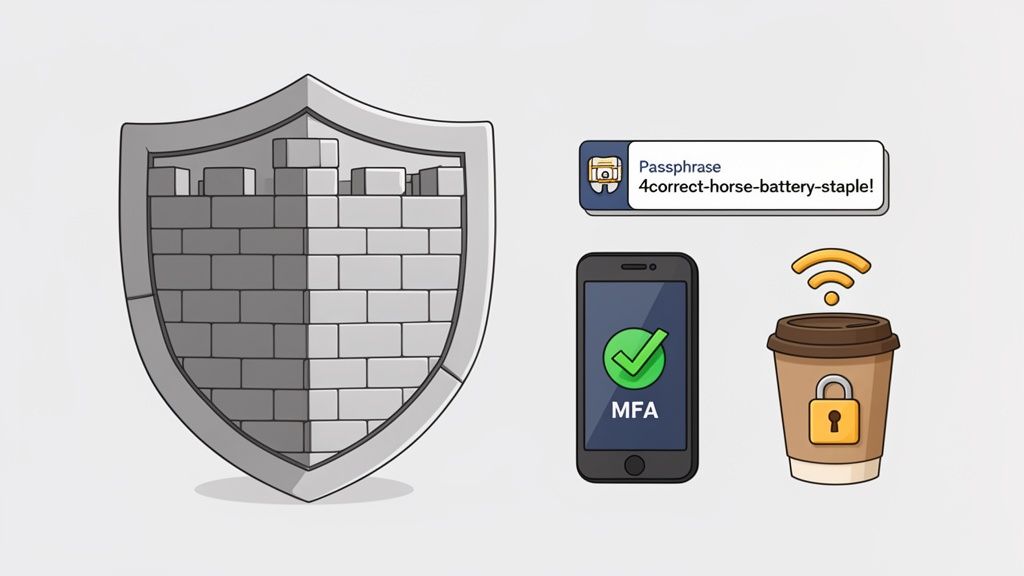
Cybersecurity sounds complicated, but it doesn't have to be. The best defenses aren't built on expensive software; they’re built on simple, consistent habits that anyone can master. This is your practical playbook for staying safe online, filled with real-world tactics you can start using today.
The threat is very real. Criminals are constantly looking for exposed data they can exploit. In fact, a recent Javelin Strategy study revealed that consumers lost a staggering $27.2 billion to identity fraud, often through account takeovers. With nearly 45 billion pieces of personal information exposed online, thieves have plenty to work with. You can see the full findings from Javelin's identity fraud study for yourself.
This is exactly why small, daily actions matter so much. They add up to create your digital fortress.
Rethink Your Password Strategy
The first line of defense for any account is your password, but the way most people create them is outdated. A password like "P@ssw0rd123" might look clever, but modern software can crack it in seconds. The secret is to stop thinking in terms of passwords and start using passphrases.
A passphrase is just a short, memorable sentence of random words. For example, "4correct-horse-battery-staple!" is far stronger than a jumble of symbols, yet it's much easier for you to remember. It’s a classic for a reason.
Here are a few quick tips for creating strong passphrases:
- Go long: Aim for at least four unrelated words. The longer, the better.
- Be random: Don't use famous quotes, song lyrics, or anything predictable.
- Spice it up: Tossing in a number or symbol adds another layer of security.
- Never reuse them: This is crucial. Every important account—especially email and banking—needs its own unique passphrase. Using the same one everywhere is like having one key for your house, car, and office. If a thief gets it, they have everything.
The Power of Multi-Factor Authentication
If your passphrase is the lock on your digital front door, Multi-Factor Authentication (MFA) is the deadbolt. Frankly, it’s the single most effective thing you can do to protect your accounts. When MFA is turned on, you have to provide a second piece of proof that it's really you, usually a code sent to your phone or from an authenticator app.
This one simple step can block the overwhelming majority of automated attacks. Even if a scammer steals your password from a data breach, they still can't get into your account without that second code.
Go enable MFA on your most important accounts right now. Start with your primary email, all your banking and financial sites, and any social media accounts where you share personal information. Most services have a security section in their settings that will walk you through the setup.
Spotting Phishing and Smishing Attacks
Scammers often try to trick you into handing over your information willingly. They do this through phishing (scam emails) and smishing (scam text messages). These messages can look incredibly real, often pretending to be from your bank, a delivery service like UPS, or even the IRS.
They try to create a sense of urgency by telling you your account is locked, a package is stuck, or you owe money. The goal is to make you panic and click a bad link before you have time to think. We've got a whole guide on these tactics and how to stay safe from phishing and smishing scams.
Your best defense is a healthy dose of skepticism. Always pause before you click. If an email from your bank looks off, don’t use any links in the message. Just open a new browser tab and type in the bank’s website yourself.
Building a digital fortress also means thinking about your physical devices. When you get rid of an old computer or phone, simply deleting files isn't enough. For a deep dive into secure hard drive destruction methods, this resource is a great starting point.
These habits, when you practice them consistently, create powerful layers of protection. But scams are getting smarter and can sometimes bypass these defenses. That's where an intelligent, automated shield like the Gini Help app comes in. It can analyze your calls, texts, and emails in real-time, blocking threats before you even see them.
Start fortifying your defenses now by downloading the Gini Help app from the Google Play store or the Apple App Store.
Securing Your Finances and Locking Down Your Credit
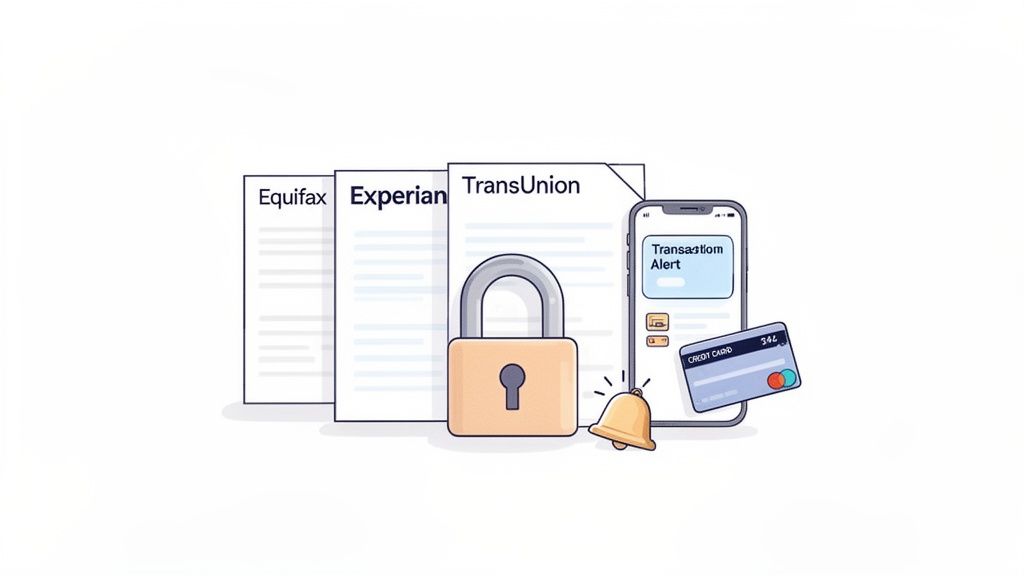
While strong passphrases and two-factor authentication are great for your online accounts, your financial identity itself needs its own dedicated shield. For a thief, getting access to your credit is the ultimate goal. It allows them to open loans, get new credit cards, and run up debt in your name, leaving you to clean up the devastating mess.
The good news is that you can take some powerful, proactive steps to build a wall around your finances. This isn't about complicated tech; it's about using a few simple but incredibly effective tools to stop fraud before it can even start.
The Single Most Powerful Step: A Credit Freeze
Think of your credit report as the master key to your financial life. Before any lender approves a new loan or credit card, they check that report. A credit freeze is like putting a deadbolt on the door to that report, blocking anyone from accessing it without your explicit permission.
It’s one of the best ways to stop new account fraud in its tracks. If a scammer gets ahold of your Social Security number and tries to open a credit card, the lender’s request to see your file will be denied. Application rejected. It's that simple.
A credit freeze is 100% free and has zero impact on your credit score. When you need to apply for a loan yourself, you can "thaw" the freeze temporarily, and then lock it back down afterward. You're always in control.
To set up a freeze, you’ll need to contact each of the three major credit bureaus. You have to do all three, because you never know which one a lender will use.
- Equifax: Place a security freeze online
- Experian: Freeze your credit file
- TransUnion: Manage your credit freeze
Credit Freeze vs. Credit Monitoring
People often confuse credit freezes with credit monitoring services. While both are useful, they serve very different purposes. A freeze is a preventative measure, while monitoring is a detection tool. This table breaks down the key differences.
Credit Freeze vs Credit Monitoring At a Glance
| Feature | Credit Freeze | Credit Monitoring |
|---|---|---|
| Primary Goal | Prevents new accounts from being opened | Alerts you to activity after it has happened |
| How It Works | Blocks access to your credit report | Scans your credit files for changes |
| Cost | Free | Typically a monthly fee |
| Impact on Fraud | Proactively stops most new account fraud | Informs you that you may be a victim |
| Action Required | You must "thaw" it to apply for credit | No action needed to apply for credit |
Both can be part of a solid strategy, but if you do only one thing, make it a credit freeze. It’s the most direct and powerful defense you have.
Set Up Instant Transaction Alerts
A freeze is perfect for stopping new accounts, but what about the bank accounts and credit cards you already use every day? Your next move should be to turn on transaction alerts for every single one of them. This simple tweak turns your phone into your own personal fraud detection system.
Most banks now let you customize these alerts right from their mobile app or website. You can get an instant text or notification for things like:
- Purchases over a specific amount (you can even set it to $1)
- Any online or phone transaction where your card isn't physically present
- All charges made outside the country
- ATM withdrawals
Getting an alert for a purchase you know you didn’t make is the ultimate early warning. You can call your bank immediately, shut down the card, and dispute the charge before a thief has the chance to drain your account.
This is a core part of what we call "scam-proof banking." For more on building these smart financial habits, check out our guide on how to achieve scam-proof banking for older adults.
Add Another Layer with an IRS IP PIN
Tax-related identity theft is a huge problem. This is where a criminal uses your stolen Social Security number to file a phony tax return and steal your refund. The IRS created a fantastic tool to stop this: the Identity Protection PIN (IP PIN).
An IP PIN is a special six-digit number that only you and the IRS know. Once you have one, no one can e-file a tax return under your SSN without it. It effectively blocks fraudulent filings. You can voluntarily sign up for an IP PIN on the IRS website anytime.
Remember, while these financial habits are essential, many attacks begin with a deceptive phone call or text. That's where a tool like the Gini Help app becomes your frontline defense, screening your communications to block those threats before they ever reach you.
You can download the Gini Help app from the Google Play Store or the Apple App Store to add that critical layer of real-time protection.
Think of It as Your Personal AI Scam Shield
All the steps we've covered—using strong passphrases, freezing your credit, setting up alerts—are fantastic. They form a solid defense. But we have to be honest about the new reality: scammers are getting smarter, and their favorite new weapon is Artificial Intelligence.
They’re now using AI to clone voices, so that call from your "grandson" asking for emergency cash sounds terrifyingly real. They’re crafting emails and texts that are practically identical to messages from your bank. These attacks are designed to hit you where you're vulnerable, bypassing your logic and triggering a gut reaction of panic.
When criminals start using AI to attack, the only way to fight back is to use AI to defend. It’s time to move beyond a passive wall and set up an active, intelligent shield.
This is where the next generation of personal security comes in. It’s no longer about just blocking known spam numbers. It’s about having a smart system that can analyze and protect you in the moment.
How an AI Shield is Different
Your typical call blocker or spam filter works off a list. It knows a bunch of "bad" phone numbers or scammy keywords. The problem? Scammers can spin up thousands of new numbers and change their scripts in an instant, making those lists outdated the moment they're created.
An AI-powered tool like Gini Help operates on a completely different level. It doesn't need a pre-made list of threats because it's trained to analyze the behavior and intent behind the call or message.
Here’s a glimpse of how it works:
- For Phone Calls: When an unknown number rings, the AI answers first. It has a quick, natural chat with the caller to figure out who they are and what they want. It can tell the difference between a real delivery driver and a scammer trying to sell you a fake car warranty. Your phone only rings if the call is legitimate.
- For Texts and Emails: The AI scans incoming messages for the tiny, almost invisible red flags of fraud. It’s looking for deceptive links, language designed to make you panic, and other subtle patterns that scream "phishing attempt."
This proactive screening stops the vast majority of threats before they ever reach you. It's like having a personal security guard for your phone. If you want to dig deeper into how this works, check out our guide on the benefits of a smart call blocker.
Real-Time Protection Against Modern Threats
The sophistication of today’s scams is truly unnerving. A recent AARP report flagged a frightening trend: scammers using AI voice-cloning to impersonate a family member in distress. All they need is a few seconds of audio from a social media video to create a believable copy of your loved one's voice.
This is exactly where an AI shield proves its worth. It isn't fooled by emotional tricks or a familiar-sounding voice. It analyzes the context of the call, recognizes the scammer’s tactics, and shuts it down immediately.
Here’s a look at the Gini Help app, which gives you a simple, clean interface to see how you're being protected. This dashboard offers a clear, at-a-glance view of the threats Gini Help has already handled for you.
This isn’t just about convenience; it’s a critical layer of safety, especially for the most vulnerable members of our families. For older adults who might be more trusting or less familiar with these digital tricks, an AI shield provides priceless peace of mind for everyone.
Putting Your Shield in Place
Getting this kind of protection up and running is surprisingly simple. It’s just an app you install on your phone, and it starts working in the background right away. You definitely don't need to be a tech expert.
The main takeaway here is that our defenses need to keep up with the threats. While good habits are your first and best defense, an AI-powered shield is the intelligent, always-on backup you need.
Ready to add this modern layer of protection?
- Download Gini Help from the Google Play Store for Android.
- Download Gini Help from the Apple App Store for your iPhone.
By pairing strong personal security habits with an intelligent AI shield, you build a powerful defense system that's more than ready to handle the full range of modern identity theft threats.
Your Identity Theft Emergency Response Plan
That sinking feeling when you realize you've been targeted by an identity thief is awful. It’s a messy mix of violation, anger, and straight-up panic. But in that moment, the best thing you can have is a clear plan. Acting quickly and methodically is your best defense to stop the damage in its tracks and start the long road to recovery.
Think of this as your emergency checklist. It’s here to help you channel that initial fear into a series of calm, decisive actions. You’ll know exactly who to contact and what to do to start taking back control.
Your First Critical Action: File an Official Report
Before you do anything else, head straight to the Federal Trade Commission's official portal, IdentityTheft.gov. This isn't just a helpful resource; it's the critical first step that generates your official Identity Theft Report. This document is the legal proof you need to dispute fraudulent charges, clear your name with businesses, and repair your credit.
The website walks you through a guided process to report the exact type of fraud you're facing.
Based on your report, the FTC creates a personalized recovery plan just for you. It even provides pre-filled letters and forms you can send directly to credit bureaus and companies where the fraud happened. This one step essentially organizes your entire recovery effort.
Treat this report like gold. It grants you special rights, including the power to get fraudulent information removed from your credit report and to stop debt collectors from hounding you for debts you didn't create.
Next, you may also need to file a report with your local police. Take a copy of your FTC Identity Theft Report, your driver’s license, and any evidence you have of the theft. Some creditors or banks might require a police report, so having it ready is a smart move.
Secure Your Credit and Notify Financial Institutions
With your official report in hand, it's time to go on the financial defensive. You need to contact the fraud departments of the three major credit bureaus and place a fraud alert on your files. This alert tells lenders to take extra steps to verify your identity before approving any new lines of credit in your name.
- Equifax: 1-800-525-6285
- Experian: 1-888-397-3742
- TransUnion: 1-800-680-7289
Legally, when you notify one bureau, they have to tell the other two. But I always advise people to call all three themselves to make sure it happens immediately. An initial fraud alert lasts for one year, but as a confirmed victim of identity theft, you have the right to request an extended alert that lasts for seven years.
After securing your credit files, get on the phone with every financial institution where fraud occurred. Call the fraud department at your bank, your credit card companies, and any other lender involved. Work with them to close the compromised accounts and dispute every single fraudulent transaction in writing.
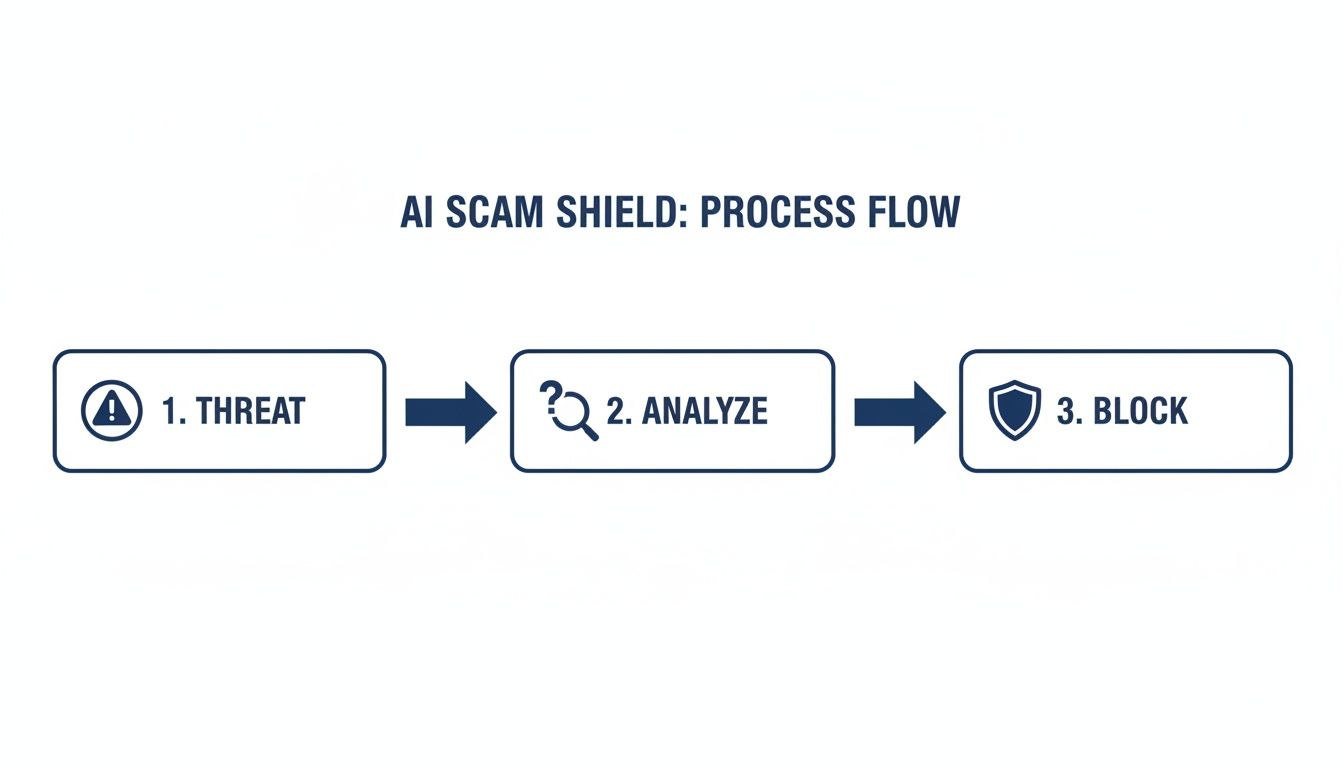
This is exactly where a modern, AI-powered defense system shows its true value—by stopping these threats before they can do any damage. The process flow above illustrates how an AI shield can identify and neutralize threats in real time.
Even with a great response plan, prevention is always the best strategy. An intelligent tool like the Gini Help app acts as your frontline defense, screening calls, texts, and emails to filter out scams before they ever reach you. This kind of proactive protection is essential in a world where new threats pop up every day.
Don't wait to become a statistic. You can download the Gini Help app today from the Google Play Store or the Apple App Store and put a powerful shield between you and the scammers.
Your Top Identity Protection Questions, Answered
Even with the best plans in place, it's natural to have questions. I get asked about the nuances of identity protection all the time. Let's tackle some of the most common ones I hear.
Is a Credit Freeze Really Necessary if I Have Credit Monitoring?
Yes, it absolutely is. These two tools do completely different jobs, and you really need both for a solid defense.
Think of credit monitoring like a security camera on your porch. It alerts you after someone’s already at your door—for instance, when a new account is opened in your name. It’s a reactive alarm system.
A credit freeze, on the other hand, is the deadbolt on that door. It’s a proactive block that stops most lenders from even looking at your credit report. If they can't see your report, they can't approve a loan or credit card for a scammer. Using both gives you the best of both worlds: the alarm and the lock.
How Can I Protect an Elderly Parent Who Isn't Comfortable with Technology?
This is a huge concern for so many families I talk to. Protecting a loved one who isn't tech-savvy means setting up a simple, layered defense that works for them.
First, handle the foundational stuff they don't have to see. Freeze their credit with all three bureaus (Equifax, Experian, and TransUnion). Then, make it a habit to sit down together and go over their bank and credit card statements—maybe once a week over a cup of coffee.
For day-to-day threats, you need something that works automatically in the background. A recent AARP report highlighted the terrifying rise of AI-voice cloning scams, which makes real-time protection a must. This is where a tool like the Gini Help app becomes invaluable. It quietly screens calls, texts, and emails, filtering out the scams before they ever reach your parent. They don't have to do a thing.
A feature I really appreciate for caregivers is a family plan. It lets you see the threats Gini Help is blocking on your parent's phone, giving you concrete proof that they're being protected without having to constantly ask them.
What's the Single Most Effective Thing I Can Do Right Now?
If I had to pick just one thing, it would be this: turn on multi-factor authentication (MFA) everywhere you can. On your email, your bank accounts, your social media—everywhere.
MFA is that extra step where a site sends a code to your phone to prove it’s really you. It’s simple, but it's incredibly powerful. Scammers can buy your password online; with over 53 billion stolen credentials floating around the dark web, you have to assume they already have it. But without that second code from your phone, the password is useless to them. MFA slams the door shut.
I Got a Data Breach Notification. What's My Next Move?
Getting that email is unsettling, but don't panic. The key is to act quickly and methodically. Here’s what to do:
- Change your password immediately on the breached account. If you've used that password anywhere else (we all do it), change it there, too. This stops a scammer from trying that same key in all your other locks.
- Turn on MFA for that account right away if it wasn't on already. This is your best defense against an immediate takeover.
- Consider a credit freeze or, at a minimum, place a fraud alert on your credit files. This is especially critical if your Social Security number was part of the breach.
- Stay sharp. Scammers love to follow up on big data breaches with a wave of phishing emails and calls, pretending to be the compromised company. Don't fall for it.
Keeping up with these threats requires a modern defense. Gini Help adds that crucial AI-powered layer, analyzing and blocking scams across your calls, texts, and emails before you even see them.
You can download Gini Help today from the Google Play Store or the Apple App Store.