What Is Phishing Protection and How AI Stops Scams
By Josh C.
Phishing protection is a set of technical and behavioral defenses that stops fraudulent emails, texts, and calls from stealing personal data or money. Modern protection must work across every channel in real time, because phishing/spoofing accounted for 191,561 complaints in the FBI's 2025 Internet Crime Complaint Center report, with reported losses of $215.8 million.
That scale changes the question. What is phishing protection today? It isn't a spam folder or a warning beside an email link. It's a coordinated security layer that checks identity, examines links and attachments, resists stolen credentials, analyzes suspicious conversations, and gives people a way to pause when a scammer is applying pressure.
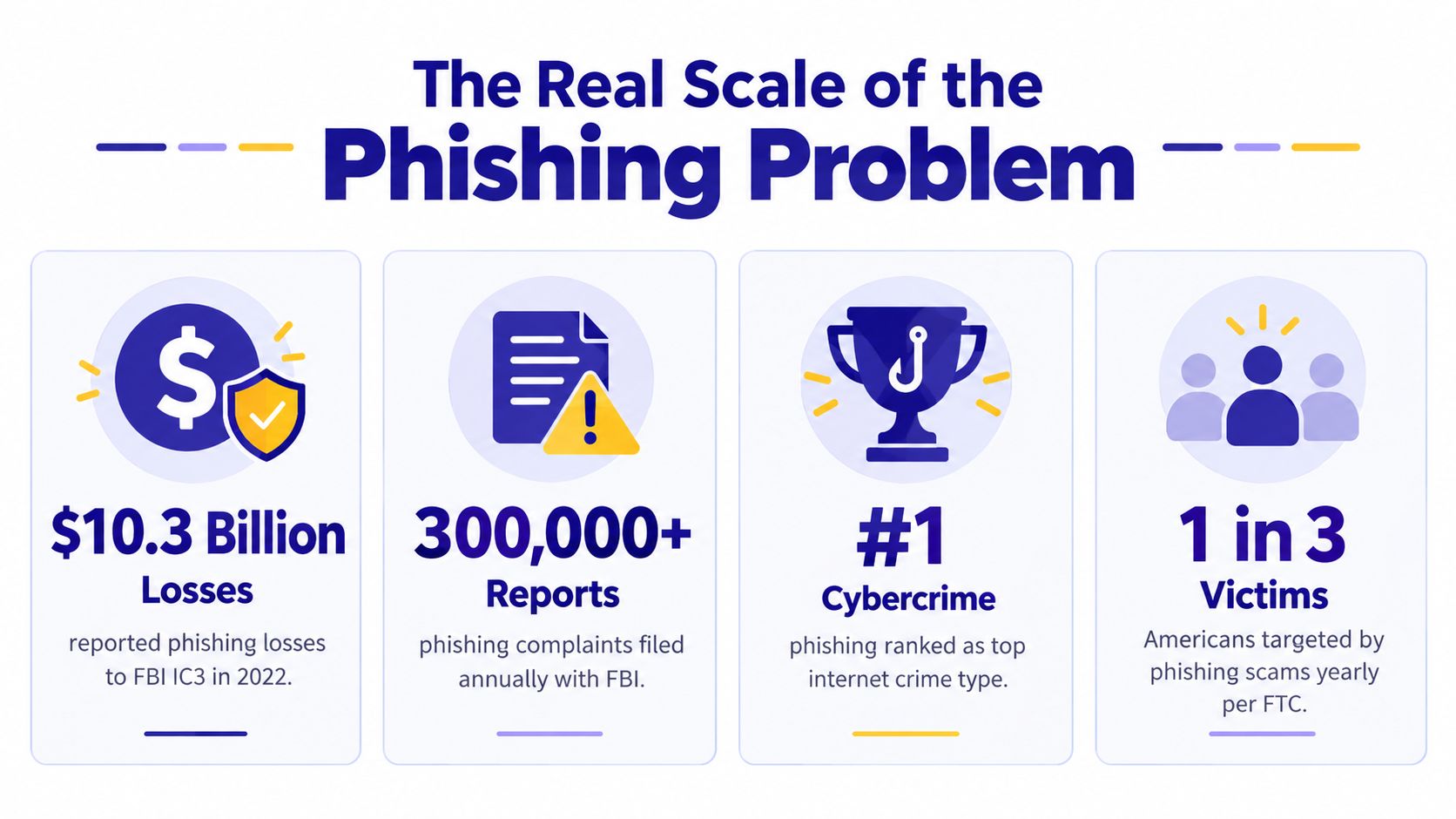
The Real Scale of the Phishing Problem
The FBI's 2025 IC3 annual report recorded 1,008,597 total complaints and $20.877 billion in reported losses. Phishing and spoofing were the single most reported crime type, with 191,561 complaints, representing nearly 19% of all complaints, while cyber-enabled fraud accounted for about 85% of total losses.
Those figures show why phishing protection isn't a niche email feature. A fraudulent message may begin with a familiar logo and a link, but the objective can be account takeover, payment redirection, identity theft, or access to other accounts. The same social engineering can begin through a phone call, continue through SMS, and finish on a fake website.
A security guard for every channel
A useful analogy is a security guard who checks every person approaching a building. Email filtering checks messages, browser protection examines destinations, authentication controls verify identity, and call or text analysis evaluates what someone is asking you to do.
The guard shouldn't judge only by appearance. A message can use correct spelling and a convincing brand design, while a caller can sound polite and know personal details. Effective protection looks at origin, context, destination, behavior, and intent before allowing a risky interaction to continue.
Phishing protection also has a history. NIST's Trustworthy Email guidance describes phishing as spoofed email used to collect private information and identifies SPF, DKIM, and DMARC as common countermeasures. These standards helped move email security from informal suspicion toward sender authentication and message integrity.
Why the definition keeps expanding
The Anti-Phishing Working Group observed 3.8 million phishing attacks in 2025, including 1,130,393 in Q2 and 853,244 in Q4, then reported 971,181 attacks in Q1 2026 in its phishing trends reporting. The persistence of that volume matters more than any single campaign. Attackers can keep changing the channel, the sender, and the story.
The practical definition is therefore simple: phishing protection prevents a scammer from turning contact into harmful action. It should block known threats, recognize unfamiliar ones, and help a person stop when a request feels urgent, emotional, or financially dangerous.
How Phishing Attacks Reach You Today
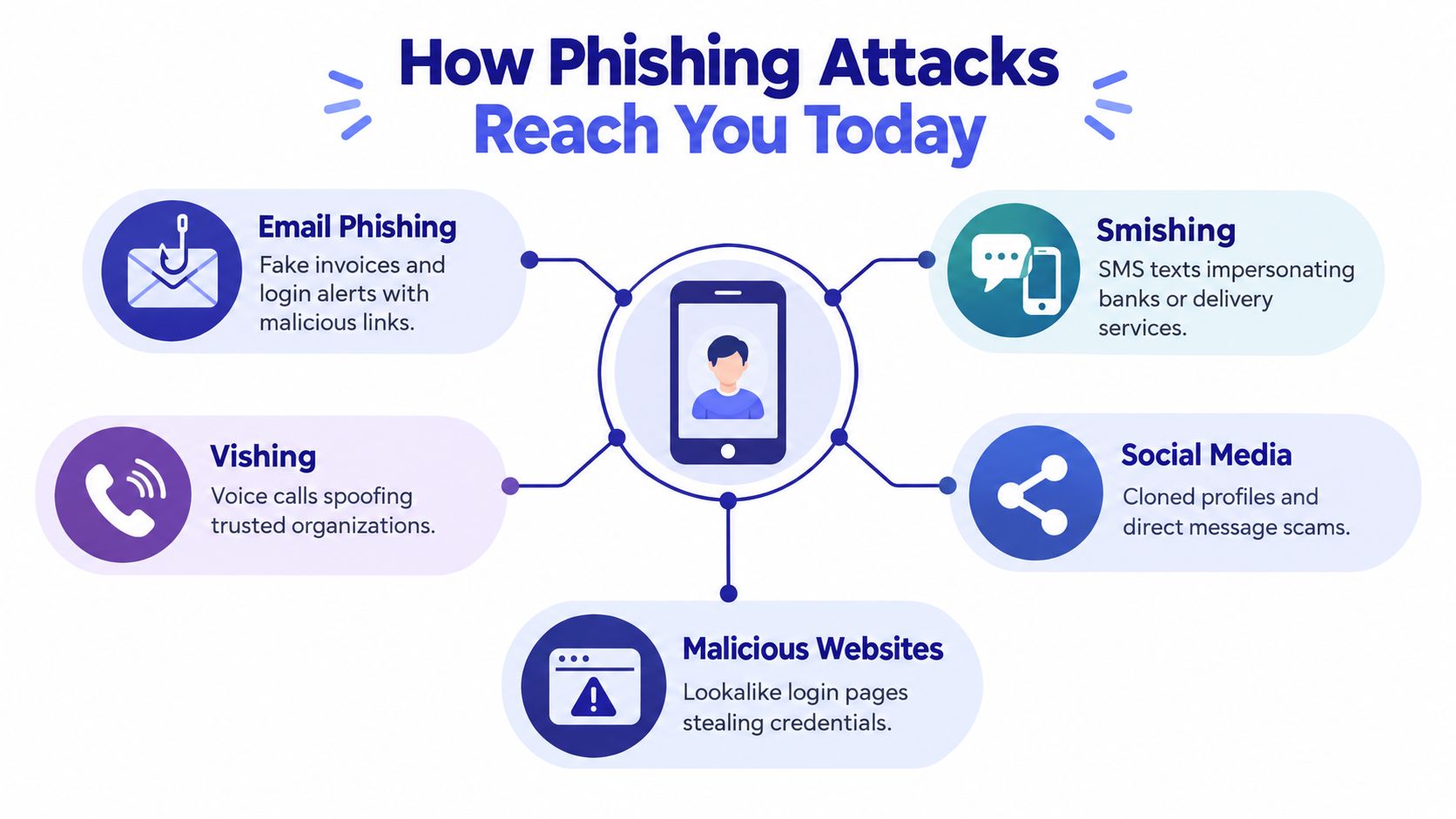
A suspicious email is only one route. A modern scammer may choose whichever channel feels most personal or most difficult for a filter to inspect.
Email and text messages
An email might claim that an invoice needs approval or that an account requires an immediate security check. The link leads to a lookalike login page, where the victim enters a password or authentication information. The message doesn't need to contain obvious grammatical mistakes. A polished design can still serve a fraudulent purpose.
Smishing uses the same psychology through SMS. A text may say a delivery address needs updating, a payment failed, or a bank account needs verification. Because people often read texts quickly and trust the small screen, they may tap before inspecting the sender or destination.
APWG's Q1 2025 report said criminals were sending millions of emails each day containing QR codes that redirected victims to phishing sites and malware. The report also found that attacks against online payment and financial sectors together represented 30.9% of attacks in that quarter.
Voice calls and QR codes
Vishing, or voice phishing, often begins with authority. A caller claims to be from a bank's fraud department, a government office, a technology provider, or a family member in trouble. The request may involve reading out a verification code, moving money, installing software, or staying on the line while the caller “helps.”
QR codes create a different kind of trap. A code on a parking meter, poster, restaurant table, or printed notice can send someone to a malicious website without displaying the full destination first. The code itself may look harmless, but the page behind it can imitate a trusted service.
Social media and collaboration tools add another layer. A cloned profile can send a direct message, while a compromised account can make a request appear to come from someone the recipient knows.
Practical rule: Treat urgency, authority, fear, and secrecy as signals to slow down, not reasons to act faster.
The APWG reported that smishing increased by 40% from Q1 to Q2 2026, while wire-transfer business email compromise attacks increased 88%. The same reporting said the average amount fraudsters attempted to steal in those attacks rose 45% to $61,732 per attempt. These figures reinforce a key point: phishing isn't tied to one device or one inbox. It follows the person.
Why Traditional Phishing Defenses Fall Short
A spam filter answers a narrow question: Does this message resemble a known or recognizable threat? A blocked-number list asks whether the calling number has already been reported. Those controls still have value, but neither one understands a scammer's full conversation with a target.
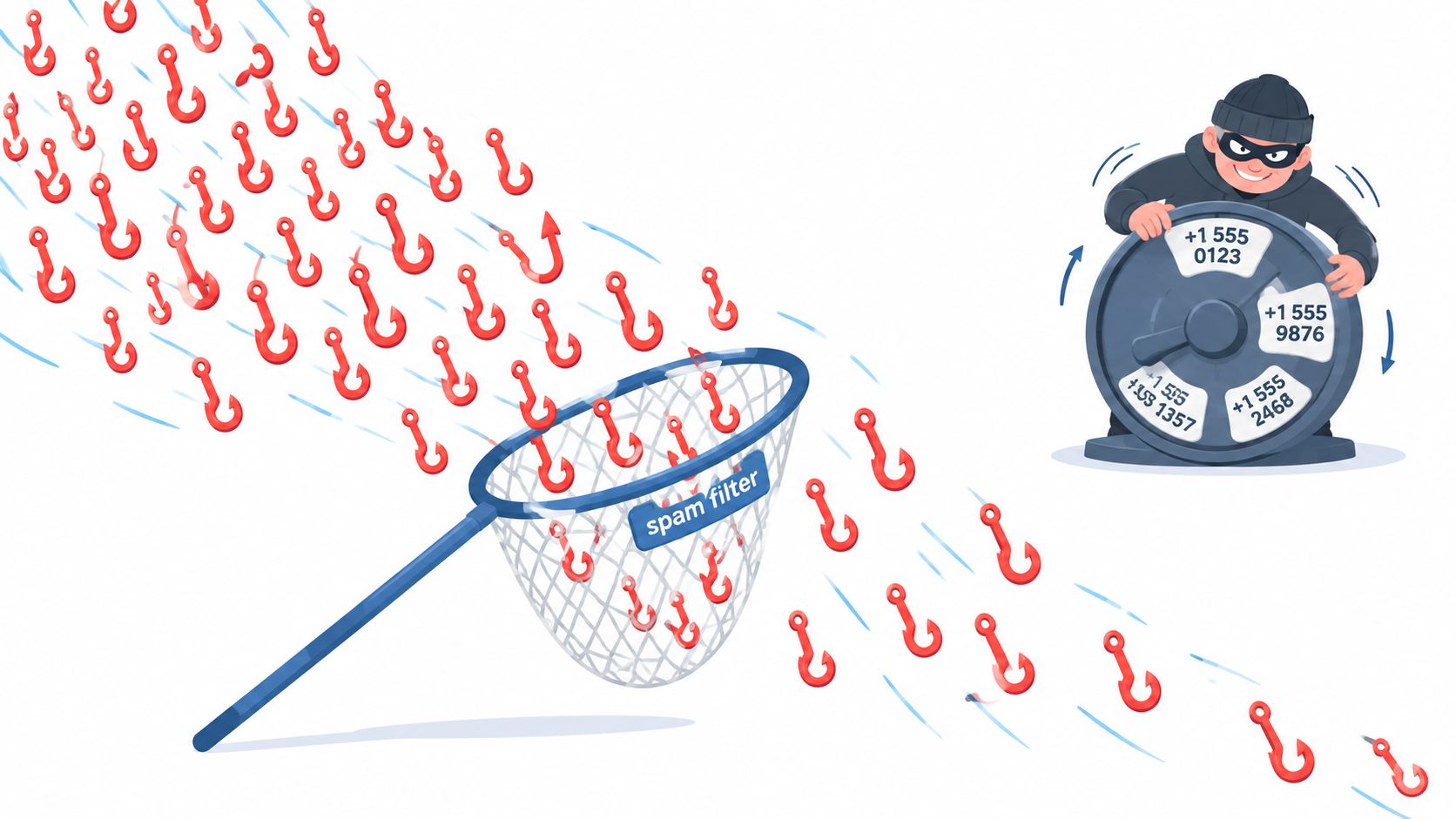
Attackers can change email addresses, domains, phone numbers, wording, and delivery methods. A new message may not match a previous signature, and a new number may have no negative history. A blacklist is always looking backward, while the scammer is trying to create a new identity for the next contact.
The problem with captured secrets
Passwords and one-time codes can also fail when the attacker operates in real time. A victim may enter credentials into a fake login page, or read a code to a caller who immediately relays it to the legitimate service. The code may be valid, yet the person using it isn't the user.
This is why federal guidance from the NSA, CISA, FBI, and MS-ISAC emphasizes phishing-resistant MFA, protective link and attachment filtering, protective DNS, application allow-lists, and remote browser isolation in guidance on evolving phishing attacks. Phishing-resistant authentication binds the login to the legitimate origin and the device, making captured secrets far less useful on a lookalike site.
Detection must survive adaptation
Keyword filters have a similar weakness. If a filter watches for a phrase such as “account suspended,” an attacker can alter the wording, insert characters, use an image, or move the request to a text or call.
The NSF-supported PhishBench research framework evaluates phishing emails, URLs, and websites using more than 200 features, over 30 classifiers, and 12 evaluation metrics. One benchmark reported DistilBERT at 98.77% accuracy and 99.91% AUC on 17,538 emails, but research also warns that performance declines when text is changed at the character, word, sentence, or multi-level scale.
That distinction matters. A model can perform impressively on a clean dataset and still struggle when a scammer changes the wording. Strong phishing protection needs continuous analysis of new context, not confidence based only on yesterday's patterns.
The Core Layers of Effective Phishing Protection
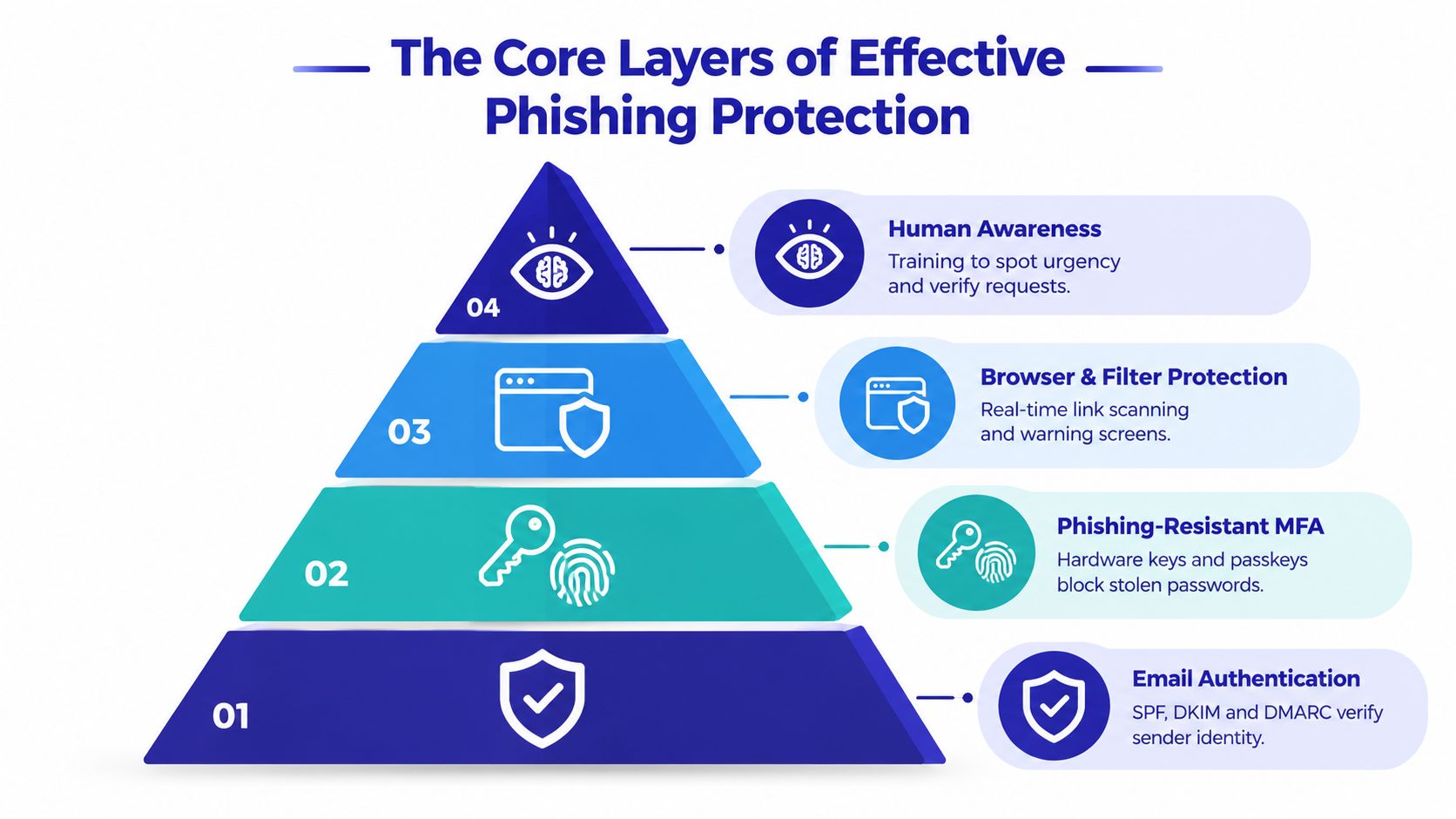
No single control can cover every path. Effective protection works like a series of locked doors, with each layer addressing a different failure point.
Start with identity and authentication
Email authentication is the foundation for organizations that send mail from their own domains. SPF helps identify authorized sending systems, DKIM supports message integrity through cryptographic signing, and DMARC lets domain owners establish policies for messages that fail authentication. NIST identifies these controls as foundational countermeasures in its email security guidance.
The next layer protects the account even if a password is exposed. Conventional MFA and one-time codes are useful, but phishing-resistant methods such as FIDO2 and WebAuthn bind the authentication event to the legitimate website and device. Federal guidance treats these authenticators as the strongest widely available anti-phishing control.
For everyday account hygiene, use unique passwords and a password manager rather than reusing one password across services. LineVerifier password security tips can help readers review password creation and reuse risks.
Filter destinations and inspect behavior
Protective DNS, link scanning, attachment filtering, application allow-lists, and remote browser isolation add defenses before a user reaches a dangerous destination. A browser warning can interrupt a click, while an allow-list can restrict which applications run.
For a practical explanation focused specifically on inbox threats, see email phishing protection. The important principle is layered coverage. A safe-looking sender doesn't make a destination safe, and a familiar destination doesn't make an unexpected request legitimate.
Add a human and conversational layer
People need clear warnings in plain language. They also need a way to pause when a conversation is already underway. Real-time AI conversation analysis can evaluate the caller's requests, pressure tactics, claimed identity, and attempts to obtain secrets or money.
That layer resembles a live interpreter who doesn't merely translate words, but also explains what the speaker is trying to accomplish. It can complement technical controls by examining intent across voice, SMS, email, and other channels.
The strongest defense is layered: authenticate the sender, protect the account, inspect the destination, analyze the interaction, and give the person a simple decision at the moment it matters.
How AI-Powered Protection Changes the Game
Legacy protection usually waits for evidence that a number, sender, or website has already caused harm. That approach can stop repeat offenders, but it struggles when a scammer rotates identities or moves from an email to a call before a database catches up.
AI-powered protection evaluates the interaction itself. Gini Help uses fine-tuned large language models to answer unknown calls first, engage in dynamic conversation, and assess whether the caller appears legitimate or threatening before deciding whether to connect the call. The user's phone doesn't need to ring for every unknown contact.
Static blocking versus live analysis
| Traditional control | Real-time conversational approach |
|---|---|
| Checks whether a sender or number is known | Examines what the contact is asking for |
| Depends heavily on previously reported indicators | Can assess unfamiliar interactions |
| Works mainly before or after contact | Can intervene while the conversation is happening |
| Often focuses on one channel | Can support calls, texts, and email in one protection workflow |
Live analysis is especially important when the user has already answered. A warning after the money transfer is too late. A risk score or haptic alert during a call can create a physical interruption at the moment a scammer is pushing for a code, payment, installation, or secret.
This is closely related to anomaly detection systems, which look for behavior that departs from an expected pattern. In phishing protection, the useful signal may be a sudden request to change payment details, a caller insisting on secrecy, or a message that combines urgency with a high-risk action.
Why conversation matters
Scammers often succeed through sequence rather than one sentence. They establish credibility, introduce a problem, create urgency, and then direct the target toward an irreversible action. A static filter may inspect the first message, but conversation analysis can consider the developing exchange.
AI doesn't remove the need for human judgment, and no detection system should be treated as infallible. Its practical role is to add context, reduce exposure to unknown contacts, and create time for the user or a caregiver to verify what's happening.
Protecting the Most Vulnerable Targets
Older adults face a particularly serious version of the problem because scammers often combine impersonation, urgency, and financial pressure. The FBI-related reporting identified phishing and spoofing as the most reported scam type among people 60 and older in 2025, with 48,064 complaints.
The FTC reported a more than four-fold increase since 2020 in reports from older adults who lost $10,000 or more to impersonation scams. Losses above $100,000 among older adults rose from $55 million in 2020 to $445 million in 2024, an eight-fold increase, according to the FTC's impersonation scam data.
Protection must include intervention
A caregiver's advice to “verify independently” is sensible before a call becomes urgent. During an active scam, however, the person may be frightened, embarrassed, or focused on obeying the caller. Protection should help interrupt the interaction, not provide education after the fact.
The FBI's 2025 reporting showed older adults reported $7.75 billion in cybercrime losses, a 59% jump, with phishing and spoofing the most commonly reported fraud category. That makes family-aware escalation valuable. A trusted family member can receive threat information, help evaluate the request, and intervene before money or credentials leave the account.
A shared safety net
Gini Help offers a family plan that shares threat intelligence across members, while its Live Call Analysis provides risk scoring and haptic warnings during calls a user answers. That combination addresses two different moments: screening unknown contact before it reaches someone and supporting them if a suspicious conversation is already underway.
Caregivers don't need to become security engineers. They need visibility, a trusted escalation path, and controls that work across voice, texts, and email. The best setup also preserves dignity by supporting the older adult rather than treating them as incapable of making decisions.
Your Action Plan for Multi-Channel Phishing Defense
Start with the controls that reduce exposure, then add support for the moments technology alone can't predict.
Secure accounts with phishing-resistant MFA. Choose FIDO2 keys, passkeys, or WebAuthn options where services support them. They're designed to bind authentication to the origin instead of relying only on a secret that a scammer can capture.
Strengthen email authentication. If you manage a personal or organizational domain, enable SPF, DKIM, and DMARC. These controls help receiving systems evaluate whether messages came from authorized senders.
Turn on filtering and protective DNS. Use link and attachment scanning, browser warnings, protective DNS, and application restrictions where available. Treat QR codes as links, and inspect the destination before entering information.
Add cross-channel analysis. Use an AI-powered protection app such as Gini Help to screen calls, texts, and email, then use live analysis if you answer a suspicious call. For organizations and families, integrated threat intelligence can help connect signals across channels instead of treating each warning as an isolated event.
Create an interruption plan. If a caller demands secrecy, a code, a transfer, or remote access, end the interaction. Contact the organization through a trusted number, tell a family member or colleague, and report the attempt even if you didn't lose money.
Install protection on the devices that need support. You can download Gini Help on Google Play or get Gini Help from the App Store. Set up family sharing where appropriate so a trusted person can help respond to warnings.
Gini Help screens calls, texts, and emails, uses real-time conversation analysis for unknown callers, and provides Live Call Analysis when a suspicious call reaches you. Visit Gini Help to add a practical, multi-channel layer to your phishing protection and help your family respond before pressure turns into loss.