How to Stop Spam Texts and Reclaim Your Phone's Peace
By Josh C.
To stop spam texts for good, you need a layered approach. It's not just about blocking one number. The best strategy is to block the sender, filter out messages from unknown numbers, and report the junk to your carrier by forwarding it to 7726. Whatever you do, never click on suspicious links or reply—that just tells the scammers your number is active. Think of it as building a digital fortress around your inbox.
The Unstoppable Flood of Spam Texts
Does it feel like your phone is constantly buzzing with alerts about a package you didn't order or an urgent warning from a bank you don't even use? You're definitely not imagining it. Spam texts have moved beyond a simple annoyance and are now a serious security risk, cramming our phones with scams designed to trick us. Getting a handle on how big this problem is—and how the scammers operate—is the first step to fighting back.
Spam texts have become a massive global headache. According to recent research, Americans received an estimated 86 billion unwanted texts in 2023. These aren't just ads; they're often sophisticated scams. In 2023 alone, Americans were hit with over 1.1 billion robotexts about fake deliveries. On top of that, there were 363 million messages about bank fraud and another 179 million travel-related scams. Scammers have pivoted from email to text messages because it's much easier to slip past old-school spam filters, putting a direct line to your wallet right in their hands.
Why Is It So Hard to Stop Spam?
The real challenge is that scammers are always one step ahead. They aren't just sending messages from a single phone number. They use technology to cycle through millions of numbers, which is why blocking them one by one can feel like playing a never-ending game of whack-a-mole. You block one, and another one immediately takes its place.
This chart really puts the most common spam text categories from 2023 into perspective.
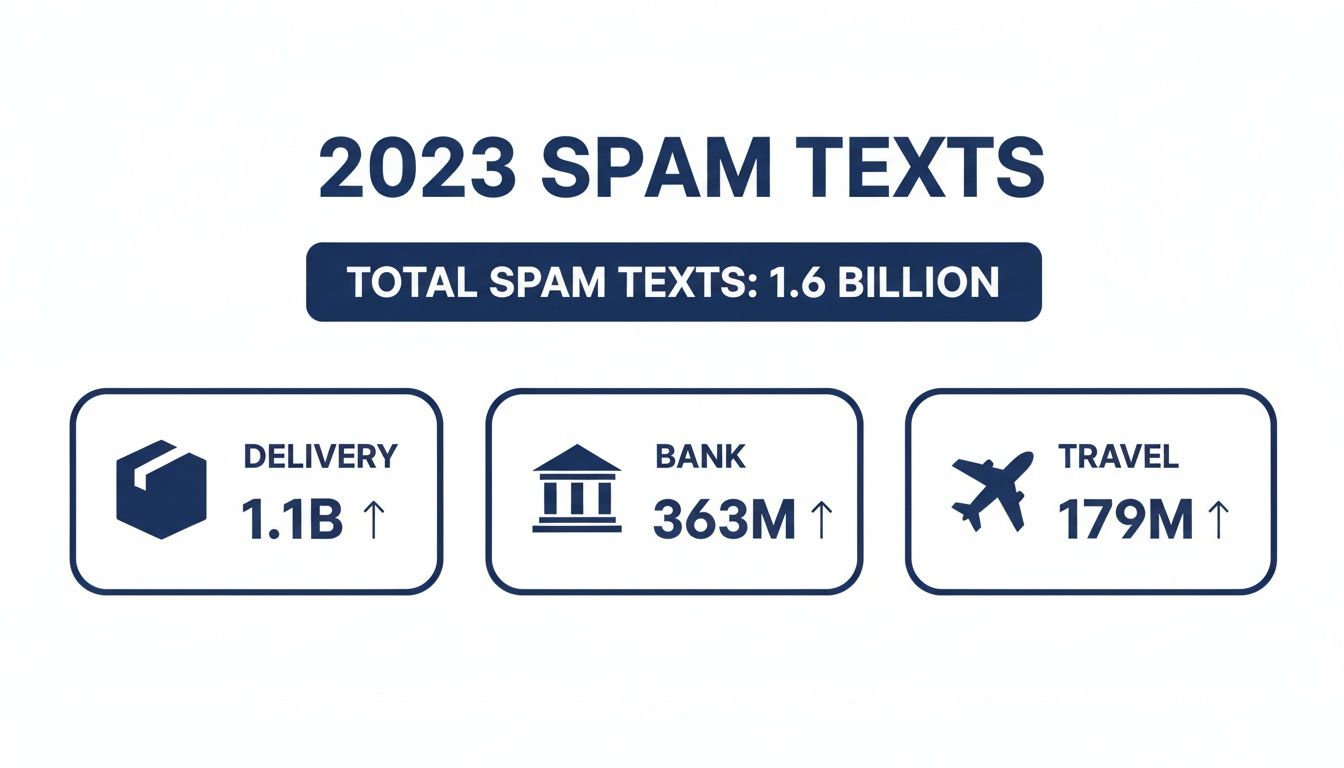
As you can see, fake delivery notices are the clear winner, preying on our habits of shopping online. These texts are crafted to create a sense of panic, pushing you to click a dangerous link without thinking. You can get a deeper look at these tricks in our guide on phishing and smishing scams exposed how to stay safe in seconds.
To really understand why this problem has gotten so out of hand, it helps to know a bit about the basics of mobile messaging privacy. For those who want powerful, real-time protection that keeps up with these new threats, an AI-driven tool like the Gini Help app is a must-have. You can find it on Google Play and the App Store.
Activate Your Phone's Built-In Spam Filters
Your first, and often best, line of defense against that daily flood of junk messages is already sitting in your pocket. You don't need to download anything special right away; both iPhones and Android phones come with powerful, built-in tools designed to stop spam texts before they drive you crazy.
Turning these features on is probably the single easiest thing you can do to bring some sanity back to your inbox.
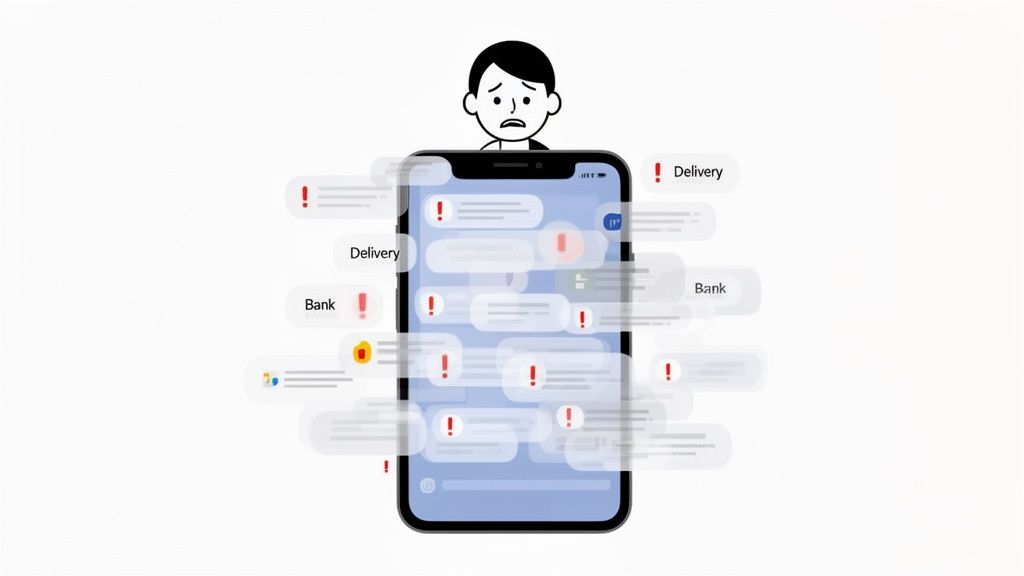
So, how do they work? In simple terms, your phone looks for clues. It checks if the sender is someone you know or if the message has the typical hallmarks of spam. It then quietly shuffles these suspicious texts into a separate folder, keeping them out of sight and, more importantly, keeping you from accidentally clicking a dangerous link.
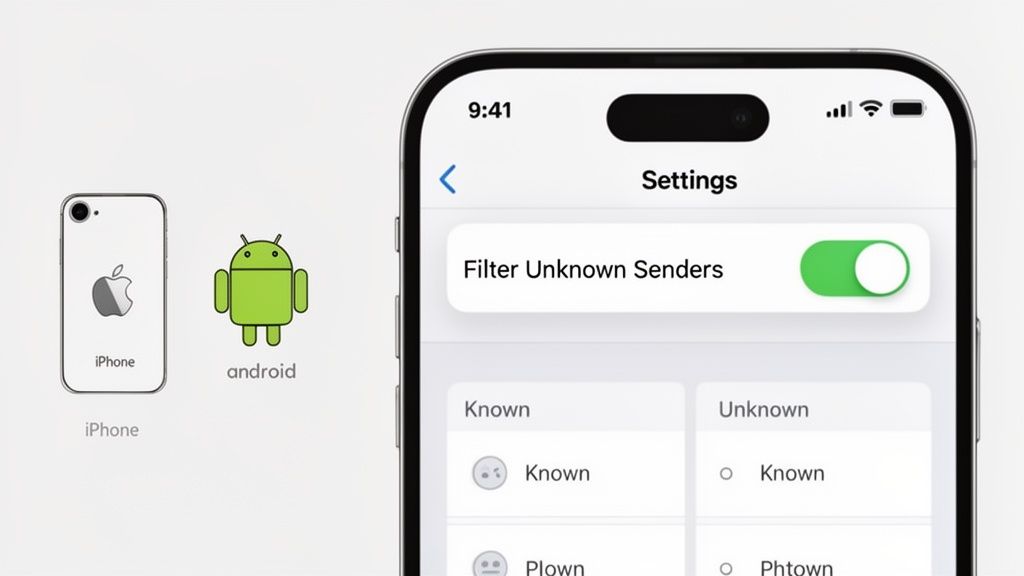
For iPhone Users: Enable "Filter Unknown Senders"
If you're using an iPhone, Apple gives you a wonderfully simple feature called Filter Unknown Senders. When you flip this switch, iOS automatically organizes your Messages app. Your main inbox stays clean, reserved only for people in your contacts, while texts from unknown numbers get sorted into a separate "Unknown Senders" list.
Here’s the quick path to get it done:
- Open the Settings app on your iPhone.
- Scroll down and tap on Messages.
- Look for Filter Unknown Senders under the "Message Filtering" section and toggle it on.
It’s a small change that makes a massive difference. Best of all, you won't get notifications for these filtered messages, so your phone won't be buzzing all day with junk. You can always check that folder later if you’re waiting for a delivery confirmation or a two-factor authentication code from a new service.
For Android Users: Turn On "Spam Protection"
For those on an Android device, especially if you use the standard Google Messages app, you have an equally powerful tool. The Spam Protection feature taps into Google's smarts to automatically sniff out and flag suspected spam. It’s constantly analyzing messages for tell-tale scam patterns and will often warn you about a sketchy message before you even open it.
Here’s how to activate it:
- Open your Google Messages app.
- Tap your profile picture or icon in the top-right corner.
- Select Messages settings, then go to Spam protection.
- Make sure the Enable spam protection slider is switched on.
Once that's on, your phone is actively working to shield you. Taking this step is fundamental to learning how to stop spam texts using the tools you already own.
Native Spam Filtering on iOS vs Android
While both platforms offer great protection, they go about it a little differently. Here’s a quick side-by-side look at what your phone’s operating system can do right out of the box.
| Feature | iPhone (iOS) | Android (Google Messages) |
|---|---|---|
| Primary Method | Sorts messages from non-contacts into a separate list. | Uses machine learning to actively detect and flag suspected spam. |
| Notification Control | Automatically silences notifications for filtered messages. | Notifies you about potential spam but allows customization. |
| User Control | Simple on/off toggle. You manually move messages if misidentified. | Allows you to report spam, which helps improve the algorithm. |
| Visual Cue | Messages are in a completely separate tab ("Unknown Senders"). | A warning label often appears at the top of a suspicious message. |
Ultimately, both are incredibly effective at reducing the noise. The best one is the one you have, so make sure it's turned on!
The Federal Trade Commission (FTC) is tracking a frightening trend: losses from text scams have already surpassed $330 million in just one year. Using your phone's built-in filters is a completely free way to protect yourself and avoid becoming part of that statistic.
While these built-in tools are a fantastic starting point, they can't catch everything. For another layer of security against the really sophisticated scams, an AI-powered service like the Gini Help app can offer real-time analysis that goes far beyond simple number filtering. It’s available for download on both the Google Play Store and the Apple App Store.
Let Your Phone Carrier Do Some of the Heavy Lifting
Beyond the settings on your actual phone, your mobile carrier is your next best ally in the fight against spam. Think about it: companies like Verizon, AT&T, and T-Mobile have a huge incentive to keep their networks clean and their customers happy. They're already blocking a ton of spam at the network level, long before it ever gets a chance to pop up on your screen.
The best part? Their most powerful tools don't cost you a dime. You just have to know how to use them.
The Magic Number for Reporting Spam: 7726
If you only remember one thing from this section, make it this number: 7726. It spells out SPAM on your phone’s keypad, and it’s the universal short code used by all major carriers to report junk texts.
When you forward a spam text to 7726, you're not just deleting a message; you're sending crucial evidence directly to your carrier's security team. They use this data to identify the scammers, track their methods, and block them from bothering you—and thousands of other people—in the future.
Think of yourself as a helpful informant. Each report you send makes the entire network a little bit safer for everyone.
How to Forward a Spam Text to 7726
It sounds technical, but it’s actually quite simple. Here’s how you do it:
- First things first: Don't reply to the spam message and definitely don't click on any links.
- Tap and hold on the message bubble itself. A menu of options will pop up.
- Choose the "Forward" option (on some phones, it might be under a "More" menu).
- This will open a new message with the spam text copied into it. In the "To" field, where you'd normally put a contact's name, just type 7726.
- Hit send. You're almost done!
- Your carrier will send you an automated reply asking for the spammer's phone number. Just copy the number from the original spam text and send it in a new message back to 7726.
And that's it! You've officially reported the spammer.
According to the Federal Trade Commission (FTC), people reported losing an eye-watering $330 million to text message scams in 2023. Reporting spam to 7726 is a free and surprisingly effective way to help shut down the scammers behind these costly frauds.
A Quick Word of Warning About Replying "STOP"
We've all been tempted to just reply "STOP" to a junk message, hoping it will end the harassment. But for a random, illegal spam text, this is one of the worst things you can do.
When you reply with anything—even "STOP"—you’re basically waving a flag that tells the scammer, "Hello! This is a real, active phone number with a person on the other end!" Your number instantly becomes more valuable, and they'll often sell it to other spammers. The result? Even more junk texts.
The only time you should reply "STOP" is to a legitimate short-code message you actually signed up for, like alerts from your pharmacy or a sale notification from a store you like. For everything else, reporting to 7726 is always the safer bet.
While these carrier tools are a fantastic and essential step, they can't catch every single threat. For another layer of protection that actively scans messages for dangerous links and scams in real time, you must look into an AI-powered app like Gini Help. You can find it on both the Google Play Store and the Apple App Store.
Turn to AI for the Strongest Defense with Gini Help
Let's be honest: the built-in filters on your phone and the tools your carrier provides are a good starting point, but they’re playing a constant game of catch-up. Scammers are clever—they cycle through new numbers and tweak their messages just enough to sneak past those basic defenses.
When you’re ready for a truly powerful shield, it's time to bring in a tool that thinks like a scammer. This is where artificial intelligence can give you a serious advantage.
An app like Gini Help completely changes the game. Instead of just checking an incoming number against a blocklist—a list that's often outdated minutes after it's created—Gini Help’s AI gets to the heart of the matter. It analyzes the content and intent of messages, calls, and emails as they arrive. Think of it as having a personal security expert screening everything for you, 24/7.
Going Beyond Basic Blocking with AI Analysis
Your standard spam filter is pretty good at catching obvious junk. But it can easily be fooled by more sophisticated "smishing" (SMS phishing) attacks that use fresh numbers and carefully crafted language designed to create panic or curiosity.
Gini Help's AI moves far beyond just looking for spammy keywords. It understands context, recognizes the tone of false urgency, and identifies suspicious links that might look perfectly fine at first glance. This intelligent analysis allows it to catch threats that other tools simply miss, adding a crucial layer of security.
And this matters now more than ever. The numbers are frankly staggering. Scams that started in email are now flooding our text messages. Phishing still accounts for 1.2% of all global email traffic—that’s a mind-boggling 3.4 billion malicious messages a day. Worse, the FTC has recorded $330 million in losses from text scams in just one year, with some campaigns tricking as many as 53% of recipients into clicking. You can discover more about these phishing trends and see for yourself why a smarter defense is no longer just a nice-to-have.
One App to Protect You Everywhere
One of the biggest reliefs a service like Gini Help provides is its unified approach. Scammers don't limit themselves to just one method; if they can't get you via text, they'll try calling or emailing.
Gini Help brings all your defenses under one roof, securing every major entry point:
- Smart Text Filtering: It scans SMS content in real time, looking for tell-tale signs of scams, from malicious links to manipulative language.
- AI Call Screening: The AI actually answers calls from unknown numbers on your behalf, figures out who is calling and why, and only puts legitimate people through. Your phone won't even ring for spam.
- Email Scam Detection: It works with your email account to flag dangerous phishing attempts and junk before you even see them.
This screenshot gives you a peek at how Gini Help presents everything in a clean, straightforward dashboard.
The entire interface was designed with simplicity in mind. It makes it easy for anyone—including seniors who might not be as tech-savvy—to see exactly what threats have been blocked without getting lost in complicated settings.
For families looking out for older relatives, who are often prime targets for fraudsters, this kind of all-in-one, AI-powered protection brings incredible peace of mind. It works quietly in the background like a digital guardian, neutralizing threats before they become a problem. If unwanted calls are also a major headache, you can learn more about Gini Help's smart call blocker and how it works.
If you’re looking for the most effective way to stop spam texts and truly secure your digital life, we highly recommend downloading the Gini Help app.
You can download it for both Android and iPhone from the official app stores:
Adopt Proactive Habits to Stay Spam-Free
Filtering and blocking are great for dealing with spam you already receive, but the best long-term strategy is to keep your number off those lists in the first place. Think of it as building a digital fence around your personal information. It's a shift from just reacting to junk messages to actively preventing them.
This preventative mindset is what keeps your main phone line quiet and secure. Just like taking simple precautions is key for preventing falls in elderly, a little foresight in your digital life can save you a world of trouble down the road.
Guard Your Phone Number Like a Password
Your phone number is a direct link to you—treat it as valuable information. Before you type it into any website, app, or contest entry form, stop and ask yourself, "Do they really need this?" Many companies use it for marketing, and data breaches are all too common, which can expose your number directly to scammers.
Here are a few smart habits that can make a huge difference:
- Get a secondary number. Consider a free Google Voice number or a cheap prepaid SIM card just for non-essential sign-ups. This is perfect for store loyalty cards, online contests, or one-time accounts where you don't want to give out your real number.
- Read the fine print. When you're signing up for something, keep an eye out for those little pre-checked boxes that give consent for marketing texts. Always uncheck them unless you actually want to receive their messages.
- Keep your number off social media. Never post your phone number publicly on your profiles. Automated bots are constantly scanning these sites to harvest personal information.
True digital peace of mind comes from prevention, not just reaction. By being selective about where you share your phone number, you cut off the supply line for a huge number of spammers.
Learn to Spot the Red Flags of a Scam
Even with the best habits, some spam texts will inevitably slip through the cracks. This is where your own judgment becomes the next line of defense. The good news is that most scammers use the same tired tricks designed to create urgency and push you into a mistake.
Be on the lookout for these classic warning signs:
- A false sense of urgency. Messages shouting "Act now!" or "Your account will be suspended!" are meant to make you panic and click without thinking.
- Suspicious-looking links. Scrutinize any link carefully before you even think about tapping it. Look for weird characters, misspellings of company names, or domains that don't match the official website. For a deeper dive, check out our guide on finding out who is texting me.
- Bad grammar and spelling. Real companies have professionals writing and proofreading their messages. A text full of typos and awkward sentences is almost certainly a scam.
While these habits are crucial, you can also add an extra layer of automated protection. An AI-powered app like Gini Help is designed to spot these red flags for you. It automatically analyzes incoming messages for suspicious content and blocks them before they can bother you. You can find it on the Google Play Store and the Apple App Store.
Got Questions About Stopping Spam Texts? We’ve Got Answers.
Even after setting up filters and being careful, you probably still have a few questions. That’s completely normal. Let's clear up some of the most common head-scratchers people have when it comes to fighting spam texts.
Does Replying 'STOP' Actually Work?
This is a tricky one, and the right answer really depends on who sent the message.
If the text is from a real company you know—maybe a reminder from your dentist or a sale alert from a store you shop at—then yes, replying STOP is exactly what you should do. Legitimate businesses are required by law to honor that request.
But what if the message is clearly a scam? Think fake package alerts, promises of a free gift card, or warnings about a locked account you don't even have. In those cases, replying with "STOP" is the last thing you want to do. Any kind of reply confirms to the scammer that your number is active. They now know a real person is on the other end, making your number a more valuable target to sell to other scammers.
My advice? Only reply "STOP" to texts from businesses you recognize and remember signing up for. For everything else, report it to 7726 and delete it. Don't engage.
Can I Actually Sue a Spammer?
Believe it or not, yes. You have legal protections, primarily from the Telephone Consumer Protection Act (TCPA). This federal law is pretty strict about automated marketing texts, making it illegal for companies to send them without your clear, written permission.
If a company breaks these rules, you could potentially seek damages between $500 and $1,500 per text. The first and most important step is to file a complaint with the Federal Communications Commission (FCC) and the Federal Trade Commission (FTC). These agencies rely on our reports to identify and pursue offenders. While hiring a lawyer and filing a lawsuit is a big step, your official complaints help build the case against these bad actors.
Why Is My Spam Coming From a Weird Email Address?
Ever get a junk text and see a long, nonsensical email address as the sender instead of a phone number? It's a sneaky trick spammers use to get around the spam filters built by mobile carriers, which are mostly designed to look for suspicious phone numbers.
They’re using something called an email-to-text gateway. Every carrier has one (for example, sending an email to 1234567890@vtext.com would send a text to that Verizon number). Scammers blast out millions of messages through these gateways from throwaway email accounts, making it incredibly difficult for standard filters to catch them.
This is exactly why a smarter, content-based filter is so helpful. An AI-powered service doesn't just look at the sender; it analyzes the actual words and links in the message to spot a scam, no matter where it came from.
If you're looking for that kind of next-level, proactive protection, Gini Help acts as an AI-powered shield for your phone. It analyzes calls, texts, and even emails in real-time to identify and block threats before they ever reach you. Download it today to get your peace of mind back.
- Find Gini Help on the Google Play Store
- Find Gini Help on the Apple App Store