Who Is Texting Me? How to Identify Unknown Numbers Fast
By Josh C.
That buzz from your phone—from a number you don’t recognize—is more than just an interruption. It's often the opening move in a scam. Trying to figure out who is texting me has become a critical skill, especially as scammers get more sophisticated with their tricks to steal your info or money.
The Growing Problem of Anonymous Texts
We’ve all been there. A text pops up from an unknown number. Maybe it’s a delivery alert for a package you never ordered, a fraud warning from your "bank," or a cryptic message from a supposed old friend. This isn't just random spam; it's a calculated and massive problem.
The sheer volume of these messages is mind-boggling. According to recent research from Robokiller, Americans received an estimated 225 billion spam texts in 2023, a significant increase from previous years. The Federal Trade Commission (FTC) backs this up with hard numbers, showing that financial losses from text scams have skyrocketed, growing more than five times since 2020. The stats on spam texts paint a pretty clear picture of how out of hand this has gotten.
The Psychology Behind Scam Texts
Scammers are experts in emotional manipulation. They don’t just blast out random messages; they carefully craft them to prey on basic human instincts like fear, curiosity, and trust.
They love using a few key tactics:
- Manufacturing Urgency: "Your account has been compromised, act now!" or "Confirm your details, or your package will be returned." These messages are designed to make you panic and act before you can think.
- Piquing Curiosity: Who can resist a message like, "Is this you in this picture?" or "Did you mean to send this?" They’re banking on you clicking the link to find out more.
- Impersonating Authority: By pretending to be the IRS, your bank, or a big company like Amazon, they piggyback on established trust to make their requests seem legitimate.
This infographic really breaks down how a typical scam text is built, from the hook to the ultimate goal.
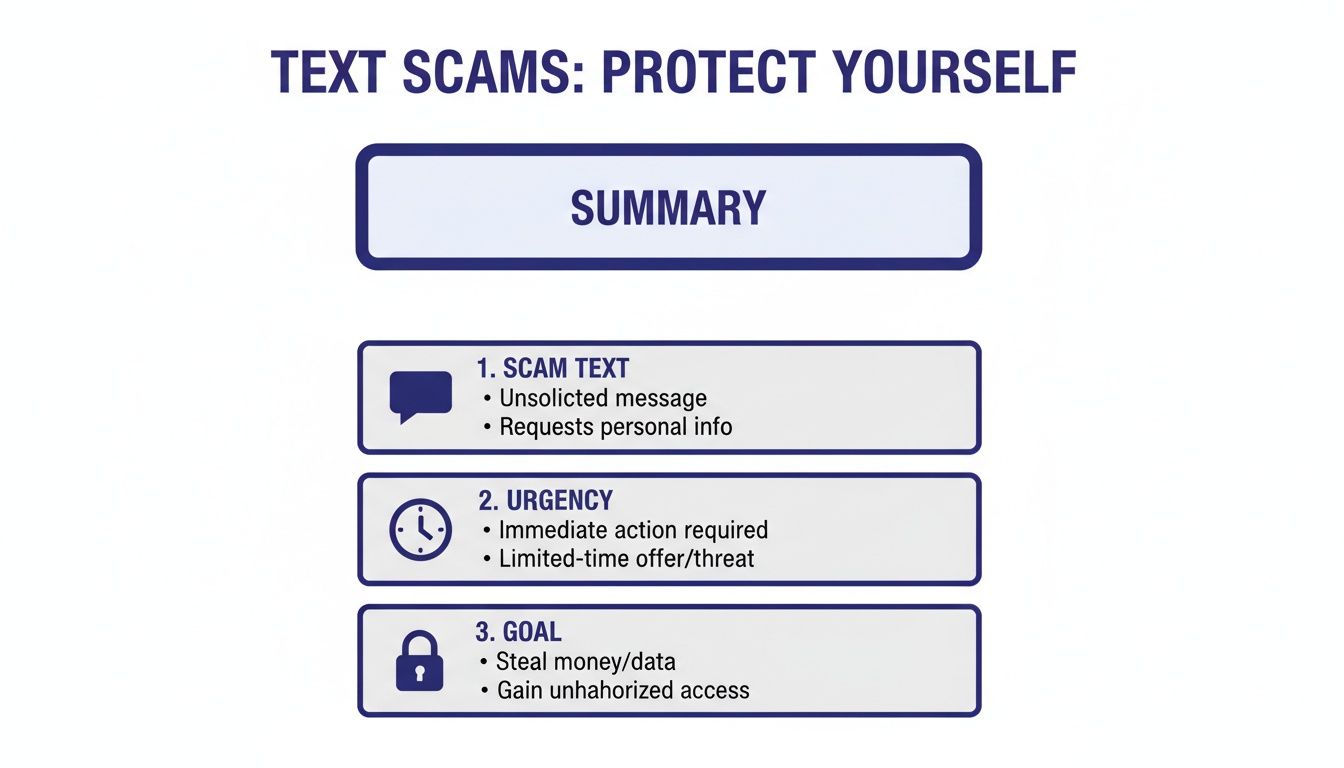
As you can see, every part of the scam is engineered to rush you into a bad decision, which almost always ends with them stealing your data or cash. This flavor of text-based phishing is called "smishing," and learning its patterns is crucial. For a deeper dive, check out our guide on how phishing and smishing scams exposed can keep you safe.
The goal of a scam text is simple: to short-circuit your critical thinking. By manufacturing a crisis, scammers prevent you from taking a moment to question the message's authenticity.
A proactive defense is always your best bet. Instead of just reacting to every strange text, it’s better to have a system that filters them out from the start. This is where modern tools like the Gini Help app come in, using smart technology to stop threats before they even hit your screen. You can download Gini Help on the Google Play Store or the Apple App Store to add a powerful layer of protection for you and your family.
Your First Steps for Safe Identification
That little buzz from your phone—a text from a number you don’t recognize. The first instinct for many of us is to fire back a quick, “Who is this?”
Fight that urge. Replying to an unknown number, even with a simple question, is like sending up a flare. You’ve just confirmed to a potential scammer or spammer that your number is active and monitored. And that can open the door to a whole lot more unwanted messages. The best move is to play detective without tipping your hand.
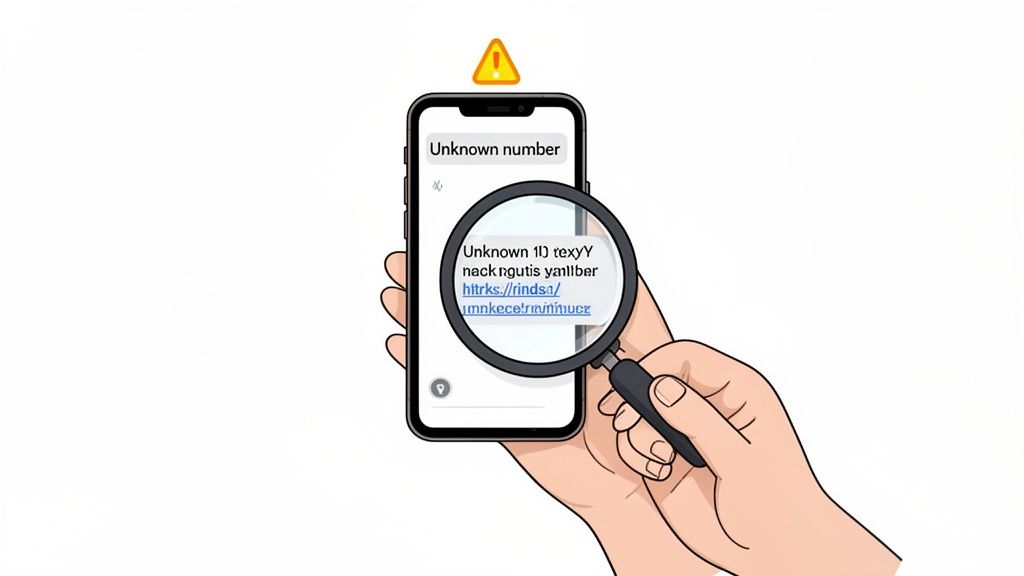
Before you do anything else, take a hard look at the message itself. Scammers, especially those using automated scripts or operating from overseas, often leave clues that something isn't right. You’re looking for the little details that just feel… off.
- Weird Phrasing and Bad Grammar: Does the text read strangely? A message from "FedEx" claiming, "Your parcel has stopping at warehouse," is a dead giveaway. Real companies have proofreaders.
- Vague, Impersonal Greetings: Scammers blast out thousands of these messages. If it starts with "Dear Customer" or "Hello Sir/Madam" instead of your actual name, be suspicious. The businesses you know and trust will almost always use your name.
- Suspicious Links: This is the big one. Never, ever click a link from an unknown number. Scammers love using link shorteners (like bit.ly) or creating fake domains that look real at a glance to steal your information.
Use a Search Engine to Your Advantage
One of the easiest and safest next steps is to just pop the phone number into a search engine. I do this all the time. The trick is to wrap the full number in quotation marks, like this: "555-123-4567". This tells the search engine to look for that exact sequence of numbers.
You'd be surprised what you can find. The search results will often point you in the right direction. You might discover the number is:
- Listed on a company’s public contact page.
- Flagged on a community forum where others are reporting it as spam.
- Connected to someone’s professional profile on a networking site.
A simple, cautious online search is your best first line of defense. It lets you investigate from a safe distance, without ever engaging with the sender or putting your own security at risk.
This quiet, passive investigation helps you build a picture of who’s on the other end before you decide what to do next. If you want more consistent, automated protection, a dedicated security tool like the Gini Help app can be a game-changer. It screens and blocks suspicious messages for you and is available on the Google Play Store and the Apple App Store.
Digging Deeper with Lookup Tools and Social Media
When a quick Google search turns up nothing, don't throw in the towel. It just means you need to pull out some more specialized tools to answer the question, "who is texting me?" This is where reverse phone lookup services really shine—think of them as a digital phone book for the 21st century.
These services dig through public records and data brokers to link a phone number to its owner. They aren't perfect, especially against scammers who use burner phones or masked numbers, but you’d be surprised how often they hit the mark with legitimate numbers. If you're curious how scammers cover their tracks, we break down their tactics in our article on phone number masking techniques.
What You Can Learn from Reverse Lookup Tools
A good lookup service can paint a surprisingly detailed picture of the person on the other end. You'll usually get a mix of free tidbits and more in-depth data available for a fee.
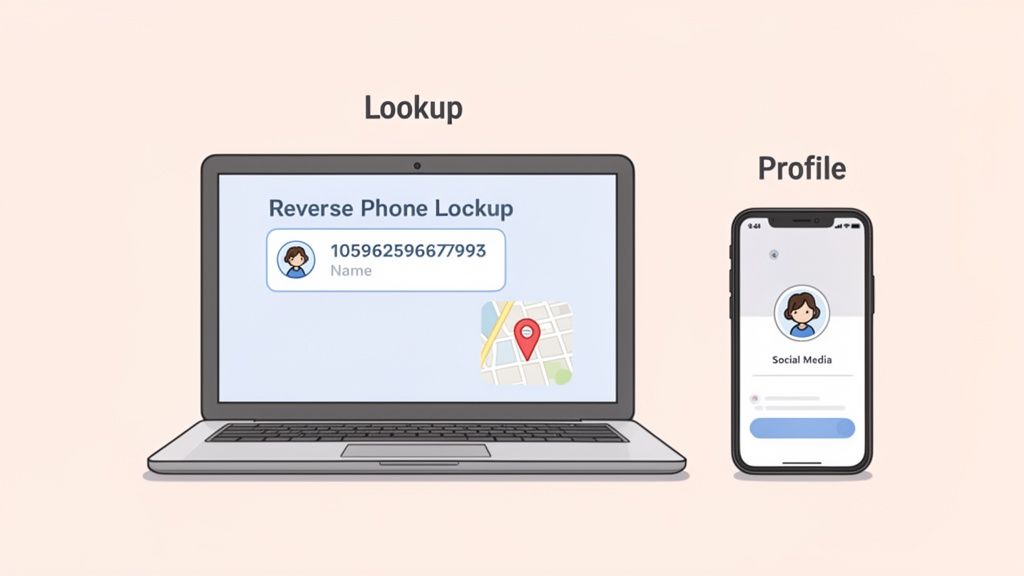
Right away, the free results often show the general location and the phone carrier. This is a great first clue. If the text claims to be from a local business but the number is registered across the country, that's a major red flag. Same goes if it’s from a VoIP service, which scammers love to use.
Typically, the free info includes:
- General Location: The city and state tied to the number’s area code.
- Phone Carrier: Is it a major carrier like AT&T or a less traceable prepaid service?
- Spam/Fraud Score: Most services collect user reports to flag numbers known for spam or scams.
You can often pay for a more detailed report, but proceed with caution. Scams are getting more sophisticated, and even a number that looks clean could still be part of a bigger threat.
Uncovering Clues on Social Media and Payment Apps
Here’s a trick I’ve found to be incredibly effective, and it's one most people forget: check the number on social media and payment apps. So many people link their phone numbers to their public profiles for login or security purposes, not realizing it can make them searchable.
Think about the apps on your phone right now:
- Facebook and Instagram: Just pop the number into the search bar. If the user’s privacy settings are loose, their profile might just appear.
- LinkedIn: This is a fantastic way to identify business contacts or professionals who might be reaching out.
- Venmo or Cash App: This one is brilliant. Start a tiny payment to the number (you don’t have to actually send it). Before you confirm, the app will almost always show you the person's name and profile picture. Bingo.
This simple trick can give you a direct and surprisingly accurate answer. Finding a public profile attached to a phone number is often the fastest way to confirm an identity and figure out if you're dealing with a friend or a total stranger.
While these investigative steps are powerful, they do take some time. If you’d rather have a more automated, hands-off way to identify and block threats, an AI-powered solution is the modern answer. An app like Gini Help can screen messages for you automatically. You can grab it from the Google Play Store or the Apple App Store.
Let’s be honest: trying to manually investigate every single unknown text message is draining. You can spend all day plugging numbers into Google or checking social media profiles, but it’s a game you can’t win. Scammers cycle through burner apps and new numbers so fast that by the time you block one, three more have already taken its place.
This constant cat-and-mouse game is why we need to think differently. The old way of just blocking numbers is broken. Instead of reacting, we need a proactive strategy that gets ahead of the threats, and that’s where AI-powered protection comes in.
This isn't about simply updating a blocklist. Modern AI tools don't just look at the phone number; they analyze the content and patterns of the message itself. They’re trained to spot the classic signs of a scam in real-time—things like urgent language, suspicious links, and tricky phrasing designed to make you panic. This way, the threat is neutralized before you even have a chance to see it.
Think of it as a smart digital gatekeeper, quietly filtering out the junk and the danger so you don’t have to.
Why AI Is a Game-Changer for Text Security
The sheer volume of text-based phishing—or "smishing"—is just too much for any one person to handle. We're talking about a multi-billion-dollar criminal enterprise. The Anti-Phishing Working Group (APWG) recently documented over a million phishing attacks in a single quarter. It’s a staggering number.
With text scam losses soaring over 500% since 2020, it's clear this isn't a problem that's going away. Scammers often target older adults, who may be more trusting, making a reliable defense even more critical. If you want to see the latest data for yourself, check out the APWG's quarterly report.
This is exactly the kind of modern problem that AI-powered apps like Gini Help were built to solve. Instead of depending on a static list of "bad" numbers that's instantly outdated, Gini’s technology uses intelligent algorithms to understand what a message is trying to do.
Here’s what that looks like in practice:
- Real-Time Content Analysis: The AI essentially reads the message for you, instantly flagging common scam tactics.
- Sender Pattern Recognition: It’s smart enough to identify unusual behavior, like a number that’s associated with mass-texting services used by scammers.
- Proactive Threat Blocking: Malicious messages are stopped in their tracks, long before they can create confusion or stress.
This kind of automated defense is a huge relief, especially if you’re trying to protect older family members who aren’t as familiar with the latest scams.
Peace of mind comes from having a system in place that doesn't just react to threats but actually anticipates and neutralizes them. It's the difference between building a higher wall and having a guard on duty 24/7.
Creating a Proactive Defense System
The good news is that setting up this kind of protection is surprisingly simple. When you install an AI-driven security app, you’re creating a powerful shield around your phone's communications. It’s an automated approach that finally puts an end to that nagging question of "who is texting me?" by making sure only legitimate, safe messages ever reach you.
For a deeper dive into how this technology works, you can learn more from our guide on using a smart call blocker to secure your phone from all angles.
If you’re looking for true, set-it-and-forget-it protection, the best step is to download a dedicated security app. Gini Help offers this advanced AI screening for both calls and texts, giving you and your loved ones a reliable defense against the scammers who won't quit.
You can download the Gini Help app today from the Google Play Store or the Apple App Store.
What to Do After You Identify the Sender
So, you've done the detective work and figured out who's behind that mysterious text. That’s half the battle. What you do next, though, is just as critical. The right move depends entirely on whether you're dealing with a legitimate business, a sneaky scammer, or something else.
When It’s Just Unwanted Marketing
If your investigation reveals the sender is a real company sending marketing messages you don't want, the fix is usually straightforward. Legitimate businesses are required to give you an easy way to opt out.
- The "STOP" command: Firing back a simple reply of "STOP" is the most common method. Most automated systems are programmed to recognize this keyword (or others like "UNSUBSCRIBE" and "CANCEL") and will promptly remove you from their list.
- Look for a link: Sometimes, the message will have a link to manage your communication preferences directly.
- Get confirmation: You should almost immediately receive a text confirming you've been unsubscribed. If you don't get one, it might be a sign the sender isn't as legitimate as you thought.
Dealing with Malicious Senders
Now, if you've uncovered a scammer, a phisher, or someone harassing you, the game changes. Do not reply. Do not engage. Your only goal is to shut them down and report them.
First, Block the Number
This is your immediate line of defense. Blocking stops them from ever reaching you again from that specific number.
- For iPhone users: Open the text conversation, tap the sender's info at the top of the screen, tap "Info," scroll down, and hit "Block this Caller."
- For Android users: Open the message, tap the three-dot menu in the top right corner, and select "Block number" or find the option under "Details" to "Block & report spam."
While blocking gives you instant peace of mind, it’s only the first step.
Report Scams to the Authorities
This is the part many people skip, but it's incredibly important. Reporting malicious texts helps your mobile carrier and federal agencies identify patterns, track down scammers, and protect everyone else.
Simply deleting a scam text is like ignoring a problem instead of solving it. Reporting it empowers you to be part of the solution, helping to dismantle the very networks that target you and your community.
The easiest way to report is to forward the entire malicious message to the number 7726 (which spells SPAM). This goes directly to your carrier’s security team. You can also file a complaint with the Federal Trade Commission (FTC), which adds your experience to a national database used to investigate and prosecute fraudsters.
Let's be realistic: with billions of people texting, spam isn't going away. Recent data shows that a huge majority of phone numbers receive spam texts, and nearly a third get them every single day. For older adults and their caregivers, this constant stream of messages is more than an annoyance—it's a real threat. You can dig into more of these texting statistics to see the full picture.
For a layer of automated protection that spots and blocks these threats before they even hit your inbox, check out the Gini Help app. You can find it on the Google Play Store and the Apple App Store.
Got Questions About Unknown Texters? We Have Answers
Getting a text from a number you don't recognize can be unsettling. It’s a common problem, so let's walk through some of the biggest questions people have when they're trying to figure out "who is texting me?"
Is It Ever Okay to Reply to an Unknown Number?
My advice? Almost never. It’s tempting to fire back a quick "Who is this?" or even a firm "STOP," but doing so can backfire.
When you reply, you're sending a signal back to the sender that your number is active and that someone is on the other end. For a legitimate company, texting "STOP" works. But if you're dealing with a scammer, you’ve just confirmed you're a real person—making you a bigger target for more spam and phishing attacks.
The best move for any message that feels off is simple: ignore it, block the number, and report it. Don't engage.
Will a Reverse Phone Lookup Always Tell Me Who It Is?
Not always. These services are great for digging up info on landlines or cell numbers that are publicly listed under a person or business. But they often hit a wall with the kinds of numbers scammers love to use.
You’ll likely come up empty if the number is from:
- A prepaid or "burner" phone
- A VoIP service like Google Voice
- An app that "spoofs" or fakes a phone number
So, while a reverse lookup is a solid first step in your investigation, it’s definitely not a magic bullet.
I Messed Up and Clicked a Scam Link. What Now?
Okay, don't panic—but do act fast. The moment you realize you've clicked a suspicious link, get your device offline. Turn off your Wi-Fi and cellular data immediately. This can sever the connection before malicious software or a fake site can send your data back to the scammer.
Whatever you do, don't enter any passwords, account numbers, or other personal details on the page that loaded. From there, run a malware scan with a trusted security app. It's also a good idea to clear your browser's history and cache.
For the next few days, keep a close eye on your bank accounts and credit reports for anything unusual. As an extra precaution, change the passwords for your most important accounts, starting with your email and banking apps.
Think it's just a nuisance? Think again. Smishing—or SMS phishing—is a massive problem. Consumers reported losing a staggering $330 million to these scams in just one year. That's how much financial damage one bad link can cause.
How Can I Keep My Elderly Parents Safe from Text Scams?
This is a big concern for many of us. The best approach is a mix of conversation and technology. Talk to them about the kinds of scams that are out there, like those fake package delivery alerts or messages creating a false sense of urgency to get them to hand over information.
But let's be realistic—you can't be there to check every single message. For real peace of mind, an automated tool is your best bet. Installing a dedicated security app like Gini Help on their phones acts as a digital bodyguard. Its AI is smart enough to screen and block scams before your parents even see them, which can put an end to the constant worry for everyone.
If you're looking for a proactive defense that filters out scams and spam automatically, Gini Help delivers the security you and your family deserve. You can download the app from the Google Play Store or the Apple App Store today.