Preventive Security Measures That Actually Work
By Josh C.
You're sitting at the kitchen table when your phone rings. The caller says they're your grandson, but they sound frightened and rushed. They claim there's an emergency and ask you to send money immediately. Before you can think clearly, another voice joins the call, posing as a lawyer or police officer, insisting that you must keep everything secret.
This kind of scam succeeds by creating pressure before reflection. The victim may already know not to trust a suspicious message, yet urgency, authority, fear, and affection can overwhelm that knowledge. Effective preventive security measures therefore need to act before a person is pushed into a decision, not only after money has been sent or credentials have been exposed.
Understanding Why Preventive Security Matters Now
Fraud prevention often starts with a question: “How can I recognize a scam?” That question matters, but it puts too much responsibility on the person under pressure. A better question is, “What should happen when an unfamiliar contact demands immediate action?”
A preventive system creates distance between the message and the decision. It might screen a call, move a suspicious text away from the main inbox, warn that a request involves remote access, or remind someone to contact a family member before sending funds. Each action interrupts the emotional momentum that scammers depend on.

The danger starts before payment
A scammer doesn't need to break into a bank account first. They may begin with a phone call, text, email, social media message, or fake support alert. The true objective is often to control the conversation long enough to make the target distrust their normal safeguards.
That's why preventive security measures should cover communication channels, not just payment screens. A suspicious caller who never reaches the victim has less opportunity to create fear. An email that gets flagged before its link is opened gives the recipient time to verify it independently.
Practical rule: When someone creates urgency, slow the interaction before you try to solve the problem.
The most useful safeguards are layered. Technical screening handles suspicious contact, a verification habit tests the caller's identity, and a family or caregiver protocol provides support when the situation feels confusing. No single layer needs to be perfect. Together, they make manipulation harder.
The Scale of Fraud and Why Prevention Must Come First
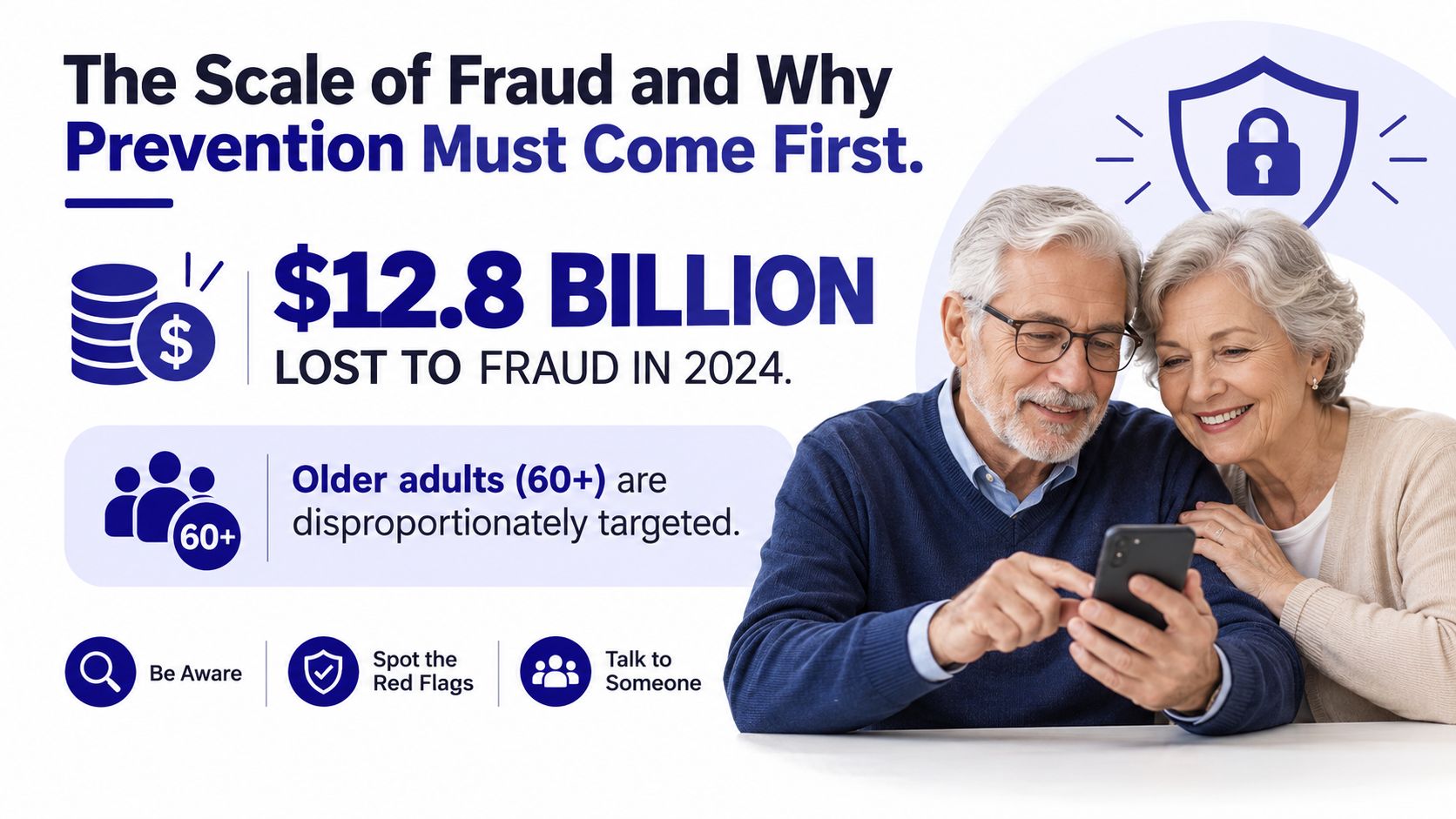
The financial consequences show why prevention can't depend only on reporting after the event. The U.S. Federal Trade Commission's report on older adults states that consumers lost $12.8 billion to fraud in 2024. Adults aged 60 and above reported nearly $2.4 billion in losses, up from approximately $1.9 billion in 2023.
The same FTC report warns that reported figures substantially understate the harm. Depending on assumptions about unreported fraud, the total 2024 cost to older adults may have ranged from $10.1 billion to $81.5 billion. Among reports that included age information, approximately 36%, or 421,031 reports, came from people aged 60 and older, and 109,580 of those reports indicated a monetary loss.
Why reported losses still don't show the whole picture
People may feel embarrassed, fear losing independence, or assume that reporting won't help. That means visible complaints represent only part of the damage. Prevention is especially important in this context because it doesn't require a victim to recognize, document, and report the scam after the pressure has already worked.
The consequences can also be severe for individual victims. According to the FTC, people aged 80 and above reported median individual losses exceeding $1,600. A median is not a prediction for every person, but it shows why even a single successful interaction can matter.
The practical lesson is simple: preventive security measures should aim to stop suspicious contact before trust forms. A warning after someone has disclosed a password is useful, but a screen that prevents the conversation from reaching them offers an earlier opportunity to protect money, privacy, and confidence.
Four Categories of Preventive Security Measures
A useful way to make prevention feel manageable is to sort it into four connected categories. Technical controls work in the background to screen or flag suspicious activity. Behavioral controls guide what a person does in a tense moment. Physical controls protect devices and papers from direct access. Organizational controls create shared rules, so someone under pressure does not have to decide alone.
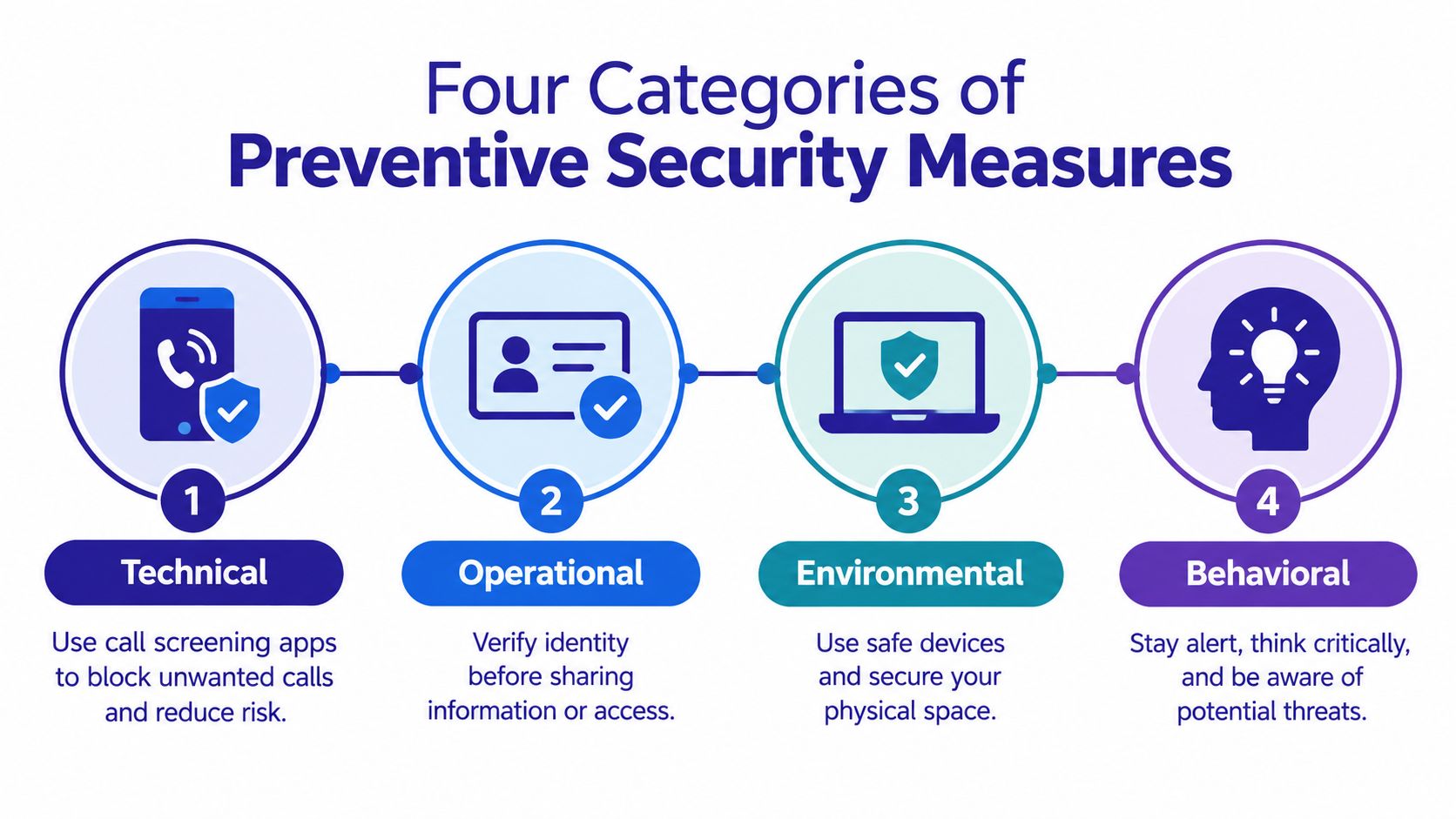
These categories work like layers on a front door. One lock helps. Several well-chosen locks, plus a habit of checking who is there, reduce the chance of a rushed mistake. That matters because many failures begin with emotion, not lack of knowledge. A message creates urgency, borrows authority, or triggers fear, and the person is pushed to act before they can slow down.
Technical controls include caller screening, spam filtering, device updates, multi-factor authentication, and link warnings. They keep working when someone is tired, distracted, or busy. They also have limits. A real call may come from an unfamiliar number, and a scammer can change accounts or spoof details.
Behavioral controls add the pause that technology cannot force by itself. If a caller gives a number to call back, do not use it. Open the official app or type the known website yourself. Contact the person or institution through a previously saved number. Treat secrecy, threats, and immediate transfer requests as signals to stop and verify.
Physical controls cover the simple barriers that prevent easy access, such as locked phones, secured laptops, protected mail, and safely stored financial papers. Organizational controls matter when uncertainty meets pressure. A trusted contact, a family verification phrase, or a rule that large or unusual requests must be checked with another person can turn a panicked moment into a routine decision.
| Category | Examples | When to Prioritize |
|---|---|---|
| Technical | Call screening, email filters, updates | Before unfamiliar contact reaches the user |
| Behavioral | Pause, independent verification, no secrecy | When a message creates pressure |
| Physical | Device locks, secure documents, private workspace | When others may access equipment or records |
| Organizational | Family protocols, caregiver support, escalation contacts | When decisions involve money or uncertainty |
These categories reinforce one another. A screened call lowers exposure. A verification habit interrupts emotional pressure. A family protocol gives people a clear next step they can keep using, even when a situation feels urgent.
Protecting Your Phone, Email, and Text Messages
Phone calls deserve early attention because they create the richest opportunity for emotional manipulation. Among older adults reporting losses of $10,000 or more, 41% said a phone call was the initial contact method, compared with 15% for an online advertisement and 13% for email, according to the FTC's analysis of impersonation scams.
Start with the channels you use most
For your phone, enable built-in caller identification and screening features, and use your carrier's spam controls where available. Registering with applicable Do Not Call services may reduce some unwanted calls, although it won't stop criminals who ignore those rules. Save trusted contacts clearly, but don't assume a familiar name on the screen proves who is calling.
For email, turn on filtering, inspect the sender address, and avoid opening unexpected attachments. Don't use a link in a threatening message to reach your bank, government agency, employer, or delivery service. Instead, open the institution's known app or type its established website address yourself. Readers who want a broader explanation of phishing defenses can consult this Nerds 2 You Edmonton guide to phishing attack prevention.
Text messages need the same caution. A message may appear to come from a delivery company, bank, or family member, but spoofing can make the sender look familiar. Don't reply with personal information, don't share verification codes, and don't follow instructions that tell you to move the conversation to another channel.
Use this short routine when a message feels urgent:
- Stop: Don't click, reply, transfer money, or install software.
- Separate: Close the message or end the call so the emotional pressure stops.
- Verify: Contact the supposed sender through a previously known channel.
- Ask: Speak with a trusted person before taking financial or account action.
For more focused guidance, see text message security guidance. A screening tool should preserve access, not isolate you. Set up safe callbacks and trusted exceptions for doctors, pharmacies, schools, delivery services, employers, and family members.
A short demonstration can make these controls easier to understand:
Why Awareness Alone Is Not Enough
Knowing common scam signs doesn't guarantee safety during a stressful conversation. A scammer may use a real name, a convincing logo, a copied voice, or details gathered from public information. They then add a deadline, claim authority, and warn that asking anyone else for help will make the situation worse.
The growth in high-impact impersonation shows the weakness of recognition-only advice. FTC analysis found that reports from older adults who lost at least $10,000 to business or government impersonation scams rose from 1,790 in 2020 to 8,269 in 2024, while reports involving losses above $100,000 increased nearly sevenfold. The FTC's analysis of impersonation scams supports a stronger response than “be more careful.”
Use an escalation protocol
When uncertainty meets pressure, the system should take over some of the decision-making:
- Delay the contact: Let a screening tool or voicemail handle the first interaction. Don't reward urgency with immediate access.
- Verify independently: Find the organization's contact details through a known statement, official app, or trusted person. Never rely on the caller's number.
- Pause financial action: Create a cooling-off period before a wire transfer, cryptocurrency payment, gift-card purchase, or remote-access session.
- Bring in support: With consent, notify a trusted family member, caregiver, or adviser when a high-risk request appears.
This protocol doesn't assume the person is careless. It recognizes that fear changes how people process information. A protective system should make the safe action easier than the rushed action. Principles used in Reworx Recycling's data breach prevention strategies also reinforce the value of reducing exposure before an incident becomes harder to contain.
AI-Powered Protection and Modern Tools
A convincing scam can arrive from a number you have never seen, in a voice that sounds calm, informed, and urgent. That is why older spam filters miss so much. They often look for known numbers, addresses, or repeated phrases. Scammers change those quickly. Conversation-aware screening examines the pressure inside the interaction itself, what the caller or message is pushing you to do, and how it is trying to rush you there.
Gini Help screens calls, texts, and emails before they reach you. Its fine-tuned language models analyze live conversations instead of depending only on lists of known spam numbers. It also brings Gmail, Outlook, Yahoo, iCloud, and SMS protection into one application. During answered calls, Live Call Analysis can show a risk score and send haptic warnings while the conversation is still happening.
That matters because manipulation usually shows up before identity does. A scammer may claim authority, create fear, insist on secrecy, ask for credentials, request remote access, or push a wire transfer or cryptocurrency payment. Even if the sender is new, a tool that reads those patterns can flag the risk early.
Choose tools that help you decide
Good AI protection helps you slow the moment down. It should tell you why a contact looks risky, point to the pressure tactic being used, and give you a clear next step. You stay in control, but the tool acts like a second set of eyes when stress narrows your attention. If you want a plain-language explanation of the technology behind that process, read what AI detection means.
Use a simple rule here. If a message involves money, account access, identity documents, or medical information, verify it outside the conversation.
Budgeting tools such as compare budgeting apps with Fintrack organize the money side of a household. Scam screening protects the moment when someone is trying to control a financial decision through urgency or fear. Both can support safer choices, but they solve different problems.
Checklists for Seniors and Caregivers
A protective setup works best when it starts with a small number of actions. Trying to change every device and account at once can create confusion, so begin with the channel that causes the most stress.
A senior's starting checklist
- Enable screening: Turn on phone spam screening and email filtering.
- Create a pause rule: Never send money, share a code, or install remote-access software during an unexpected contact.
- Choose a verifier: Select one trusted person to call before acting on urgent requests.
- Use independent contact details: Find the organization's number from a known statement, card, or official app.
- Install protection: Download a protective application such as Gini Help from Google Play or the App Store.
- Practice the response: Say out loud, “I don't make urgent decisions on incoming calls. I'll call back through a trusted number.”
That last step matters because practiced words are easier to access under stress. You don't need to prove the caller is a criminal. You only need to end the pressure and verify independently. The senior fraud prevention guide can provide another practical reference for building this routine.
A caregiver's checklist
Ask permission before adding monitoring or shared access. Help update devices, configure filters, save trusted contacts, and agree on how the senior wants to be contacted during an emergency. Establish a simple family phrase or callback process, but don't treat it as the only defense because scammers may learn personal details.
Review the arrangement periodically. Check that legitimate callers can still reach the person, that warnings are understandable, and that the senior knows how to override or report a mistaken block. If a suspicious interaction occurs, preserve messages and contact the relevant financial institution promptly rather than focusing on blame.
Common Misconceptions About Preventive Security
Misconception one: block every unfamiliar contact. That sounds safe, but it can cut people off from doctors, pharmacies, delivery services, employers, schools, and emergency-related contacts. Older adults may then disable the protection entirely because it interferes with ordinary life.
A better approach uses graduated controls. Screen first, ask an unfamiliar contact to state a purpose, allow a safe callback through an independently verified number, and provide a plain-language explanation when a message is flagged. Caregiver-approved exceptions can preserve access without opening every channel.
Misconception two: fewer spam calls means less serious fraud. Volume reduction is useful, but high-severity intervention matters more than merely counting blocked messages. A single convincing request for cryptocurrency, a wire transfer, credentials, or remote access can cause more harm than many harmless promotional calls.
Misconception three: education solves the problem. Education helps people understand the pause, but it can't always neutralize fear or authority impersonation in real time. Preventive security measures should combine awareness with screening, warnings, independent verification, and support from trusted people.
The need for that balance remains clear in recent FBI data. The FBI's 2025 Internet Crime Report states that elder-fraud complaints reached 201,266 in 2025, a 37% increase from 2024, while reported losses reached $7.748 billion, a 59% increase.
Protection should make safe behavior practical, not turn independence into isolation. Start with one channel, add one trusted verification rule, and adjust the controls when legitimate communication becomes difficult.
Gini Help screens calls, texts, and emails before suspicious interactions reach you, while Live Call Analysis can warn you during calls you do answer. Visit Gini Help to see how its multi-channel protection can add an earlier pause between emotional pressure and an irreversible decision.