How to Send Secure Email A Practical Guide
By Josh C.
When you want to send a secure email, what you're really looking for is end-to-end encryption (E2EE). This is the gold standard, ensuring that only you and the person you're sending it to can actually read the message. You can get this level of security by using dedicated services like ProtonMail or by flipping on built-in features like S/MIME in clients you already use, such as Outlook.
Why Sending Secure Email Matters More Than Ever
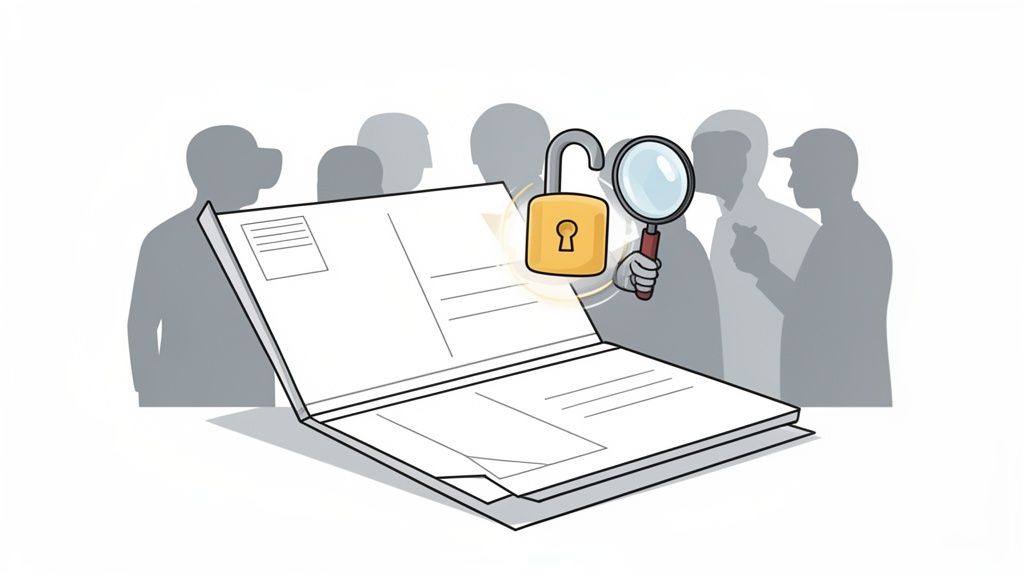
Think of a standard email as a postcard. Anyone who handles it on its journey—from your server to your recipient's—can read what's written on it. In an era where data breaches are practically a weekly occurrence and scams are getting scarily sophisticated, that kind of exposure is a huge risk. This isn't just a problem for big companies; it's a real and present danger for all of us.
The threats aren't theoretical. Every day, people fall victim to a scammer sending a fake invoice that looks exactly like one from a trusted contractor, hoping to trick them into paying. Or consider the all-too-common tactic of impersonating a family member in a made-up crisis, asking for urgent financial help. Without proper security, your private conversations about health, finances, or personal plans are left wide open.
The Growing Need for Personal Digital Armor
The key to protecting your email is encryption. It's the digital equivalent of taking that postcard and sealing it inside a locked box that only your recipient has the key to. If anyone intercepts that box along the way, the contents are just gibberish to them. Encryption scrambles your readable text into an unreadable code, making it useless to anyone who shouldn't see it.
This layer of protection has gone from a "nice-to-have" to a necessity. We've seen a huge spike in sophisticated phishing attacks designed to slip right past old-school spam filters. To get a handle on just how clever these scams have become, it's worth taking a moment to learn more about how phishing and smishing scams work and how to stay safe. These modern threats are precisely why sending secure email is now a fundamental life skill.
The hard truth is that your email inbox is a prime target for criminals. Securing it isn't just about privacy—it's about protecting your finances, your identity, and your peace of mind.
Adding an Intelligent Layer of Defense
While encryption is fantastic for locking down the emails you send, it doesn't stop malicious ones from landing in your inbox. That's where an intelligent screening service becomes your next essential layer of defense. A proactive tool can analyze incoming mail for red flags and signs of fraud before you even have a chance to open it.
For truly comprehensive protection, an AI-powered shield like the Gini Help app acts as a smart gatekeeper for your inbox. It's built to identify and block the kinds of scams that traditional security often misses. You can give your inbox the modern defense it deserves by downloading Gini Help from the Google Play Store or the Apple App Store.
Exploring Your Options for Secure Email
Jumping into secure email can feel a bit overwhelming at first. You'll see acronyms like PGP and S/MIME thrown around, and it's easy to get lost. But the main idea is actually pretty simple. The goal is to use what’s called End-to-End Encryption (E2EE).
Think of it like this: E2EE scrambles your message into an unreadable code from the moment you hit "send" until your recipient opens it. It's the digital equivalent of a sealed envelope. Even your email provider—the "postal service"—can't peek inside.
This isn't just for tech gurus anymore. The need for real email privacy is growing fast. In fact, research shows the global market for email encryption is projected to reach $13.9 billion by 2030, driven by the increasing frequency and sophistication of cyberattacks. That huge jump shows just how serious people are getting about protecting their data from cyber threats and prying eyes.
Dedicated Services Versus Add-On Tools
When you're ready to start sending secure email, you have two main routes you can take. Each has its pros and cons, really depending on how tech-savvy you are and what you need it for.
Dedicated Secure Email Services: Think of platforms like ProtonMail or Tutanota. They are built from the ground up for privacy. Encryption is automatic and always on, so you don't have to configure anything. For most people, this is the simplest, most direct way to get started.
Encryption Add-Ons for Your Current Email: Tools like PGP (Pretty Good Privacy) or S/MIME (Secure/Multipurpose Internet Mail Extensions) can be added to the email client you already use, like Outlook, Thunderbird, or Apple Mail. This route gives you a lot more control but definitely has a steeper learning curve, since you'll be managing your own encryption keys.
For the truly adventurous who want total control, learning about setting up your own email server can offer a fascinating look under the hood. For the rest of us, though, a dedicated service or a well-integrated add-on is much more practical.
To make things a bit clearer, here's a quick rundown of how these methods stack up against each other.
Comparing Secure Email Methods at a Glance
| Method | Best For | Ease of Use | Key Feature |
|---|---|---|---|
| Secure Email Services | Beginners, non-technical users, and anyone wanting automatic privacy. | Very Easy | "Set it and forget it" encryption. The service handles all the technical work. |
| S/MIME | Corporate environments, integrating with existing email clients like Outlook. | Moderate | Built into many popular email clients; relies on trusted certificates. |
| PGP/GPG | Tech-savvy users, journalists, activists, anyone needing maximum control. | Difficult | "Web of trust" model; gives users full control over their own keys. |
| Encrypted Attachments | Sending single, sensitive files when the email body isn't as critical. | Easy | Simple and universal, works with any email provider (e.g., password-protected ZIP). |
Ultimately, this table shows there's no single "best" method—it's all about finding the right fit for your situation.
Making the Right Choice for Your Needs
So, how do you pick? If you're helping a parent or grandparent stay safe online, or you just want to protect your own information without a headache, a dedicated service like ProtonMail is a fantastic choice. The experience feels just like using regular email, but with powerful security running silently in the background.
On the other hand, if you're a business professional or a tech enthusiast who needs to weave encryption into an existing setup, getting to know PGP or S/MIME is worth the effort. These are proven, industry-standard methods. The good news is they're getting easier to use; Google Workspace, for example, is making client-side encryption more accessible for its business users.
No matter which path you take, the most important step is simply taking one. Choosing any of these methods puts you light years ahead of sending a standard, unsecured "postcard" email.
At the end of the day, the best way to send secure email is the one you’ll actually stick with. Consider your comfort level and what you need to protect. Powerful tools are out there for everyone.
And for an extra layer of defense against the scams and phishing attempts that encryption can't stop, don't forget to download the Gini Help app. You can find it on the Google Play Store or the Apple App Store to screen your inbox for modern threats.
How to Actually Enable Email Encryption
Alright, let's move from theory to action. This is where the rubber meets the road in securing your communications. The good news is that you don't need a computer science degree to start using basic encryption on the email platforms you already use every day. The goal is to make sending a secure email feel as natural as hitting "send," not like a technical puzzle.
It can feel like you have a million options, so let's simplify. This flowchart can help you figure out the best path forward based on how comfortable you are with the tech side of things.
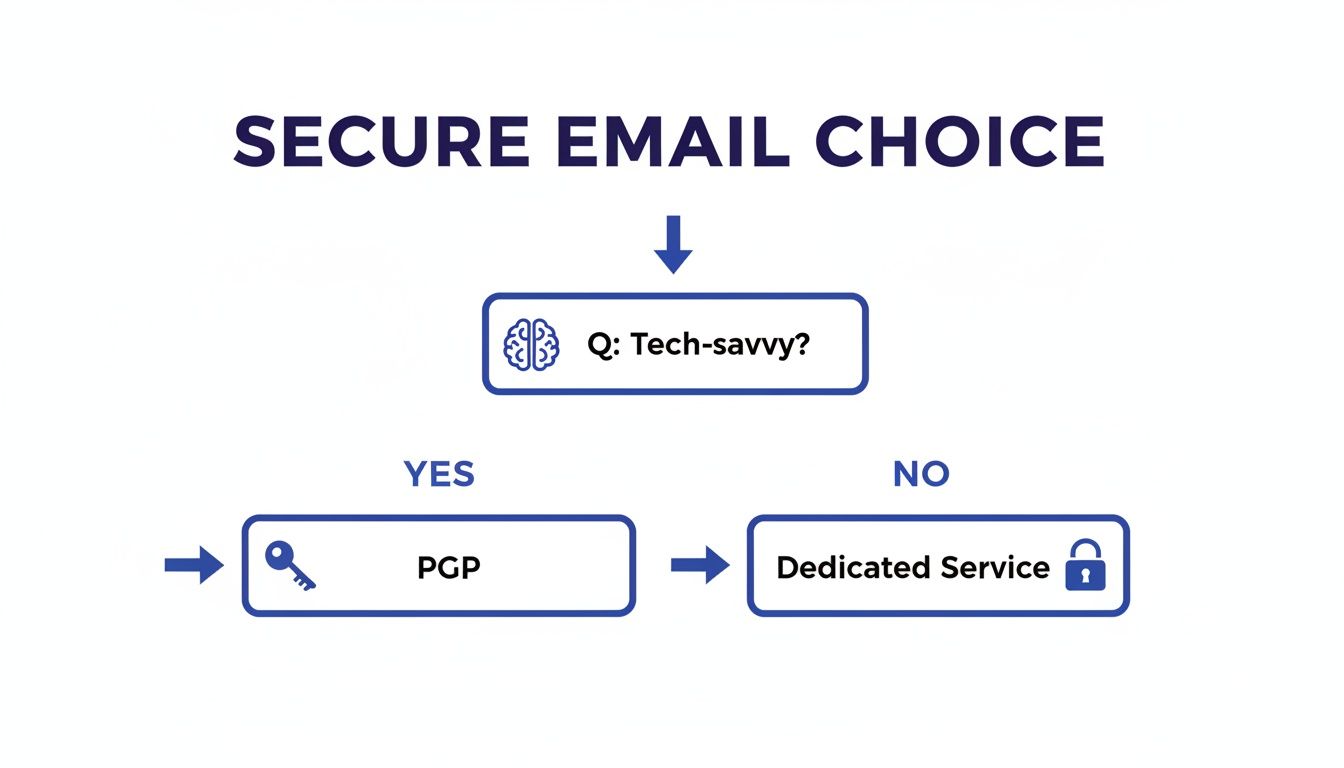
It really boils down to this: if you're okay with managing digital keys yourself, PGP gives you incredible control. If not, a dedicated secure service will make your life much, much easier.
Getting Started with Gmail Confidential Mode
For most people, the simplest first step is to use the tools already built into your inbox. Gmail’s Confidential Mode is a great example of an easy-to-use, entry-level security feature. While it isn't true end-to-end encryption, it gives you significant control over the emails you send out.
With Confidential Mode, you can:
- Set an expiration date: Your email basically self-destructs (becomes unreadable) after a set time.
- Revoke access: Changed your mind? You can manually pull the plug and make the email inaccessible at any time.
- Prevent forwarding and printing: The recipient is blocked from copying, printing, or forwarding your message and any attachments.
To use it, just compose a new email and click the little lock-and-clock icon at the bottom. It’s a single click that adds a powerful layer of control, perfect for when you're sending something sensitive like a bank statement or a copy of your ID.
Navigating Outlook S/MIME Settings
If you're an Outlook user, especially in a corporate environment, you likely have access to a more powerful option called S/MIME (Secure/Multipurpose Internet Mail Extensions). This is a more formal, certificate-based system that provides both digital signing (to prove you are who you say you are) and full message encryption.
Getting it set up requires a bit of a treasure hunt. You'll need to navigate to File > Options > Trust Center > Trust Center Settings > Email Security. From there, you can configure a digital ID or certificate, which is the foundation of S/MIME. It’s definitely more involved than Gmail's feature, but the payoff is a much higher level of security that meets most corporate compliance standards.
Here’s the catch with S/MIME: for it to work, both you and the person you're emailing need to have valid S/MIME certificates. You also have to exchange public keys, which thankfully tends to happen automatically the first time you exchange signed emails.
The PGP Approach: Exchanging Public Keys
For anyone who wants the absolute highest level of personal control over their email security, PGP (Pretty Good Privacy) has long been the gold standard. It works with a pair of keys: a public key that you can share with anyone, and a private key that you must keep completely secret.
Think of it this way: your public key is like a super-secure mailbox slot that you give out. Anyone can use it to drop a locked package in for you. But your private key is the only key in the world that can unlock that mailbox.
To send a secure email with PGP, you need your recipient's public key to lock the message before you send it. This initial "key exchange" is what makes PGP so incredibly secure, but it's also its biggest hurdle for newcomers. You have to securely get their public key first, and they'll need yours to send a secure reply back to you.
Remember, encrypting your email is just one piece of the puzzle. Verifying that your emails are authentic is just as important. To make sure your domain is protected from spoofing, check out A Practical SPF DKIM DMARC Test Guide for tips on proper configuration.
And even with the best encryption, sophisticated phishing scams can still slip through. That's why an intelligent screening layer is so crucial. Download the Gini Help app from the Google Play Store or the Apple App Store to add another line of defense against threats that encryption alone can't handle.
Going Beyond Encryption with AI Scam Screening
Encryption is fantastic for protecting the emails you send. Think of it as putting your message in a locked box before it leaves your outbox. But here’s the thing: it does absolutely nothing to stop a scammer from dropping a malicious email right into your inbox.
This is a really important distinction. You can be diligent about sending secure email, but that only solves half the problem. It doesn’t do anything to guard your digital front door against incoming threats.
Traditional spam filters catch the obvious junk, but they're getting outsmarted. Today's scammers are clever, using slick social engineering and impersonation tactics to create a false sense of urgency. An email can look exactly like a real alert from your bank or a shipping notice, all designed to bypass old-school filters and trick you.
The Limits of Old-School Filters
The need for better defense is highlighted by recent events, such as the major Ticketmaster data breach where customer data was stolen and sold online. This incident underscores that email is a primary channel for criminals to exploit stolen information through targeted phishing attacks. As the attacks get smarter, our defenses have to get smarter too.
This is where a modern, AI-powered approach really makes a difference. Instead of just matching emails against a blacklist of known threats, AI can analyze the context and intent behind a message as it arrives.
Encryption protects your data in transit, but it doesn't verify the sender's true intentions. A scammer can send you a perfectly normal-looking email that bypasses encryption altogether, putting the burden of detection entirely on you.
Adding an Intelligent Gatekeeper
Think of an AI-powered service like the Gini Help app as an intelligent gatekeeper for your Gmail or Outlook account. Its job is to analyze incoming emails for the subtle red flags that older filters just can't see.
It's trained to spot things like:
- Suspicious Links: Does the link you see actually go where it says it does? Or is the domain a clever lookalike designed to steal your info?
- Urgent Language: Is the message trying to panic you into acting without thinking? Scammers love to create pressure.
- Impersonation Clues: Does the sender's name actually match their email address? Are there tiny, easy-to-miss misspellings in the company name?
This kind of proactive screening is an essential second layer of defense. It complements your own efforts to send secure email by guarding your inbox against the very attacks encryption was never designed to stop. As you focus on protecting the data you send out, you also need to stop spam and scams from getting in. For more tips, check out our guide on how to stop spam messages on your iPhone.
Protect your inbox from modern threats by downloading the Gini Help app from the Google Play Store or the Apple App Store today.
Everyday Habits for Strong Email Security
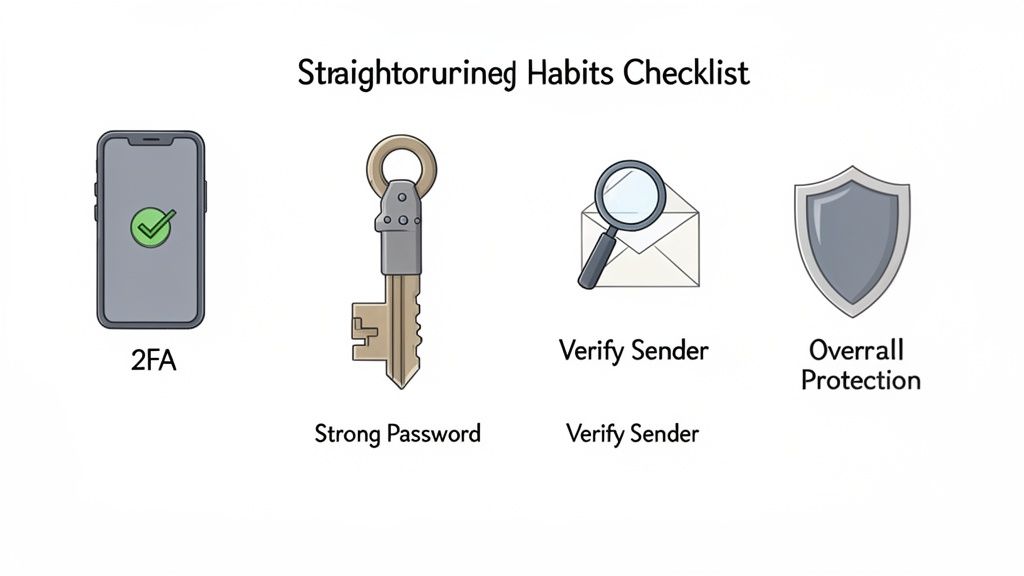
Even the best security tools are only as good as the habits you pair them with. It’s a bit like having a high-tech lock on your front door—it's fantastic, but it only works if you actually remember to use it. By adopting a few simple routines, you can dramatically boost your digital safety and become your own first line of defense.
Think of these habits as a quick mental checklist you run through whenever you're in your inbox. They don’t require any technical wizardry, just a healthy dose of skepticism and a moment of pause before you click.
Always Verify the Sender
One of the most powerful habits you can build is to question who an email is really from before you do anything else. Scammers are masters of disguise, crafting emails that look identical to ones from your bank, a shipping company, or even a coworker.
Before you click a link or download an attachment, hover your mouse over the sender's name to reveal their actual email address. You might see the display name "PayPal Support," but the address behind it is something weird like support-pyp123@secure-login.net. That’s a huge red flag. Apply that same caution to attachments; even if they appear to come from someone you know, their account could have been compromised. If you get a file you weren't expecting, just send a quick text or make a call to confirm they really sent it.
For a deeper dive into how sophisticated these tricks can get, check out our guide on avoiding Apple ID scams.
Non-Negotiable Account Security
Your email account is the master key to your digital life. If a scammer gets in, they can hit the "forgot password" button for nearly all of your other online accounts. Securing your email isn't just a good idea—it's absolutely essential.
Two actions are completely non-negotiable for locking down your account:
- Use Strong, Unique Passwords: Every single one of your online accounts needs its own long, complex password. A password manager is your best friend here, as it can generate and remember them all for you.
- Enable Two-Factor Authentication (2FA): Honestly, this is your single most powerful defense. 2FA requires a second piece of information—usually a code from your phone—in addition to your password. It makes it incredibly difficult for anyone else to get in, even if they somehow steal your password.
The global effort to secure our inboxes shows just how massive this threat is. The email security solutions market is currently valued at $18.5 billion and is projected to hit $24 billion by 2030, all driven by the relentless challenge of phishing. You can read more about the growing email security market and what's fueling the demand.
When you combine these habits with powerful tools, you get a seriously robust defense. While you focus on smart, everyday practices, you can let an AI-powered service handle the threats trying to sneak into your inbox. Download the Gini Help app from the Google Play Store or the Apple App Store to add that intelligent screening layer to your email.
Common Questions About Sending Secure Email
Diving into email security often brings up a few practical questions. It's one thing to get the tools set up, but another to use them confidently day-to-day. Let's tackle some of the most common hurdles you might encounter when you send secure email.
Can I Send a Secure Email to Anyone?
This is probably the biggest question I get. You're all set up with encryption, but what about the person on the other end? The answer really depends on the technology you're using.
If you're using true end-to-end encryption like PGP or S/MIME, the short answer is no. Both you and your recipient need to have it set up. Think of it like a special lock and key; you can't send a locked box to someone who doesn't have the key to open it.
However, many secure email services have found a smart way around this. They'll often send the recipient a link to a secure web portal. The person clicks the link, enters a password you've shared separately, and can then read your message in their browser. It's a solid workaround. We're also seeing some progress on this front from the big players—a planned 2025 Google Workspace update, for instance, aims to let users send end-to-end encrypted emails to anyone, who can then access it via a guest account.
Is Gmail Confidential Mode Really Secure?
Gmail's Confidential Mode is a nice feature, but it's crucial to know what it does and doesn't do. It adds some useful controls, like preventing the recipient from forwarding, copying, or printing the message. You can even set it to expire.
But here's the catch: it is not true end-to-end encryption. Google still has access to the content of your email on its servers. It's a great tool for stopping casual sharing or adding a bit of friction for sensitive but not top-secret info. For true privacy, though, it doesn’t replace a dedicated E2EE solution like ProtonMail or a well-configured PGP setup.
How Does Gini Help Work with My Email Security?
It helps to think of Gini Help as a different, but complementary, layer of defense. Your existing security tools handle specific jobs:
- Encryption is all about protecting the content of your emails as they travel from you to your recipient.
- Spam Filters are designed to catch the low-hanging fruit—the obvious, mass-blasted junk mail.
Gini Help’s AI is laser-focused on what those tools can miss: the sophisticated, highly targeted scams. It’s trained to analyze the language, links, and underlying intent of an email to spot the subtle red flags of phishing, financial fraud, and impersonation attempts that look deceivingly real. It’s like having an intelligent screener that catches the threats designed to trick a human.
Combining encryption for your outgoing messages with smart AI screening for what’s coming in gives you a much more robust defense. One protects your data in transit, and the other protects you from being tricked.
Your email security is only as strong as its weakest link. While you focus on sending secure messages, let Gini Help guard your inbox against the threats that slip through. Download the app today from the Google Play Store or the Apple App Store for complete peace of mind.