Your Ultimate Guide to Spotting and Stopping Apple ID Scam Threats
By Josh C.
An Apple ID scam is any trick designed to steal your account login details. Scammers will impersonate Apple using fake emails, text messages, or even phone calls, all in an effort to get their hands on your password.
Think about it: your Apple ID is the digital master key to your entire digital life. It unlocks your photos, contacts, private messages, and payment information. If a criminal gets that key, the damage can be devastating.
Why Your Apple ID Is a Prime Target for Scammers
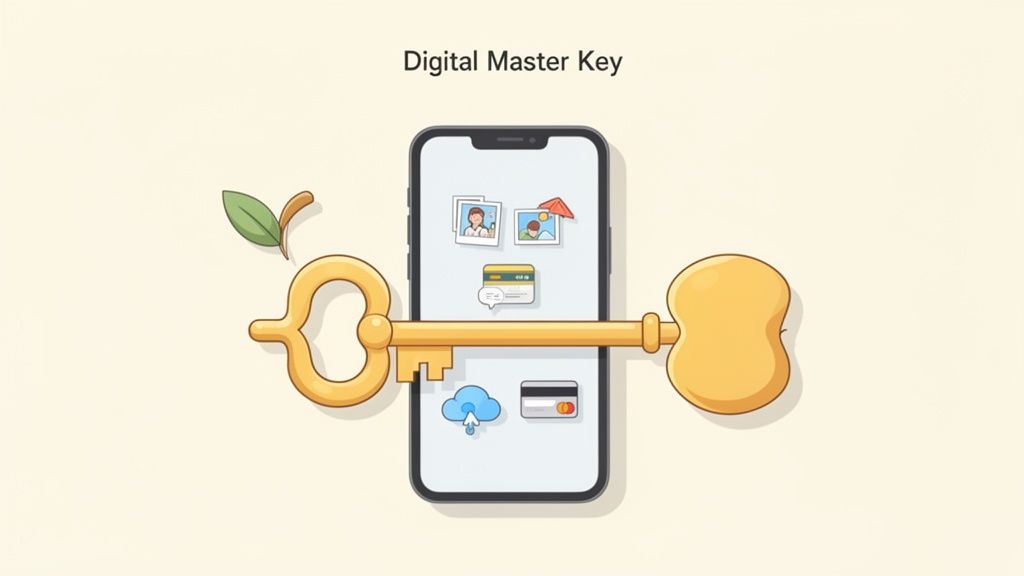
It’s easy to think of your Apple ID as just a simple username and password, but it’s so much more. It's the central nervous system connecting every piece of your life stored on an iPhone, iPad, or Mac. It’s your gateway to iCloud backups, App Store purchases, and saved credit cards, which makes it an incredibly tempting prize for cybercriminals.
Once they're in, the possibilities are frightening:
- Steal Personal Data: They can rifle through your photos, read your iMessages, and download sensitive files you've stored in iCloud Drive.
- Make Fraudulent Purchases: With your payment info saved, they can go on a shopping spree for apps, movies, or services, and you get the bill.
- Lock You Out of Your Devices: Scammers can turn the "Find My" feature against you, locking your devices and demanding a ransom to give you back control.
- Commit Identity Theft: The personal details in your account can be all they need to open new lines of credit or other accounts in your name.
The Alarming Rise in Apple ID Fraud
Apple ID scams are on the rise for one simple reason: they offer a direct pipeline into a victim's digital and financial world. The problem is massive. Apple's 2024 fraud prevention analysis showed that the App Store alone blocked over $9 billion in potentially fraudulent transactions in the five years leading up to 2024.
Even more concerning, a recent survey found that 53% of iPhone owners admitted to falling for a scam. It often comes down to a false sense of security—thinking their device is invincible. You can read more about Apple's ongoing efforts to combat this threat right from the source.
To give you a clearer picture of what you're up against, here’s a quick breakdown of the most common attacks.
Apple ID Scam At a Glance
| Scam Type | Method Used | What Scammers Want |
|---|---|---|
| Phishing Emails | Fake emails about "account issues" with links to spoofed login pages. | Your Apple ID password and personal information. |
| Fake "Vishing" Calls | Phone calls from someone pretending to be from Apple Support. | Remote access to your device or your account credentials. |
| "Smishing" Texts | SMS messages with urgent warnings and malicious links. | To trick you into giving up your password or 2FA code. |
| Two-Factor Bypass | Tricking you into approving a login or sharing a 2FA code. | Full access to your account, bypassing security. |
These threats are multi-faceted, but don't worry. This guide will give you a clear, step-by-step roadmap to recognize these attacks, shut them down, and recover if the worst happens. We'll walk through everything from spotting fake emails to securing your account for good.
In this fight, being proactive is everything. Modern tools like the Gini Help app are designed to provide an essential layer of defense.
For advanced protection against scams targeting your phone, email, and texts, consider downloading the Gini Help app on the Google Play Store or the Apple App Store.
Decoding the Most Common Apple ID Scams
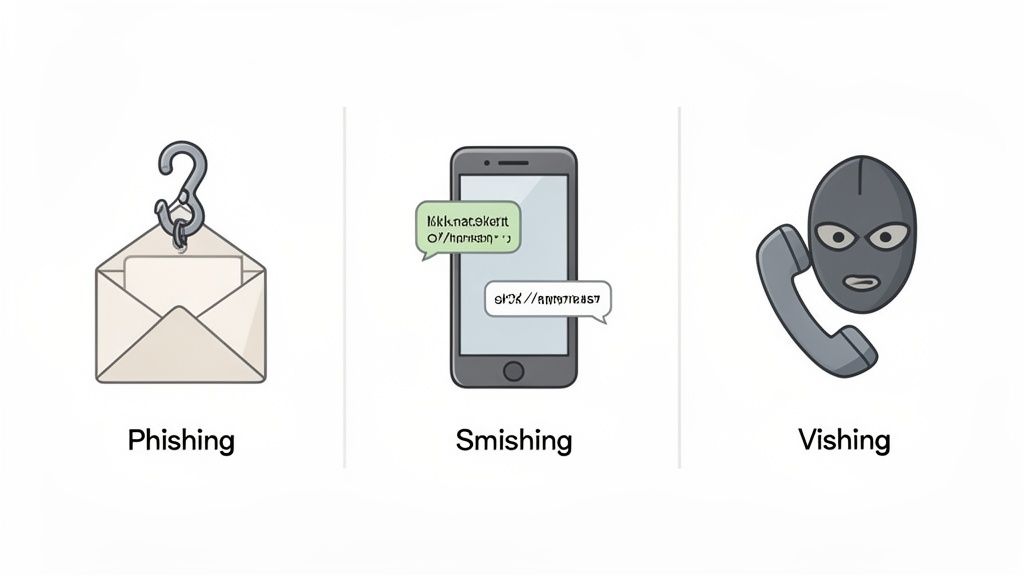
To keep your digital life safe, you first have to understand the scammer's playbook. An Apple ID scam isn't just one type of attack; it’s a whole toolbox of deceptive tricks designed to prey on your emotions. Scammers are masters at creating a sense of urgency, fear, or even curiosity, all to get you to act before you have a chance to think.
Let's pull back the curtain on the four most common tactics they use to trick you into handing over the "digital master key" to your life.
Phishing Emails: The Classic Deception
Phishing is the old-school con of the internet, but it's still incredibly effective. Scammers craft fraudulent emails that look nearly identical to official communications from Apple. They’ll use alarming subject lines that grab your attention, like "Your Apple ID has been suspended" or "Receipt for your recent purchase."
The whole point is to make you panic and click a link. Imagine getting a fake receipt for an expensive app you know you didn't buy. Your first instinct is to dispute it. So, you click the "dispute this charge" link, and it takes you to a pixel-perfect clone of the Apple login page. The moment you type in your credentials, the scammers have them.
Smishing: The Urgent Text Message Ploy
Smishing is just a fancy name for phishing delivered by SMS or text message. We tend to trust texts more than emails—they feel more personal and immediate—and that's exactly what scammers count on. A classic Apple ID smishing scam is a text message claiming there's been suspicious activity on your account.
It might look something like this: "APPLE: A sign-in was attempted from a new device. If this was not you, secure your account immediately at [malicious link]."
That link, of course, goes to a fake website built for one purpose: to steal your login details. Scammers know the fear of being hacked is a powerful motivator.
Key Insight: Both phishing and smishing are built on social engineering. They manipulate your emotions to bypass your logical thinking. The pressure to act right now is the real heart of the scam.
You can get a much deeper look into these threats by exploring our detailed guide on how phishing and smishing scams work.
Vishing: The Fake Apple Support Call
Vishing (or voice phishing) is when a scammer calls you directly, pretending to be from Apple Support. These criminals can be frighteningly convincing. They often use "spoofed" phone numbers that look legitimate on your caller ID and might claim your iCloud account has been breached or that your device is infected with a virus.
Their goal is usually one of two things:
- Direct Credential Theft: They'll ask you to "verify" your identity by giving them your Apple ID password or the answers to your security questions.
- Remote Access: They might try to walk you through installing software that gives them complete remote control over your computer or iPhone.
Remember, Apple has made it clear that they will almost never call you out of the blue. Treat any unexpected call from "Apple Support" with extreme suspicion.
Two-Factor Authentication Bypass Tricks
Two-Factor Authentication (2FA) is a fantastic security layer, but even it isn't foolproof against a clever social engineer. Scammers can't hack the system directly, so they've found ways to trick you into giving them the key.
Here’s how it works: first, they get your password from a phishing attack. Then, they use it to trigger a real login attempt on their end. This sends a legitimate 2FA code to your iPhone.
Seconds later, your phone rings. It's the scammer, vishing as Apple Support. They’ll say, "We’ve just detected a fraudulent login and sent a verification code to your device. To cancel the attempt, please read the code back to me." If you do, you've just handed them the keys to your entire account.
Protecting yourself requires a multi-layered defense. An all-in-one security app like Gini Help can screen calls, texts, and emails to block these threats before they even reach you. For robust protection, download the Gini Help app from the Google Play Store or the Apple App Store.
Red Flags: Spotting an Apple ID Scam in the Wild
Knowing what to look for is your best defense against an Apple ID scam. Scammers want you to panic and act fast, hoping you won't stop to think. But once you learn to recognize their playbook, you can shut them down cold.
Most of these scams, thankfully, have a few common tells. Think of it like spotting a counterfeit bill—it might look convincing at first, but a closer look always reveals the flaws. It’s the exact same with fake messages from "Apple."
The Devil Is in the Details
Often, the biggest giveaways are the most basic. Scammers are playing a numbers game, blasting out thousands of messages, so they don't have time for quality control. This sloppiness is your first clue.
Be on high alert for poor grammar, clunky phrasing, and obvious spelling mistakes. Official communications from Apple are carefully written and proofread. A message full of errors is a dead giveaway.
Another classic sign is a generic greeting. A real email from Apple will almost always use the name you have on file. If you see "Dear Customer," "Valued User," or just a vague "Hello," hit the brakes. That kind of impersonal language is a strong hint the sender has no idea who you are.
These scams often create a sense of panic, using fake alerts about "suspicious activity" to trick you into handing over your login info. This is a massive problem—Apple removed a staggering 1.7 million apps in 2023 for failing to meet its privacy and security standards. The sheer volume shows why spotting these red flags is such a critical skill.
Suspicious Senders and Malicious Links
Always, always check the sender's email address. Scammers are clever and create addresses that look legit at a quick glance, but the truth is in the details. You might see something like apple.support@mail-host.com or security@apple-id-alerts.net. The only part of the address that truly matters is what comes right before the .com or .net. If it doesn't say apple.com, it's not Apple.
The same goes for links. Never click one without checking it first.
Pro Tip: On a computer, just hover your mouse over a link to see the real destination URL in the bottom corner of your browser. On an iPhone or iPad, tap and hold the link to get a preview of the web address before you commit to opening it.
If the URL looks funky or doesn't point to an official apple.com page, it’s a scam. For a deeper dive into spotting bad links, check out our guide on how to handle spam messages on iPhone.
Unsolicited Requests for Your Information
This is the golden rule: Apple will never email or text you out of the blue to ask for sensitive information. If a message lands in your inbox asking for any of the following, you can be 100% sure it's a scam:
- Your Apple ID password
- Your two-factor authentication (2FA) codes
- Your full credit card number
- Your Social Security Number
Scammers manufacture a false sense of urgency, threatening to lock or delete your account if you don't "verify" your details right away. It's a psychological trick designed to make you act without thinking. Just take a breath and remember that real companies don't operate this way.
For true peace of mind, you can use a tool that does the filtering for you. The Gini Help app, available on the Google Play store and the Apple App Store, can proactively screen your calls, texts, and emails to block these threats before they even reach you.
Your Immediate Action Plan After a Scam
That sinking feeling in your stomach when you realize you’ve fallen for an Apple ID scam is awful. Your mind immediately jumps to the worst-case scenarios. But right now, panic is the enemy. It's time to take a deep breath and act fast.
Think of it like digital first aid. A few quick, deliberate moves can stop the bleeding and lock the scammer out before they can do any more damage. The next few minutes are critical, so let’s walk through exactly what you need to do to take back control.
Step 1: Immediately Change Your Apple ID Password
This is your top priority. Do it now. Changing your password is the single fastest way to revoke the scammer's access and log them out of most Apple services.
Don’t just add a "1" to the end of your old password. Create something entirely new, long, and complex—a solid mix of uppercase and lowercase letters, numbers, and symbols. This one action is your most powerful move to shut down an apple id scam. Head straight to the official Apple ID account page to get it done.
Step 2: Review and Secure Your Account Information
Once the password is changed, it’s time for a full security sweep. Scammers love to change your recovery details to lock you out for good, so you need to check everything.
- Security Questions: Did they change the answers? If so, switch them back to something only you would know.
- Recovery Email and Phone Number: Make sure the email and phone number listed for account recovery are still yours and that you can access them.
- Trusted Devices: Scan the list of devices linked to your Apple ID. See a phone, tablet, or computer you don’t recognize? Remove it immediately. No hesitation.
This audit ensures that all roads to your account lead back to you, not the scammer. A compromised account is no joke; in some situations, it could even get you locked out of your own device. If an Apple ID scam has made your device unusable, knowing how to unlock phone without password can be a lifesaver.
Step 3: Enable Two-Factor Authentication
If you haven’t turned on Two-Factor Authentication (2FA) yet, now is the moment. If it's already on, just double-check that your trusted phone number is correct. 2FA is a game-changer for security, requiring a six-digit code sent to one of your devices before anyone can log in.
Even if a scammer manages to steal your password, 2FA is like a digital deadbolt on your account’s front door. It’s often the one thing that stops them cold.
This infographic breaks down a simple, three-step check for any suspicious message: verify the sender, scrutinize the message, and hover over the link.
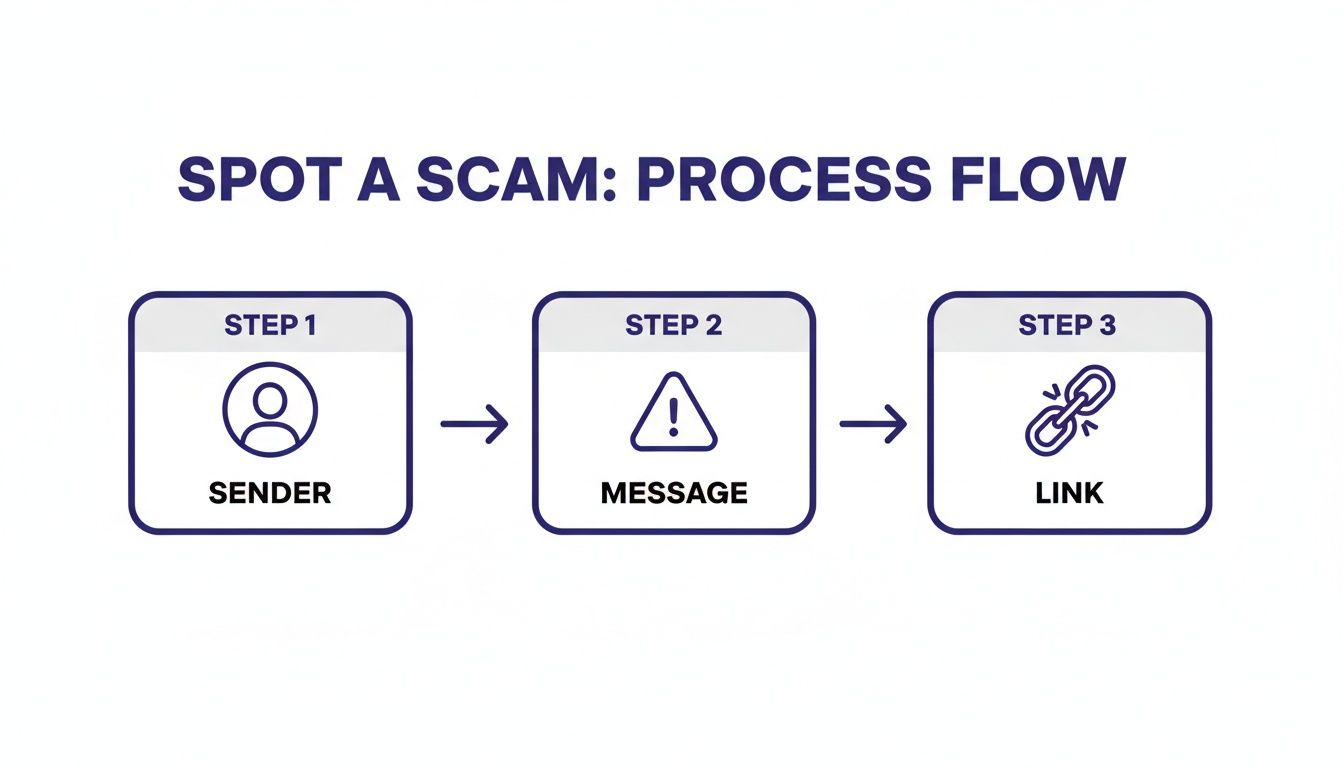
By looking at each of these elements, you can spot the red flags of a scam long before you’re tempted to click or reply.
Step 4: Report the Incident to Apple
Finally, let Apple know what happened. Reporting the scam helps them track these criminals and can prevent others from becoming victims. Contact Apple Support directly to report the incident and ask for any extra advice on securing your account.
For ongoing, proactive protection, you might want to consider a tool that can screen for scams across all your communication channels. An app like Gini Help acts as an intelligent shield against these multi-channel attacks, filtering out suspicious calls, texts, and emails. You can download it today from the Apple App Store or Google Play to add another layer of security to your digital life.
Proactive Protection: How to Secure Your Apple ID for Good
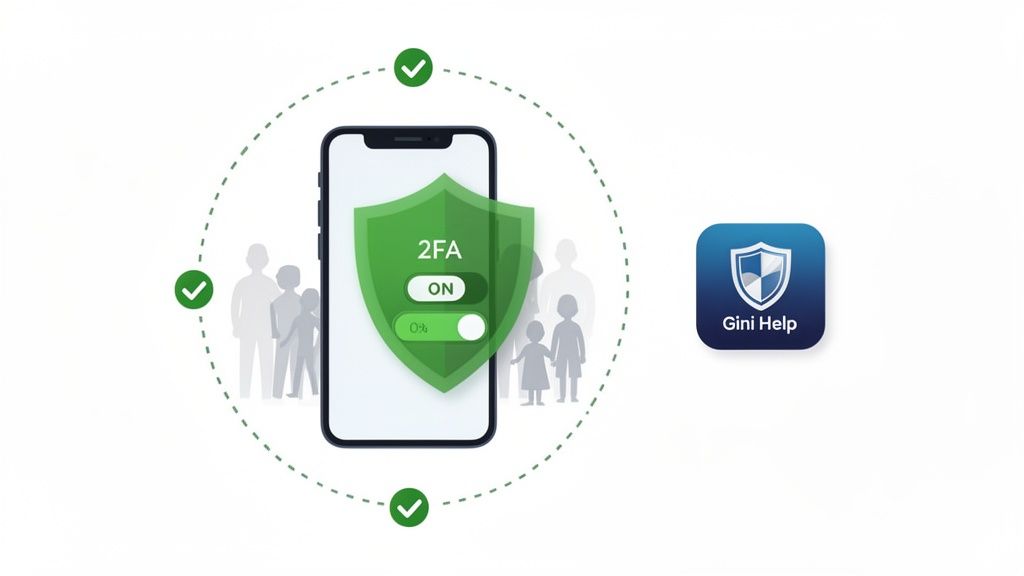
Dealing with the fallout from a scam is a nightmare. The absolute best defense against an Apple ID scam is to make sure your account is too tough a target in the first place. By building a few solid security habits, you can turn your account from an open invitation into a digital fortress.
This isn't about becoming a cybersecurity genius. It's about taking a few simple, powerful steps to lock down your account so tightly that scammers just give up and move on. Let's start with your first line of defense: your password.
Master the Art of the Unbreakable Password
Think of your password as the main lock on your digital front door. A weak one is like leaving it unlocked. Obvious passwords like "Password123" or "Sarah2024" are the very first things criminals try. The goal is to create something truly unique that nobody could ever guess.
A genuinely strong password has a few key ingredients:
- At least 12 characters: Length is your friend. The longer it is, the exponentially harder it is for a machine to crack it.
- A mix of elements: You need a jumble of uppercase and lowercase letters, numbers, and symbols to make it unpredictable.
- No personal information: Ditch your name, birthday, pet's name, or anything else someone could find out about you online.
Honestly, the best way to handle this is with a password manager. These tools generate and store ridiculously complex passwords for all your accounts. You only have to remember one single master password to unlock the rest.
Enable Your Most Powerful Shield: Two-Factor Authentication
If your password is the lock, then Two-Factor Authentication (2FA) is the armed guard standing next to it. It's a game-changer. Even if a scammer manages to steal your password in a phishing attack, 2FA will almost certainly stop them cold.
It works by adding a second check to the login process. Whenever someone (including you) tries to sign into your Apple ID from a new device, 2FA sends a temporary six-digit code to one of your trusted devices, like your iPhone or Mac. Without that code, access is denied. Simple as that.
Key Takeaway: Turning on 2FA is the single most effective thing you can do to protect your Apple ID. It transforms your security from a single point of failure (just a password) into a layered defense.
To flip the switch on 2FA:
- Go to Settings and tap your name at the very top.
- Select Sign-In & Security.
- Tap Two-Factor Authentication and just follow the prompts.
Defend Against Multi-Channel Attacks with Modern Tools
Scammers aren't just sending emails anymore. They're hitting you from every possible angle—phishing links to your iCloud, smishing texts in your Messages app, and vishing calls straight to your iPhone. To truly protect yourself, you need a shield that guards all of these channels at once.
The scale of this threat is staggering. Between 2020 and 2023, Apple stopped over $7 billion in fraudulent transactions and booted 118,000 shady developer accounts in a single year. You can get more details on these fraud prevention efforts on Apple's Newsroom. This just goes to show why an extra layer of protection is so critical. For a deeper dive, it's also worth looking into broader strategies for preventing identity fraud to keep all your data safe.
This is where a service like Gini Help comes in. It's an AI-powered security app that acts as a bouncer for your calls, texts, and emails, screening them before they can bother you.
- AI-Powered Call Screening: Instead of you having to answer a sketchy call, Gini Help's AI answers first to figure out if it's a real person or a scammer. Your phone only rings if the caller is legit. You can learn more about how to stop spam calls in our guide on call screening for iPhone.
- Live Call Analysis: For the calls that do get through, Gini analyzes them in real-time and can send subtle warnings to your device if it detects classic scammer tactics.
- Family Protection: Gini is a lifesaver for protecting family members, especially older adults who are often targeted by phone scams. A family plan shares threat data, so when one person blocks a new scam, everyone in the family is instantly protected from it too.
Proactive protection means having a system that's always on, working in the background to keep you safe.
Download the Gini Help app from the Apple App Store or Google Play Store and build your ultimate defense against scams today.
Frequently Asked Questions About Apple ID Scams
Even with all the right know-how, you probably have a few specific questions bouncing around in your head. Let's tackle some of the most common ones I hear from people trying to get a handle on Apple ID security.
Can My Apple ID Be Hacked Without My Password?
The short answer is yes, but probably not how you imagine. Scammers aren't usually breaking into Apple's fortified servers. Instead, they're "hacking" you through clever tricks—a practice known as social engineering.
The most common route is a classic phishing attack. You get an urgent-looking email with a link to a fake Apple login page. You type in your password, and just like that, they've got it. They didn't breach Apple's security; they tricked you into handing over your keys.
Another sneaky method involves going after your two-factor authentication (2FA) code. A scammer might already have your password from an old data breach, but they still need that final code to get in. So, they'll call you, pretending to be from Apple Support, and create a sense of panic to convince you to read the code aloud. Again, your password wasn't "hacked"—your trust was.
What Should I Do If I Clicked a Phishing Link but Entered No Information?
Okay, first off, take a deep breath. Just clicking a link isn't a guaranteed disaster. The real damage happens when you actually enter your login details on the fake site. Still, it’s a close call, so you should take a few immediate precautions.
Here’s a quick checklist:
- Don't Type Anything: If that sketchy page is still open, close the tab right now.
- Clear Your Browser Data: Head into your browser’s settings and clear your recent history, cookies, and cache. This helps get rid of any trackers the site might have dropped.
- Run a Security Scan: If you have antivirus or security software on your computer or phone, run a full scan. Better safe than sorry.
- Keep an Eye on Things: Watch your Apple ID account for any weird activity over the next few days, just in case.
Key Insight: Clicking a link is like a warning shot. It didn't hit you, but it was close. Use it as a reminder to double-check your security habits.
How Can I Report an Apple ID Scam Email or Text?
Reporting scams is a huge help. It gives Apple the ammo they need to shut down these fake websites and block the scammers, protecting others from falling into the same trap. It only takes a minute.
For Phishing Emails: Get an email that looks like it's from Apple but feels off? Don't click anything or reply. Just forward the entire email straight to reportphishing@apple.com. Their security team will take it from there.
For Smishing Texts or iMessages: If a suspicious text pops up, take a quick screenshot. Then, attach that screenshot to an email and send it to the same address: reportphishing@apple.com.
It might feel like a small step, but every report helps disrupt these criminal operations at their source.
Will Apple Ever Call Me About My Account?
Let me make this crystal clear: No. Apple’s official policy is that they will not cold-call you about suspicious activity, a locked account, or anything of the sort. An unexpected call from someone claiming to be "Apple Support" is a massive red flag and almost certainly a scam.
Here's how Apple actually communicates about your account:
- Official Notifications: Real security alerts will pop up directly on your trusted Apple devices.
- Secure Website: You can always check your account status by manually typing appleid.apple.com into your browser and logging in yourself.
- Threat Alerts: In rare cases of targeted attacks (like mercenary spyware), Apple sends very specific notifications to your device and email. But even then, they will never ask you for your password or 2FA code over the phone. Since 2021, Apple has notified users in over 150 countries about these kinds of state-sponsored attacks, showing they rely on direct, verifiable communication.
So, if your phone rings and the caller ID says "Apple," just hang up. If you're genuinely worried, go to Apple's official website and contact their support team directly.
Protecting your digital life is about more than just being careful—it’s about having a proactive shield. Gini Help acts as an AI-powered defense system that screens your calls, texts, and emails, blocking scammers before they ever get a chance to trick you. You get one smart app to secure every channel.
Download the Gini Help app today from the Apple App Store or the Google Play Store to get started.