How to stop robocalls on cell phone for good
By Josh C.
If you're serious about stopping robocalls, you need to think beyond just blocking numbers as they come in. That's a losing battle. The people behind these calls use spoofing technology to change their caller ID constantly, so a more strategic, multi-layered defense is your best bet against this relentless flood of interruptions.
Why Robocalls Are More Than Just a Nuisance
That constant buzzing in your pocket isn’t just an irritation; it’s a calculated threat. The robocall problem has evolved far beyond the classic dinner-time telemarketer. Today, we're up against sophisticated operations built to do real financial and emotional damage. Every one of those unwanted rings is a potential attempt to get at your money, your personal information, or simply your peace of mind.
The numbers are genuinely hard to wrap your head around. Just last year, Americans were hit with an unbelievable 52.5 billion robocalls. That breaks down to about 144 million calls a day, or around 1,660 robocalls every single second. Even with new rules and regulations, the volume just isn't letting up. Worse, scam and telemarketing calls actually jumped by 15.4% in that time, making up 57% of all robocalls.
The Technology Behind the Threat
Scammers aren't sitting there dialing numbers by hand. They’re using sophisticated tools to blast out calls and trick people into answering. Their go-to tactic is caller ID spoofing.
This lets them hide their real number and make a fake one pop up on your screen. They'll often mimic your local area code to make you think it's a neighbor or a local business calling. It’s a cheap trick that works, and it’s a big part of the answer to the question of why you keep getting so many spam calls even after blocking numbers.
This spoofing technology is precisely why blocking individual numbers feels like a game of whack-a-mole you can never win. You block one, and they call back a minute later from another.
The Real-World Impact
The fallout from this goes way beyond just being annoyed. Scammers prey on everyone, but they have a special focus on vulnerable people like older adults, who might be more trusting or less savvy about these kinds of tricks. The financial losses can be heartbreaking, but the emotional damage—the anxiety, the fear, the feeling of being invaded—is just as real and just as harmful.
The constant threat of scam calls makes us distrust the very devices we rely on to communicate. We're forced to screen every unknown number, which means we might miss a legitimate call from a doctor's office, a delivery person, or a new client.
Understanding what you're up against is the first step. To really stop robocalls on your cell phone, you need a modern defense. For a proactive shield that gets ahead of the scammers, consider downloading the gini help app for comprehensive protection on Google Play or the App Store.
Using Your Phone's Built-In Defenses
Before you even think about downloading a new app, your best first move is to use the powerful tools already built right into your smartphone. Both Apple and Google have baked in some surprisingly effective features to help you stop robocalls on your cell phone. Tapping into these native settings is the quickest way to get some immediate relief.
It’s not just about blocking a few annoying calls; it’s about protecting yourself from a massive, relentless industry. Think of these built-in features, along with other security basics like managing your iPhone's Activation Lock, as your first line of defense.
The robocall problem has ballooned into a global crisis, with scammers making thousands of calls every single second and causing billions in financial losses.
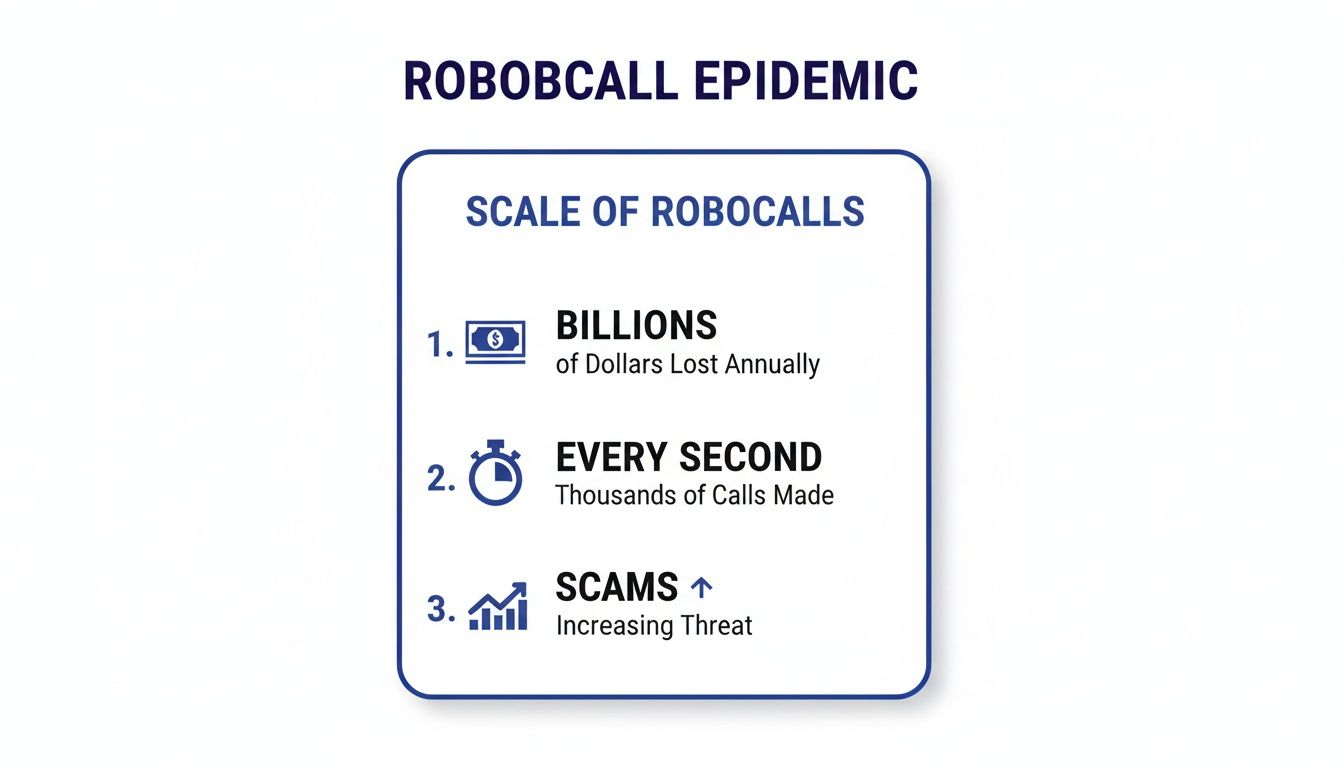
Seeing the numbers laid out like this really drives home why it's so critical to use every tool at your disposal.
Silence Unknown Callers on Your iPhone
If you have an iPhone, your secret weapon is a feature called Silence Unknown Callers. It’s a simple but incredibly powerful setting. Once you turn it on, any call from a number that isn't in your contacts, recent outgoing calls, or Siri Suggestions gets sent straight to voicemail without ever ringing.
It's easy to activate:
- Open the Settings app.
- Scroll down and tap on Phone.
- Find Silence Unknown Callers and just toggle the switch on.
Now, here’s the trade-off you need to be aware of: this feature is aggressive. It will silence any unknown number, which could include legitimate calls you're expecting, like a call back from your doctor's office or a heads-up from a delivery driver. You'll just need to get into the habit of checking your voicemail and recent calls list more often. For a more intelligent solution that screens calls without blocking important ones, download the gini help app on the App Store.
Activate Spam Protection on Android
On the Android side, Google and Samsung have their own robust solution called Caller ID & Spam Protection. This feature is fantastic because it cross-references incoming calls with Google’s massive database of known spam and scam numbers in real time.
Here's how to turn it on:
- Open your main Phone app.
- Tap the three-dot menu icon (usually in the top right corner) and go to Settings.
- Look for Caller ID & spam and make sure it’s enabled.
With this active, you’ll often see a big red warning screen pop up for "Suspected spam caller," giving you the power to reject the call before you even answer. For an even smarter layer of defense, you can download the gini help app on Google Play.
Comparing Built-In Robocall Blocking Features
So, how do the native tools on iOS and Android stack up against each other? This table gives a quick side-by-side look at what you get right out of the box.
| Feature | iOS (iPhone) | Android (Google/Samsung) | How It Works |
|---|---|---|---|
| Primary Tool | Silence Unknown Callers | Caller ID & Spam Protection | Silences all calls from numbers not in your contacts or recent history vs. flags and warns about suspected spam numbers. |
| Visual Warning | None. The call is simply silenced and sent to voicemail. | Yes. Often a red screen with a "Suspected spam caller" or similar warning. | Android provides an active, visual alert during the incoming call, while iOS is completely silent. |
| Flexibility | All-or-nothing. It silences all unknown numbers, legitimate or not. | More flexible. It flags suspected spam but lets other unknown numbers ring. | iOS offers a blunt-force approach, while Android tries to be more discerning. |
| Control | You must check voicemail/missed calls to find potentially legitimate numbers. | You can decide in real-time whether to answer, decline, or block the number. | Android puts the decision-making power in your hands at the moment the call comes in. |
While both platforms offer a solid starting point, they approach the problem differently. Your choice might come down to whether you prefer a quiet, undisturbed phone or one that gives you more context for each call.
Government Registries And Manual Reporting
It’s easy to assume that adding your number to a government list will make robocalls vanish. The truth is, registries like the National Do Not Call Registry have a very specific remit. They’re free, they’re quick to join, and they legally bind legitimate telemarketers to back off—but scammers don’t play by those rules.
Think of it this way: you’re hanging a “No Soliciting” sign on your front door. A door-to-door salesperson might turn around, but someone casing the place won’t even pause.
The Reality Of Reporting Unwanted Calls
When an illegal robocall sneaks through, grabbing your phone and filing a report really does matter. Each complaint you lodge with the Federal Trade Commission and the Federal Communications Commission adds crucial data to their investigations.
• FTC: Submit details at DoNotCall.gov. Jot down when the call arrived and what number showed up.
• FCC: Head to the consumer complaint portal for unwanted calls and texts.
A recent FCC decision even made AI-generated voices in robocalls illegal. That means authorities can go after scammers for the technology alone—not just the scam. This move came after a high-profile incident where a fake robocall mimicking President Biden's voice was used to discourage voting in a primary election, highlighting the growing threat of AI in scams.
Reporting won’t yank the phone out of a crook’s hand immediately. It’s a long-game tactic, building the evidence law enforcement needs to shut these operations down.
Why You Need A Proactive Layer
Government tools and manual reports are reactive. They help lock up the bad actors over months or years, but they won’t stop today's robocall from disturbing your afternoon meeting.
That’s why you want an active shield—software that screens out threats before your phone ever rings. Gini Help does exactly that, sorting unknown callers so you only see the names you trust. You can add this extra barrier right now:
- Download Gini Help on Google Play
- Or get it from the App Store
The Power of AI for Robocall Protection
Let's be honest, traditional methods to stop robocalls on cell phone often feel like a losing battle. Static blocklists and basic spam filters are always playing catch-up. Scammers cycle through millions of new numbers so fast that any database of "known" spammers is outdated almost the second it's published. This is where artificial intelligence completely changes the game.
Instead of just reacting to known bad numbers, AI-powered tools proactively analyze calls before your phone ever rings. They don’t just check a list; they use intelligence to understand the caller's intent. That shift from a reactive defense to a proactive one is the single biggest leap forward we've seen in fighting robocalls.
Beyond the Blocklist: An Intelligent Shield
The biggest weakness of older call-blocking apps is their reliance on static, historical data. An AI-powered service, on the other hand, adapts in real-time. It’s like having a personal assistant whose only job is to screen your calls.
Cutting-edge solutions, like the Gini Help app, actually use sophisticated Large Language Models (LLMs) to answer unknown calls for you. The AI engages the caller in a short, natural-sounding conversation to figure out why they're calling. Is it the pharmacy with a prescription update, a scammer pushing a fake car warranty, or another political robocall? The AI sorts it out in seconds.
The financial stakes have never been higher. Robocall fraud has ballooned into a massive global problem, siphoning over $80 billion from consumers in a single year. With predatory scam calls making up a huge chunk of the 52.5 billion robocalls that hit U.S. phones annually, the need for a smarter defense is critical.
How AI Call Screening Actually Works
The whole process is seamless and surprisingly powerful. When a number that isn't in your contacts tries to call, the AI assistant answers it first. Your phone doesn't even make a sound.
- Real-Time Analysis: The AI listens to the caller, analyzing their tone, word choice, and conversational patterns for red flags that scream "scam."
- Intelligent Vetting: It can ask clarifying questions to figure out if the call is from a real person with a legitimate reason to be contacting you.
- Smart Routing: If the AI tags the call as spam, it's blocked on the spot. If it's a legitimate caller, the AI can patch them through to you or offer to take a message.
This is what a modern, AI-driven security layer looks like in action.
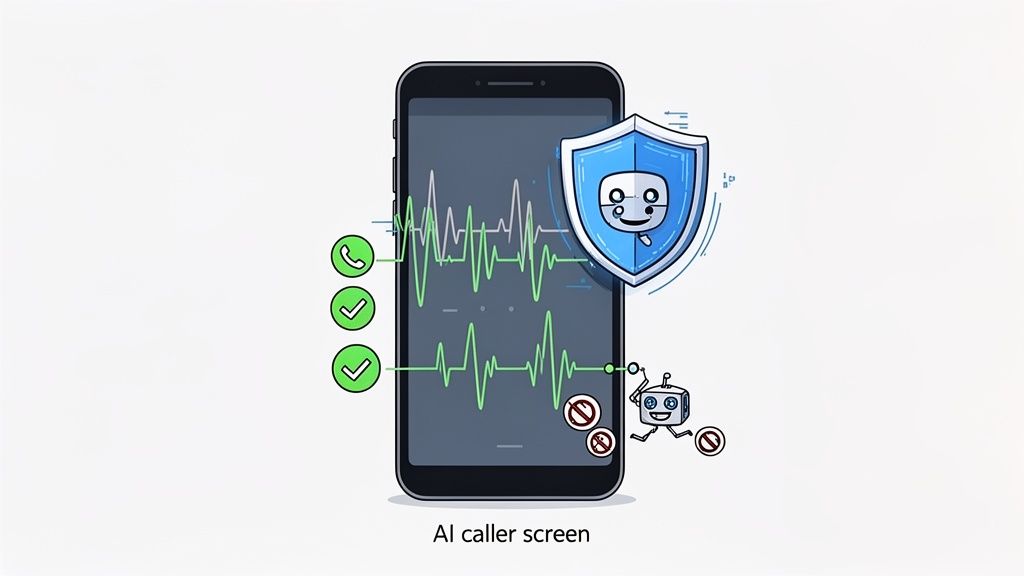
The app gives you a clear, immediate look at the threats it neutralized before they ever had a chance to waste your time.
This approach means you no longer have to risk missing an important call just to get some peace and quiet. The AI acts as the perfect gatekeeper, only letting legitimate communication get through. For ultimate call control, download the gini help app on Google Play or the App Store.
An AI assistant doesn't just block numbers; it understands context. It can tell the difference between a persistent scammer and a persistent doctor's office, ensuring you get the calls that matter and none of the ones that don't.
Multi-Channel Protection for Total Security
Today’s scams aren't just limited to phone calls. They're flooding our texts and emails, too. A truly modern solution has to recognize this and extend its protective shield across every way we communicate. The best AI services can secure your calls, SMS messages, and email inboxes from a single, unified platform.
This is where personal security is headed—an intelligent, adaptive shield that learns and evolves just as fast as the scammers do.
Protecting Your Family from Phone Scams
Scammers don’t just play a numbers game; they often target people they believe are more vulnerable, and that frequently means older adults. The statistics are sobering: phone scams hit adults over 50 particularly hard, which means our efforts to stop robocalls on cell phone need to extend beyond our own devices. Helping a parent or grandparent secure their phone isn't just a nice thing to do—it's an essential act of care that brings peace of mind to the whole family.
This is about more than just silencing annoying spam calls. It’s about creating a protective shield for the people you love, safeguarding them from potential financial ruin and the emotional toll that comes with it. The conversation doesn't need to be scary or technical. You can simply frame it as a way to help them keep their independence while filtering out the noise and the danger.
Building a Layered Defense for a Loved One
The most effective strategy isn't a single solution but a combination of several layers of defense. The best way to start is by sitting down with them and walking through the tools already on their phone.
- Activate Built-In Features: First, go into their iPhone or Android settings and turn on the native call-silencing or spam-filtering features we covered earlier. Explain how it will make their phone much quieter, but be sure to mention they’ll need to check their voicemail for important calls they might otherwise miss.
- Enable Carrier-Level Blocking: Next, log into their account on their mobile carrier's website or app. Most carriers offer free spam and robocall blocking services that you can activate with a click. These are great because they stop many scam calls at the network level, before they even have a chance to ring.
- Discuss Safe Phone Habits: Have a gentle conversation about the golden rules of phone safety. Remind them to never answer calls from unknown numbers, never press buttons or say "yes" if they do answer, and absolutely never give out personal information.
Of course, protecting your loved ones includes children, too. To ensure their safety from unsolicited calls and other risks, it’s a good idea to learn how to master iPhone parental controls, which gives you much more control over their device's communication settings.
Installing an Intelligent Safety Net
While these foundational steps are a great start, they can still leave gaps for clever scammers to slip through. This is where a more advanced, AI-powered service comes in, acting as the final and most important layer of protection. Installing an app like Gini Help on a loved one's phone gives them a powerful, automated shield that does the heavy lifting for them.
An AI assistant essentially becomes a 24/7 gatekeeper, screening every unknown call before the phone even rings. This completely removes the burden of decision-making from your family member, since they will only be connected to callers who have been properly vetted and confirmed as legitimate.
This proactive approach is a game-changer, especially for older adults who might be more trusting or find it hard to tell a scammer from a real customer service agent. It’s a true set-it-and-forget-it solution that delivers genuine security.
For the ultimate peace of mind, an intelligent shield that adapts to new threats on its own is the way to go. You can download the gini help app right from the Google Play Store or the Apple App Store and get your whole family protected today.
Answering Your Top Robocall Questions
Even after setting up all these defenses, you’re bound to have some lingering questions. That's completely normal. Getting a handle on the finer points of robocall blocking will help you feel more in control. Let's tackle some of the most common worries people have when they decide to finally stop robocalls on their cell phone.
Will I Miss Important Calls?
This is probably the biggest and most valid concern. It’s the reason many people hesitate to use aggressive blocking tools. If you turn on your phone's built-in "Silence Unknown Callers" feature, what happens when a doctor's office, a delivery driver, or a potential new client tries to call you for the first time? It’s a real trade-off between quiet and reachability.
This is where more advanced services really shine. They're built to solve this exact problem. For example, an AI-powered assistant like Gini Help doesn't just send unknown numbers to a blocklist. It actually answers the phone for you, has a quick conversation to figure out who’s calling and why, and then patches the call through only if it's someone you’d want to talk to.
That way, the important calls from new numbers still get through, but the spam never even makes your phone ring.
Is It Worth Paying for a Robocall Blocking App?
You can get a decent amount of protection from the free tools, and they're a great starting point. But their main weakness is that they can't keep up with scammers who are constantly switching between millions of different phone numbers. This is where paid services have a real edge—they have the resources to invest in technology that stays ahead of those tactics.
When you subscribe to a premium service, you're not just getting a bigger blocklist. You're paying for an intelligent screening assistant and protection that covers more than just phone calls.
Think about it this way: a single phone scam can cost you hundreds or even thousands of dollars. Suddenly, a small monthly fee for robust, around-the-clock security feels like a pretty smart investment in your financial safety and your own peace of mind.
The fight against robocalls is constantly evolving. The Federal Communications Commission recently made AI-generated voices in robocalls illegal, which shows just how high-tech the battle has become. Paying for a service gives you a dedicated team that is always updating its defenses against these kinds of outlawed tactics.
How Do Scammers Get My Cell Phone Number Anyway?
This is the frustrating part—scammers have so many ways to get our numbers that it’s almost impossible to keep yours totally private.
Your number could have been leaked in a corporate data breach, sold by a shady data broker, or even just scraped from a public social media profile. Scammers don't even need to buy your specific number; they use automated software that just dials massive blocks of random numbers until someone picks up.
This is exactly why a strong, proactive defense is so crucial. You have to assume your number is already out there and focus on building a shield to protect it.
For a truly modern defense that screens your calls, texts, and emails, Gini Help provides an intelligent shield against scammers. You can get comprehensive protection today by downloading the app from Google Play or the App Store.