How to Spot the UPS Text Message Scam and Protect Yourself
By Josh C.
At its core, a UPS text message scam is a cleverly disguised con sent right to your phone. It's a form of "smishing" (SMS phishing) where criminals impersonate UPS, hoping to trick you into clicking a dangerous link. The usual story? They’ll claim there's a problem with a package—a failed delivery, an unpaid customs fee—to get you to hand over your personal info or cash.
Unpacking the Billion-Dollar Delivery Deception
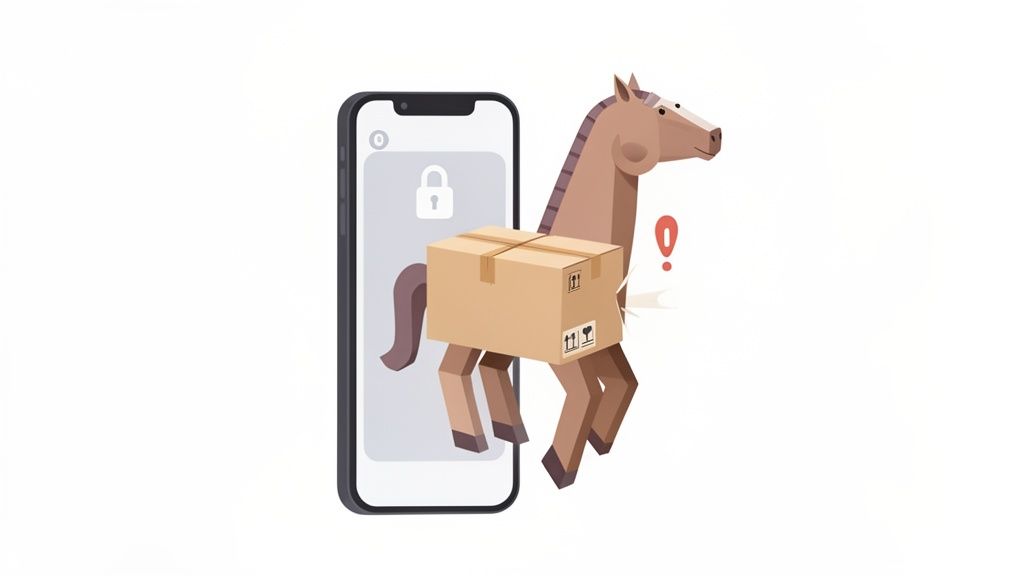
Think of these scam texts as a digital Trojan Horse. They pop up on your screen looking like a harmless—even helpful—notification about a package, something most of us are used to getting. But just beneath the surface, it’s a trap designed to sneak past your defenses and wreak havoc.
These scams work so well because they prey on our natural instincts. A message blaring "Your package delivery has failed" or "Immediate action required" creates a jolt of urgency. That little bit of panic is exactly what they want. It pushes you to react first and think later, making you far more likely to tap that suspicious link without a second thought.
The Small Fee That Costs a Fortune
Another popular trick involves asking for a tiny, seemingly insignificant fee to "reschedule" a delivery or cover "customs charges." When a text asks for $1.99, it feels like nothing. You might think, "It's just two bucks to get my package sorted." But the moment you enter your credit card details on their phony website, the scammers have everything they need.
This small-time con is just one piece of a much larger criminal puzzle. In fact, Americans lost nearly $950 million to text message scams recently, and UPS impersonation schemes were a huge part of that wave. It's a staggering number that shows just how effectively these criminals have weaponized our phones against us.
To get a better sense of how these deceptions work, it helps to understand similar tactics like spear phishing, where attacks are highly personalized. You can learn more about this in this guide on What Is Spear Phishing And How Do You Stop It.
Key Takeaway: The UPS text scam isn't really about your package. It's about manufacturing a crisis. Scammers create a believable problem and offer a simple (but fake) solution to manipulate you into giving up your own security.
Real vs Fake UPS Text a Quick Comparison
It can be tough to tell a real message from a fake one in the heat of the moment. Here’s a quick comparison to help you spot the red flags immediately.
| Characteristic | Legitimate UPS Message | UPS Scam Message |
|---|---|---|
| Sender | Comes from an official short code (like 69877) or simply "UPS." | Sent from a random, personal-looking 10-digit phone number. |
| Links | Always directs to the official ups.com domain. |
Uses look-alike domains, odd URLs, or link shorteners (e.g., ups-status.info). |
| Language | Professional, clear, and free of errors. | Often riddled with typos, bad grammar, and threatening or urgent language. |
| Tracking Info | Includes a valid tracking number you can verify yourself on the official site. | Might have a fake tracking number or no number at all. |
Knowing the difference is a great first step, but the best defense is stopping these messages before they ever tempt you to click.
The Most Common UPS Text Scams in the Wild
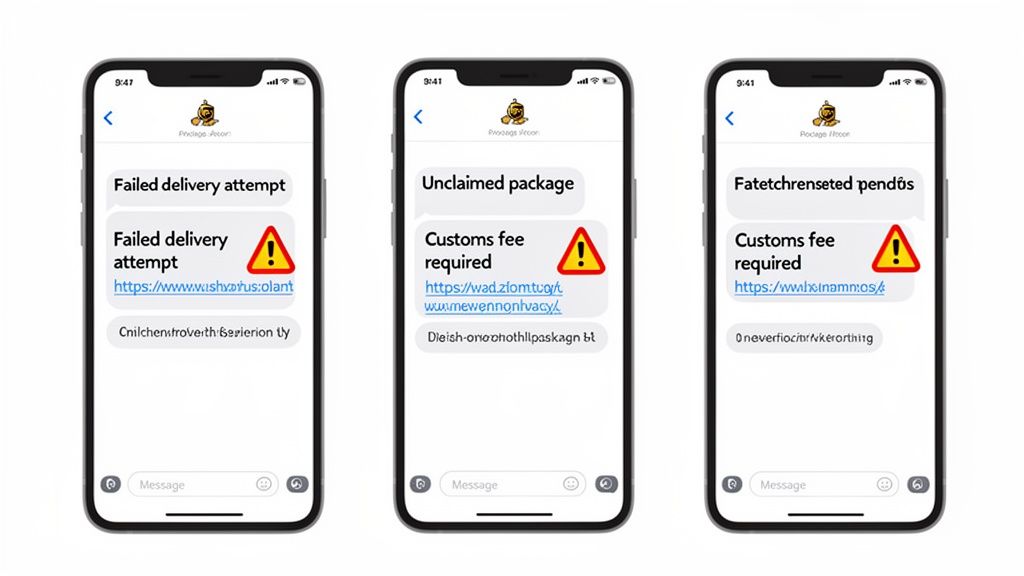
If you want to beat the scammers behind the UPS text message scam, you first need to know their playbook. The truth is, these criminals rarely invent brand-new tricks. They just rehash a few proven scripts that are incredibly effective at getting people to react emotionally instead of logically. Once you know their game, you can spot the con from a mile away.
Every single one of these fake texts has the same objective: get you to click that link. Tapping it takes you to a webpage that looks just like the real UPS site, but it’s a trap designed to steal your credit card details, passwords, or personal info.
Let's break down the three most common variations you’re likely to encounter.
The "Failed Delivery Attempt" Scam
This is the big one. It's the most widespread version and the one that sends a jolt of panic through most people. You get a text claiming a UPS driver tried to deliver a package but couldn't, giving a vague excuse like an "incorrect address" or "no one was home." The message then urges you to click a link to reschedule or fix your address details.
This trick works by playing on your fear of missing something important. The text will often include a fake tracking number and use urgent phrases like "action required" to rush you into making a mistake. The scammer’s goal is to lure you to their fake site, where you’ll be asked to "confirm" your address and pay a small "redelivery fee." That's when they snatch your financial information.
The "Unclaimed Package" Ploy
Another classic is the "unclaimed package" text. This message claims a parcel addressed to you is sitting in a UPS warehouse, waiting to be claimed. It pressures you to click a link to arrange for its delivery before it gets "returned to the sender."
It's a clever tactic because it piques your curiosity. Who doesn’t love a surprise? The link, of course, leads to a phony form asking for your name, address, and maybe even a credit card to cover a small "holding fee." There is no package, and every piece of information you type goes directly into the scammer’s hands.
Expert Insight: Scammers are intentionally vague. A text about "your package" without mentioning what's inside or who sent it is a huge red flag. This generic language lets them blast the same message to millions of people, hoping it lands on someone who is actually expecting a delivery.
The "Customs Fee Required" Ruse
This scam is particularly sneaky because it seems so plausible, especially if you ever order items from other countries. The text states that your package is stuck at customs and you need to pay a small fee for duties or taxes before it can be released.
While customs fees are real, legitimate carriers like UPS will never contact you through a random text message with a bizarre link to collect them. They have official, secure channels for that. The scammer's website is built to look professional, but it’s just a digital storefront for stealing your payment details.
For a deeper dive into the world of fraudulent messages, you might find our guide on phishing and smishing scams very helpful.
How to Identify a Fake UPS Text Instantly
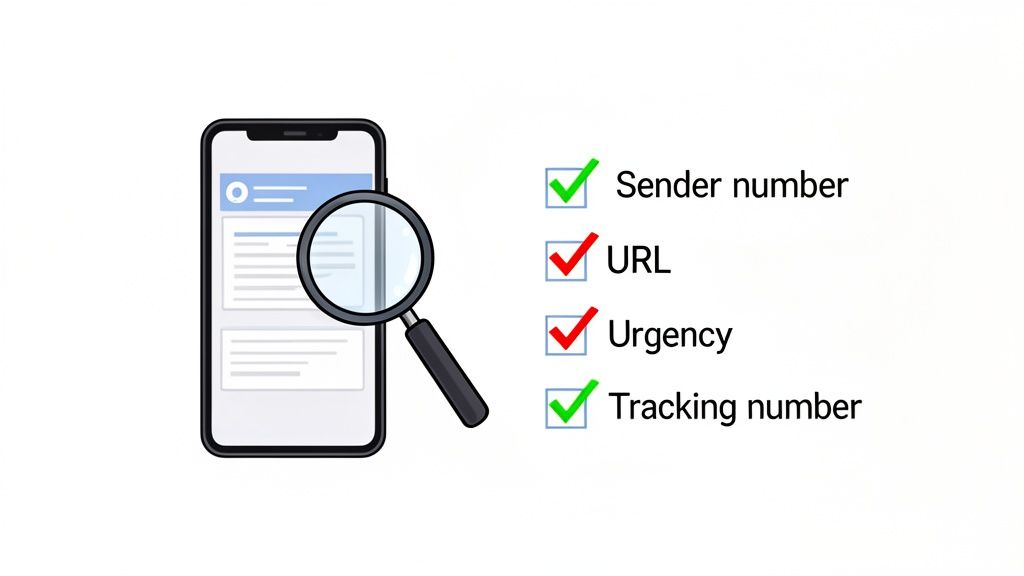
When a suspicious UPS text pops up on your phone, your best defense is a healthy dose of skepticism. Scammers are masters of manufacturing urgency, hoping you'll react before you think. But once you know what to look for, their desperate attempts become obvious red flags.
It’s less about having a gut feeling and more about running a quick, mental checklist. Think of yourself as a detective—the evidence is always there if you know where to look. Let's break down the tell-tale signs that a message is a scam.
Analyze the Sender's Number
First things first: look at who sent the message. This is often the easiest giveaway. Big companies like UPS don’t text you from a standard 10-digit phone number that looks like it belongs to your neighbor. They use official common short codes (CSCs), which are special 5- or 6-digit numbers for mass business communication.
- Legitimate UPS Number: Typically comes from a short code, like 69877.
- Scam Number: Almost always sent from a random 10-digit number.
If the number looks personal, you can be almost certain it's a scam. Crooks use these burner numbers to blast out messages and then disappear. It’s a classic trick, and you can learn more about how they hide their tracks in our guide on phone number masking.
Scrutinize the URL for Deception
The link is where the real danger lies. The entire goal of the scam is to get you to click it, so criminals work hard to make their links look convincing at a glance. But they can’t use the real ups.com domain.
Instead, they create look-alikes with subtle misspellings, extra words, or weird endings. You might see something like ups-delivery-status.net or yourups-tracking.info. If the link doesn't take you to the official ups.com website, it's a trap. No exceptions.
This isn't a small problem. Text scams reported to the FTC jumped from 137,000 in 2019 to over 330,000 in 2022, with delivery scams leading the charge. These scams have cost people $470 million from text messages alone, making fake delivery alerts a massive threat. You can dig into the data yourself in the FTC's report on text scam trends.
Look for Suspicious Language and Threats
Legitimate companies have entire teams writing their customer communications. Scammers? Not so much. They often rely on poorly translated scripts, which means their messages are frequently riddled with errors.
Be on the lookout for:
- Grammatical errors and typos: Awkward phrasing and spelling mistakes are dead giveaways.
- Urgent threats: Phrases like "immediate action required" or "your package will be returned" are designed to trigger panic.
- Generic greetings: A real alert would likely use your name, not "Hello customer."
The Ultimate Verification Tool: Your tracking number is the source of truth. A real UPS message will have a valid tracking number. If you get a text, never click the link. Instead, copy that number, open a new browser window, and go directly to the official
ups.comwebsite to check it yourself. If the site says the number is invalid, you’ve just confirmed the scam.
This one simple habit bypasses all the deception. By verifying the information independently, you stay in control and completely avoid the scammer's trap.
For an even safer approach, you can let technology do the work for you. The Gini Help app uses AI to analyze and block suspicious texts automatically, stopping scams before you even see them. You can find it on the Google Play Store and the Apple App Store.
What to Do When You Get a Suspicious UPS Text
That suspicious UPS text message just buzzed your phone. It can be jarring, even a little scary, but what you do in the next few seconds makes all the difference.
Scammers are banking on a knee-jerk reaction. They want you to feel a jolt of panic or a rush of curiosity. Instead of falling into their trap, take a breath. Here’s a simple, methodical plan to regain control and keep your information safe.
Step 1: Just Stop. Don't Click Anything.
Seriously, the single most important thing you can do is… nothing. Don’t tap the link. Don’t reply "STOP" or anything else. And definitely don't call the number they provide.
These messages are designed to trigger an immediate emotional response, pushing you to act before you think. Any interaction, even a simple reply, tells the scammer your number is active. You’ve just painted a target on your back for future scams. So, pause.
Step 2: Go Straight to the Source—The Official UPS Website
If you're actually waiting on a package, it's completely normal to want an update. But that text message is not the place to get it.
Open a new browser window on your phone or computer and manually type in ups.com. Never use the link in the text. Grab the tracking number from your original purchase confirmation email and pop it into the official UPS tracking tool. This is the only way to get the real story and bypass the scammer’s fake portal entirely.
Step 3: Block, Delete, and Move On
Once you’ve confirmed the text is a fake (or if you weren't expecting a delivery in the first place), it's time for a little digital housekeeping.
First, block the sender. This stops them from hitting you up again from that specific number. Then, delete the message. Getting it out of your inbox removes the temptation to accidentally click it later. Think of it as throwing away junk mail before it clutters up your house.
Step 4: Report the Scam to Help Others
Taking a minute to report the UPS text message scam does a world of good. It helps federal agencies and UPS itself track these criminals and shut down their operations. You're not just protecting yourself; you're looking out for others, too.
UPS has clear guidance on what to do. They want to know about these scams.
Here’s where to send your report:
- UPS: Forward the suspicious text message (or a screenshot) to fraud@ups.com.
- FTC: File a report on the Federal Trade Commission’s website at ReportFraud.ftc.gov.
- FCC: You can also file a complaint with the Federal Communications Commission, which handles unwanted communications.
Damage Control: What to Do If You Already Clicked
Okay, what if you already clicked the link or, worse, typed in your information? Don't beat yourself up—it happens. The key now is to act fast to minimize the fallout.
- Call Your Bank Immediately: If you entered credit card or debit card info, call the number on the back of your card right now. Tell them you believe your financial details were compromised in a phishing scam. They can freeze your card, reverse any fraudulent charges, and keep a close eye on your account.
- Set Up a Fraud Alert: Contact one of the three major credit bureaus—Equifax, Experian, or TransUnion—and place a fraud alert on your credit file. It’s free and makes it much harder for someone to open a new line of credit in your name.
- Scan Your Phone for Malware: Some of these links are nasty enough to install malicious software on your device just from a single tap. Run a mobile security app from a trusted brand to scan for and remove any threats.
If you’d rather have a system that stops these threats before they even reach you, an app like Gini Help can provide an automated layer of defense. You can find it on the Google Play Store and the Apple App Store to better protect your phone from phishing attempts.
Automate Your Scam Protection with AI
Trying to spot every UPS text message scam on your own is just plain exhausting. Even when you know all the red flags, the reality is that scammers never sleep. They fire off millions of texts from a seemingly endless supply of new phone numbers.
This makes traditional blocklists and spam filters feel like a frustrating game of whack-a-mole. You block one number, and ten more pop up to take its place.
The old-school filters just can’t keep up because they mostly rely on a sender's reputation. If a number isn't already on a known blacklist, its malicious message sails right through to your inbox. Scammers know this and constantly switch numbers, making sure their texts always come from a "clean" source that hasn't been flagged yet. It's time for a smarter defense.
Moving Beyond Simple Number Blocking
To really protect your phone, you need a tool that can think one step ahead of the scammers. Instead of just checking the sender's number, modern protection uses artificial intelligence to analyze the content and intent of a message the moment it arrives. That’s exactly how the Gini Help app works.
Think of Gini Help as a digital gatekeeper for your phone. It examines the language, links, and structure of incoming texts for tell-tale signs of a scam—like urgent demands, weird URLs, and generic greetings. It can spot these clues even if the message comes from a brand-new number it has never seen before. It understands the context, not just the source.
The key takeaway: AI-powered protection doesn't just block old threats; it anticipates new ones. By analyzing the scam message itself, it can identify a fake UPS text on its very first attempt, shutting down the scammer's entire strategy.
This approach means you're no longer playing defense. Instead of reacting to scams after they’ve already landed in your inbox, Gini Help stops them before they ever reach your screen.
Creating a Protective Shield for Your Family
The threat of a UPS text message scam isn’t just about your own phone. So many of us worry about older parents or other family members who might be more vulnerable to these tricks. Gini Help provides protection across SMS, calls, and email, creating a solid safety net for everyone you care about.
Here's how this automated protection works in the real world:
- Proactive SMS Filtering: Suspicious texts are flagged and neutralized automatically, so you’re never tempted to click a bad link.
- AI Call Screening: Unknown calls are answered by Gini's AI first. It figures out if the caller is legitimate or just another scammer, so your phone only rings for real people. You can learn more about how a smart call blocker restores your peace and quiet.
- Email Scam Detection: The same smart analysis is applied to your email, catching phishing attempts disguised as delivery alerts or other urgent notices.
This decision tree shows the mental checklist you'd have to run through every time a suspicious text arrives.
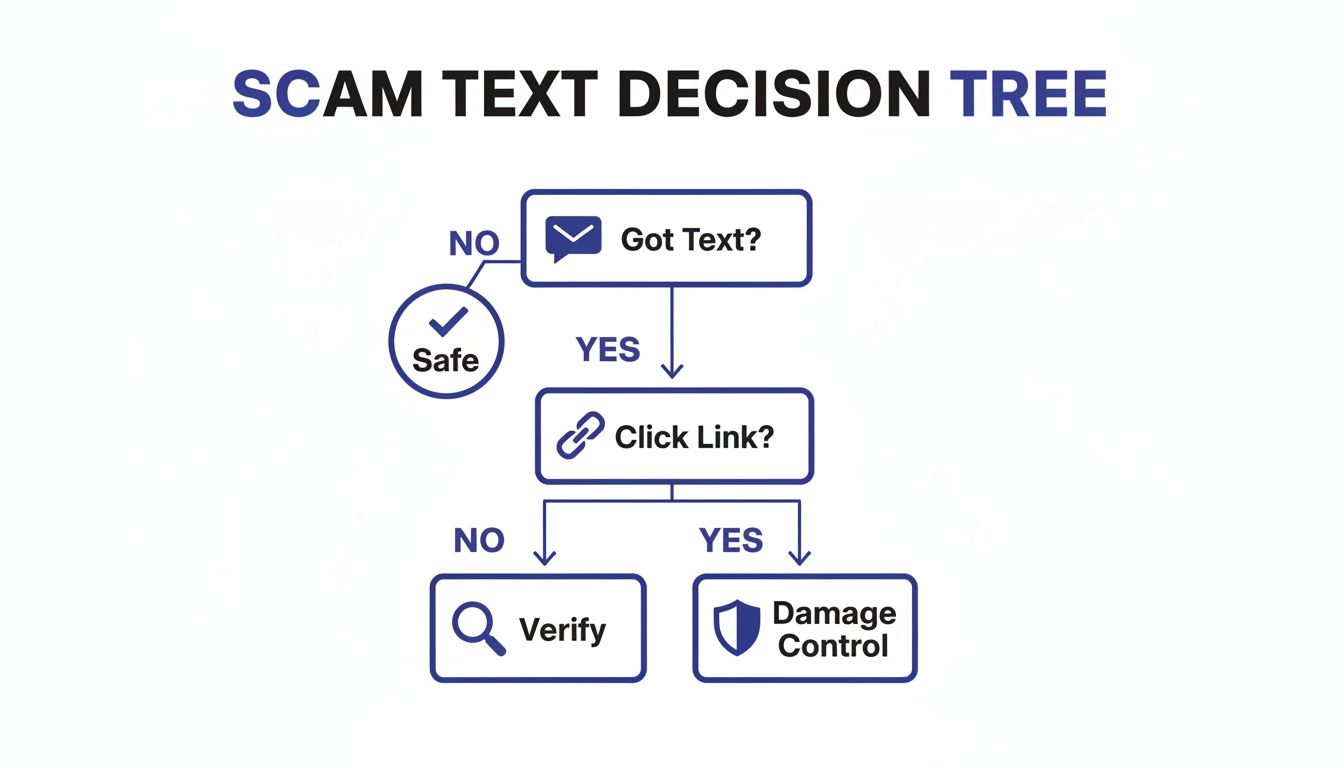
An automated tool like Gini Help handles all those steps for you instantly, making sure the right choice is made every single time. You don't have to be a security expert to stay safe.
Gini Help AI vs Traditional Spam Blockers
So, how does this new AI approach really stack up against the older methods most people are used to? Here's a quick comparison.
| Feature | Traditional Spam Blocker | Gini Help AI Protection |
|---|---|---|
| Detection Method | Relies on known spam numbers (blacklists) | Analyzes message content, links, and intent in real-time |
| New Scams | Ineffective until the number is reported and blacklisted | Catches new and unknown scams on the first try |
| Adaptability | Scammers easily bypass it by changing numbers | Learns and adapts to new scammer tactics automatically |
| Scope | Usually limited to just calls or just texts | Provides comprehensive protection across SMS, calls, and email |
| User Effort | Requires constant manual blocking and reporting | Works automatically in the background with no effort needed |
As you can see, AI-driven protection is a massive leap forward. It’s about being proactive, not reactive.
Ultimately, the goal is to get your digital peace of mind back. You shouldn't have to live with that constant, low-level anxiety of wondering whether the next notification is a real alert or just another trap.
Take the first step toward effortless, automated protection. You can download the Gini Help app today from the Google Play Store or the Apple App Store and let AI stand guard for you and your loved ones.
Frequently Asked Questions About UPS Text Scams
Even after getting familiar with the tell-tale signs of a UPS text message scam, you might still have some specific questions. Let's tackle the most common ones that come up, giving you clear, direct answers to help you handle these tricky situations with confidence.
Will UPS Ever Text Me for Payment Information?
In a word: no. This is the most important thing to burn into your memory. UPS will never send you an unsolicited text message asking for payment, your social security number, or any other financial details to get a package delivered.
Any legitimate fees, like customs duties, are always handled through official and secure channels when you first ship the item—not through a random text with a sketchy link. If you get a message demanding money to release your package, you can be 100% certain it's a scam.
What if I Am Actually Expecting a Package from UPS?
This is the scammers' sweet spot. They count on you expecting a package because it makes their bait seem so much more believable, and it's easy to let your guard down. But even if the timing is perfect, your response should always be the same.
Fight that powerful urge to click the link in the text. Instead, think of the message as nothing more than a general nudge. Go find the tracking number from your original order confirmation email or the retailer's website. Then, open a fresh browser window, go directly to the official UPS.com site, and type in that number yourself. It's the only way to know for sure what's going on with your delivery.
I Clicked the Link but Didn’t Enter Information. Am I Safe?
You've definitely dodged the biggest bullet by not entering your info, but you're not completely out of the woods just yet. The danger here is that some of these malicious links can trigger a "drive-by download." It sounds scary because it is—simply visiting the fake page can be enough to install malware on your phone without you having to do anything else.
Here’s what you need to do right away:
- Run a full scan on your device using a trusted mobile antivirus app.
- Go into your web browser's settings and clear all the cookies, cache, and history.
- Keep an eye on your phone for any weird behavior, like the battery draining super fast, strange pop-ups appearing, or it suddenly running very slowly.
- And finally, block the sender's number and delete the original text. You don't want to risk clicking it again by accident.
How Can I Protect My Elderly Parents from These Scams?
Helping older adults steer clear of this constant flood of scams really comes down to a mix of education and technology. Start by sitting down and having a frank, calm conversation. Show them real examples of scam texts, like the ones in this guide, and point out the classic red flags: urgent warnings, bad grammar, and suspicious links.
Giving them a simple, ironclad rule can work wonders: "If you get a text about a package, call me first before doing anything." This simple step creates a crucial pause, letting a cooler head prevail.
For an even stronger layer of protection, you could install a dedicated service like the Gini Help app on their phone. It uses AI to spot and block these scam texts before they even have a chance to see them. This takes the pressure off them to make a tough judgment call and acts as a reliable safety net.
Are There Other Official Services UPS Offers?
When you're trying to figure out if a message is real or fake, it helps to know what services a company actually provides. For instance, people often ask, Does UPS have a notary? Knowing the answer can help you instantly recognize when a scammer is trying to trick you with a made-up claim. The golden rule is to always verify this kind of information on the company's official website, never through a link sent in a text.
Recent reports show a massive spike in these "smishing" attacks. A 2024 study confirmed that delivery scams are still one of the most successful tricks in the book because they play on something we all do: shop online. This makes the fake messages feel personal and relevant to almost everyone.
Stop playing defense against scammers. Gini Help provides a proactive, AI-powered shield that analyzes and blocks fraudulent texts, calls, and emails before they ever reach you or your loved ones. Download it today and restore your peace of mind.
Get the Gini Help app on the Google Play Store or the Apple App Store.