What does potential spam mean? Learn how to spot and protect yourself
By Josh C.
When your phone flashes with a "Potential Spam" alert, it's basically your carrier giving you a heads-up. This isn't a 100% guarantee that the call is from a scammer, but it's a strong signal that the incoming number fits a pattern of fraudulent or unwanted activity.
Think of it as a digital bouncer for your phone, giving you a chance to pause before letting someone in.
Decoding the Potential Spam Warning
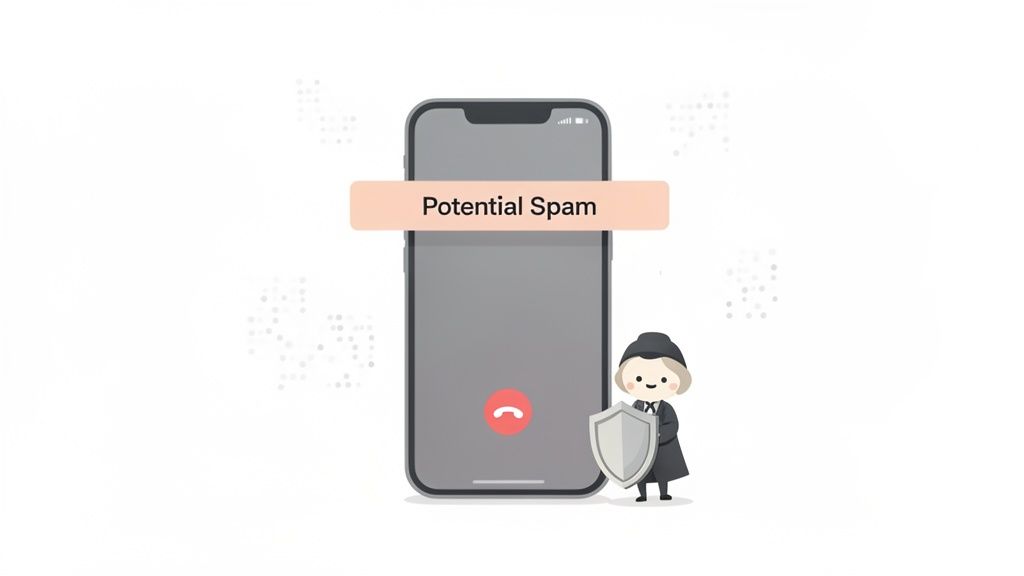
That little alert is doing some heavy lifting behind the scenes. It's your first line of defense against an absolute tidal wave of robocalls and junk communication. Just how big is the problem? Americans are bombarded with an estimated 2.8 billion spam calls every single month. That's a staggering number, and it’s precisely why understanding what potential spam means is so important. You can explore the full scope of spam call statistics to see just how relentless it's become.
This warning system is critical. It forces you to stop and think before you answer. While some calls are just annoying telemarketers, many are clever scams aimed at tricking you out of your money or personal information. Recent research from the FTC shows that impostor scams, many of which start with a spam call or text, cost Americans billions of dollars annually.
Why Your Phone Raises the Red Flag
So, how does your phone decide to flag a call? Carriers use sophisticated systems that analyze incoming calls in real time, looking for tell-tale signs of spam. These triggers act like clues, helping the system spot a caller who might not be legitimate.
Here’s a quick look at the kinds of red flags that your devices are trained to look for.
Common Triggers for a Potential Spam Alert
| Communication Type | What Your Device Looks For |
|---|---|
| Phone Calls | Rapid, high-volume dialing from a single number. Calls coming from numbers on community-reported spam lists. The number appears in a known scam database. |
| SMS/Text Messages | Suspicious links, especially those using URL shorteners. Messages containing keywords often used in phishing scams (e.g., "account suspended," "you've won"). Messages sent to a large group of random numbers. |
| Senders with a poor reputation or from a suspicious domain. Mismatched "From" and "Reply-To" addresses. Odd attachments or links that don't match the link text. Subject lines designed to create false urgency. |
These automated checks are all about spotting behavior that doesn't look human or legitimate.
Ultimately, this alert system gives you the power to make a safer, more informed decision. For an even stronger shield, proactive tools like the Gini Help app can screen and block these threats before your phone even has a chance to ring. You can grab it today on Google Play or the App Store.
How Your Phone Becomes a Spam Detective
When your phone flashes a "Potential Spam" warning, it's not just a random guess. Your phone carrier is acting like a quick-thinking digital detective, piecing together clues in a split second to decide if an incoming call is trustworthy. This isn't one single system, but a combination of data points and pattern analysis working behind the scenes.
Think of it like a bouncer at a club checking IDs. If someone shows up with a fake ID, they get stopped at the door. Your phone carrier does something similar with caller ID spoofing, which is when scammers disguise their real number to look like it's coming from a local number or a familiar company. With current events like the rise of AI voice scams, where criminals clone a loved one's voice, this first line of defense is more important than ever.
The Evidence Room of Spam Detection
So, what clues is your phone's detective looking at? It’s rarely one single thing that triggers a warning. Instead, the system builds a case by weighing several pieces of evidence together.
These systems blend smart tech with real-world feedback. The most common signals include:
- Behavioral Analysis: Algorithms are always watching for unnatural calling behavior. For example, if one number makes thousands of identical, short-duration calls within an hour, that's a massive red flag for robocalling.
- Community Reporting: Every time you block and report a number, you're helping build a neighborhood watch. Carriers pool this crowd-sourced data to flag suspicious numbers for everyone else.
- Known Spam Databases: Phone providers maintain and subscribe to enormous, constantly-updated blacklists of numbers tied to known scam operations. They check incoming calls against these lists in real time.
This approach is incredibly effective, but it's not perfect. A brand-new number for a legitimate local business might get flagged by mistake if its calling pattern briefly looks suspicious. That's why it's also smart to recognize the classic scam warning signs to watch out for yourself.
Understanding what does potential spam mean is key: it’s a calculated risk assessment, not a final verdict. The system is giving you a heads-up based on the evidence, so you can make an informed choice about answering.
For next-level protection that goes beyond a simple warning, you need a solution that actively screens calls. The Gini Help app uses its own AI to intercept and vet unknown callers for you, making sure only real, legitimate people get through. You can grab it from Google Play or the App Store to seriously upgrade your phone's defenses.
Ever been waiting for that important call—the one from the doctor’s office, the pharmacy, or a delivery driver—only to see your phone screen flash ‘Potential Spam’? It’s a frustratingly common scenario. The systems designed to protect us are smart, but they're far from perfect.
So, why does a perfectly legitimate call sometimes get a bad rap? It usually boils down to calling patterns that, by sheer coincidence, look a lot like what spammers do. The algorithms see a red flag, even when there isn't one.
So, Why Do Good Calls Get Flagged?
A few common situations can get an honest caller stuck in the spam filter:
- Fresh Phone Numbers: Think of a new local business. Their number is brand new and hasn't had time to build up a positive reputation with the phone carriers. It's an unknown, so it gets flagged.
- High Call Volumes: Your pharmacy might send out hundreds of automated prescription reminders in a short burst. To a carrier's algorithm, that sudden spike in activity looks suspiciously like a robocall campaign.
- Reputation Damage from Spoofing: Scammers can "spoof" a real number, essentially borrowing its Caller ID to make their own malicious calls. This trashes the legitimate number's reputation, and the real owner is often the last to know. This is a huge problem that the FCC is actively fighting.
This is why it’s best to see that ‘Potential Spam’ label not as a verdict, but as a helpful heads-up. It's a signal to stop and think for a second before answering or ignoring the call.
This is exactly where a smarter approach comes in. Instead of just flagging numbers and leaving the guesswork to you, the Gini Help app actively screens unknown callers for you. It uses AI to figure out who is calling and why before your phone even buzzes, making sure you don't miss that important delivery while still keeping the real spammers out.
Ready to take back control of your phone? You can download Gini Help from Google Play or the App Store.
Your Smart Action Plan for Handling Spam Alerts
That "Potential Spam" alert can make you jump, but don't let it rattle you. Having a simple game plan in place is all it takes to turn the tables on scammers. The key is to stay calm and take control of the situation, verifying who's on the other end without ever giving them an inch.
Your very first move? Do nothing. Seriously. Resist the urge to answer or reply. Just let that unknown or flagged call roll straight to voicemail. If it’s actually your pharmacy or your kid's school, they'll leave a message explaining who they are and why they're calling. If they don't, you can safely assume it wasn't important.
Deciding Your Next Move
Okay, so they left a message, and it sounds like it could be legitimate. What now? This is where you put on your detective hat. Don't just call back the number that rang you—that could be part of the trap.
Instead, look up the official number for that company or person yourself. Find it on their website, an old invoice, or in your own contact list. A quick search is all it takes to sidestep a potential scam.
This handy little chart breaks down the process. It’s a simple but powerful way to think through whether an unknown caller is friend or foe.
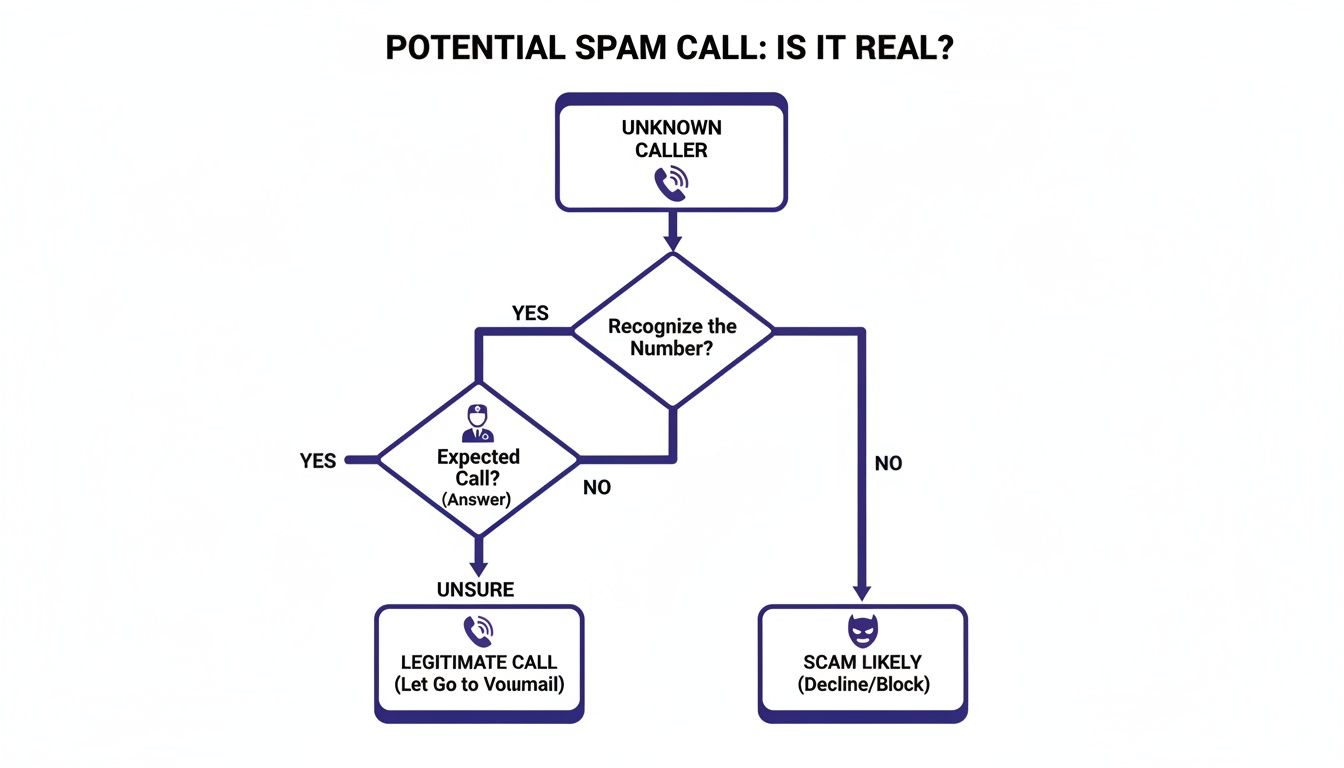
As you can see, the safest route always starts with letting the call go to voicemail and then doing your own verification. This one habit is a rock-solid filter for sorting real communication from digital junk.
Finally, take 10 seconds to help yourself (and everyone else). Use your phone’s built-in tools to Block the number so they can't bother you again. Even better, hit that Report Spam button. This sends valuable intel back to your phone carrier, helping them improve their spam filters for all their customers. If you want a deeper dive, check out our guide on how to stop spam calls for good.
The best defense is a great offense. A tool like the Gini Help app can automatically screen these calls for you with smart AI, making sure only the real ones ever make your phone ring. You can grab it from the Google Play Store or the Apple App Store and put your spam defense on autopilot.
Upgrade Your Defense with an AI-Powered Shield
Standard spam filters are a decent first line of defense, but they’re almost entirely reactive. They catch threats after they’ve already hit your inbox or call log. To truly get a handle on things, you need a proactive solution that gets out in front of the problem.
This is where AI-powered tools like Gini Help completely change the game. We're moving beyond simple warnings to provide a genuine shield that stops unwanted contact before it ever reaches you.
Go Beyond Basic Filtering
Instead of just flagging a suspicious call and leaving you to deal with it, Gini Help's AI acts as your personal call screener. It answers the call on your behalf, engaging with the caller in real-time to figure out who they are and what they want.
This approach effectively weeds out scammers, robocallers, and aggressive telemarketers before your phone even makes a sound. The risk and the annoyance are gone. Only legitimate callers ever get through.
Of course, calls are just one piece of the puzzle. Email spam is one of the oldest and most persistent threats out there. An estimated 376.4 billion emails fly around the globe every single day, and a mind-boggling 56.5% of them are pure spam. You can discover more insights about email spam volume to see just how big this problem is. It’s a clear sign that you need protection on all fronts.
By intelligently screening calls, texts, and emails, an AI shield offers total peace of mind in a world of constant digital noise. It’s not just about blocking numbers; it’s about verifying intent.
The Gini Help app brings this smart, multi-layered defense together in one simple, clean interface.
As you can see, Gini Help neatly organizes your communications, separating verified messages from potential threats and putting you in complete control. The design is intuitive, so you can manage your digital safety without any technical stress. To take your protection even further, it's a great idea to learn how phishing and smishing scams work in our detailed guide.
Ready for a smarter, more active defense?
Download the Gini Help app and let AI handle the threats for you. You can grab it from the Google Play Store and the Apple App Store.
A Few More Spam Questions Answered
Even after you get the hang of what "potential spam" means, a few specific questions tend to pop up. Let's tackle the most common ones so you can handle these interruptions like a pro.
Is It a Bad Idea to Call Back a "Potential Spam" Number?
Yes, it's a very bad idea. At best, calling back confirms your number is active, which basically puts a giant "call me!" sign on your back for every other spammer out there. You’ve just told them they found a live one.
The worst-case scenario, though, is much more damaging. You could be falling for a “one-ring” scam. These calls connect to a premium-rate number—think old-school 1-900 lines—that racks up outrageous per-minute charges the second you connect. The safest bet? Never call back an unknown or flagged number. If it’s actually important, they'll leave a message or try another way.
Does Blocking Spam Numbers Even Do Anything?
It absolutely does, and it works on two levels. First, you get immediate relief. Blocking that number means they can’t bother you again from that specific line. It’s a quick and satisfying fix for a known pest.
Second, and this is the bigger win, using your phone’s “block and report” feature is like crowd-sourcing a neighborhood watch. You’re feeding data back to your carrier, which helps their spam-detection algorithms get smarter. You’re not just protecting yourself; you're helping build a better defense for everyone on the network.
Are Spam Texts as Bad as Spam Calls?
They can actually be far more dangerous. A sketchy phone call often requires you to talk to a scammer and fall for their story. A spam text, on the other hand, puts a loaded weapon right on your screen: a malicious link.
This tactic, known as "smishing," is a favorite for criminals. A recent analysis of scam trends highlighted a huge spike in text-based attacks that trick people into installing malware or visiting convincing fake websites. These sites are designed to steal your passwords, bank details, and personal information. Treat links in texts from strangers like a biohazard—don't touch them, and just delete the message.
A single tap on a malicious link can compromise your device and your identity. The convenience of a text message is what makes it such an effective and dangerous tool for modern scammers.
What if My Own Number Is Getting Flagged as Spam?
This is a nightmare scenario for any business or professional who relies on making outgoing calls. If your number is getting incorrectly flagged, it can destroy your credibility. The fix is to get proactive and build a good reputation for your number with the carriers.
You can do this by registering your number with services that manage "caller ID reputation" or "call branding." This process verifies who you are, lets you display your business name when you call, and dramatically lowers the odds of being mislabeled as spam.
If you're looking for a defense that screens calls, texts, and emails before they even reach you, check out Gini Help. Our system uses intelligent AI to figure out a caller's real intent, making sure only legitimate communication ever makes your phone ring.
Download the app today from Google Play or the App Store and take back your peace and quiet.