How to Stop Spam Messages on iPhone for Good
By Josh C.
If you're fed up with spam messages on your iPhone, the fix involves a few key actions: filtering out unknown senders, blocking numbers as they come in, reporting the junk to both Apple and your carrier, and for serious cases, adding a layer of AI protection. Taking these steps will go a long way in clearing out the clutter and protecting your personal info from scams.
Why Is My iPhone Suddenly Getting So Much Spam?
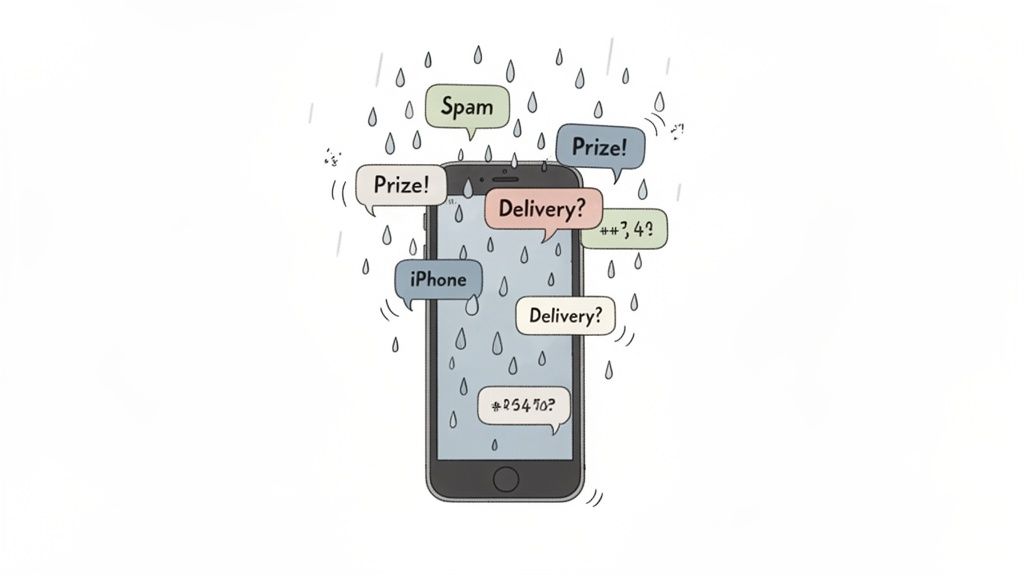
That familiar buzz from your phone, followed by the letdown of seeing yet another junk message about a package you never ordered or a prize you didn't win—it's more than just annoying. It's a calculated attack designed to grab your attention and compromise your security. If it feels like your iPhone has become a spam magnet lately, you're definitely not alone. The problem is getting worse and the tactics are getting smarter.
Your phone number is a hot commodity on the digital black market. Scammers and aggressive marketers acquire it through a handful of common channels, turning your device into a prime target.
- Data Breaches: Your number was likely scooped up in a data breach from a company you do business with. Even the most security-savvy people can get caught in a net when a company's user list is compromised.
- Public Information: Ever listed your number on a social media profile, a personal website, or a public forum? Automated bots constantly scrape these public sources for contact info.
- Number Generation: Sometimes, it’s just bad luck. Spammers use software to auto-generate and blast messages to thousands of random number combinations, hoping to land on an active line.
How Spammers Have Upped Their Game
The reason spam seems to be getting through more often is that spammers are constantly evolving their methods to sneak past basic filters. A common trick is number spoofing, which masks the true origin of a text, making it look like it's coming from a local number or even a trusted business. This is a big reason you might see a warning about a message being potential spam on your iPhone—your device is trying its best to flag these deceptive practices.
The messages themselves are also expertly crafted to play on your emotions. They create a false sense of urgency or curiosity to get you to act without thinking. A recent analysis by the FTC revealed that Americans lost a record $3.1 billion to fraud in 2023, with text message scams being a primary driver of these losses.
Watch out for messages about urgent bank warnings, fake package delivery alerts, or claims that you've won a prize. They're all designed to trigger an immediate emotional reaction, pushing you to click a malicious link before your rational brain can kick in.
This spam avalanche isn't slowing down. Industry data shows a staggering 83% of smartphone users now receive spam texts, and 24% are getting them every single day. The threat has moved beyond simple junk ads to sophisticated phishing attempts, making iPhones a major battlefield. You can dig into the complete spam statistics report for a deeper look.
Getting Proactive with Your Defense
As these threats become more sophisticated, just manually blocking numbers as they come in isn't going to cut it anymore. A smarter, AI-driven approach is becoming essential. For a more robust defense that can spot and stop scams before they even hit your inbox, consider downloading the Gini Help app from the Google Play Store or the App Store.
Using Your iPhone’s Built-In Spam Filters
Before you even think about downloading another app, it’s worth mastering the defenses Apple already built right into your iPhone. These native tools are your first and fastest line of defense against the daily flood of junk messages. Turning them on is simple, effective, and can bring immediate relief.
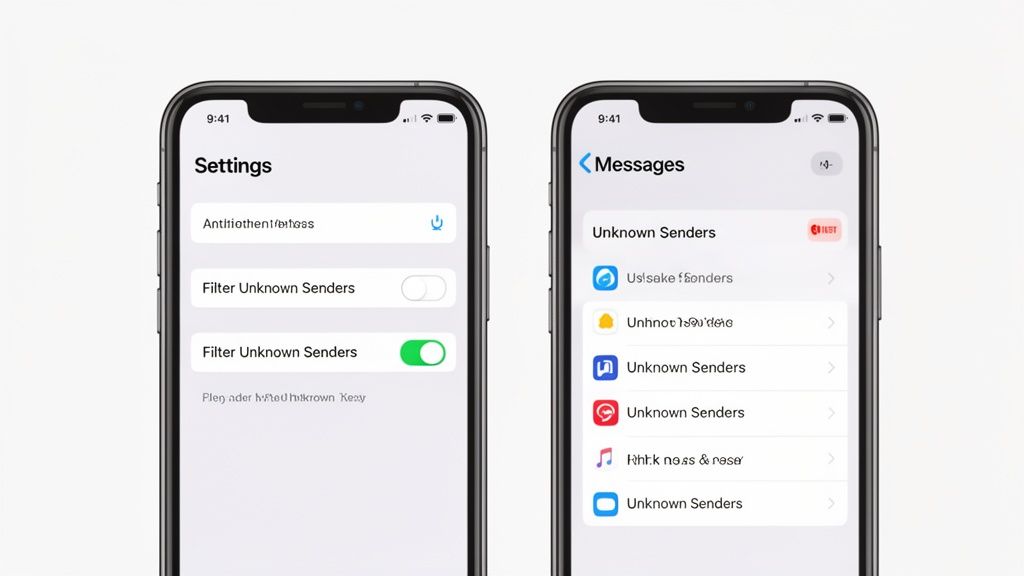
The single most powerful tool in your iPhone's arsenal is Filter Unknown Senders. Instead of outright blocking messages, it works like a smart organizer. Any message from a number not in your contacts gets sorted into a separate list, and—most importantly—their notifications are silenced.
This means your phone won't buzz for every fake delivery alert or unsolicited political text. It’s a game-changer for reclaiming your peace and quiet.
How to Turn On Message Filtering
Activating this feature is incredibly quick; it seriously takes less than a minute. Think of it as hiring a digital bouncer for your main inbox who only lets in people you actually know.
To get started:
- Open the Settings app on your iPhone.
- Scroll down and tap on Messages.
- Find the Message Filtering section and tap Unknown & Spam.
- Toggle on the Filter Unknown Senders switch. That's it!
Once you’ve done this, your Messages app will now have different tabs at the top. You’ll see categories like "Known Senders," "Unknown Senders," and sometimes even "Transactions" or "Promotions," making your inbox feel instantly more organized.
Blocking and Reporting Individual Spammers
While filtering is fantastic for managing the overall flow, you'll still need to deal with the individual spammers that sneak through. Blocking a number is a direct—and satisfying—way to cut off a specific source of junk.
When you get a spam text, you can block the number right from the message itself:
- Open the spam message (but be careful not to click any links inside!).
- Tap the phone number or profile icon at the very top of the screen.
- Select Info, then scroll down and tap the red Block this Caller option.
This simple action stops that number from ever reaching you again via text, phone call, or FaceTime. It's a quick, decisive move that cleans up your inbox one spammer at a time.
Pro Tip for iMessages: When the spam comes through as a blue iMessage, you get an extra weapon. Look for a "Report Junk" link right below the message. Tapping this sends the message and sender's info directly to Apple, which helps them improve their spam detection for everyone.
Before we move on, let's quickly recap the native tools we've covered.
iOS Spam Filtering Features at a Glance
This table breaks down the primary spam-fighting tools available directly on your iPhone and what each one does best.
| Feature | What It Does | Best For |
|---|---|---|
| Filter Unknown Senders | Sorts messages from numbers not in your contacts into a separate list and silences their notifications. | Quietly managing the bulk of random spam without you having to deal with each message individually. |
| Block this Caller | Completely prevents a specific phone number from contacting you via calls, texts, or FaceTime. | Permanently stopping repeat offenders and known spam numbers from bothering you again. |
| Report Junk (iMessage only) | Sends the spam iMessage and sender's information directly to Apple for analysis. | Actively helping Apple improve its global spam filters while removing the message from your device. |
These built-in features are an excellent foundation for any anti-spam strategy.
However, it’s important to be realistic. Spammers constantly cycle through new numbers, which can make manual blocking feel like a never-ending game of whack-a-mole. Even with filtering on, sophisticated scams can sometimes impersonate legitimate sources, tricking the system.
A recent example is the Mailchimp phishing attack where a security expert’s own mailing list was stolen. Scammers then used that data to send highly convincing fake security alerts to trusted contacts. This incident highlights the limitations of basic filters and underscores the need for more advanced analysis.
For a more robust defense that can identify these smarter threats, an AI-powered solution like the Gini Help app becomes essential. It’s designed to analyze the content and patterns that built-in filters often miss. You can find it on the App Store or Google Play to add that critical next layer of security.
Taking the Fight to Scammers: Reporting Spam to Your Carrier and Apple
Blocking a spam number gives you that immediate sense of relief, but it's really just a Band-Aid on a much bigger problem. If you truly want to push back against the tidal wave of junk texts, you have to report them.
Think of it this way: reporting a scammer moves your response from a personal defense to a community-wide counterattack. You're feeding crucial intel to your carrier and to Apple, helping them identify and shut these operations down at the source. Your single report, combined with thousands of others, paints a clear picture that allows them to see patterns and block entire spam campaigns, not just one annoying number.
The Universal Trick: Forwarding Spam to 7726
The single most effective way to report SMS spam is by forwarding it to the short code 7726. It's easy to remember because it spells out SPAM on your phone’s keypad. Best of all, this service is free and works with every major US carrier, including AT&T, Verizon, and T-Mobile.
Here’s how you do it:
- First, never reply to the spam text or click any of its links. Just don't engage.
- Press and hold the spam message bubble itself until a little menu pops up. Tap More.
- Select the message you want to report and tap the Forward arrow that appears in the bottom-right corner.
- In the "To:" field, type in 7726 and send it off.
- You’ll get an automated text back from your carrier asking for the spammer’s phone number.
- Hop back to the original spam message, copy the sender's number, and simply paste it into a new reply to 7726.
That’s it. This quick two-step process feeds the spammer's details directly into your carrier's network-level filters, helping them protect not just you, but all of their customers. It’s a small action with a huge impact, especially now. Recent studies show Americans get double the volume of scam texts compared to the rest of the world, which makes proactive reporting more important than ever.
Dealing With Spammy iMessages: Report Directly to Apple
What if the junk message shows up in a blue bubble? That means it’s an iMessage, sent through Apple’s network, not your carrier’s SMS system. Luckily, Apple has its own reporting tool built right in.
Often, right below a spam iMessage from a number not in your contacts, you'll see a handy little link that says "Report Junk." Tapping this immediately sends the sender's info and the message content straight to Apple.
If for some reason that link isn’t there, you have another option. Just swipe to delete the conversation. As you do, your iPhone will ask if you want to Delete and Report Junk. Choosing this accomplishes the exact same thing.
These reports are critical for stopping scams that specifically prey on Apple users, like the incredibly common UPS text message scam where fraudsters impersonate delivery companies.
For an even stronger, automated layer of protection that analyzes and blocks threats before you even see them, consider downloading the Gini Help app from the App Store or Google Play.
Time for a Smarter Defense: Advanced AI Spam Protection
Let's be honest. Using your iPhone’s built-in tools and reporting spam to your carrier can feel like a game of whack-a-mole. You block one number, and two more pop up. Spammers are always one step ahead, cycling through new numbers and tweaking their scams faster than any of us can keep up manually.
If you’re still getting buried in junk texts, that’s a sure sign it’s time to move beyond basic defenses and get proactive. This is where advanced AI-powered protection really shines. Instead of just reacting to spam messages on your iPhone, these tools get out in front of them, analyzing the content and intent of a message before it ever bothers you.
How AI Can Outsmart a Scammer
Your phone’s standard filters are pretty good at catching known spam numbers or obvious keywords. But an AI-driven service goes so much deeper. It’s been trained on millions of messages—both legitimate and malicious—so it learns to spot the subtle, sneaky red flags that our eyes might skim right over.
These systems look at the whole picture:
- Manipulative Language: AI is fantastic at picking up on phrases designed to create panic, like "account suspended" or "immediate action required."
- Deceptive Links: It scrutinizes every URL, looking for the tell-tale signs of a phishing scam, even when the link looks perfectly legitimate.
- Weird Patterns: Scammers often betray themselves with odd grammar, strange formatting, or messages sent at bizarre hours. An AI catches these inconsistencies instantly.
What this means in the real world is that a sophisticated phishing attempt disguised as a bank alert gets zapped before your phone even buzzes. It's the difference between building a taller fence and having a smart security guard who spots trouble from a mile away.
Protecting the People We Care About Most
This kind of advanced protection is especially important for our family members, particularly older adults who are often the primary targets for scammers. Scammers design their messages to exploit trust and create a sense of urgency, a tactic that’s incredibly effective against people who might not be as tech-savvy.
The numbers are genuinely alarming. Recent data shows that texting and messaging scam attempts have skyrocketed by 50% across the United States. Seniors over 50 are hit the hardest by these scams, which are built to bypass caller ID and pressure them into making a fast, expensive mistake. You can read the full research about this alarming trend to see just how serious it is.
For these situations, an AI guardian provides real peace of mind. A service like Gini Help is designed to be that protective shield, analyzing messages for threats. Its technology, for example, can actively prevent seniors from sharing sensitive OTPs with scammers by recognizing the scam pattern as it happens.
AI protection isn't just about a cleaner inbox; it's a crucial security layer that adapts to new threats on the fly, offering a safety net that built-in filters just can't provide.
Making the Switch to Proactive Security
To get ahead of scammers for good, you need a tool that thinks ahead of them. The Gini Help app was built from the ground up to provide this exact level of proactive defense against spam messages on iPhone.
The app is designed to be incredibly simple, letting you turn on powerful AI-driven filtering for your calls, texts, and emails without any fuss. By adding that intelligent layer between you and potential threats, you can finally trust that your inbox is clean and your personal information stays private.
Ready to put a smarter filter to work? You can download Gini Help for robust, real-time protection on the App Store for your iPhone or on Google Play.
Essential Habits for Handling Suspicious Messages
All the tech in the world can't fully protect you if your habits aren't secure. Think of your awareness as a personal firewall. The best defense against the constant barrage of spam is a healthy dose of skepticism—learning to spot and handle these messages safely is a skill, and it's one you can master.
The number one rule I tell everyone is this: never click suspicious links. I don't care how legitimate it looks. Scammers are experts at creating a sense of urgency, sending texts about a failed package delivery or a locked bank account to make you panic. Clicking that link is exactly what they want, as it can instantly lead you to a fake site designed to steal your information or even install malware.
Think Before You Act
It’s tempting to reply "STOP" to a spam message, hoping to get them to leave you alone. Unfortunately, this often backfires. For legitimate marketing, it works. For a scammer, any reply—even a negative one—confirms your number is active. You've just told them a real person is on the other end, making your number a more valuable target and often leading to more spam, not less.
The best response is usually no response at all. Don't click, don't reply, and don't engage. As soon as you spot a suspicious text, the smartest move is to ignore what it says and jump straight to blocking and reporting the sender.
This is where automated systems can be a lifesaver. They analyze incoming messages for threats before you even have a chance to be tempted, as this flowchart shows.
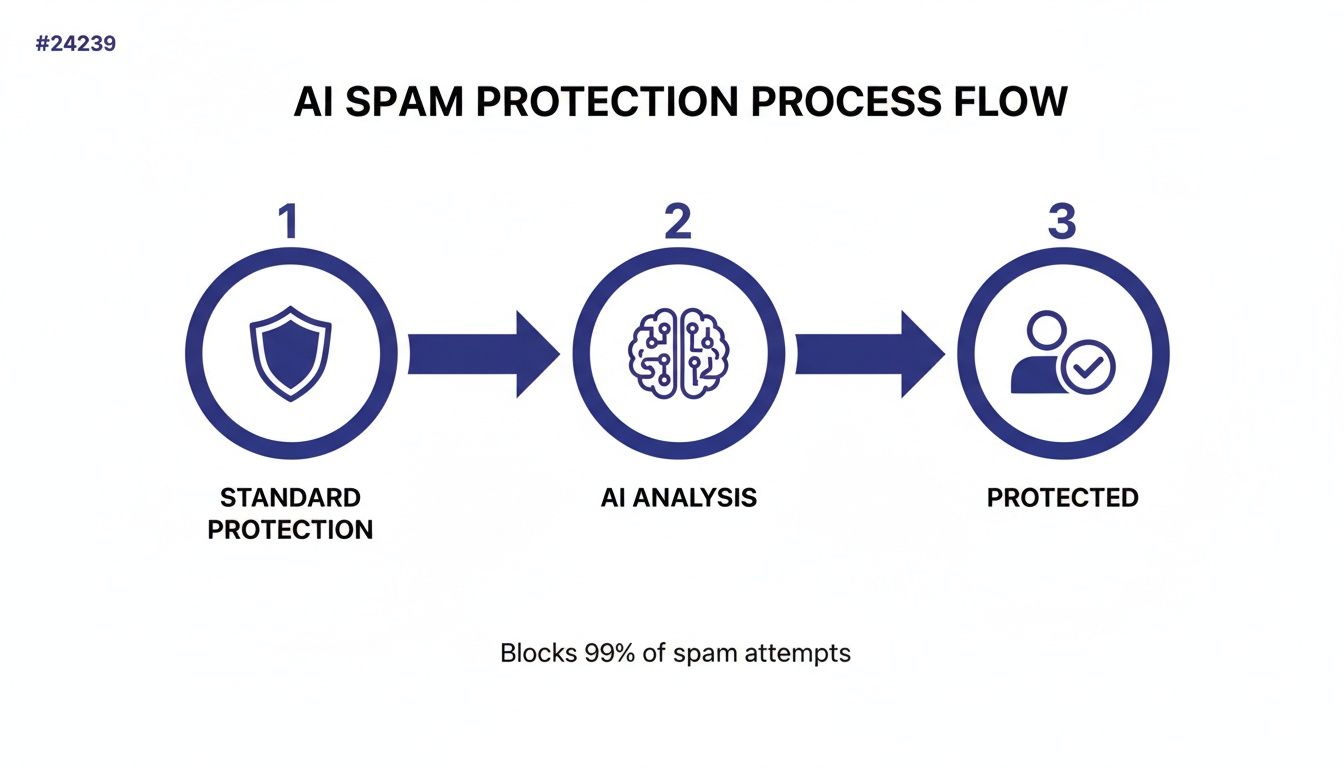
By adding an AI analysis layer, these systems catch and block malicious messages, acting as a crucial buffer between you and the scammers.
Broadening Your Security Awareness
Filtering individual spam messages is just one piece of the puzzle. It's also helpful to understand the bigger picture of mobile security. People often wonder about the inherent security of their devices, asking questions like, Are iPhones more secure than Android phones? Digging into topics like this gives you a more well-rounded view of how to keep your digital life safe.
At the end of the day, your own vigilance is your most powerful tool. For an extra layer of automated security that puts these best practices to work for you, check out the Gini Help app on the App Store or Google Play.
Your Top Questions About iPhone Spam Answered
Let's clear up a few lingering questions. When it comes to spam texts, a little bit of knowledge goes a long way in keeping your inbox clean and your information safe.
Why Am I Suddenly Getting So Many Spam Texts?
If your phone has suddenly started blowing up with junk messages, it almost always means your number got out. This isn't your fault—it happens in a few common ways. Your number could have been scraped from a public website, included in a corporate data breach, or even just randomly generated by a spammer's software.
A real-world example? Look at the recent phishing attack on Mailchimp. Scammers got hold of a security expert's credentials and exported his entire mailing list, contact info and all. One breach at a single company can cascade, causing a sudden flood of spam messages on your iPhone from a source you've never heard of. Sometimes, even replying "STOP" to a scam text can backfire by confirming your number is active, which just gets you added to more lists.
Does Filtering Unknown Senders Stop All Spam?
Filtering Unknown Senders is a fantastic feature, but think of it as a bouncer, not a blocker. It does a great job of quieting the noise by shunting messages from numbers not in your contacts into a separate tab. You won't get a notification, which is a huge win for your sanity.
However, the messages are still there, and the sender isn't actually blocked. Crafty spammers constantly switch numbers, so they can keep landing in your "Unknown Senders" list. Plus, some sophisticated scams use email-to-text gateways that can occasionally slip past this filter and end up in your primary inbox anyway.
While filtering is a powerful tool for organization and peace of mind, it’s best used in combination with active blocking and reporting to be truly effective against persistent spammers.
Is Reporting Spam to 7726 Really Effective?
Absolutely. Forwarding junk to 7726 is one of the most effective long-term strategies, even if it doesn't give you that immediate satisfaction. When you send that message along, you're handing crucial data over to your carrier's security team. They use it to spot patterns, track down the source of spam campaigns, and shut them down at the network level.
Your single report might feel like a drop in the bucket, but it joins thousands of others to build a bigger picture. It won't stop the message you just received, but it helps make sure you—and millions of other people—won't get hammered by that same scam operation down the road.
Are Third-Party Spam Blocking Apps Safe to Use?
The good ones are. As long as you stick to reputable apps from the official App Store, they're designed with your privacy in mind. Top-tier apps like Gini Help use on-device AI to analyze a message for scammy characteristics without ever needing to read your personal conversations.
This means your private data stays on your phone; it isn't uploaded to some remote server. The app acts like a smart gatekeeper right on your device. Always read an app's privacy policy, but a well-reviewed service adds a critical layer of protection that iOS features alone just can't offer.
For an advanced, AI-powered defense that proactively stops scams before they ever reach you, consider Gini Help. You can download it today from the App Store or on Google Play.