A Guide to Call Screening iPhone Features and Apps
By Josh C.
Your iPhone buzzes. You don't recognize the number. Is it the pharmacy with an important update, a delivery driver who can't find your address, or just another robocall about your car's extended warranty? That moment of hesitation is all too familiar, but you don't have to live with it. With the right call screening on your iPhone, you can take back control and get some much-needed peace of mind.
Understanding Your iPhone Call Screening Options
Let's face it: dealing with a flood of unwanted calls has become a frustrating part of daily life. The sheer volume of robocalls and increasingly clever scams means that a good screening solution isn't just a nice-to-have, it's a necessity. Luckily, you've got options, from simple, free tools already on your phone to smart AI-powered apps that act like a personal receptionist.
The Two Main Paths for Screening Calls
When it comes to screening calls on an iPhone, you can generally go one of two ways. Each has its own strengths.
- Built-in iOS Features: Apple gives you a great starting point right out of the box with "Silence Unknown Callers." This feature does exactly what it says: it stops your phone from ringing for any number that isn't in your contacts, a number you've recently called, or a suggestion from Siri. It's a quick, easy way to get some immediate relief.
- Third-Party AI Apps: For a more sophisticated and flexible defense, a dedicated app like Gini Help uses artificial intelligence to screen unknown callers on your behalf. Instead of simply sending them to voicemail, these apps can figure out why they're calling, block scammers in their tracks, and make sure genuinely important calls get through.
The scale of the problem is staggering. For the 75% of U.S. adults who are fed up with spam calls, it's no surprise when you hear there are over 5 billion robocalls hitting North American phones every month. Seniors are especially vulnerable, losing an estimated $3.4 billion each year to phone scams. You can dig deeper into these trends and protective measures in recent industry reports.
This decision tree helps visualize how you might choose between the built-in iOS features and a dedicated AI app when an unknown call comes in.
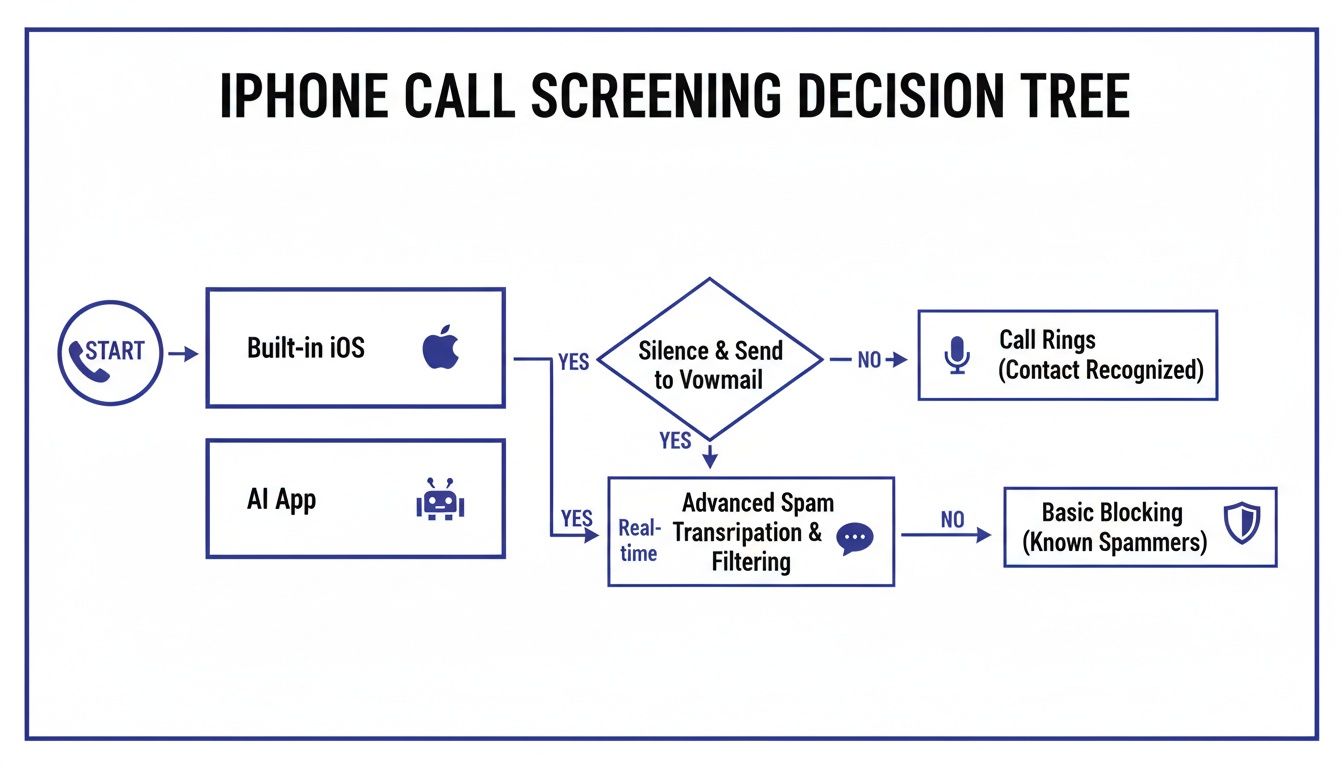
The flowchart maps out the journey from the moment an unknown number calls to how each method—Apple's native tool versus a smart AI app—responds to it.
iPhone Call Screening Options at a Glance
Deciding which approach to take can feel tricky. This table breaks down the key differences between what your iPhone can do on its own and what a more advanced service offers.
| Feature | Built-in iOS Screening | Advanced AI Screening (Gini Help) |
|---|---|---|
| How It Works | Silences calls from numbers not in your contacts. | AI answers and vets unknown callers in real-time. |
| Cost | Free (included with iOS). | Subscription-based. |
| Legitimate Call Risk | High risk of silencing important unknown calls. | Low risk; AI identifies and allows legitimate calls through. |
| Scam Detection | Basic; relies on you managing your contact list. | Advanced; analyzes conversation to detect scams and fraud. |
| Customization | Limited to on/off. | Highly customizable (e.g., allow specific types of callers). |
| Best For | Users who get few important calls from new numbers. | Users who want maximum protection without missing crucial calls. |
Ultimately, the best choice depends on your needs. If you're just looking for a simple way to reduce interruptions, Apple's built-in tool is a great start. But if you can't afford to miss a call from a doctor, delivery person, or new client, an AI-powered service is the way to go.
When to Choose Advanced AI Protection
While Apple's built-in feature is a solid first line of defense, its all-or-nothing approach can be a problem. It might silence a call from a new doctor's office just as easily as it silences a telemarketer. This is exactly where more advanced solutions prove their worth.
AI-powered screening doesn't just block numbers; it understands conversations. By analyzing a caller's intent in real-time, it can tell the difference between a persistent scammer and a pharmacy calling to confirm your prescription. That's a level of security a static blocklist just can't provide.
For comprehensive protection that intelligently filters your calls without making you worry about what you've missed, a dedicated app is the clear winner. You can see how this works for yourself by downloading the Gini Help app for scam protection from the App Store or Google Play.
Using Your iPhone's Built-In Screening Tools
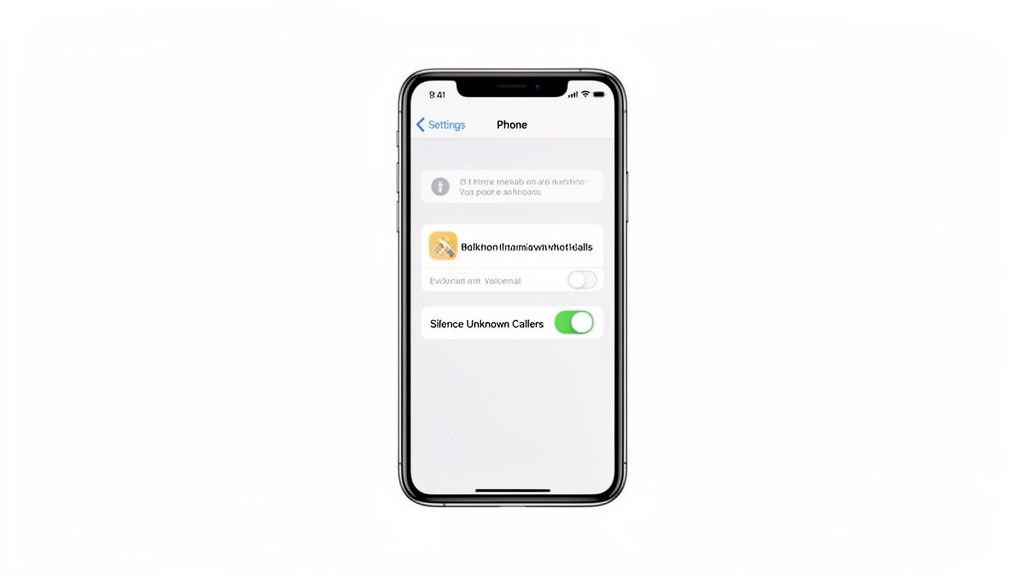
Before you download a single app, it's worth knowing that Apple gives you a powerful, free tool to combat spam calls right out of the box. It’s the perfect place to start if you're looking for some immediate relief from the constant buzz of unknown numbers.
The feature is called Silence Unknown Callers. Think of it as a bouncer for your phone. If a number isn't in your contacts, your phone won't ring. The call gets sent straight to voicemail and shows up in your "Recents" list, letting you decide if it's worth your time.
How To Enable Silence Unknown Callers
Getting this set up is incredibly simple and takes less than a minute.
- First, head to your Settings app.
- Scroll down a bit and tap on Phone.
- Look for the Silence Unknown Callers option and select it.
- Just flip the toggle switch on—it’ll turn green.
And that's really all there is to it. Your iPhone will now automatically screen calls from any number it doesn't recognize, which includes numbers you’ve never interacted with before.
But here’s the trade-off. While it’s fantastic for stopping robocalls dead in their tracks, this feature is a bit of a blunt instrument. It silences all unknown numbers, which can sometimes include legitimate calls you’re actually waiting for. Think about a call from your doctor’s office with test results, a delivery driver who can't find your address, or a potential new client—they’ll all go straight to voicemail without you ever hearing the phone ring.
The key takeaway here is to be diligent about checking your voicemail. If you turn this feature on, make it a habit to check your missed calls and messages regularly so you don't miss something important.
Beyond just silencing calls, another useful native feature is call forwarding. It's good to understand how to forward calls on a cell phone as another tool in your arsenal for managing communications.
The Future of Built-In Screening
Apple isn't standing still on this front. A major update, expected around January 2026, is set to bring much smarter proactive screening to newer iPhones. The system will ask unknown callers to state their purpose, filtering out over 90% of spam calls without needing any help from your carrier by transcribing what the caller says in real-time.
There's a catch, though. Research on similar Android features shows a low 4% engagement rate, mainly because it's an opt-in feature, not the default. You can dive deeper into these upcoming changes by reading the full research about iOS call screening advancements.
For many people, the "all or nothing" approach of Silence Unknown Callers is too restrictive. If you're worried about missing crucial calls, you'll need a more intelligent solution. This is where advanced AI-powered apps step in to provide a smarter safety net.
To explore other effective methods, check out our guide on how to stop spam calls. For complete protection that vets every caller for you, download the Gini Help app for scam protection from the App Store or Google Play.
Why AI Call Screening Is a Game Changer
Apple’s built-in tools are a decent first line of defense, but they’re a bit like a bouncer with a very simple checklist. If a number isn't on the approved list (your contacts), it gets turned away. This is great for stopping a lot of basic robocalls, but today’s scammers are far more sophisticated.
They’re constantly changing their tactics, using "spoofed" numbers that look local to trick their way past simple filters. A static blocklist just can't keep up. This is where artificial intelligence completely changes the game.
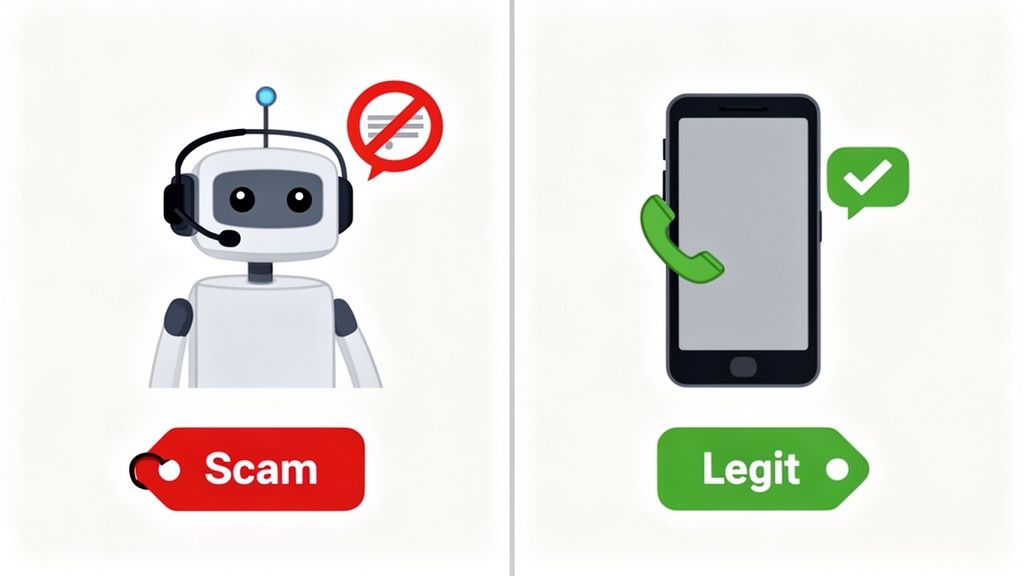
This image nails the core idea: AI doesn't just block, it intelligently sorts the good calls from the bad ones before your phone ever rings.
Moving Beyond Simple Blocklists
Instead of just checking a phone number, AI-powered apps like Gini Help take a much more proactive approach. Think of it less like a gatekeeper and more like a personal assistant who vets every unknown caller for you.
When a call comes in from a number you don’t know, Gini’s AI assistant answers first. It has a quick, natural conversation to figure out who is calling and why.
- Is it a legitimate caller? Maybe it's a pharmacy confirming a prescription or a delivery driver with a package. The AI understands the context and forwards the call straight to you.
- Is it a scammer? If the AI picks up on classic scammer red flags—like creating false urgency, making threats, or using deceptive language—it hangs up and blocks them on the spot.
At the core of this technology is highly accurate Speech-to-Text transcription, which allows the AI to literally understand the words being spoken. This means it’s analyzing the caller's intent, not just their phone number.
The Power of Real-Time Analysis
This ability to analyze a conversation as it's happening provides a layer of security that basic filters can't touch. It stops the scam right at the source, long before a scammer gets the chance to manipulate or scare someone. The AI isn't fooled by a brand-new or spoofed number because it's focused on what the person is saying.
An AI screening service acts as an intelligent shield, constantly learning and adapting to new scammer tactics in real time. It’s not just about blocking numbers; it’s about understanding intent, which is the key to stopping sophisticated fraud.
While screening unknown calls is a huge step, Gini Help goes further with Live Call Analysis. This feature provides real-time haptic warnings and risk scores during calls you actually answer, and even extends this protection to your Gmail and SMS messages. It's a multi-layered defense that’s been protecting families since day one.
This proactive strategy is especially crucial for protecting older adults, who are frequently the targets of very convincing and aggressive scams. To see how this approach works in detail, check out our article on the benefits of a smart call blocker.
If you're looking for a powerful, proactive defense that adapts to the latest threats, it's time to move beyond the basic tools.
Getting Set Up With Gini Help for Total Protection
While the iPhone's built-in tools are a decent first line of defense, an AI-powered service like Gini Help is what you need for a truly robust, multi-layered shield against today's sophisticated scams. Getting it up and running is surprisingly simple, even if you don't consider yourself tech-savvy. The whole point is to get you fully protected in just a few minutes.
Once it's installed, Gini Help just works. It sits quietly in the background, acting as a smart gatekeeper for your calls and messages. Think of it as a proactive security guard for your phone that's always learning and adapting to new threats, so you don't have to.
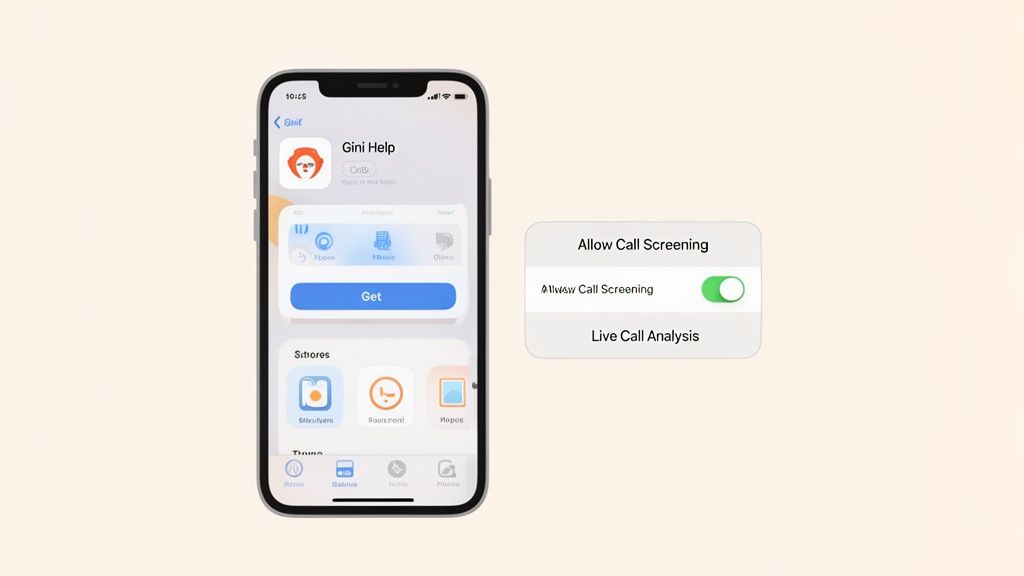
Installing and Activating Gini Help
First thing's first: you need to download the app directly from the App Store. This is the only way to ensure you're getting the legitimate, secure version of the service.
- Download from the App Store: Just open the App Store on your iPhone, search for "Gini Help," and tap to download and install it.
- Give it the Right Permissions: When you open the app for the first time, it will walk you through the permissions it needs. This is the most important part of setting up call screening on your iPhone. You’ll need to go into your iPhone’s Settings > Phone > Call Blocking & Identification and flip the switch on for Gini. This is what allows the app to intercept and analyze calls from unknown numbers.
- Turn on Live Call Analysis: For that extra layer of security, make sure to enable the Live Call Analysis feature inside the Gini Help app. This is a game-changer. It gives you real-time risk scores and even gentle vibrations (haptic feedback) on calls you decide to answer, alerting you to red flags as the conversation is happening.
This simple setup is more important than ever. Recent research highlights a surge in sophisticated AI voice-cloning scams, where fraudsters impersonate a loved one in distress. A dedicated service like Gini is essential for analyzing these calls and identifying the subtle markers of a scam that a human ear might miss, providing truly comprehensive protection.
Tailoring the Protection to Your Needs
After the initial setup, you can really make Gini Help your own. The app lets you look through a log of all the calls and texts it has blocked, manage a list of your trusted contacts, and even tweak how sensitive the screening is. This flexibility means you get the security you need without the frustration of missing an important call you were actually waiting for.
You can, for example, whitelist a doctor's office or review transcripts of screened calls to see exactly why they were flagged. That level of control and transparency is something you just don't get with basic filters.
Gini Help doesn’t just block numbers; it transforms your iPhone from a passive target into an active defender. By analyzing the conversation itself, it stops scams cold before they can even get a word in.
Taking a few moments to install and configure Gini Help is a small investment for a huge return in digital safety. You gain a powerful ally against the constant barrage of phone scams. You can find more details about how it all works over on the official Gini Help website.
Ready for complete peace of mind? Download the Gini Help app from the App Store for your iPhone or from the Google Play Store for Android devices.
How Call Screening Plays Out in the Real World
It’s one thing to talk about features in a settings menu, but how does call screening on your iPhone actually hold up in the messy, unpredictable situations we all face? Let's look at how these tools perform when it really counts.
Imagine an older parent living on their own. The phone rings, showing an unfamiliar number. The voice on the other end is urgent, claiming to be from their bank about a "compromised account"—a classic tactic to induce panic. Apple's built-in "Silence Unknown Callers" feature would likely send this call straight to voicemail. That's a decent first line of defense, but what if it was a real fraud alert from the bank's security team using an unlisted number? The built-in feature can't tell the difference, which means your parent could miss a genuinely critical warning.
This is exactly where a smarter, more nuanced approach to call screening becomes so important.
A Safety Net for Vulnerable Family Members
Let's replay that same scenario, but this time with an AI-powered service like Gini Help on the job. The AI assistant answers first, politely asking the caller to state their reason for calling. A real bank employee would clearly explain the fraud alert. The AI recognizes the context as legitimate and immediately patches the call through to your parent's phone.
An intelligent screening service acts like a compassionate but firm gatekeeper. It's designed to filter out the danger and the noise while making absolutely sure that truly important calls—from a doctor's office, a grandchild's new friend, or a real fraud department—always get through. This is vital for protecting older adults, who unfortunately lose an estimated $3.4 billion each year to phone scams.
Now, if the caller was a scammer, the AI would pick up on the deceptive language and high-pressure tactics. The number would be instantly blocked, and your parent would never even know the call happened. The threat is handled before it has a chance to cause any harm.
Everyday Scenarios for Busy People and Families
The peace of mind that comes from this kind of screening isn't just for protecting seniors. Think about how it applies to other common situations:
- The Overwhelmed Professional: You're a consultant working against a tight deadline, and the last thing you need is a stream of sales pitches. Instead of silencing every unknown number and risking a call from a big new client, a service like Gini Help can vet each one for you. It weeds out the telemarketers while connecting you with the genuine business prospects you've been waiting for.
- The Cautious Parent: You've decided it's time for your child to have a phone for safety and emergencies, but you're worried about them getting spammed or contacted by strangers. An AI screening service works like a digital guardian, ensuring only pre-approved and trusted contacts can get through.
These examples highlight that modern call screening is about so much more than just blocking robocalls. It’s about understanding context. It's about creating a safer, calmer, and more focused communication environment for everyone.
To see how this works firsthand, you can download the Gini Help app for scam protection from the App Store or on Google Play.
Common Questions About Screening Calls on Your iPhone
When you start looking into call screening, a few key questions always come up. Let’s walk through the most common ones I hear from people trying to get a handle on all the unwanted calls.
Will I Miss Important Calls?
This is probably the biggest worry, and for good reason. If you turn on the iPhone’s built-in “Silence Unknown Callers,” you absolutely risk missing something important. A call from a new doctor, a pharmacy, or even a delivery driver will go straight to voicemail because their number isn't saved in your phone.
This is where more advanced tools like Gini Help really shine. Instead of just blindly silencing calls, Gini's AI assistant actually answers first to figure out who is calling and why. If it's a legitimate person you need to talk to, the AI patches the call through to you instantly. You get the peace and quiet without the risk of missing a critical call.
Is AI Screening Too Complicated for Older Adults?
Not in the slightest. In fact, services like Gini Help are built from the ground up with simplicity in mind. The setup is a one-time thing that only takes a few minutes, with clear, guided instructions.
Once it's running, the protection is completely automatic. It's a true "set it and forget it" tool, which is perfect for seniors or anyone who just doesn't want to mess with complicated tech settings.
How Is This Better Than My Carrier's Spam Blocker?
Most spam blockers from carriers like AT&T or Verizon rely on big lists of known scam numbers. The problem? Scammers are constantly ditching old numbers and "spoofing" new ones, so they easily slip past these outdated filters.
Gini Help takes a completely different approach. Its AI analyzes the conversation in real-time to understand what the caller actually wants. This dynamic analysis lets it catch brand-new scam tactics and unknown numbers that carrier apps almost always miss. We’re seeing scammers get smarter every day, so having a tool that can think on its feet is more important than ever.
What Actually Happens to the Blocked Calls?
When Gini Help flags a call as a scam, it stops it dead in its tracks—your phone never even rings. You'll just get a silent notification letting you know it was handled.
Everything is logged right inside the app’s dashboard. You can pop in anytime to see a full list of all the calls and texts that were blocked, giving you a clear picture of what's been stopped without ever disturbing your day.
For proactive protection that's smarter than a simple filter, Gini Help offers a complete safety net for your calls and texts. You can download the Gini Help app for scam protection from the App Store or on Google Play.