Email Scam Alert Guide: Stay Safe from Phishing in 2026
By Josh C.
APWG observed 3,796,639 phishing attacks in 2024, and Microsoft reported about 8.3 billion email-based phishing threats in Q1 2026. An email scam alert helps you respond to an industrial-scale threat, not an isolated odd message.
A suspicious email may look polished, use a familiar logo, and appear to come from a company you trust. Modern scammers often avoid the obvious warning signs people were taught to look for. They use realistic account notices, QR codes, redirected links, and look-alike addresses to make a dangerous request feel routine.
For older adults, caregivers, and busy users, the safest approach is layered. Let technical checks examine the sender and links, then use a simple pause-and-verify habit before you act.
Why Email Scam Alerts Matter in 2026
The Anti-Phishing Working Group's annual report recorded 3,796,639 phishing attacks in 2024, including 963,994 in Q1, 877,536 in Q2, and 989,123 in Q4. Financial services represented 37.4% of attacks in Q1 2024, so messages involving banks, payment providers, and investment services deserve careful attention.
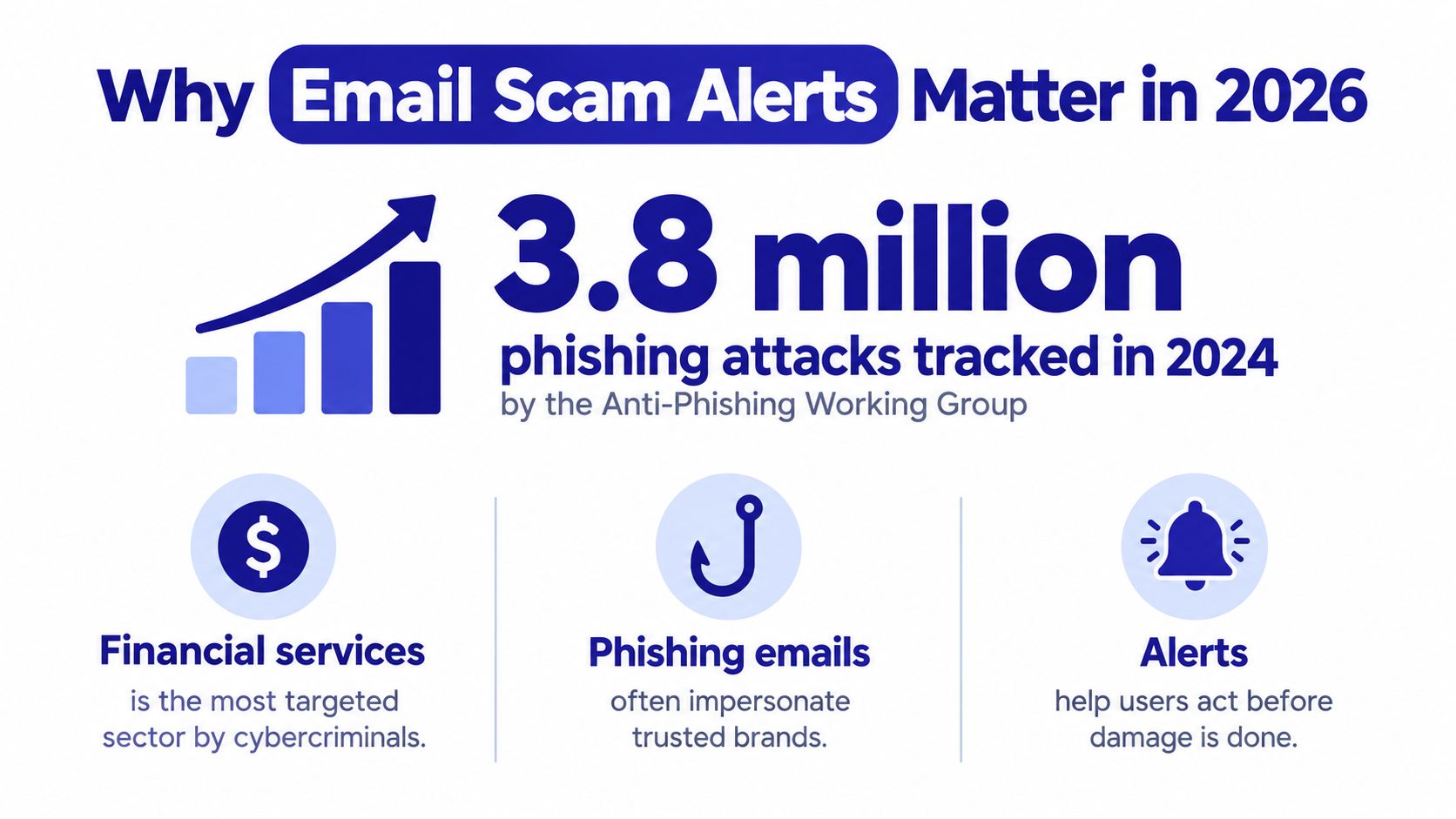
Microsoft reported about 8.3 billion email-based phishing threats in Q1 2026 and 7.6 billion in Q2 2026. These figures count attempted threats detected by Microsoft, not confirmed financial losses. They still show why a suspicious message should be treated as part of a wider, organized effort.
The attack often arrives through a familiar routine. An older adult may receive an email about a delivery, open a QR code on a printed notice, or scan one inside a message that appears to come from a bank. The code hides the destination, much like an envelope concealing the address behind a flap. A realistic workflow can feel safer than an obviously strange message, even when it leads to a copied login page.
Microsoft reported QR-code phishing rising from 7.6 million in January to 18.7 million in March 2026, a 146% quarterly increase in its Q1 coverage. This shift matters because traditional advice about checking visible links may not help when the link is hidden inside an image or QR code.
Practical rule: An alert is a pause signal. Verify through the company's official app or a phone number you already trust.
Attackers rotate senders, domains, and delivery methods, while legitimate messages can also trigger warnings after configuration errors. Learning how alerts work and reviewing real-world security training cases can help you judge the request, not its appearance.
What Is an Email Scam Alert and How Does It Work
An email scam alert warns you when a message shows signs linked to phishing, spoofing, malware, or a dishonest request. Your email service may move it to spam, add a warning banner, block a link, or ask whether you trust the sender. Treat the alert like a security guard asking you to pause before entering a building.
Modern attacks often follow realistic routines. A message may imitate a bank notice, delivery update, or account check, then send you to a copied sign-in page through a shortened link, redirect, or QR code. The workflow can look ordinary, which makes it harder to judge by appearance alone.
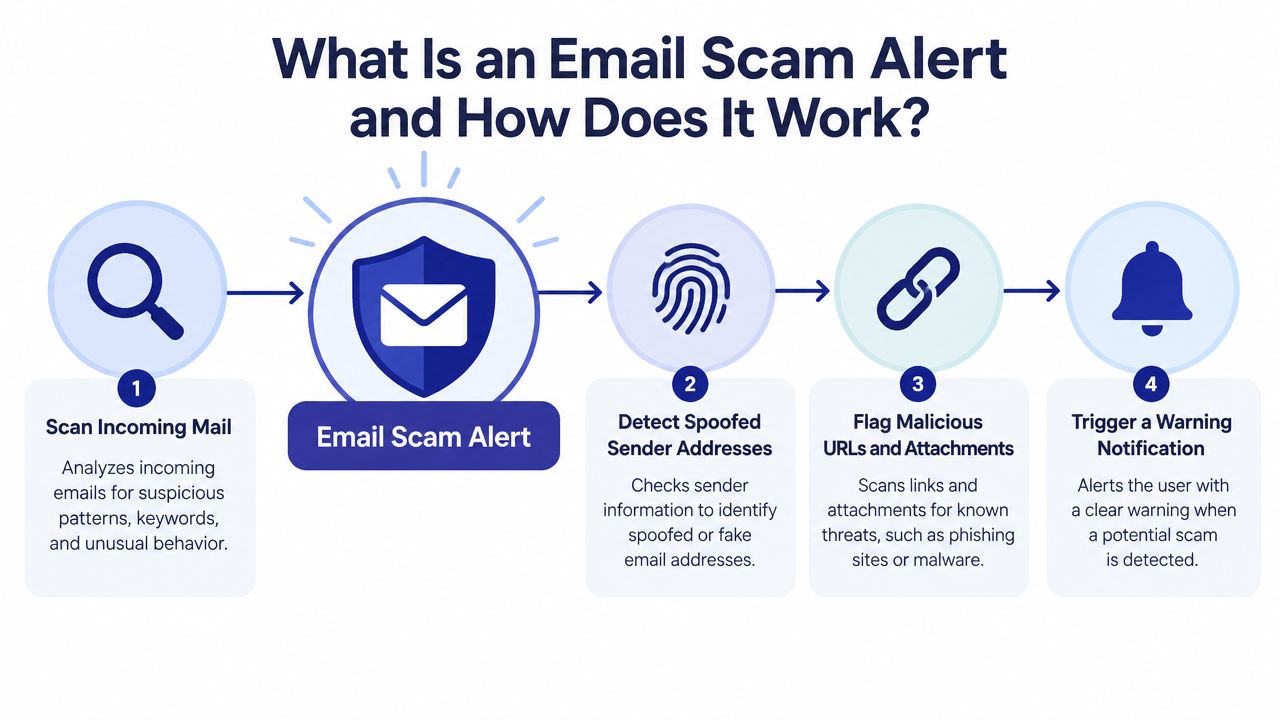
Detection systems compare several clues. The message may use familiar colors, logos, and polished wording, while technical checks inspect how it was sent. SPF checks whether the sending system was authorized. DKIM checks whether the message has a valid cryptographic signature. DMARC checks whether the visible From domain matches the domain authenticated through SPF or DKIM. The Huntress explanation of SPF, DKIM, and DMARC explains why these checks work best together.
A DMARC failure caused by domain misalignment means the address shown to you claims to represent one organization, while the authenticated sending domain belongs elsewhere. That raises concern, but it does not prove fraud. Legitimate services can also have configuration errors.
Alerts also examine link destinations, redirects, and attachments. A message may pass authentication and still lead to a fake login page or harmful file. Some scams use a trusted website to host a link before sending you to a different destination, while others hide the link inside an image or QR code.
A single warning signal cannot settle the question. Review the request itself, especially any demand for passwords, security codes, payment details, or urgent action. Gini Help's phishing email detection guide offers further guidance on combining these clues. Use an alert as a combined risk judgment, not as a verdict based on one spelling mistake or unfamiliar address.
Common Email Scam Types You Should Recognize
43.1% of analyzed phishing emails used links, 11% used attachments, and 20.3% used open redirects in a 2026 phishing trends report. Open redirects send you through one web address before forwarding you elsewhere, which can hide the final destination from both readers and some security tools. The Hoxhunt phishing trends report shows why checking where a link goes matters as much as reading the email's wording.
Common examples include:
QR-code phishing: The message says you must scan a code to keep access to an account, review a delivery, or approve a security change. Your phone opens the destination, so the web address may be difficult to inspect. Read these practical QR code email tips before scanning a code from an unexpected email.
Credential harvesting: An email reports an unusual sign-in and asks you to verify your account. Its button opens a page designed to resemble a trusted service, then requests your password, security code, or payment details.
Look-alike domains: The sender address resembles a legitimate business but contains a small spelling change. More than half of surveyed organizations reported look-alike domains differing by only one or two letters. The AFP Payments Fraud and Control Survey coverage also reports that 85% of organizations received spoofed emails appearing to come from a trusted source. Spoofing can involve a copied display name or address, even when the domain itself is not a one- or two-letter variation.
Account takeover workflows: The email says someone changed a device, requested account recovery, or needs an urgent security confirmation. The request feels credible because real services use similar steps. A scammer may be copying a familiar process rather than making an obviously strange demand.
Older adults are often targeted through these realistic routines. A polished message uses a known brand, a believable reason to act, and a small decision made under pressure. On a phone, the inbox may show only the sender's display name, while a QR code can conceal the link completely.
Grammar is only one clue. Ask whether you expected the message and whether the request creates urgency. For account access, delivery details, or payments, open the company's official app or type its known website yourself instead of using the email's button.
How to Enable Email Alerts in Your Inbox
Email providers already include spam and phishing controls, but each service places them in different menus. Treat these controls like a front-door lock: useful every day, but not proof that every visitor is safe. Review the settings in your own account, since providers may change their apps and menus.
Gmail
Open Gmail settings and review spam, blocked addresses, and filters. Suspicious messages usually go to Spam, and Gmail may display a phishing warning. Avoid creating a filter based only on a sender's display name. A scammer can copy the name of a bank, delivery company, or familiar contact while using a different address.
If you connect Gmail to a protection service, check the permissions before approving access. The Gini Help Gmail connection guide explains the relevant setup details.
Outlook and Microsoft 365
In Outlook, open Mail, then Junk email. Review blocked senders and domains, safe senders, and how suspicious messages are handled. Microsoft 365 administrators may also control anti-phishing policies for an organization.
Use safe-sender lists only for addresses or domains you have verified independently. Adding an entire domain because one message looked genuine can let later fraudulent messages reach the inbox. A familiar logo or copied display name is not independent verification.
Yahoo and iCloud Mail
Yahoo users can review account-security and mail-filtering controls, including blocked addresses and spam handling. In iCloud Mail, use the built-in junk-mail controls and report unwanted messages so the service can use that feedback.
| Setting | What it helps with | What it can't guarantee |
|---|---|---|
| Spam filtering | Separating messages that resemble known abuse | Detecting every new campaign |
| Blocked senders | Stopping mail from specific addresses | Stopping a scammer who changes addresses |
| Safe senders | Reducing false positives for trusted contacts | Proving that a message is authentic |
| Warning banners | Drawing attention to suspicious content | Replacing your own verification |
Do not test a filter by opening a suspicious message or scanning its QR code. Check the Spam or Junk folder instead, and review warning banners on messages your provider has already classified as risky. If a message asks you to confirm an account, delivery, or payment, open the company's official app or type its known website yourself.
How Multi-Channel Screening Differs from Inbox Filters
Traditional inbox protection uses reputation data, known bad senders, and fixed rules. Those tools remain useful, but scammers can change addresses, domains, wording, and delivery paths. A filter may recognize a familiar threat. A conversation-aware system examines what a new message is asking you to do.
That difference matters because newer scams often look like ordinary routines. An email may imitate a delivery notice, an account reminder, or a family request. Instead of an obvious spelling mistake, it may contain a realistic link or QR code that opens a convincing imitation of a trusted website. The message passes through a normal workflow, much like a counterfeit key shaped for a familiar lock.
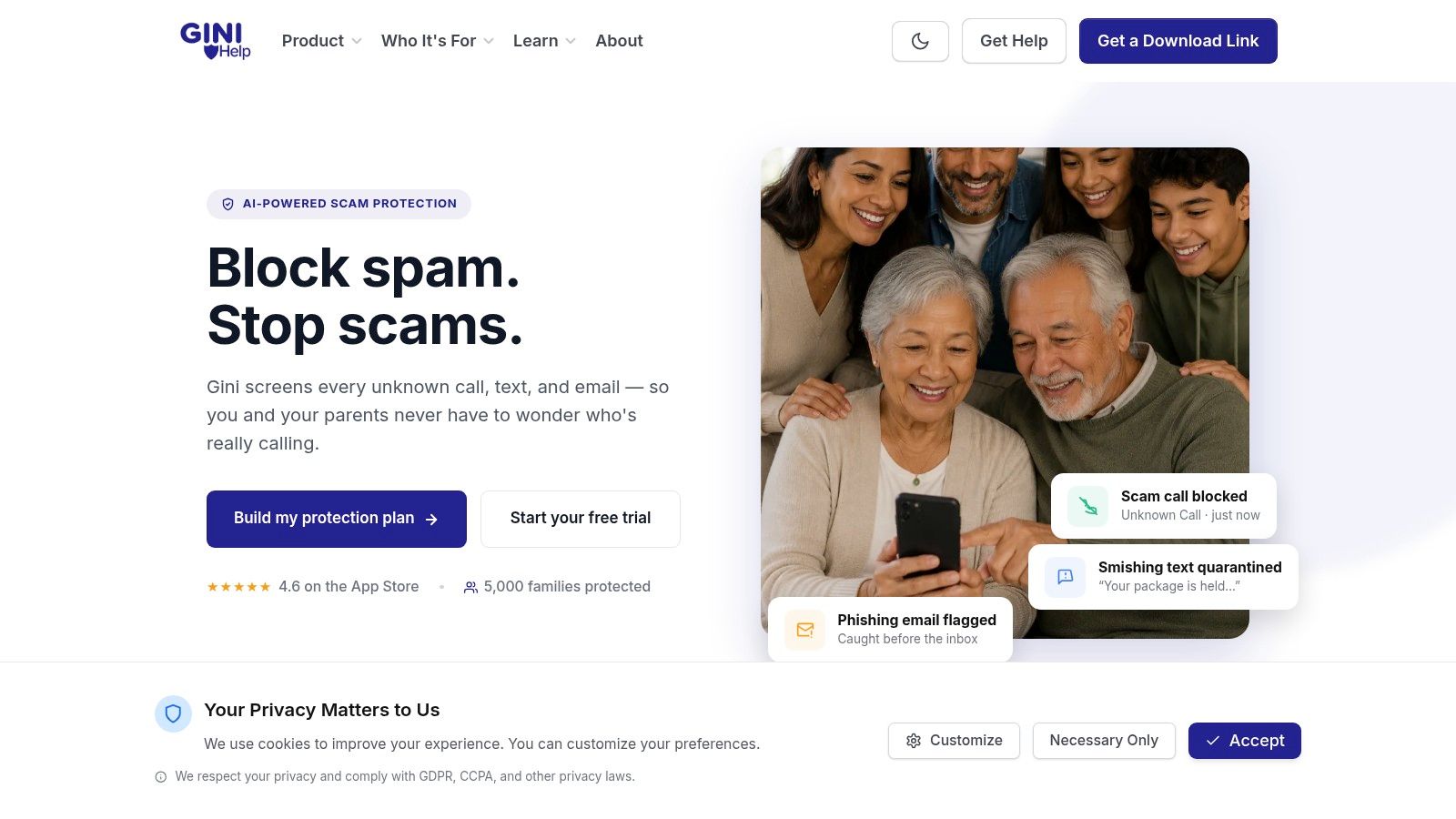
Gini Help is an AI-powered protection service that screens calls, texts, and emails. Its email protection reviews sender addresses, links, message language, and requests for sensitive information. It then provides warnings to support a decision about whether a message needs further review. The service supports Gmail, Outlook, Yahoo, and iCloud through one app. See Gini Help's email protection for the features it provides.
The service also includes Live Call Analysis for calls you choose to answer. It provides a risk score and haptic warnings when it detects scam signals during the conversation. This is important because an email scam can continue by phone or text, especially when someone is asked to read a verification code aloud.
A layered option for households
Screening can happen across the communication chain, not only after an email reaches the inbox. That gives a household another review layer when an older relative receives an unfamiliar request, link, or QR code and wants help understanding its context.
AFP reported that 74% of organizations experienced business email compromise in 2025, compared with 63% in 2024, in its 2026 Payments Fraud and Control Survey coverage. The figures concern organizations, but the impersonation pattern also affects households. Gini Help can sit alongside the safety controls already provided by an email service.
What to Do After You Receive an Email Scam Alert
An alert matters only when it changes your next action. Stop using the message first, then check the request through a safer route. A realistic email may copy a bank's design, use a familiar name, or send you to a QR code that opens a convincing website. These details can bypass the obvious warning signs older adults were taught to look for.
Do not click or reply. Avoid links, attachments, QR codes, reply buttons, and phone numbers in the email. If it claims your bank needs an immediate response, open the official banking app or type a trusted web address yourself.
Inspect without interacting. Expand the sender details and compare the full address with the organization's known address. A familiar display name does not prove the message is genuine. Check whether the destination and request make sense together.
Verify independently. Call the business using a number on a statement, official card, or independently found website. The Consumer Financial Protection Bureau advises contacting a bank or credit union through a different source rather than replying to the suspicious message.
Report the attempt. The FTC advises forwarding phishing email to reportphishing@apwg.org and reporting the attempt to the FTC. Reports help security organizations connect reused senders, links, and campaign patterns. Reporting will not undo a click, but it can help identify attacks affecting other people.
Protect accounts if you responded. If you entered a password, change it directly through the service and choose a unique replacement. Review account activity. If you shared payment details, contact the financial institution through a trusted channel and ask which protective steps to take.
APWG reported 1,069,681 phishing attacks in Q2 2026, a 10.1% increase, including 425,808 attacks in June 2026, the highest monthly total since April 2023. It also recorded 83,951 phishing email spam campaigns in Q2, compared with 35,583 in Q1. The APWG Q2 2026 report shows why deleting one email does not remove the wider threat.
Agree with a parent, partner, or neighbor that suspicious messages can be shared without embarrassment. No one acts until the request is verified independently. Gini Help provides an additional screening layer for email, phone calls, and texts through the Gini Help app on Google Play or the Gini Help app on the App Store.
Gini Help screens emails, calls, and texts for scam signals and provides warnings before you respond. Visit Gini Help to review its email protection and multi-channel safety tools.