How to Block No Caller ID Calls and Safeguard Your Privacy
By Josh C.
You've got a couple of solid options right in your phone's settings to block "No Caller ID" calls. On an iPhone, you can use the Silence Unknown Callers feature, and on most Android devices, there's a similar setting often called Block unknown/private numbers. If you're looking for more firepower, specialized apps and services from your mobile carrier can screen these calls much more effectively, stopping them before they even have a chance to bother you.
Why You Can't Afford to Ignore Anonymous Calls Anymore
When "No Caller ID" pops up on your screen, it's easy to dismiss it as just another irritation. But honestly, it's a wide-open door for scammers and potential threats to walk right into your life. In today's world, figuring out how to block these calls isn't just about convenience anymore—it's a crucial part of protecting yourself. Scammers thrive on anonymity; it’s the mask they wear to pull off their schemes.
And this isn't a small problem. It's getting worse, fast. Recent events, like the lead-up to major elections, consistently show a massive spike in scam calls and AI-generated robocalls designed to spread misinformation or trick voters. Scammers use spoofing tactics, which you can read about in our guide on phone number masking, to hide their real numbers and trick you into answering. This isn't just a nuisance; it's a full-blown security issue that affects millions. For a deeper dive, check out the startling statistics on the robocall epidemic on SecureWorld.
From Annoyance to a Real Threat
The game has changed, and the stakes are much higher now, thanks to some frankly terrifying new tech. Scammers are using AI voice cloning to perfectly imitate the voice of someone you know and trust.
Imagine getting a panicked call from someone who sounds exactly like your child, begging for money to deal with an emergency that never happened. This isn't science fiction; it’s the grim reality that anonymous calls make possible. These aren't just random acts—they are highly calculated attacks designed to exploit your trust and create panic.
When you start treating every 'No Caller ID' call as a potential red flag, you fundamentally shift your mindset. You go from being a reactive target to proactively defending your personal information and your money.
Taking Back Control with Smarter Tools
Blocking these calls is your first line of defense in reclaiming your privacy and a little bit of peace. Letting anonymous calls ring through is like leaving your front door unlocked.
The good news? You don't have to deal with this alone. There are powerful tools designed to be your shield. For example, the Gini Help app uses AI to screen calls on your behalf. Instead of just blocking a number blindly, its smart assistant figures out who is calling and why before your phone even rings. This way, you're protected from scams without ever worrying about missing a legitimate, important call.
You can take back control today by downloading the app from the Google Play Store or the Apple App Store.
Your Phone’s Built-In Blocking Tools Are Your First Line of Defense
Before you even think about downloading a third-party app, take a look at the powerful tools already built into your smartphone. Both iPhone and Android have free, native features designed to give you back control over who can make your phone ring.
Think of these settings as your immediate barrier against unwanted calls. Activating them is the quickest way to silence many of those anonymous disturbances.
Silence Unknown Callers on Your iPhone
If you have an iPhone, your best friend here is a feature called Silence Unknown Callers. When you flip this switch, any call from a number that isn't in your contacts, recent outgoing calls, or Siri Suggestions gets sent straight to voicemail. Your phone won’t make a peep. The call will still show up in your recents list, so you won't completely miss it.
Ready to turn it on? Here’s how:
- Head into your iPhone’s Settings app.
- Scroll down and tap on Phone.
- Look for the Silence Unknown Callers option and select it.
- Just toggle the switch to the on position.
It’s a fantastic tool for cutting down on noise, but it's not perfect. The biggest trade-off is that it might silence important calls you’re actually waiting for—think a call from a new doctor's office, a delivery driver, or a potential employer whose number you haven't saved. You'll still get a voicemail, but it's something to keep in mind.
This simple flowchart breaks down the basic decision you’re making when a call comes through.
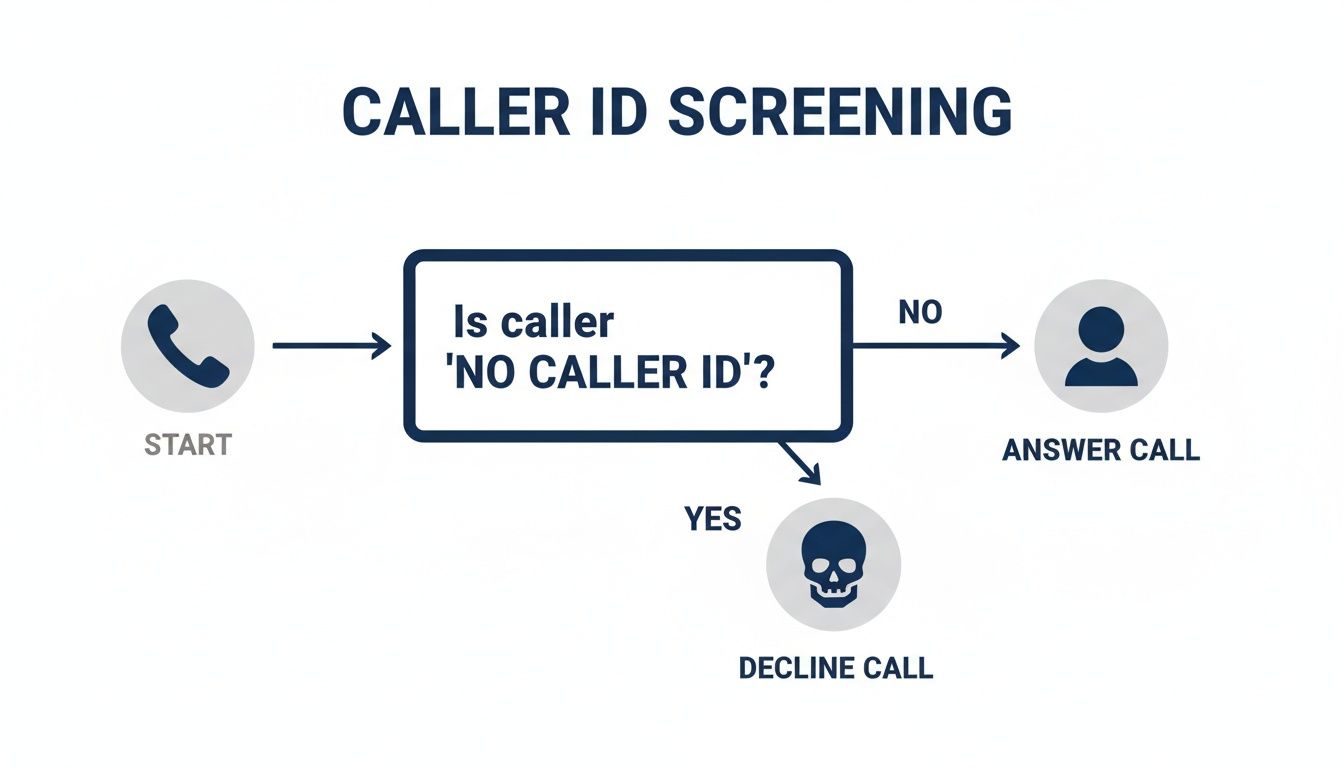
Essentially, if the caller is identified, you can choose to answer. If they’re hiding their number, it’s usually best to let your phone’s defenses take over. For a more advanced solution, the Gini Help app can screen these calls for you, ensuring you don't miss the important ones. You can find it on the Google Play Store and the Apple App Store.
Native Blocking Tools on Android Devices
The Android world is a bit more varied, but you'll find similar, and sometimes even more advanced, protection. Most modern Android phones come with their own robust call-blocking features. For instance, many Samsung users benefit from the built-in Samsung Caller ID and Spam Protection which does a great job filtering out nuisance calls.
Google's Pixel phones have a standout feature called Call Screen, which lets the Google Assistant answer on your behalf and provide a real-time transcript of the conversation. On most other Androids, you can find a straightforward setting to block unknown or private numbers.
The steps are generally the same across devices:
- Open your Phone (or dialer) app.
- Tap the three-dot menu icon (usually in the top right corner) and go to Settings.
- Find an option labeled something like Blocked numbers or Call block rules.
- Look for and enable the setting to Block unknown/private numbers.
These built-in tools are an excellent starting point, but they operate with a blunt-force approach. They can't tell the difference between a persistent telemarketer and a legitimate, but unknown, caller.
If these native options aren't quite cutting it, you might be wondering what else is possible. You can actually learn more about how to find a no caller ID number to take more direct action.
Built-in Call Blocking Features iPhone vs Android
So, how do the native tools on the two major platforms stack up? Here’s a quick side-by-side look.
| Feature | iPhone (iOS) | Android (Varies by Manufacturer) |
|---|---|---|
| Primary Blocking Feature | Silence Unknown Callers | Block unknown/private numbers. Some devices, like Google Pixel, have advanced Call Screen features. |
| How It Works | Silences calls not in contacts, recent calls, or Siri suggestions and sends them to voicemail. | Directly blocks calls from private or unidentified numbers. Call Screen allows AI to answer and transcribe the call in real-time. |
| Customization | Limited; it’s either on or off. | Varies; some offer more granular controls, while others are a simple toggle. |
| Major Limitation | Can inadvertently silence important calls from unsaved numbers. | The effectiveness and specific features can differ significantly between phone brands (e.g., Samsung vs. Google vs. OnePlus). |
While both platforms offer a solid foundation for blocking anonymous calls, Android's open nature means you might find more advanced or specific features depending on your phone's manufacturer. Ultimately, these built-in tools are the perfect first step for anyone looking to reduce unwanted interruptions. For a smarter way to handle these calls, the Gini Help app can intelligently screen calls on any device. Download it from the Google Play Store or Apple App Store.
How Your Mobile Carrier Can Help Block Unknown Calls
Your phone’s settings are a great starting point, but your mobile carrier can stop a lot of these nuisance calls before they even make it to your device. Think of it as a gatekeeper for your phone number, operating at the network level. Every major carrier—Verizon, AT&T, T-Mobile—offers free tools designed to sniff out and block known spam and robocalls.
These services are definitely worth activating. AT&T, for example, has its ActiveArmor app, and Verizon provides Call Filter. The free tiers are pretty good at automatically blocking numbers already flagged for fraud. While this cuts down on a lot of junk, they often let calls that are simply anonymous—not necessarily confirmed as spam—slip right through.
Upgrading to a Premium Carrier Service
This is where paying a few extra dollars a month for your carrier’s premium service can make a huge difference. These upgraded plans often include the one feature you really need: the power to block all private, unknown, or anonymous callers. It’s a much more direct and effective solution than just silencing them on your phone.
When you're looking at a paid carrier plan, here are the key features to watch for:
- Anonymous Call Rejection: This is the most important one. It's a specific toggle that automatically blocks any call that intentionally hides its number.
- Custom Block Lists: Gives you the control to build and manage your own personal list of numbers you never want to hear from again.
- Spam Risk Levels: Instead of a simple block/allow, you get more context, like a "high-risk spam" warning, even for numbers not on a blocklist.
For a few bucks a month, upgrading your carrier plan is a really solid investment. It's a "set it and forget it" solution that works in the background without you having to manage another app.
When AI Offers a Smarter Defense
Even the best carrier tools can feel like they're playing catch-up. Scammers are constantly churning through new numbers, which means blocklists are always a step behind. This is where a more proactive, AI-powered approach can be a game-changer.
A service like the Gini Help app, for instance, doesn't even bother with blocklists. Its AI assistant answers unknown calls for you, screens the person on the other end to figure out why they're calling, and only patches the call through if it's someone you'd actually want to talk to. This sidesteps the "No Caller ID" problem entirely by focusing on the caller's intent, not their phone number.
You can add this layer of intelligent screening by downloading Gini Help from the Google Play Store or the Apple App Store.
Why Traditional Call Blockers Just Don't Cut It Anymore
If you've ever used a call-blocking app, you know the drill. Most of them—and even some carrier services—work off a pretty simple idea: they keep a massive, constantly growing static blacklist of known spam numbers. When a call comes in, the app cross-references it with the list. If it's a match, the call gets blocked. Simple.
But it's a flawed system. Think of it like a game of whack-a-mole where new holes pop up every second. Scammers aren't dumb; they don't reuse numbers. They use sophisticated tech to spoof or churn through millions of new, untraceable phone numbers every single day. That blacklist your app uses? It's often outdated the moment it's updated.
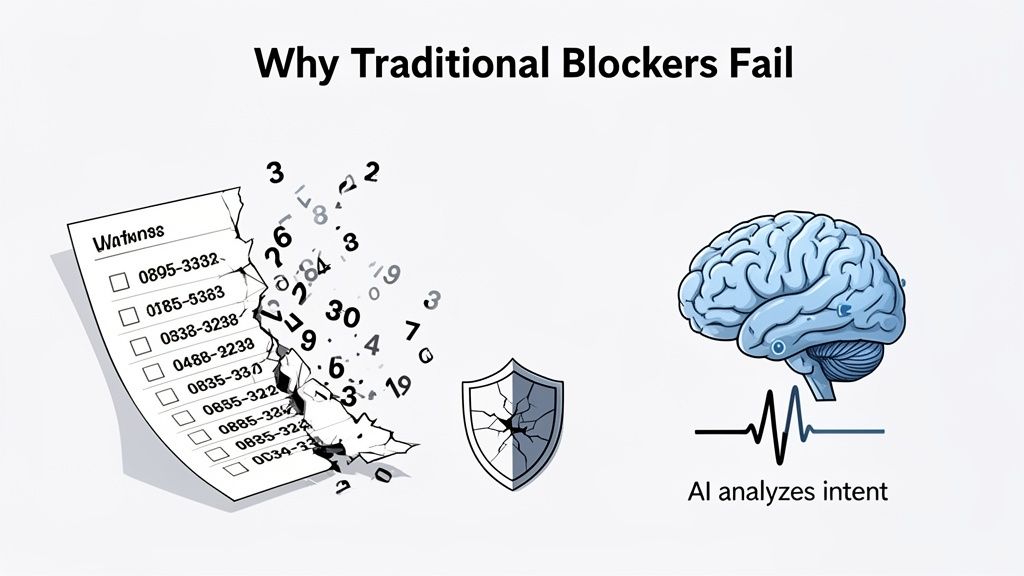
This endless cat-and-mouse game is precisely why you're still getting hammered with spam calls, especially those infuriating "No Caller ID" calls that can't even be added to a block list. The old method is always playing catch-up, and frankly, it's losing.
A Smarter Approach: Focusing on Intent, Not Identity
The modern solution flips the entire script. Instead of asking, "Is this number on my bad list?" it asks a much more powerful question: "What does this caller actually want?" This is where AI-powered call assistants come in, offering a proactive defense that static blacklists just can't compete with.
Here’s how this fundamentally different approach works:
- It Answers for You: The AI assistant intercepts every call from an unknown number before it ever makes your phone ring.
- It Engages the Caller: The AI has a short, natural-sounding conversation to figure out who is calling and why.
- It Analyzes Intent in Real-Time: Based on that brief chat, the AI can tell if you're dealing with a scammer, a pushy telemarketer, or a legitimate caller like a pharmacy or your kid's school.
Only if the AI decides the call is legitimate and important does it get passed through to you. Everything else gets stopped cold. This means your phone stays completely silent to spam and scams, giving you a level of peace a simple number blocker could never achieve.
This method finally solves the "No Caller ID" problem at its source. Since the AI focuses on the caller's purpose instead of their digital identity, it doesn't matter if the number is hidden, new, or spoofed.
Staying Ahead in a High-Tech Arms Race
This shift to AI-driven screening isn't just a convenience; it's becoming a necessity. Scammers are now using AI to supercharge their own operations, creating convincing deepfake voices and dynamic bots that can outsmart even the most skeptical person.
This isn't a small problem. The financial losses are staggering. Recent research from Juniper Research projects that global losses from robocalling fraud will soar to over $80 billion by 2025, a peak driven by these more believable, AI-enhanced scams. You can read the full research on rising robocalling fraud to see just how serious the threat has become.
To fight back, you need a defense that's just as smart as the attacks. An app like Gini Help uses this exact AI-first screening method. By letting an AI assistant vet every unknown call, it ensures you only connect with the people you actually want to talk to.
Ready to put an intelligent gatekeeper on your phone? You can download Gini Help from the Google Play Store or the Apple App Store and finally let a smart assistant handle the interruptions.
Bring in the AI: A Smarter Way to Screen Calls
Your phone’s built-in features and your carrier’s services are a great start, but they often just put up a simple wall. Modern robocalls and sophisticated scams can often find ways around those basic defenses. To really get ahead of the problem, you need a solution that can think and adapt in real-time.
This is where AI-powered call screening apps come in. They completely change the dynamic. Instead of just blocking a number from a list, they focus on the caller's intent.
Think of it this way: a dedicated call screening solution acts like a personal receptionist for your phone. It intercepts unknown calls on your behalf, using an AI assistant to ask who's calling and why. Only once it determines the call is legitimate and important does it pass it through to you. For all the spam and scam calls? Your phone never even rings.
Your Personal Security Guard: Gini Help
If you’re looking for the most comprehensive protection out there, an app called Gini Help is the definitive answer. It’s much more than a simple call blocker. It's a full-fledged security service that uses an intelligent AI assistant to screen not just your calls, but your texts and emails, too. This gives you a protective shield against threats, no matter how they try to sneak in.
Here’s a look at how the Gini Help app puts you in control with a clear, straightforward interface.
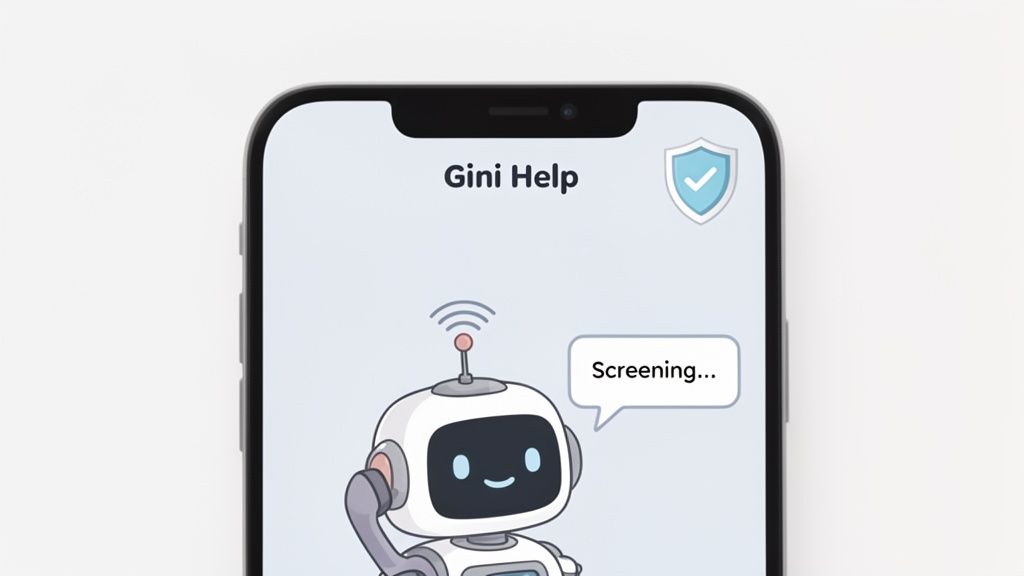
As you can see, the app takes a proactive approach. The AI assistant steps in to vet unknown callers before they ever have a chance to bother you.
What really makes Gini Help different are the features designed to give you total peace of mind:
- AI Call Assistant: This is your virtual gatekeeper. It answers every single unknown call for you and has a quick conversation to figure out if the caller is legitimate.
- Live Call Analysis: Let's say you decide to answer a call. Gini Help listens in the background, analyzing the conversation in real-time. It will show on-screen risk scores and even send haptic warnings (vibrations) if it detects common scam tactics.
- Multi-Channel Protection: The security doesn't stop at phone calls. It extends the same powerful screening to your SMS messages and emails, blocking phishing links and other malicious content.
This intelligent screening is a massive leap forward from basic call blocking. By analyzing the intent of a caller—not just their number—Gini Help makes "No Caller ID" almost meaningless.
It doesn't matter if a scammer is using a new number, hiding their ID, or spoofing a local one. The AI isn't fooled because it focuses on how they talk, not where they're calling from. If you're curious about the tech behind it, you can learn more about how a https://ginihelp.com/blog/smart-call-blocker can keep you safe.
Ultimately, Gini Help becomes your personal security service, putting an end to those anonymous, disruptive calls for good. You can take back control of your phone by downloading it from the Google Play Store or the Apple App Store.
Common Questions About Blocking Unknown Calls
When you start looking into ways to block calls, a few common questions always come up. It makes sense—you want to stop the flood of spam and scams, but you don't want to accidentally block a call you've been waiting for. Let's tackle some of the biggest concerns people have.
Will I Miss Important Calls if I Block "No Caller ID"?
This is probably the most common worry, and it’s a valid one. If you use your phone’s built-in "Silence Unknown Callers" feature, you absolutely could miss an important call. Think about it: a new doctor's office, a delivery driver, or a potential employer won't be in your contacts, and their calls would go straight to voicemail.
That’s a big risk for a lot of people. It’s why just blindly blocking every single unknown number isn't always the best solution.
A smarter approach is to use a service that screens calls instead of just blocking them. For example, an AI-powered assistant like Gini Help can answer on your behalf, figure out who is calling and why, and then connect you only if the caller is legitimate. This way, you get the calls that matter and none of the junk.
Isn't It Illegal for Scammers to Hide Their Number?
Yes, but scammers don't play by the rules. Laws like the Truth in Caller ID Act are in place to stop telemarketers from faking their numbers, but criminals simply ignore them. They hide their numbers precisely because it makes them harder to track and report.
Of course, there are a few legitimate reasons for a hidden number—law enforcement or domestic violence shelters might do it for safety. But let's be realistic: the overwhelming majority of "No Caller ID" calls you get are from someone trying to cause trouble. This is why a solid defense strategy is no longer a "nice-to-have," it's essential.
How Is an AI Screener Better Than My Carrier’s App?
Your carrier's spam-blocking app is a decent starting point, but it has a major weakness. These apps typically rely on a database of known scam numbers. The problem? Scammers cycle through new numbers constantly, meaning those databases are almost always a step behind. A call from a brand-new scam number will likely ring right through.
An AI call screener works on a totally different principle. It’s proactive, not reactive.
- Instead of checking a list, the AI actually answers the phone for you.
- It has a real conversation to understand who is calling and why.
- If it detects a scammer, it hangs up and blocks them. Your phone never even rings.
It’s like the difference between a simple blacklist at the door and having a personal security guard who interviews everyone before they can get to you. Download the Gini Help app from the Google Play Store or Apple App Store to get this level of protection.
What if a Scam Call Still Gets Through?
Even with the best tools, a very persistent scammer might find a way to slip through the cracks. If you ever find yourself on a suspicious call, the rule is simple: hang up immediately. Don't give them anything. Don't confirm your name, don't answer questions, and definitely avoid saying words like "yes" that can be recorded.
If the number is visible, report it through your phone's recent calls list. For those with a more advanced tool like Gini Help, the Live Call Analysis feature gives you a huge advantage. It shows you real-time risk scores on your screen during the call and can even send haptic feedback—a little vibration—to warn you if the conversation is turning malicious. It’s a clear signal telling you it’s time to end the call.
Ready to put a stop to scammers for good? Gini Help acts as your personal, AI-powered shield, stopping malicious calls before they ever reach your phone. Grab the app today from the Google Play Store or the Apple App Store and finally get some peace and quiet.