How to Stop Spam Texts and Calls A Practical Guide
By Josh C.
To finally stop spam texts and calls for good, you need a strategy that combines your phone's built-in settings, your carrier's tools, and a smart third-party app. The best defense is a layered one—blocking unknown numbers, filtering sketchy messages, and using a service like Gini Help to screen everything before it has a chance to bother you. This is how you reclaim your peace and quiet.
Why Is Your Phone Blowing Up With Spam?
If it feels like your phone is constantly under attack, you're right. That endless stream of junk calls and texts isn't just an annoyance anymore; it's a serious and growing financial threat. Scammers and pushy marketers are using smarter tech to slip past basic filters, turning your phone into a direct line for their schemes.
The problem has exploded, especially with text messages. As regulators have cracked down on illegal robocalls, the bad actors simply pivoted to "robotexts," which are cheaper to send and much harder to trace. The numbers behind this shift are pretty grim.
The Sheer Scale of Modern Spam
The volume of spam texts hitting American phones is staggering. Recent research highlights a disturbing trend: scammers are now heavily exploiting political events. During the 2024 primary season, for instance, there was a massive surge in AI-generated robocalls and texts impersonating political figures to spread misinformation or solicit fraudulent donations.
This isn't just annoying, it's costly. In 2024, Americans lost around $470 million to scams that started with a simple text message. And it's getting worse—some projections show that losses from SMS fraud could balloon to an incredible $101 billion by 2025.
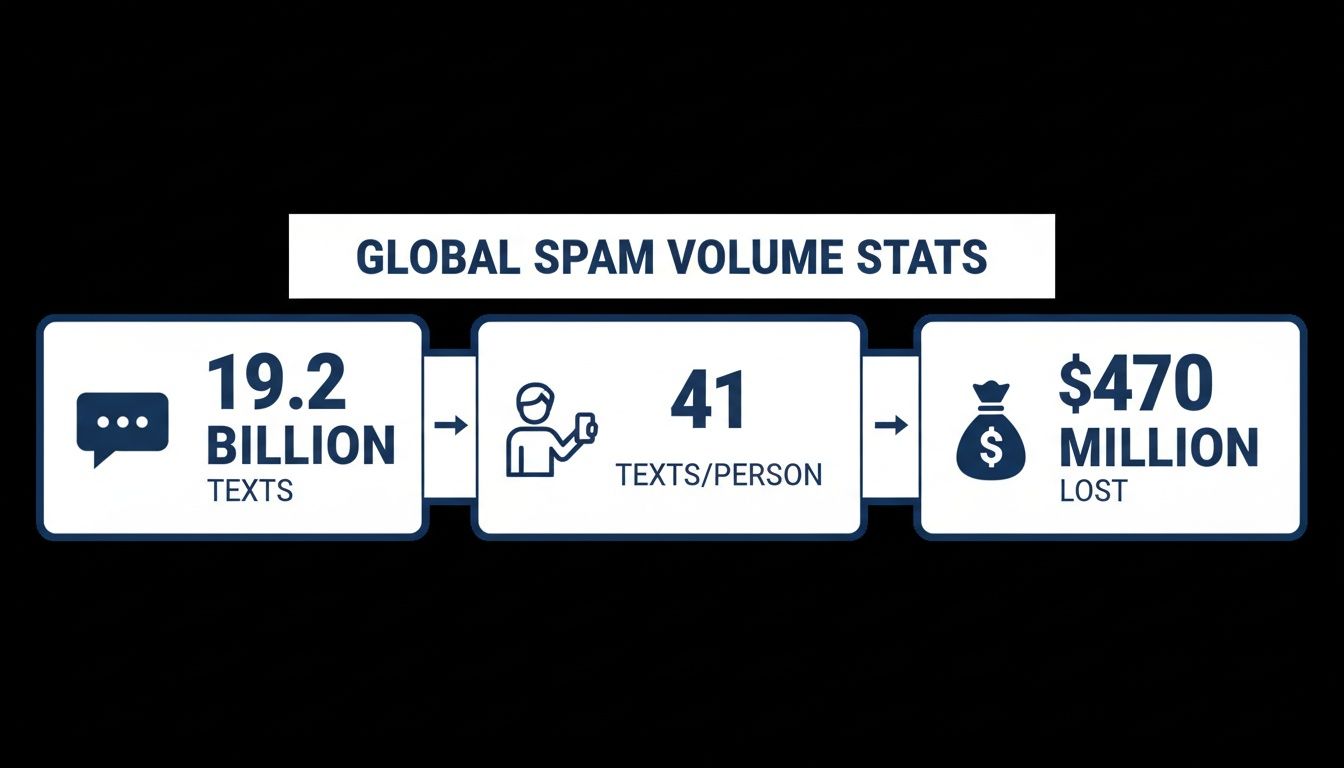
The data makes it crystal clear: this is no longer a simple nuisance. It’s a widespread security risk with huge financial consequences for millions of people.
The Playbook Behind the Spam Epidemic
So, how did they get your number in the first place? It could have been exposed in a corporate data breach, sold by a data broker, or simply scraped from a public website or your social media profile.
Once they have it, scammers have a whole bag of tricks:
- Spoofing Technology: This is how they fake the caller ID to make it look like a call is from a local number, your bank, or even a government agency.
- Automated Dialers: Sophisticated software can churn through thousands of numbers a minute. It’s a numbers game, and they just need a few people to pick up.
- Phishing Texts (Smishing): These are the texts with urgent-sounding links about a "delivery issue" or a "problem with your account." They’re designed to panic you into clicking and handing over your personal info.
The heart of the problem is that technology has made it incredibly cheap and easy for scammers to operate at a massive scale. For them, it’s a low-risk, high-reward business.
To really fight back, it helps to know your enemy's tactics, including more advanced methods like understanding spam traps. Knowing the "how" and "why" is the first step toward building a solid defense. If you're curious about why you specifically seem to be on their radar, our guide on why you are getting so many spam calls dives deeper into the reasons. For an immediate and powerful defense against these evolving threats, we recommend downloading the Gini Help app from Google Play or the App Store.
Your First Line of Defense: Smartphone Settings
Before you even think about downloading a new app, the most immediate relief from spam is probably already in your pocket. Your smartphone has powerful, free tools baked right into its operating system, and they’re your best first step.
Tackling these settings first creates a solid baseline of protection. They work by acting as a gatekeeper, intelligently filtering calls and messages from numbers you don't recognize. While not foolproof, you'd be surprised how much of the daily junk they can block right off the bat. It’s a simple move that makes a huge difference.
Silencing the Noise on Your iPhone
If you’re on an iPhone, Apple gives you a couple of fantastic, straightforward options to quiet the interruptions. The goal here is to separate the people you know from the great unknown.
First up is Silence Unknown Callers. I always tell people to turn this on immediately. When you do, any call from a number that isn't in your contacts, recent outgoing calls, or Siri Suggestions gets sent straight to voicemail without ringing. You'll still see it in your call log, so you won't miss a legitimate call from, say, a doctor's office or a new client.
Here's how to flip the switch:
- Head into Settings > Phone.
- Scroll down until you see Silence Unknown Callers and tap it.
- Toggle it to the On position. Easy.
Next, let's clean up your texts. The Filter Unknown Senders feature in your Messages settings is a game-changer. It automatically creates a separate tab for messages from numbers not in your contacts. Best of all, you won’t get notifications for these, keeping your main inbox reserved for actual conversations.
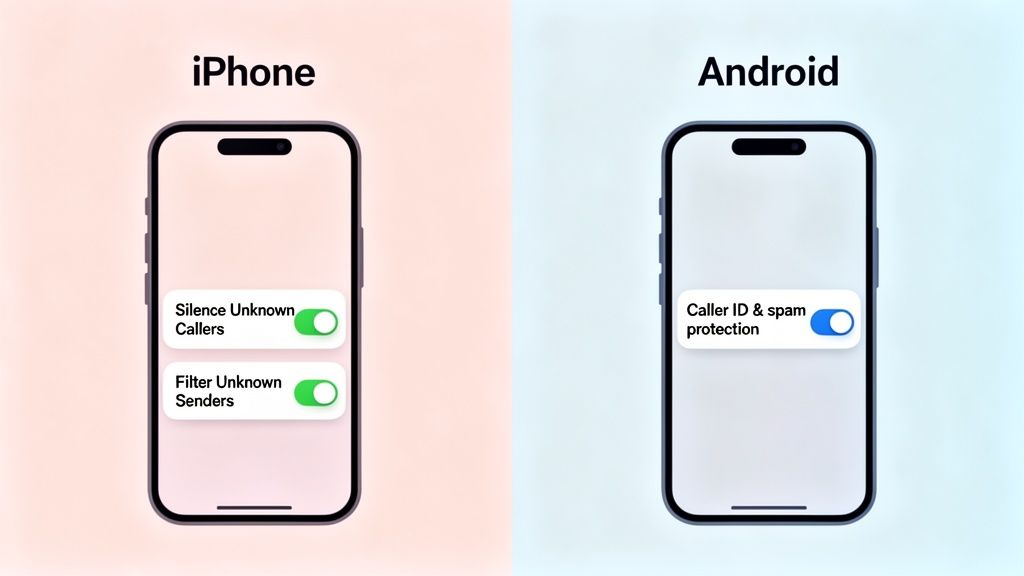
These simple toggles on both iPhone and Android are your initial barrier, empowering your phone to automatically tell the difference between a trusted contact and a potential nuisance.
Activating Spam Protection on Android
Android folks have a serious advantage: Google's massive database of known spam numbers. The built-in Caller ID & spam protection feature uses this data to warn you about sketchy calls in real time.
When a call comes in, your phone checks the number against Google’s blacklist. If it’s a known offender, your screen will flash a big, red "Suspected spam caller" warning, giving you the heads-up to ignore it. This is usually on by default on most modern Android phones, but it's always worth a quick check to be sure.
To make sure you're protected:
- Open your main Phone app.
- Tap the three-dot menu icon (usually in the top right) and go to Settings.
- Look for Caller ID & spam (it might be called something slightly different, like "Spam and Call Screen").
- Ensure both See caller & spam ID and Filter spam calls are turned on.
Enabling Filter spam calls is the real power move. Your phone won't even ring for suspected spam calls—it just blocks them silently. It's incredibly effective against those relentless robocallers.
These native tools are indispensable, but sometimes you might see confusing alerts. If you run into an issue where messages aren't going through, understanding what 'message blocking is active' means and how to fix it can help you troubleshoot whether the problem is on your end or the carrier's. For even stronger protection that goes beyond basic filtering, consider installing a dedicated app like Gini Help from the Google Play store or the App Store.
Activate Your Carrier’s Free Spam-Blocking Tools
Beyond the settings on your actual phone, your mobile carrier offers the next powerful layer of defense. It's a resource most people don't even know they have. Providers like Verizon, AT&T, and T-Mobile all offer fantastic, free services designed to stop spam and scam calls at the network level—before they can even make your phone ring.
Think about it this way: these carriers have a bird's-eye view of all the traffic on their network. They can spot a single number making thousands of calls a minute, a dead giveaway for a robocall operation, and shut it down instantly. Tapping into this power gives you a serious advantage.
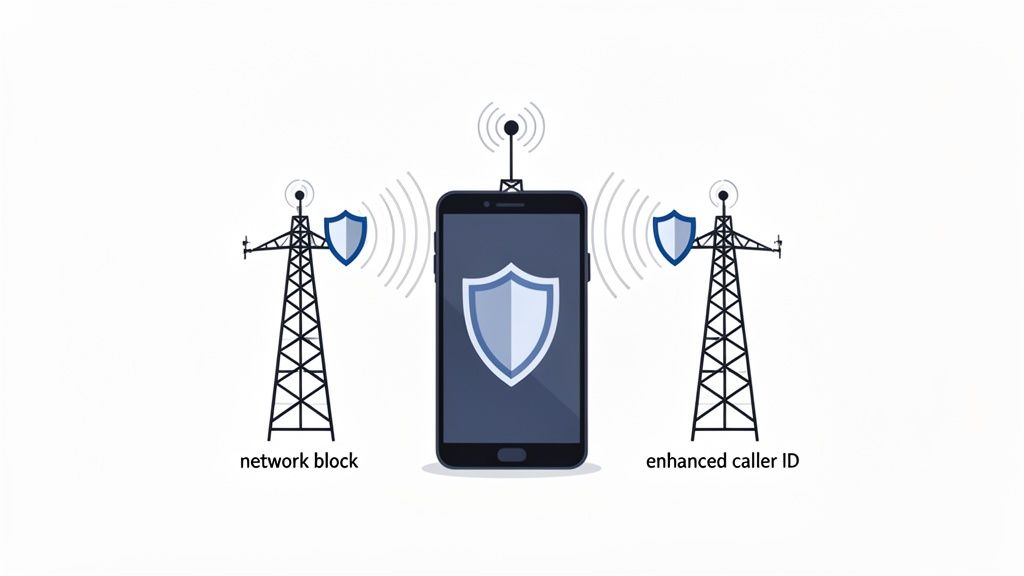
Find and Flip the Switch on Your Provider's Protection
Each carrier has its own branded app, but the goal is the same: to make your phone line a much harder target. Getting started is usually as simple as downloading the right app and enabling the free features.
- For AT&T Customers: Look for the AT&T ActiveArmor app. The free version is a workhorse, automatically blocking calls it identifies as fraud and sending others tagged as "spam risk" straight to voicemail.
- For T-Mobile Customers: The app you want is Scam Shield. It's a really solid free tool that blocks scam calls and even provides an enhanced Caller ID to warn you about suspicious numbers. One standout feature is the ability to get a new number for free if yours becomes completely overrun.
- For Verizon Customers: Download the Call Filter app. The free tier will detect and filter spam for you, giving you alerts and different levels of blocking so you can decide how aggressive you want it to be.
These tools are incredibly effective in the real world. For example, I’ve seen cases where someone gets into a minor fender-bender and suddenly their phone blows up with calls from sketchy lawyers and chiropractors who got their number from a public accident report. A carrier tool like Scam Shield or ActiveArmor is built to recognize that kind of coordinated calling pattern and shut it down.
Carrier Spam Protection Tools at a Glance
To make it easier, here’s a quick breakdown of what the big three U.S. carriers offer for free.
| Carrier | Free Service Name | Key Features |
|---|---|---|
| AT&T | AT&T ActiveArmor | Automatic fraud call blocking, nuisance call warnings, sends spam risks to voicemail, personal block list. |
| T-Mobile | Scam Shield | Scam blocking, enhanced Caller ID, option for a free number change if spam becomes unmanageable. |
| Verizon | Call Filter | Spam detection and filtering, customizable block levels, real-time alerts for suspected robocalls. |
While the names are different, the core function is similar. Just find your carrier’s app, install it, and turn on the free protection. It makes a huge difference.
By simply downloading and activating your carrier's free app, you are essentially deputizing their entire network to screen your calls. It’s one of the most impactful, no-cost steps you can take.
Why Your Phone and Carrier Are Better Together
So why do you need both your phone's settings and your carrier's tools? Because they do different jobs.
Your phone's "Silence Unknown Callers" feature is like a bouncer at the door of a private club—if your name isn't on the list (your contacts), you're not getting in.
Your carrier's tool, on the other hand, is like security for the entire neighborhood. It's watching for suspicious vehicles (robocall patterns) and turning them away before they can even get to your street. When you have both working in tandem, very few unwanted visitors will ever reach your doorstep. This layered security is key for stopping all kinds of junk, even those annoying "No Caller ID" calls. If those are a particular headache for you, our guide on how to block no caller ID calls has some specific tricks.
Of course, even the best defenses can be breached by clever scammers. For true peace of mind, you need a more advanced screener. An AI-powered service like the gini help app actively engages unknown callers for you, filtering out the junk before it ever bothers you. You can download it now on Google Play and the App Store.
So, Does Reporting Spam Actually Do Anything?
It’s easy to feel like reporting a spam text or call is just shouting into the void. But here’s the thing: it’s one of the most effective ways you can fight back. Every single report you file is a breadcrumb that helps build a trail right back to the scammers.
Think of it as contributing to a massive neighborhood watch program for our phones. When you forward that annoying text or flag a suspicious call, you’re telling carriers and federal agencies, "Hey, this number is up to no good."
That data doesn't just sit in a folder somewhere. It gets analyzed to spot patterns. Mobile carriers and the Federal Trade Commission (FTC) can connect the dots when thousands of people report the same message or call, which gives them the evidence they need to shut the whole operation down at the network level. It’s a small effort on your part that has a huge ripple effect.
Use 7726: Your Direct Line for Spam Texts
One of the simplest and most powerful tools in your arsenal is the shortcode 7726 (which conveniently spells SPAM). It’s a free and direct way to tell your carrier about an unwanted text message.
Getting it done is straightforward:
- First, don't reply to the message or click any links. That just confirms your number is active.
- Instead, forward the entire text message to the number 7726.
- You'll get an automated message back asking for the spammer's phone number.
- Just reply with that number, and you're all set.
This quick action feeds your carrier the real-time intel they need to block these numbers, making the network safer for everyone.
Reporting Nuisance Calls to the FTC
For those relentless robocalls and scam calls, the Federal Trade Commission (FTC) is your go-to. Filing a complaint helps the FTC and other law enforcement agencies build cases and take legal action against the people running these illegal call centers.
Spam calls aren’t just an annoyance; they're a massive industry. Americans get hit with an average of 2.7 billion unwanted calls every single month—that's about 8 calls per person. Over a year, this adds up to 56.2 million people losing a staggering $25.4 billion to phone scams, with the average victim out $452. These spam call statistics show the true scale of the problem.
Every call you report helps disrupt this criminal enterprise. You can file a complaint right on the FTC’s website at DoNotCall.gov. The more detail you can provide—the number, the time of day, and what the caller said—the better.
While reporting is crucial for the long game, you still need relief right now. For a more immediate defense, an AI-powered tool like the gini help app can screen unknown callers for you, ensuring your phone only rings when it’s someone you actually want to talk to. It’s available on both the Google Play Store and the Apple App Store.
Level Up Your Defense With AI-Powered Protection
When your phone's built-in settings and your carrier's tools just aren't cutting it, it's time to bring in the heavy hitters. Manually blocking numbers feels like a losing game of whack-a-mole; scammers just spoof a new number and keep coming. This is where artificial intelligence completely changes the game.
Traditional blocklists are always one step behind. They only work after a number has already been reported for bothering countless people. Scammers know this and cycle through millions of numbers, making static lists practically obsolete. An AI-powered solution, on the other hand, offers a proactive defense that analyzes a call's context, intent, and behavior—not just the number it's coming from.
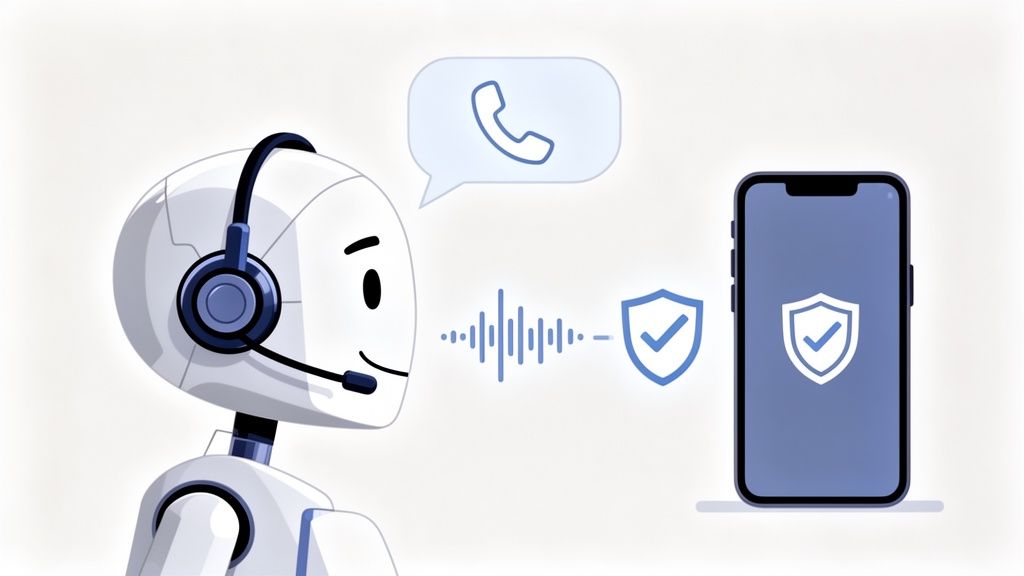
Why AI Screening Beats Simple Blocklists
An intelligent system doesn't need to see a number on a naughty list to know it's a problem. Instead, it can spot the tell-tale signs of a scam operation in real time.
This approach has become critical. The financial toll of spam and scams is staggering, with online crimes leading to a record $12.5 billion in losses reported to the FBI in 2023. Phone scams make up a huge chunk of that total. Older adults are often a primary target, falling prey to clever social engineering paired with increasingly realistic AI-generated voices.
AI tools are built to counter these sophisticated threats by acting as a smart buffer between you and the endless stream of incoming calls and texts.
How Gini Help Redefines Call Protection
The most advanced solutions take this a step further by having an AI assistant answer unknown calls for you. This is exactly what the Gini Help app does. It doesn't just block numbers; it actively screens the caller's intent before your phone ever rings.
Think about how this plays out in the real world:
- An unknown number calls your phone.
- Instead of ringing, the Gini Help AI picks up.
- It has a quick, natural conversation with the caller, asking who they are and why they're calling.
- Based on the answers, the AI instantly figures out if it's a legitimate caller (like a pharmacy or a delivery driver) or a robocaller.
Legitimate calls get passed through to you. Spam gets handled by the AI, and you are never disturbed. This dynamic, conversational screening is what makes it so much more effective than simple blocking.
The real breakthrough is that your phone only rings for calls that matter. The endless interruptions from telemarketers and potential scammers just fade into the background, handled by your personal AI assistant.
Multi-Channel Defense for Total Peace of Mind
Scammers aren't just calling you; they’re hitting you from every angle with spam texts ("smishing") and phishing emails. A truly effective solution has to protect you everywhere. This is where having a single, unified app makes all the difference. Instead of juggling separate tools for calls, texts, and emails, one intelligent system can guard all your digital front doors.
- SMS Filtering: The AI scans incoming texts for red flags like suspicious links and urgent, demanding language.
- Email Protection: It sifts through your email for phishing attempts and malware, pulling them out of your inbox before you're tempted to click.
- Live Call Analysis: For those calls you do answer from unknown numbers, this feature can listen in the background for common scam tactics, providing real-time risk scores and even vibrating your phone if it detects danger.
By integrating these protections, you create a seamless security net. For a deeper dive into how this all works together, check out our guide on what makes a truly smart call blocker.
Putting AI Protection Into Action
Getting started with this next-level security is simple. You can take back control of your phone and your focus by installing an app that puts a powerful AI gatekeeper on the job. The Gini Help app provides this advanced, multi-channel protection.
This technology isn't just about convenience—it's about genuine security in a world where scams get more convincing every day. It offers a powerful, proactive solution for anyone who's tired of being a target.
To see what intelligent protection feels like, download the Gini Help app for your device.
- Get it on the Google Play Store for your Android phone.
- Download it from the Apple App Store for your iPhone.
By embracing an AI-powered defense, you shift from constantly reacting to spam to preventing it from ever reaching you in the first place.
Your Top Questions on Stopping Spam Answered
Even with the best tools and settings, a few spam calls or texts will inevitably sneak through. That's the frustrating reality of the cat-and-mouse game with scammers. But don't get discouraged—it's not a sign that your efforts failed. It just means it’s time for a quick adjustment.
Let's tackle some of the most common questions people have when they're trying to reclaim their phones for good.
What If Spam Still Gets Through?
It’s maddening. You've blocked numbers, enabled filters, and signed up for the Do Not Call list, yet a robocall about your car's extended warranty still rings through at dinnertime. Why? Because scammers are relentless, constantly cycling through new numbers and tweaking their messages to bypass filters.
When one slips past your defenses, the first thing to do is report it. Forward that spammy text to 7726 or report the call to the FTC at DoNotCall.gov. Every report you send is a piece of data that helps carriers and authorities identify and shut these operations down. Think of it as patching a small hole in the digital shield we all share.
Next, do a quick spot-check on your own setup. Did a recent phone update accidentally turn off a filter? Is your carrier’s security app up to date? These little things are easy to overlook but can make a surprising difference.
Sometimes, a sudden flood of spam isn't random. If it feels highly targeted or aggressive, your number might have been exposed in a very specific way, and that calls for a different kind of response.
A genuinely alarming example we see more often now is "ambulance chasing." Victims of car accidents suddenly get bombarded with calls and texts from lawyers or medical clinics. This is an illegal practice where someone scrapes your info from a public accident report and sells it.
If this happens to you:
- Don't engage. Not even to tell them off. Just hang up or delete the text.
- Never confirm personal details. Scammers will pose as anyone—an insurance agent, a clinic administrator—to trick you into giving up more information.
- Report every single one. File complaints with your state's Bar Association and the FTC. This isn't just spam; it's a predatory tactic.
Is It Safe to Forward Texts to 7726?
Absolutely. Forwarding spam texts to 7726 is completely safe and actually one of the most effective things you can do. All the major US carriers created this free service so you have a direct, secure line to their security teams.
When you forward a text, you aren't replying to the scammer. You're sending a report straight to your carrier. Their systems analyze the message content and the sender's number to spot patterns, block the source, and protect other customers. The only information shared is the spam itself—none of your personal data is at risk.
How Do AI Apps Handle My Privacy?
This is a fantastic and crucial question. Handing over access to your calls and texts to an app requires trust. Any reputable AI screening service, like Gini Help, is built on a foundation of privacy.
Here’s a look at how a trustworthy AI app should handle your data:
- Encryption is non-negotiable. Your data, from call logs to text messages, should be encrypted from the moment it leaves your phone until it's stored.
- The AI focuses on patterns, not people. A well-designed AI doesn't need to know the gossip you're sharing with a friend. It's trained to hunt for red flags—suspicious links, threatening language, keywords common in scams—without needing personal context.
- They have a clear, human-readable privacy policy. A company that values your privacy won't hide behind confusing legal jargon. Their policy should state plainly that they will never, ever sell your personal data to advertisers or anyone else.
The whole point of a tool like Gini Help is to be your private digital gatekeeper. It answers the door to strangers so you don't have to, but it does so inside a secure, confidential vault. Your actual conversations with your friends, family, and colleagues remain just that—yours.
If you’re ready for a solution that just works in the background, stopping spam and scams before your phone even buzzes, give Gini Help a try. Our AI assistant answers and vets unknown callers, filters suspicious texts, and keeps your inbox clean. Your phone will only ring when it's someone you truly want to hear from.
Download the app today and feel the difference that intelligent, private protection makes: