8 Phishing Text Message Examples to Know in 2026
By Josh C.
Smishing, or SMS phishing, works because a short message can borrow a familiar brand, create urgency, and point to a realistic-looking link before the recipient has time to think. Recent fraud reporting and ongoing warnings from banks, delivery companies, tax agencies, and health organizations show why these tactics still deserve attention in 2026. For businesses, By Design Law phishing guidance also explains why phishing can create legal and operational risks beyond individual losses.
This list of phishing text message examples examines eight supplied scenarios, not messages to copy, answer, or open. For each one, we identify:
- The impersonated organization and emotional trigger
- The requested action and likely target
- The possible harm, from stolen passwords to payment fraud
- The safest way to verify the claim independently
Do not click, reply, or call a number in a suspicious text. Open the organization’s official app or type a verified website address yourself. Families can help older adults by practicing a pause-and-verify routine without blame and agreeing on a trusted contact for second opinions.
As an optional protection layer for SMS, email, and calls, consider Gini Help, which offers risk scoring and Live Call Analysis. Download it from Google Play or the App Store.
1. Bank Account Verification Smishing
Bank account verification smishing ranks among the most convincing phishing text message examples because it imitates a trusted financial institution during a stressful moment. A typical message claims suspicious activity, account restrictions, or an expiring security check, then sends the recipient to a counterfeit login page designed to steal passwords, card details, or one-time codes.
Common examples include:
- “Unusual activity detected on your account. Verify now: [fake link]”
- “Your account will be locked in 24 hours unless you confirm your identity.”
- “Update your security info to restore access.”
Key insight: Urgency is the attacker’s main tool. A genuine bank alert should not require you to disclose a password, PIN, or verification code through a text link.
The infographic compares legitimate bank communications with smishing red flags, including spoofed sender IDs, fake portals, urgent threats, and requests for sensitive information. It also highlights reported figures of a 47% increase in banking smishing attacks in 2024 and seniors representing 62% of victims.
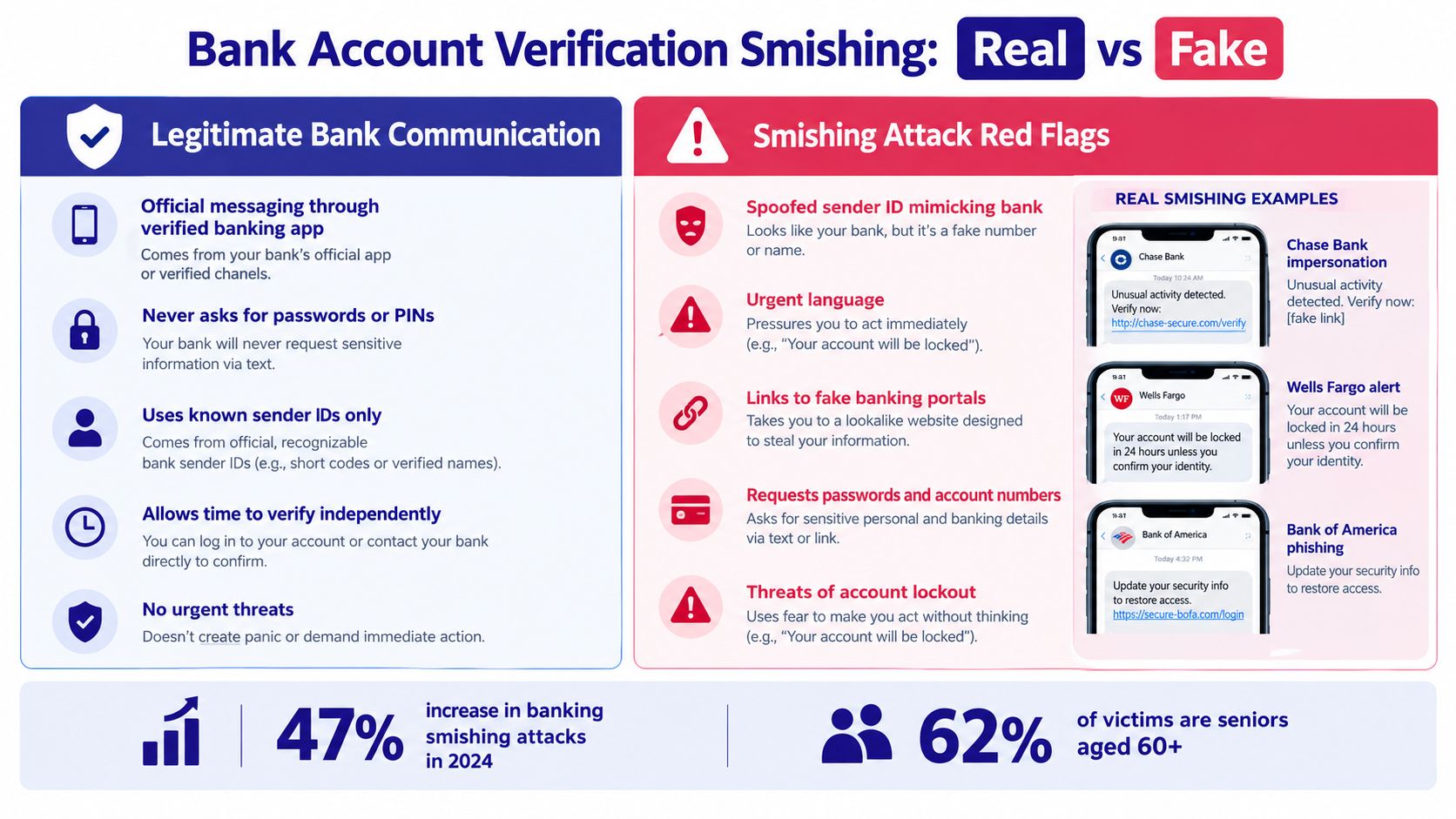
The comparison shows why independent verification is safer than fast responses, especially for older adults and family members assisting them.
What to do
- Do not tap the link or reply.
- Call the bank using the number on your card.
- Open the official banking app directly to review alerts.
- Report the text as junk and notify the bank.
- Consider learning more about bank text scams.
For added screening, download Gini Help on Google Play or the App Store.
2. Package Delivery Notification Scams
Package delivery scams rank among the most believable phishing text message examples because people often expect updates from carriers or online retailers. The message claims a delivery failed, requires an address change, or says a parcel is held until the recipient confirms information, leading to a fake tracking page that steals credentials, payment details, or installs malware.
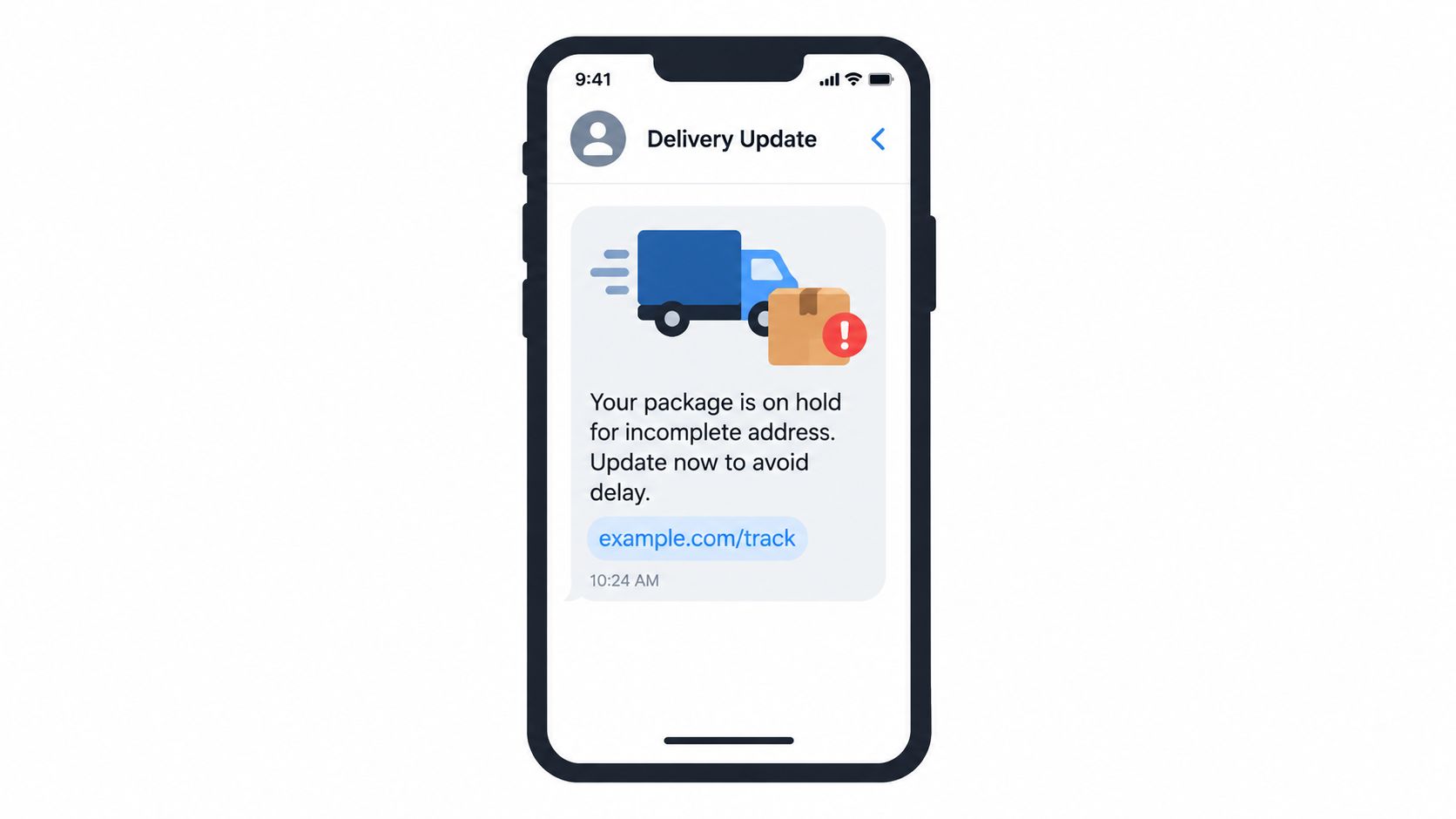
Common examples include:
- “Your package couldn't be delivered. Update delivery info: [malicious link]”
- “Action needed: Confirm your delivery address within 24 hours.”
- “Package held for customs. Verify information to claim: [phishing link]”
Key insight: A delivery text that demands payment, passwords, or card verification is a major warning sign. Legitimate carriers generally provide tracking details without asking you to enter sensitive information through an unexpected link.
The tactic works because the sender borrows familiar names such as FedEx, UPS, DHL, or Amazon and adds a short deadline. Recent consumer-protection warnings continue to identify fake package notices as a common smishing method, especially during busy shopping periods.
What to do
- Do not tap the link or reply.
- Check the order in the retailer's official app.
- Type the carrier's website address yourself and enter the tracking number.
- Never provide payment details through an unsolicited text.
- Save legitimate carrier contact information for verification.
- Learn more about package delivery scams.
For extra screening, download Gini Help on Google Play or the App Store.
3. Tax Refund and IRS Impersonation
Tax refund smishing appears in many phishing text message examples because it exploits both financial excitement and fear of penalties. Attackers impersonate the IRS or tax services, claiming a refund is waiting, a return has discrepancies, or personal details must be updated before payment.
Common examples include:
- “Your 2026 tax refund is pending. Claim now: [fake link]”
- “The IRS has identified discrepancies in your return. Respond immediately: [phishing URL]”
- “Update your tax info to process your refund: [malicious link]”
Key insight: The IRS does not initiate contact by text with links about refunds, audits, or account updates. A message demanding your Social Security number or banking details is a major warning sign.
These scams intensify around tax deadlines, when busy professionals and older adults may react quickly. Current IRS guidance confirms that official notices are generally mailed first, so independently checking tax refund scams and warning signs is safer than responding.
What to do
- Do not tap the link, reply, or share your SSN.
- Visit IRS.gov directly to check refund information.
- Contact your tax preparer using a trusted phone number.
- Report suspicious texts to 7726 and the IRS.
- Ask a family member to review unexpected tax messages.
- Consider downloading Gini Help on Google Play or the App Store for added scam screening.
4. Credential Harvesting Through Account Verification
Credential-harvesting smishing impersonates services such as Apple, PayPal, Google, or Microsoft and claims that unusual activity, a security breach, or account suspension requires immediate verification. The link leads to a convincing imitation login page that records usernames, passwords, and recovery details, making this one of the most deceptive phishing text message examples.
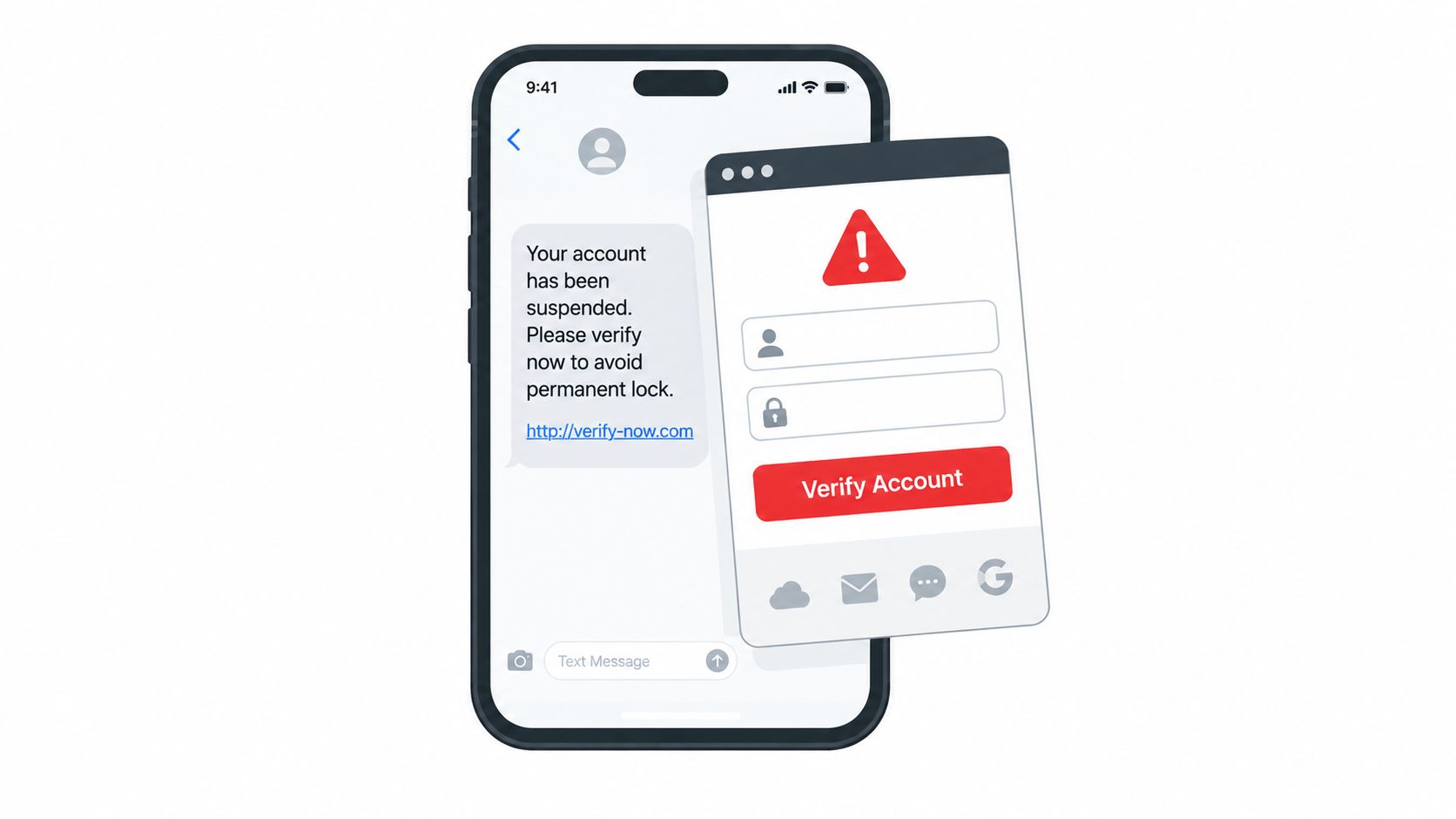
Common examples include:
- “Your Apple ID will be locked in 24 hours due to failed verification attempts.”
- “Confirm your identity to prevent account suspension: [phishing link]”
- “Unusual sign-in activity detected. Verify your account: [fake Gmail login]”
Key insight: A real security alert may be genuine, but an unsolicited text is not a safe place to authenticate. Attackers exploit familiar warnings and short deadlines to bypass careful checking.
The FBI and FTC continue to warn that impersonation scams can lead to stolen credentials and account takeover. Watch the video below for additional warning signs.
What to do
- Do not tap, reply, or enter credentials.
- Open the official app or type the company’s website yourself.
- Review account alerts independently and change reused passwords.
- Enable two-factor authentication and report the message.
- Help older relatives verify alerts before they act.
- Download Gini Help on Google Play or the App Store for added scam screening.
5. COVID-19 Vaccine and Healthcare Smishing
COVID-19 vaccine and healthcare smishing appears in many phishing text message examples because it turns medical concerns into quick pressure. Scammers impersonate pharmacies, hospitals, insurers, or government agencies and request appointments, prescription verification, insurance updates, or health information through fake portals.
Common examples include:
- “Your prescription refill is ready. Verify insurance: [fake link]”
- “Schedule your vaccine appointment: [phishing portal]”
- “Update your health information to maintain Medicare coverage: [malicious link]”
Key insight: A legitimate provider should not demand insurance numbers, payment details, or health information through an unexpected text link. Verify every request independently, particularly during new booster campaigns or public health announcements.
These scams can expose medical records, Medicare information, account credentials, and payment data. Healthcare fraud remains an active concern, and government agencies continue warning about impersonation messages involving Medicare and public health programs.
What to do
- Do not tap the link, reply, or share a verification code.
- Call the pharmacy, hospital, or insurer using a number you already trust.
- Visit the provider’s website or official app directly.
- Check Medicare and public health announcements through official .gov websites.
- Ask a family member or caregiver to review suspicious messages.
- Report the text to your carrier and the impersonated organization.
For added screening, download Gini Help on Google Play or the App Store.
6. Prize and Reward Notification Scams
Prize and reward scams are persuasive phishing text message examples because they turn surprise and excitement into rushed decisions. A message may impersonate Amazon, an airline, or a lottery system, claiming the recipient has won a gift card, free flights, or cash, then directing them to a fake claim page that collects identity, payment, or banking details.
Common examples include:
- “You’ve won a $500 Amazon gift card! Claim now: [phishing link]”
- “Congratulations! You’ve won free flights. Book your trip: [fake portal]”
- “You’ve won $1M! Verify your identity to claim: [malicious link]”
Key insight: You cannot win a contest you never entered. Legitimate rewards should be verified through the company’s official app or website, not an unsolicited text link.
The tactic works by creating FOMO and requesting a small “processing fee” or urgent identity check. Recent FTC consumer alerts continue to warn that fake prize messages are used to obtain money and personal information, with older adults often targeted.
What to do
- Do not tap the link, reply, or pay a fee.
- Check rewards through the official retailer, airline, or lottery website.
- Avoid entering personal information into an unsolicited page.
- Report the message as junk and notify the impersonated company.
- Tell family members, especially seniors, about the warning signs.
- For added screening, download Gini Help on Google Play or the App Store.
7. Workplace and HR Impersonation Smishing
Workplace and HR impersonation smishing is among the most dangerous phishing text message examples because it targets income, benefits, and job security. Attackers pose as HR staff, payroll providers, or managers, then direct employees to counterfeit portals that steal company passwords, banking details, or single sign-on credentials.
Common examples include:
- “Update your employee benefits info by end of day or lose coverage: [fake portal]”
- “Your paycheck deposit failed. Verify bank info: [phishing link]”
- “Urgent: Verify your employment status: [malicious link]”
Key insight: A threat involving termination, lost benefits, or delayed pay is designed to defeat careful thinking. Do not use a text message link to access payroll or workplace systems.
These attacks can lead to payroll diversion, identity theft, and unauthorized access to corporate networks. Recent cybersecurity reporting continues to identify business email compromise and credential theft as major risks, and SMS-based attacks can serve as an entry point even when employees rarely work with technical systems.
What to do
- Contact HR or your manager through a known phone number.
- Type the employee portal address manually or use the company intranet.
- Confirm the request through official company email.
- Never provide employee credentials, one-time codes, or bank details by text.
- Report the message immediately to IT security and delete it.
- Help older colleagues or family members verify employment-related alerts before they respond.
For added screening, download Gini Help on Google Play or the App Store.
8. Dating and Romance Scam Smishing
Dating and romance scam smishing exploits trust before it asks for money or sensitive information. A scammer may impersonate a dating match, move the conversation from an app to SMS, and build rapport over several days before introducing a travel expense, medical emergency, investment opportunity, or fake identity check.
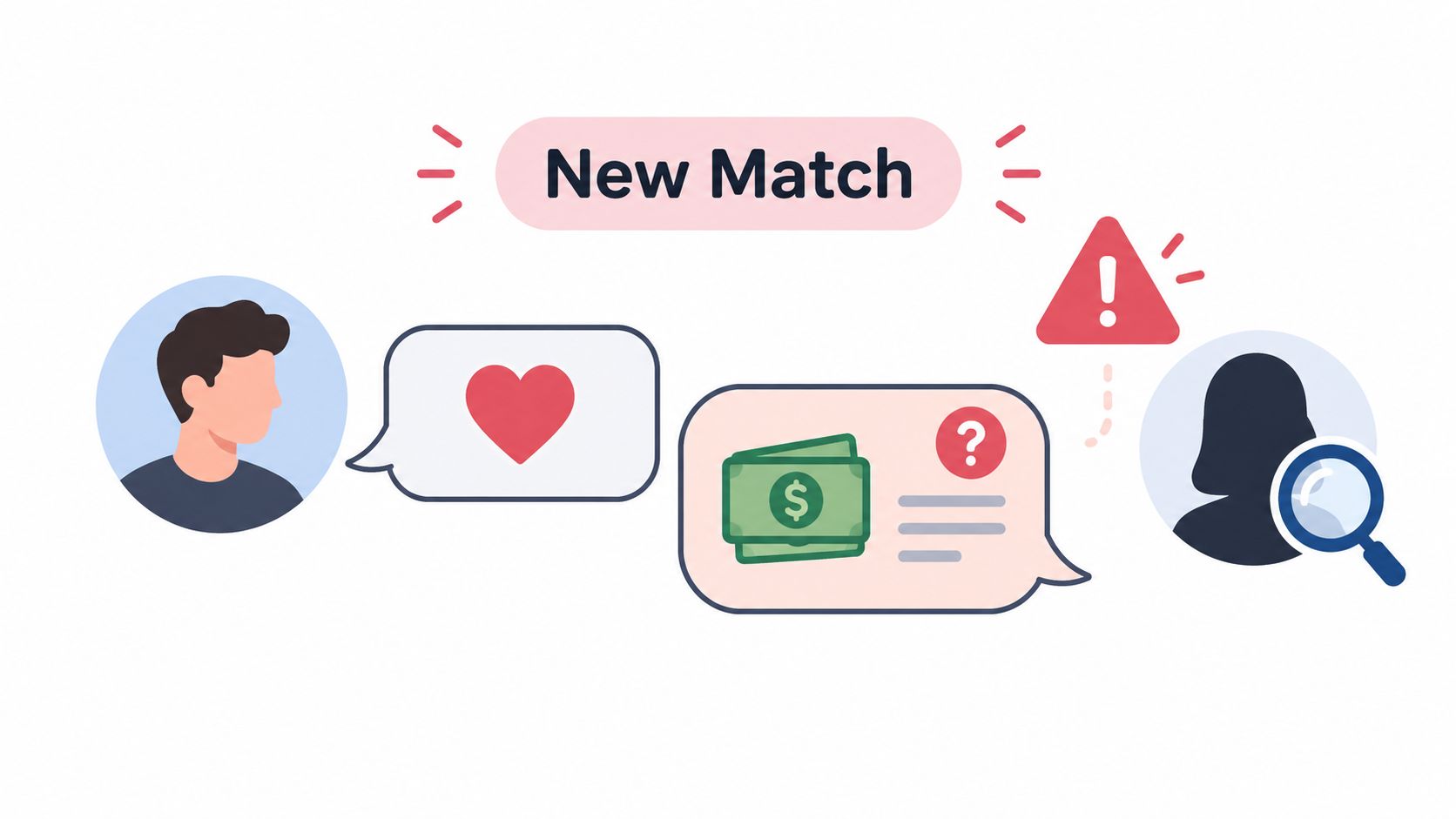
Common examples include:
- “I like you! Verify your age first: [fake dating portal]”
- “I need $5,000 for emergency surgery. Can you help?”
- “Confirm you’re real by uploading ID: [phishing link]”
Key insight: Affection, urgency, and secrecy are warning signs. A genuine match should never pressure you to send money, upload identification, or click a dating verification link.
These attacks deserve attention in phishing text message examples because older adults and isolated people may be targeted repeatedly. Recent consumer protection warnings continue to identify romance scams as a major source of financial loss, especially after conversations shift away from supervised dating platforms.
What to do
- Never send money to someone met only online.
- Pause when emotional commitment develops unusually fast.
- Check profile photos with a reverse image search.
- Verify identity through an independent channel.
- Report suspicious profiles and preserve the messages.
- Ask a trusted family member to review requests for money or ID.
- Use Gini Help on Google Play or the App Store to screen suspicious messages.
8 Smishing Text Message Examples Compared
| Scam Type | Implementation Complexity 🔄 | Resource Requirements ⚡ | Expected Outcomes 📊⭐ | Ideal Use Cases 💡 | Key Advantages ⭐ |
|---|---|---|---|---|---|
| Bank Account Verification Smishing | Moderate 🔄 — spoofed IDs, branded pages | Moderate ⚡ — fake portals, spoof domains | High 📊 — direct financial loss & credential theft ⭐⭐⭐ | Targeted bank customers, urgent alerts | High trust exploitation via branding and urgency ⭐ |
| Package Delivery Notification Scams | Low 🔄 — short generic messages | Low ⚡ — shortened URLs, basic spoofing | Moderate–High 📊 — credential theft or malware ⭐⭐☆ | Mass campaigns during shopping/holidays | High click-through from expected deliveries; scalable ⭐ |
| Tax Refund and IRS Impersonation | Moderate 🔄 — formal formatting required | Moderate ⚡ — convincing portals, tax lures | High 📊 — identity theft, large monetary loss ⭐⭐⭐ | Tax season, seniors and refund seekers | Strong authority/panic triggers; perceived legitimacy ⭐ |
| Credential Harvesting (Account Verification) | High 🔄 — near-identical login spoofing | High ⚡ — multi-platform pages, domains | Very High 📊 — account takeover & follow-up attacks ⭐⭐⭐ | Broad targeting of service users (email, banking, apps) | Enables lateral attacks and rapid account compromise ⭐⭐⭐ |
| COVID-19 Vaccine & Healthcare Smishing | Low–Moderate 🔄 — provider impersonation | Low ⚡ — fake portals, health lures | Moderate 📊 — medical/insurance data theft ⭐⭐ | Patients, appointment reminders, insurance updates | Exploits health concerns and trust in providers ⭐ |
| Prize & Reward Notification Scams | Low 🔄 — simple enticing copy | Low ⚡ — landing pages, spoofed brands | Moderate 📊 — financial/PII theft via FOMO ⭐⭐ | Mass FOMO-driven campaigns, loyalty/retailer impersonation | High emotional leverage; easy mass distribution ⭐ |
| Workplace & HR Impersonation Smishing | Moderate–High 🔄 — company-specific spoofing | Moderate ⚡ — SSO portal clones, employee data | High 📊 — corporate credential compromise, breach risk ⭐⭐⭐ | Targeted employee attacks for network access | Potential enterprise lateral movement; high payoff ⭐ |
| Dating & Romance Scam Smishing | High 🔄 — persona building, multi-channel | Moderate ⚡ — stolen media, prolonged engagement | High 📊 — large monetary loss & emotional harm ⭐⭐⭐ | Dating app users, isolated adults, long-term grooming | Deep social engineering yields high per-victim returns ⭐ |
Turn Suspicion Into a Simple Safety Routine
The phishing text message examples in this guide use different stories, but the pressure tactics repeat: an urgent warning, a familiar brand, a request for payment or login details, and a link that bypasses normal verification. Recent consumer-protection warnings continue to highlight delivery, bank, tax, healthcare, and impersonation scams as common SMS threats.
A quick risk summary
| Examples | Primary harm | Typical goal |
|---|---|---|
| Bank verification, prize notices | Financial theft | Payment, card, or account access |
| Account verification, tax messages | Credential compromise | Passwords, codes, or identity details |
| Healthcare and vaccine messages | Medical-data exposure | Insurance, health, or identity information |
| Workplace and HR impersonation | Workplace access | Employee logins, payroll, or internal systems |
| Dating and romance messages | Emotional or social engineering | Trust, money, secrecy, or continued contact |
| Package notifications | Financial theft or credential compromise | Fake fees, card details, or account logins |
Your repeatable response playbook
- Stop and do not engage. Do not reply, call the number in the text, or click its link.
- Inspect the sender and link without opening it. Misspellings, shortened URLs, odd domains, and unexpected urgency are useful warning signs.
- Verify independently. Open the official app, type the known website yourself, or call a number from a statement or official card.
- Report the message to your carrier, messaging platform, bank, employer, or relevant agency.
- Delete and block the sender.
- If payment details, passwords, or codes were exposed, contact the affected institution, secure the account, and monitor statements and alerts.
If you clicked, close the suspicious page and disconnect from it. From a clean, official site, change any exposed passwords, enable available multifactor authentication, contact the affected institution, and monitor accounts for unfamiliar activity. Avoid using contact details supplied by the message.
A family checklist for seniors
Teach a simple pause rule: unexpected texts deserve a pause, not an immediate response. Choose a trusted verification contact, encourage official apps instead of text links, and agree that asking for help is a strength. Never shame someone after a mistake, because quick reporting gives banks and providers more time to respond.
For extra screening of suspicious SMS, email, and calls, consider downloading Gini Help on Google Play or the App Store.
Ready to make these phishing text message examples easier to spot? Gini Help can add practical screening support for texts, emails, and calls, helping families pause and check before responding.