Calls from 682 Area Code: Verify, Block, and Stay Safe
By Josh C.
You're sitting at dinner when your phone rings. The screen shows a number from the 682 area code, and the table goes quiet. Nobody recognizes it, but everyone wonders whether ignoring it could mean missing a doctor's office, a delivery, or an urgent call from someone you know.
The right response isn't panic, and it isn't blind trust. 682 is a legitimate Texas area code, but the number displayed on your phone doesn't prove who's calling. Judge the call by the caller's behavior, the request being made, and whether you can verify the person independently.
What the 682 Area Code Actually Is
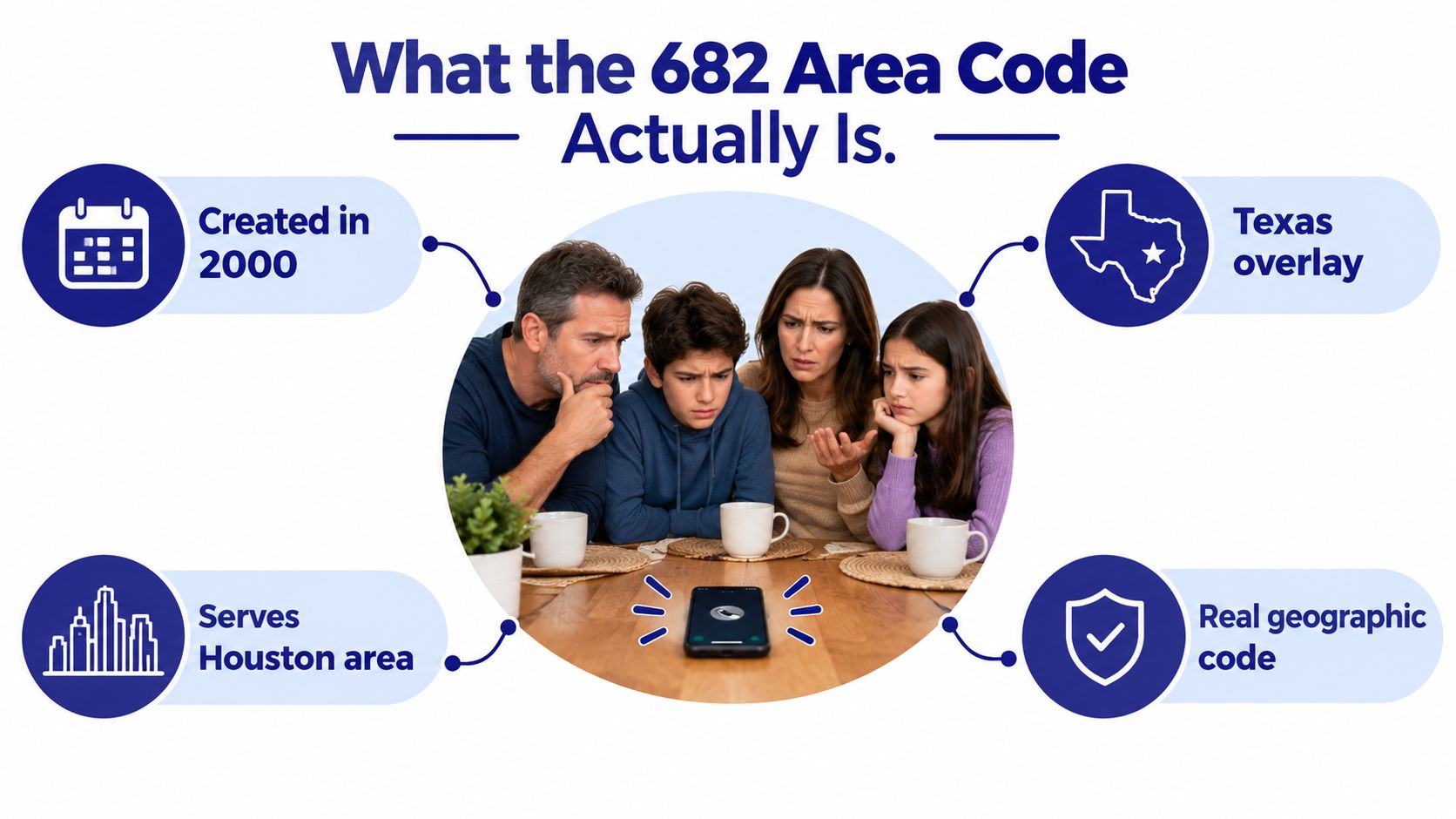
The 682 area code is a Texas overlay, not a standalone region. It was placed into service on October 7, 2000, to relieve demand on the established 817 area code. Both codes cover the same general numbering-plan area around Fort Worth, Arlington, and much of Tarrant County, with parts of nearby counties included as well. Phone2 explains the 682 overlay and its Fort Worth coverage.
An overlay puts a new area code over an existing geographic area instead of dividing that area into separate pieces. Existing customers can keep their numbers, while new customers may receive the newer code. Texas regulators describe this arrangement as multiple area codes serving the same region, which also means local callers must use 10-digit dialing in overlay areas. The Texas Public Utility Commission explains how area-code overlays work.
Why the code was added
The arrival of 682 reflected growing demand for phone numbers from wireless devices, fax lines, businesses, and other connected services. One area-code reference identifies 682 as the 284th area code placed in service and one of 14 introduced in 2000. It also lists 29 Texas area codes in current use, illustrating why overlays became practical in large, expanding markets. All Area Codes provides historical context for 682.
That history matters because it removes a common misconception. A 682 number isn't suspicious by default, and it isn't proof that a caller lives in a particular neighborhood. A legitimate medical practice, contractor, school, family member, or local business may use it.
The number also isn't a reliable identity marker because criminals can spoof caller ID. They may make a call appear local to increase the chance that you'll answer. AT&T's 682 area-code reference notes that caller ID can be spoofed.
Practical rule: Treat 682 as a location clue, not a trust signal.
If you're unsure who called, use a consistent evaluation habit. Let the call go unanswered, listen to the message, and verify the organization through a number you find yourself. The same approach works whether the screen shows 682, 817, another Texas code, or a number that looks familiar.
For more context on identifying an unknown caller, see this guide to finding out who called you. The goal isn't to profile an area code. It's to separate a caller who can withstand verification from one who needs you to act before you think.
Why 682 Numbers Show Up in Scam Reports
A 682 number can belong to a real Texas caller, yet calls using the overlay also appear in complaint data. The useful question is not whether the area code looks suspicious. Check what the caller says, demands, and refuses to let you verify. ThisNumber publishes the 682 complaint breakdown, with live-voice calls at 53.06%, prerecorded voice calls at 29.93%, and text-message complaints at 16.33%. Reported categories include health insurance at 11.56%, Medicare or Medicaid at 7.48%, auto warranties at 6.8%, solar panels at 6.12%, and political calls at 3.4%.
Those categories point to familiar pressure tactics. A caller may claim an insurance benefit is expiring, threaten utility disconnection, impersonate a government office, or offer debt relief. A text about a package or account problem may direct you to call, putting you in contact with an operator who keeps the conversation moving before you can check the story.
The opening line matters more than the area code
Urgency is the tactic to watch. Common openings include:
- “Your account will be closed today.”
- “You must confirm your information before your benefits stop.”
- “Your vehicle warranty is about to expire.”
- “Your package is waiting for a payment.”
- “A warrant has been issued in your name.”
- “A family member needs money immediately.”
A real organization may call unexpectedly, but the caller still has to withstand verification. Threats, secrecy, payment pressure, and requests for passwords or verification codes are stronger warning signs than 682 itself. Treat those demands as a reason to end the call, not a reason to explain yourself.
Common 682 Area Code Scam Patterns
| Scam Pattern | Typical Opening Line | Key Red Flag |
|---|---|---|
| Government or tax impersonation | “This is an official notice about your account.” | Arrest threats, penalties, or immediate payment demands |
| Utility disconnection | “Your service will be shut off unless you pay now.” | Unusual payment methods and no time to verify |
| Medicare or health insurance | “We need to update your coverage details.” | Personal-information requests from an unsolicited caller |
| Package-delivery message | “Your delivery is on hold because of a small issue.” | An unexpected link, fee, or callback request |
| Auto warranty | “Your vehicle protection is about to expire.” | No clear company identity, vehicle details, or written notice |
| Debt-relief offer | “We can remove your debt if you act today.” | Upfront payment, guaranteed results, or pressure to stay on the line |
Complaint locations include Fort Worth, Arlington, and Dallas, but a reported location does not prove where a caller operates. Caller ID and the caller's claimed location both require independent checking.
Use four questions before continuing: Did you expect this call? Has the caller named a verifiable organization? Are they applying pressure? Are they asking for money, credentials, or a code? If pressure and a sensitive request appear together, end the call. Contact the organization through a number from its official website, statement, bill, or payment card, not through details supplied by the caller.
How to Verify a 682 Caller Without Giving Anything Away
A call from a 682 number may be a legitimate Texas call. The area code does not verify the caller, and it does not make the call suspicious by itself. Judge the caller's behavior, then verify the identity through a channel you choose.
If you do not recognize the number, let it go to voicemail. A genuine caller who needs your response can usually explain the purpose and provide a way to identify the organization. A voicemail that demands immediate action, secrecy, payment, or a callback to an unfamiliar number deserves no response until you check it independently.
If you answer, begin with a plain “hello.” Do not confirm your name, address, birth date, account number, or identification details. Let the caller state their name, department, organization, and reason for contacting you before you provide any information.
Use a script instead of improvising
Read one of these sentences aloud:
“Please give me your name, department, and a reference number. I'll call the organization back using its official number.”
If the caller keeps pushing:
“I don't verify personal or financial information on unsolicited calls. I'm ending this call now.”
For a supposed family emergency:
“I'm going to call the family member directly and contact another relative. I won't send money or share information from this call.”
End the call if the person refuses to let you verify the claim. Do not use a callback number they provide. Find the organization's number on a bill, official statement, payment card, appointment document, or genuine website. If the caller claims to represent your bank, use the number printed on your card. For a medical office, use a number from a previous appointment record.
A legitimate caller may accept your caution and wait for a callback. A suspicious caller may object, claim that the official number is outdated, keep you from hanging up, or create a deadline.
A quick verification checklist
- Expected contact: Did you recently request the service, appointment, quote, delivery, or callback?
- Clear identity: Can the caller provide a full name, department, organization, and reason?
- Independent callback: Can you reach the organization using a number you found yourself?
- No secret codes: Is the caller avoiding requests for passwords, one-time codes, or remote access?
- Time to check: Can you pause without losing a supposed benefit or facing a threat?
- Written follow-up: Will the caller provide information through a normal, verifiable channel?
Use two-person verification with an older adult who feels uncertain. Have them hang up, save the number, and call you from a trusted contact list. Locate the official number together, then place the outbound call yourselves.
For more practical guidance, use this resource on how to verify a caller. The key rule is simple: stop using the caller's channel and choose your own.
Afterward, record the number, time, claimed organization, requested action, and wording you remember. That note can help identify repeat attempts and make a later report more useful.
Here's what a screened call can look like before you decide whether to answer:
Blocking and Reporting 682 Numbers That Cross the Line
Blocking stops one displayed number from reaching you again, but it doesn't stop a caller from rotating numbers or spoofing a different local number. Block the call, then report it when it involves impersonation, threats, deception, or an unwanted robocall.
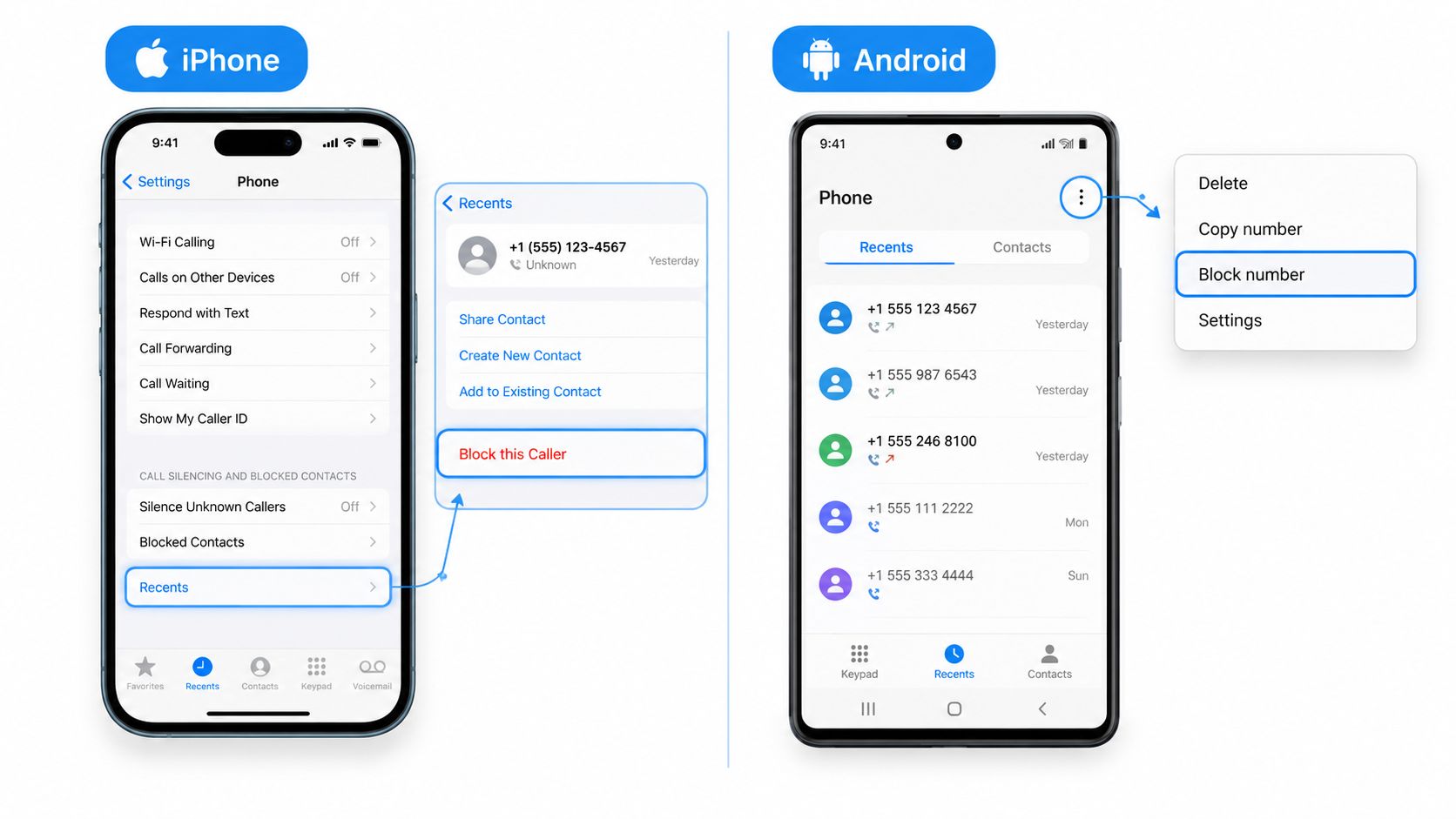
On an iPhone, open Phone, select Recents, tap the information icon beside the number, and choose Block this Caller. You can also review Settings, Phone, and Silence Unknown Callers if you prefer unknown numbers to go directly to voicemail. A blocked caller won't receive a special message telling them they've been blocked. Their call won't ring through normally.
On Android, open the call log, select the number, tap the three-dot menu, and choose Block number or the equivalent option shown by your phone. Google's call tools may screen or identify suspected spam, and some devices can use Call Screening or Verified Caller ID. The exact labels vary by manufacturer and Android version, so test the setup with a trusted person before relying on it.
Add a carrier filter
Carrier tools can reduce the number of calls that reach the handset. AT&T offers ActiveArmor, Verizon offers Call Filter, and T-Mobile offers Scam Shield. These services can label or block calls based on network signals, but a clean label doesn't prove that a caller is safe. Spoofed and newly used numbers can evade database-based systems.
If you use one, enable the strongest practical setting and review its blocked-call history. Don't assume the carrier tool has handled every threat. A determined caller may still appear under a new number.
Make reports actionable
For suspected fraud or unwanted robocalls, use the FCC Consumer Complaint Center and the FTC's ReportFraud service. Choose the category that best matches the conduct, such as unwanted calls, robocalls, impersonation, identity theft, or fraud.
Include:
- Exact callback number: Record the number displayed and any number the caller gave you.
- Call time: Note the date and approximate time, including your time zone if relevant.
- Short transcript: Write the opening claim, demand, threat, and payment instructions.
- Identity claim: State whether the caller posed as a bank, agency, insurer, delivery company, relative, or employer.
- Evidence: Keep voicemails, texts, screenshots, and payment instructions.
A basic call log can be a paper note or a phone document with five fields: number, date and time, claimed organization, request, and action taken. Report promptly while the details are fresh.
Call Screening and Protection Tools Worth Using
No single screening layer handles every call. Built-in phone controls are convenient, carrier filters are useful at the network level, third-party apps add reputation data, and AI call handlers can question a caller before you engage.
Use this comparison to choose based on the person using the phone, not just the handset.
Call Screening Tool Comparison
| Tool Category | Best For | Catches | Misses | Cost |
|---|---|---|---|---|
| Built-in OS screening | People who want simple phone-level controls | Unknown callers, recognized spam signals, some robocalls | New numbers, convincing live scammers, spoofed identities | Often included with the device or operating system |
| Carrier spam filters | Households wanting network-level filtering | Known spam patterns, flagged numbers, suspicious call behavior | Newly rotated numbers and callers that look ordinary | May include free features or optional paid tiers |
| Third-party apps | Users who want broader caller reputation data | Community-reported numbers, known robocalls, recurring spam campaigns | Unreported numbers, targeted social engineering, caller behavior that changes | Free and subscription options vary |
| AI live-call handlers | Older adults, caregivers, and people who answer unknown calls | Pressure tactics, suspicious explanations, scam language, live interaction | They still need sensible permissions and correct setup | Service terms and subscription requirements vary |
Built-in tools such as Silence Unknown Callers, Google Call Screening, and Pixel Call Reason can reduce interruptions. Their limitation is straightforward: they may tell you that a call looks suspicious, but they don't necessarily conduct a conversation that tests the caller's purpose.
Carrier tools from AT&T, Verizon, and T-Mobile are worth enabling, particularly on a family member's phone. Don't confuse a carrier label with a verdict. Database systems depend on known patterns, while fraudsters can rotate through numbers or use local-looking caller ID.
Apps such as Nomorobo, Truecaller, and Hiya can add another reputation layer. They're most useful when a number has already been reported, less useful when a scammer is making a fresh attempt with a clean-looking number.
AI live-call handlers take a different approach by answering first and evaluating the conversation. That makes them more suitable for someone who picks up every ring, especially when a caregiver can't personally monitor every call.
For a broader evaluation of screening services, compare the options in this call-screening service guide.
If the person answers every unknown call, a label may arrive too late. Choose a layer that can interact before the caller reaches them.
How Gini Help Fits Into Your 682 Call Defense
When an unknown number rings, Gini Help can answer first, ask who's calling and why, and analyze the live conversation for pressure tactics and common scam language. It then sends a verdict card to the user, such as safe, spam, or needs you, so the user can decide whether to listen, take the call, or block and report it.
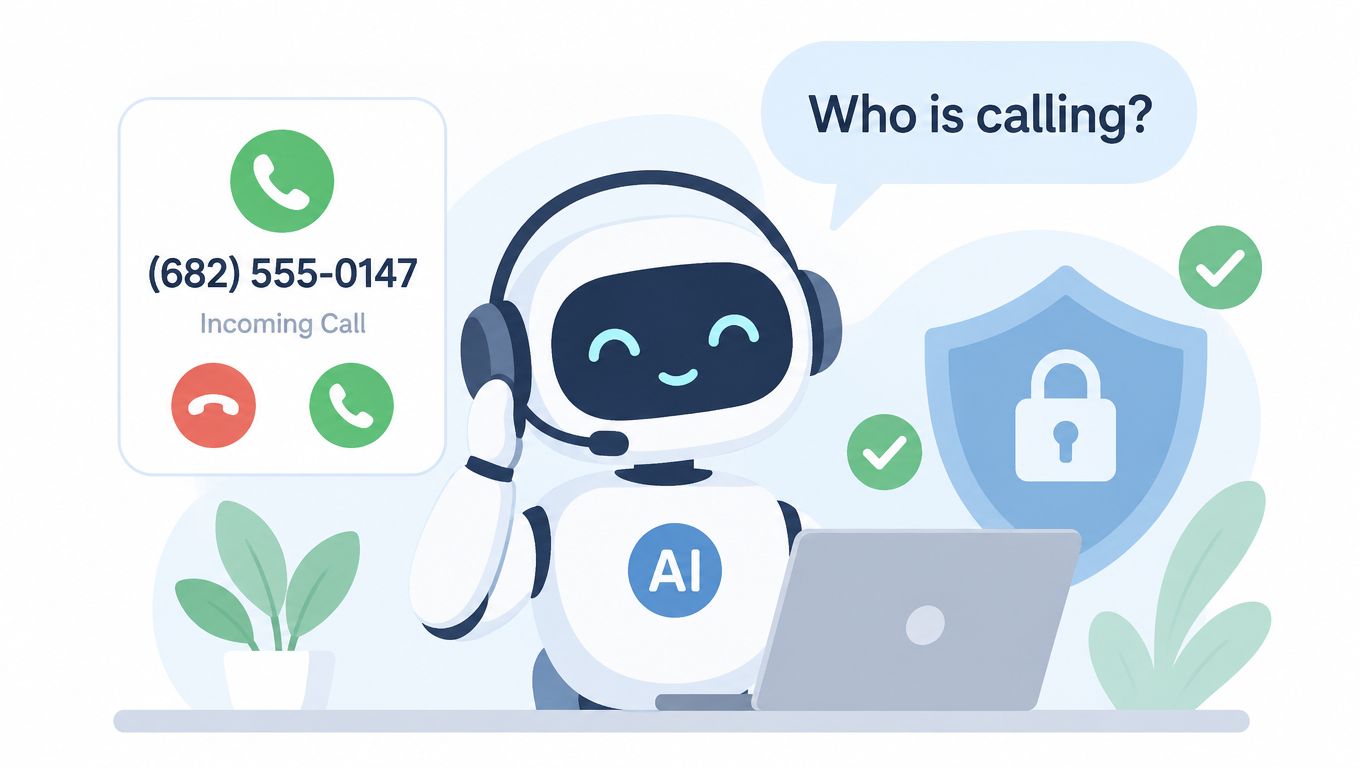
The useful distinction is the conversation itself. A scam caller might avoid identifying an organization, create an immediate deadline, ask for a one-time code, or insist that the person stay on the line. A legitimate plumber confirming an appointment should be able to explain the appointment and business name without demanding banking credentials. A doctor's office should be verifiable through the office's published number and shouldn't need payment information from an unexpected caller to prove identity.
The practical decision points are simple:
- Listen live if you want to hear the caller before deciding.
- Take the call if the explanation is clear and independently credible.
- Block and report if the caller uses threats, deception, or payment pressure.
Install the app from the App Store or Google Play. On iPhone, complete the setup and enable the CallKit integration when prompted. On Android, grant notification permission and enable the requested call-screening access so verdicts can reach you when calls arrive. Set it up with the older adult rather than handing them an unfamiliar security tool and expecting them to troubleshoot it alone.
Prevention Habits for Older Adults and Caregivers
A household call plan should fit on one page. Agree that unknown callers go to voicemail, choose one trusted relative for verification, and keep a short list of organizations that may legitimately call, such as a bank, doctor's office, or pharmacy, beside the phone.
Put these rules where everyone can see them:
- Don't confirm identity first: Avoid opening with your full name, address, birth date, or account details.
- Never share a one-time code: No legitimate verification process requires you to hand an unexpected caller a code sent to your phone.
- Use an official number: Hang up and dial the company through a recent bill, card, statement, or official website.
- Create a family PIN word: Use a private word that family members can request during an emergency. Don't use a word that a caller could guess from public information.
- Reject forced urgency: A real emergency can be checked through another family member or a known number.
Schedule a short monthly call review. Have the older adult read out recent unknown numbers, and look for patterns such as repeated local-looking calls, identical voicemails, or messages that demand immediate action. Don't shame anyone for answering. The purpose is to make the next decision easier.
Caregivers can use a shared call log through a family carrier plan where available, configure the phone's screening controls together, and document suspicious calls immediately. Save voicemails and screenshots before deleting anything, particularly when the caller impersonated a bank, government office, medical provider, or relative.
If a 682 call arrives today, don't investigate the area code for reassurance. Let it go to voicemail, verify through an independent number, and block or report it if the caller crosses the line.
Gini Help screens unknown calls before they reach you, analyzes live caller behavior, and gives you a clear choice to listen, answer, or block. For protection against suspicious local-looking calls and other scam attempts, visit Gini Help and set it up with your household today.