How to Avoid Email Scams A Modern Guide to Inbox Safety
By Josh C.
The best defense against email scams is a healthy dose of skepticism. If a message you didn't ask for shows up, treat it with caution. The golden rule is to never click suspicious links and always, always verify urgent requests through a different channel. If you get an email alert from your bank, don't click the link—open your browser and type in the bank's website yourself to check.
The Reality of Modern Email Scams
Opening your inbox these days can feel like walking through a minefield. The sheer volume of this threat is staggering, with an estimated 3.4 billion phishing emails sent across the globe every single day. Recent research highlights a disturbing trend: scammers are increasingly using current events, like major data breaches or global health crises, to craft more believable and urgent phishing campaigns. That relentless flood means, on average, about 1 in every 412 emails you receive is likely a malicious attempt to steal your data.
It's not slowing down, either. In just one recent quarter, the Anti-Phishing Working Group (APWG) tracked over 1 million unique phishing attacks. You can dive into the latest phishing trends to see just how widespread this problem has become.
This constant onslaught is responsible for over 80% of all reported cyber incidents. For regular people—from busy professionals to older adults—the fallout can be devastating. Business email compromise (BEC) attacks, for instance, cost victims an unbelievable $2.7 billion in a single year.
Beyond Obvious Typos and Bad Grammar
We’ve all heard the old advice to "look for spelling mistakes." Frankly, that's dangerously outdated. Today's scammers are using AI to craft perfectly written, convincing emails that look identical to messages from brands you know and trust. They've gotten very good at playing on our emotions, creating a false sense of urgency or fear to trick us.
A scammer’s goal is to make you panic. By manufacturing a crisis—like a supposed account suspension or a fraudulent charge—they push you to act emotionally rather than think logically. This emotional manipulation is their most effective tool.
This guide goes beyond the basics to give you a real-world defensive playbook. We'll break down exactly how to spot these advanced threats, secure your email accounts, and build a solid defense against the sophisticated attacks happening right now.
I've put together a quick cheat sheet to help you spot the most common red flags at a glance.
Quick Guide to Recognizing a Scam Email
| Red Flag Category | What to Look For |
|---|---|
| Sender Information | The "From" name doesn't match the email address (e.g., "PayPal" but the email is from pay-pal.support123@yahoo.com). |
| Urgent Language | Phrases like "Urgent Action Required," "Account Suspended," or "Immediate Payment Needed" designed to make you panic. |
| Suspicious Links | Hover over the link (don't click!) to see the real URL. If it's a random string of characters or an unfamiliar domain, it's a scam. |
| Generic Greetings | Legitimate companies usually address you by name. Be wary of emails starting with "Dear Customer" or "Valued Member." |
| Unexpected Attachments | Never open attachments you weren't expecting, especially .zip, .exe, or macro-enabled documents. They often contain malware. |
| Unusual Requests | A request for gift cards, wire transfers, or personal information like your password or Social Security number is a major red flag. |
Keep these points in mind every time you check your email. A few seconds of caution can save you from a massive headache down the road.
Proactive Protection is Key
Waiting to clean up the mess after a scam hits is a stressful and often losing battle. The best strategy is a proactive one. This means setting up multiple layers of defense that not only secure your inbox but also protect your other communication channels, since scammers will often follow up a phishing email with a phone call or text message.
For comprehensive security, you can download the gini help app on the Google Play Store and the Apple App Store. A dedicated service like Gini Help can be a game-changer. It screens your emails, calls, and texts to block threats before you even see them, offering real peace of mind.
How to Spot Advanced Phishing Tactics
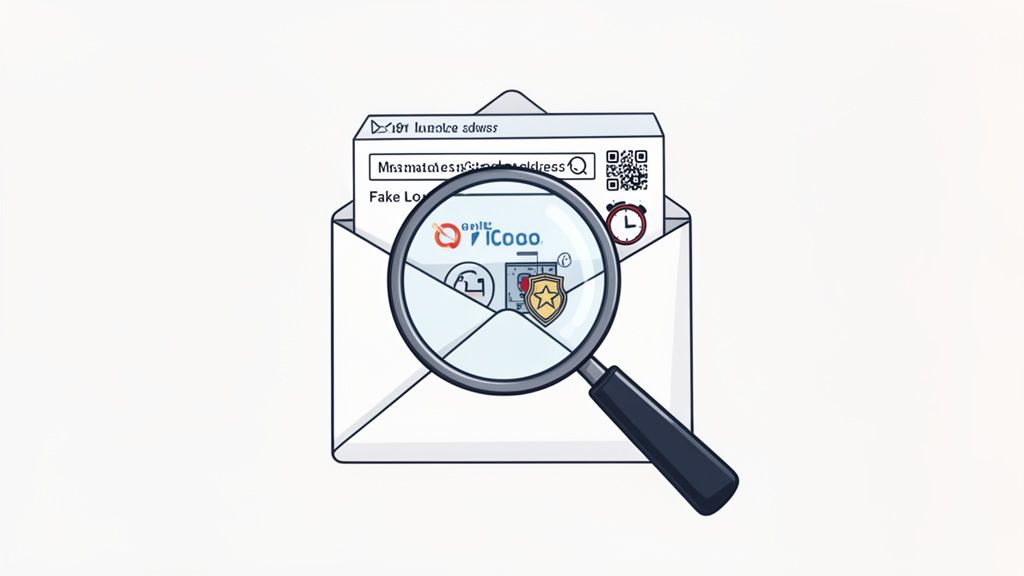
To really get a handle on avoiding email scams, you have to understand what a modern attack actually looks like. The game has changed. Scammers aren't just sending out clumsy, typo-filled emails anymore; they're using sophisticated tools to build traps that are incredibly difficult to spot.
We've seen a huge shift from basic spam to highly targeted attacks. Phishing emails now frequently use AI to craft messages that perfectly mimic legitimate communications, letting them sail right past many standard email filters. Current cybersecurity research confirms a worrying 17.3% jump in phishing emails overall, largely driven by these AI-powered attacks.
And while it’s true that people only fail about 3.2% of phishing simulations, the sheer volume of attacks means the average person still reports more than one malicious email each year. It's a numbers game, and it demands a sharper eye from all of us. You have to learn the subtle red flags and understand the psychological tricks they use to rush your judgment.
The Rise of AI and Spear Phishing
The days of spotting a scam just by its poor grammar are fading fast. Scammers are now using AI to write flawless, professional-sounding messages that could easily pass for real corporate emails. These tools can even mimic a specific person's tone or writing style, making them dangerously convincing.
This technology is the engine behind a much more personal and effective tactic: spear phishing. Unlike a generic phishing email sent to thousands, a spear phishing attack is custom-built for you. Scammers dig through your social media, company website, and other public information to find personal details—your job title, your boss's name, or even that you're attending a conference next week.
Imagine you post on LinkedIn about an upcoming industry event. A few days later, you get an email that looks like it's from the organizers with a link to a "revised schedule." Because it's relevant to something you're actually doing, your guard is down. This is why these targeted attacks are so much more successful.
Business Email Compromise: A Deceptive Threat
One of the most financially damaging scams out there is Business Email Compromise (BEC). This is where a scammer impersonates a high-level executive—like the CEO or CFO—to trick an employee into wiring money or sending over sensitive files. The growth here is staggering, with a 1,760% year-over-year surge in these kinds of social engineering attacks.
Think about this common scenario: An employee in the finance department gets an email that looks like it's from their boss on a Friday afternoon. The message is urgent: "I'm tied up in a meeting. We need to wire $25,000 to this new vendor immediately to close a critical deal. Please handle this discreetly."
The mix of authority and urgency creates intense pressure, causing people to skip the usual verification steps. To protect your organization, it's crucial to have programs like phishing awareness training for employees that teach teams how to spot and report these threats.
Quishing: The QR Code Phishing Scam
A newer trick we're seeing more of is quishing, which is just phishing with a QR code. Instead of a shady link, the email contains a QR code. People tend to trust QR codes, so they often scan them with their phones without a second thought. Recent reports from cybersecurity firms have shown a significant rise in quishing campaigns, often impersonating IT departments to steal corporate login credentials.
This is a clever way for criminals to sidestep email security software that's built to detect malicious URLs. You scan the code, and your phone's browser opens a convincing-looking fake login page designed to steal your username and password. You might see this in an email pretending to be from HR, asking you to scan a code to access a new benefits portal. We see this tactic used in all sorts of cons, including the ones detailed in our guide on the Apple ID scam at https://ginihelp.com/blog/apple-id-scam.
Ultimately, staying safe means changing how you approach your inbox. You have to get into the habit of verifying everything, especially when a message makes you feel rushed, scared, or even excited.
Building Your Digital Fortress
Recognizing a threat is just the first battle. Actively fortifying your accounts is how you win the war. I always tell people to think of their email account as their digital home—it needs strong locks, a good alarm system, and regular maintenance. This is your hands-on guide to building those defenses for the big players like Gmail, Outlook, and iCloud, turning your inbox into a place you can actually trust.
The whole point is to create layers of security. That way, even if a scammer manages to trick you into giving up a password, they hit another wall. It’s about making sure one slip-up doesn’t turn into a complete catastrophe.
Master Your Passwords Without Losing Your Mind
The foundation of any secure account has always been a strong password, but the old advice—just mix in some letters, numbers, and symbols—is dangerously out of date. A password like Tr0ub4dor&3 might look complex to you, but to modern cracking tools, it’s a piece of cake because it’s short and uses predictable substitutions.
A far better strategy is to create a passphrase. Just string together four or more random, unrelated words. Take CorrectHorseBatteryStaple, for instance. It's worlds harder for a computer to guess than a short, jumbled password, yet it's something you can actually remember.
The real magic is in randomness and length. A long passphrase made of simple words is exponentially more secure than a short one packed with special characters. You're aiming for something a human can recall but is statistically impossible for a machine to brute-force.
Of course, managing unique, strong passphrases for every single account is an impossible task to do on your own. This is exactly why a password manager is no longer optional; it’s essential. These tools generate, store, and fill in ridiculously complex passwords for you. All you have to do is remember one single master password.
Enable Multi-Factor Authentication Everywhere
If you only do one thing after reading this guide, please make it this: enable Multi-Factor Authentication (MFA) on every single account that offers it. The data doesn't lie—study after study shows that MFA can block over 99.9% of automated cyberattacks. It's the single most effective step you can take, even if a scammer already has your password.
MFA, which you might also see called two-factor authentication (2FA), simply adds a second check to prove it’s really you. After you type in your password, you have to provide a second piece of evidence, like:
- A code from an authenticator app: Apps like Google Authenticator or Microsoft Authenticator generate a fresh, time-sensitive code on your phone every 30 seconds.
- A physical security key: This is a small USB or NFC device (like a YubiKey) that you physically tap or plug in to approve a login. It's the gold standard.
- A biometric scan: Using your fingerprint or face to verify your identity on your phone or computer.
- A code sent via SMS: While it's certainly better than nothing, this is the least secure MFA method. Scammers have found ways to trick mobile carriers into swapping your SIM card to their phone, letting them intercept your codes.
Getting this set up is usually pretty straightforward. Here’s what the security settings page looks like in a typical Google Account, where you can manage all these options.
This screen is your security command center. Getting familiar with it and, most importantly, turning on 2-Step Verification (MFA) is your single most powerful move in the fight against email scams.
Audit Your Connected Apps and Services
Think about it: over the years, you’ve probably granted dozens of third-party apps and websites permission to access your email account. While most are legitimate, every single connection is a potential backdoor. A data breach at one of those smaller companies could give attackers a direct line into your inbox.
That's why a regular security check-up is so important. Dive into your account settings (for Gmail, Outlook, iCloud, etc.) and look for the section that lists "third-party apps with account access."
Go through that list with a critical eye and ask yourself:
- Do I even know what this app is?
- Have I used it in the last year?
- Does it really need ongoing access to my email?
If the answer to any of those is "no," revoke its access immediately. This simple bit of digital housekeeping drastically shrinks your "attack surface," closing old, forgotten doors that scammers love to find. If you want to dig deeper into how these services handle your data, you might find our guide on how to send secure email useful.
Stay Secure with Proactive Monitoring
Building a digital fortress isn't a one-and-done job; it requires ongoing vigilance. Your email provider's built-in tools are a decent start, but scammers are always evolving, finding new ways to slip past the gates. They rarely stick to just one channel, either—often following up a clever phishing email with a scam call or a text message to make their con seem more believable.
This is where you need more comprehensive protection. An AI-powered service like the Gini Help app can screen not just your emails but also your calls and texts. It uses real-time analysis to spot and block threats before they even have a chance to reach you. It’s a modern solution for a modern, multi-channel problem, adding a crucial layer of security that traditional methods simply can't provide.
You can download Gini Help today from the Google Play Store and the Apple App Store.
Your Active Defense Strategy
A strong password and secure settings are your foundation, but to truly stay safe, you need to go on the offensive. Think of it as moving from a passive target to an active defender of your own inbox.
This mindset shift is all about building routines that reinforce one critical mantra: "trust, but verify." You're no longer just reacting to threats as they come in; you're actively managing your email to stop them in their tracks.
Master the Tools Already in Your Inbox
Every email service—whether it's Gmail, Outlook, or Yahoo—comes with powerful, built-in tools to fight spam and phishing. The trick is actually using them.
When a scam email inevitably slips past the filters, don't just hit delete. Take two seconds to report it. It’s one of the most powerful things you can do.
- Mark as Spam/Junk: This isn't just about cleaning up your inbox. It's an active vote that tells your email provider, "This is garbage." That feedback helps their system learn, making it better at blocking similar messages for everyone.
- Report Phishing: This is the big red button. Use it for emails trying to trick you into revealing passwords, financial details, or other personal data. This report often goes straight to global security teams, helping them take down the scammers' infrastructure.
Think of it as neighborhood watch for the internet. Every report you file makes the digital world a little safer for millions of other people.
Adopt the "Never Trust, Always Verify" Habit
If you take only one thing away from this guide, let it be this: never, ever trust contact information provided in an unsolicited email. Scammers desperately want you to click their link or call their fake number. Your best defense is to break that chain.
Let's walk through a classic scenario. You get a frantic email from "your bank" about a suspicious transaction, urging you to call a number right away. Don't fall for it.
Instead of calling the number in the email, open a new browser window. Search for your bank's official website, find the real customer service number there, and call that one.
This simple detour completely sidesteps the scammer's trap. It puts you back in the driver's seat, guaranteeing you're talking to the real company, not some imposter.
The heart of a good email scam is getting you to stay inside the fake world the scammer built. By stepping outside of it to verify information through a trusted channel you find yourself, you instantly shatter their illusion.
This simple checklist can help you build the verification habit. Run through these steps before clicking, replying, or calling.
Email Verification Checklist
| Verification Step | Action to Take | Why It's Important |
|---|---|---|
| Check the Sender | Hover over the sender's name to reveal the full email address. | Scammers often use a familiar name but a strange, misspelled, or public domain email (like @gmail.com). |
| Look for Urgency | Is the email demanding immediate action or threatening consequences? | This is a classic tactic to make you panic and skip critical thinking. |
| Verify Independently | Find the organization's official website or phone number yourself. | This ensures you're communicating through a legitimate channel, not one provided by the scammer. |
| Inspect Links | Hover your mouse over any links (without clicking!) to see the actual URL. | The link text might say "YourBank.com," but the preview URL might point to a malicious site. |
Following this checklist doesn't take long, and it's one of the most reliable ways to avoid falling for a scam.
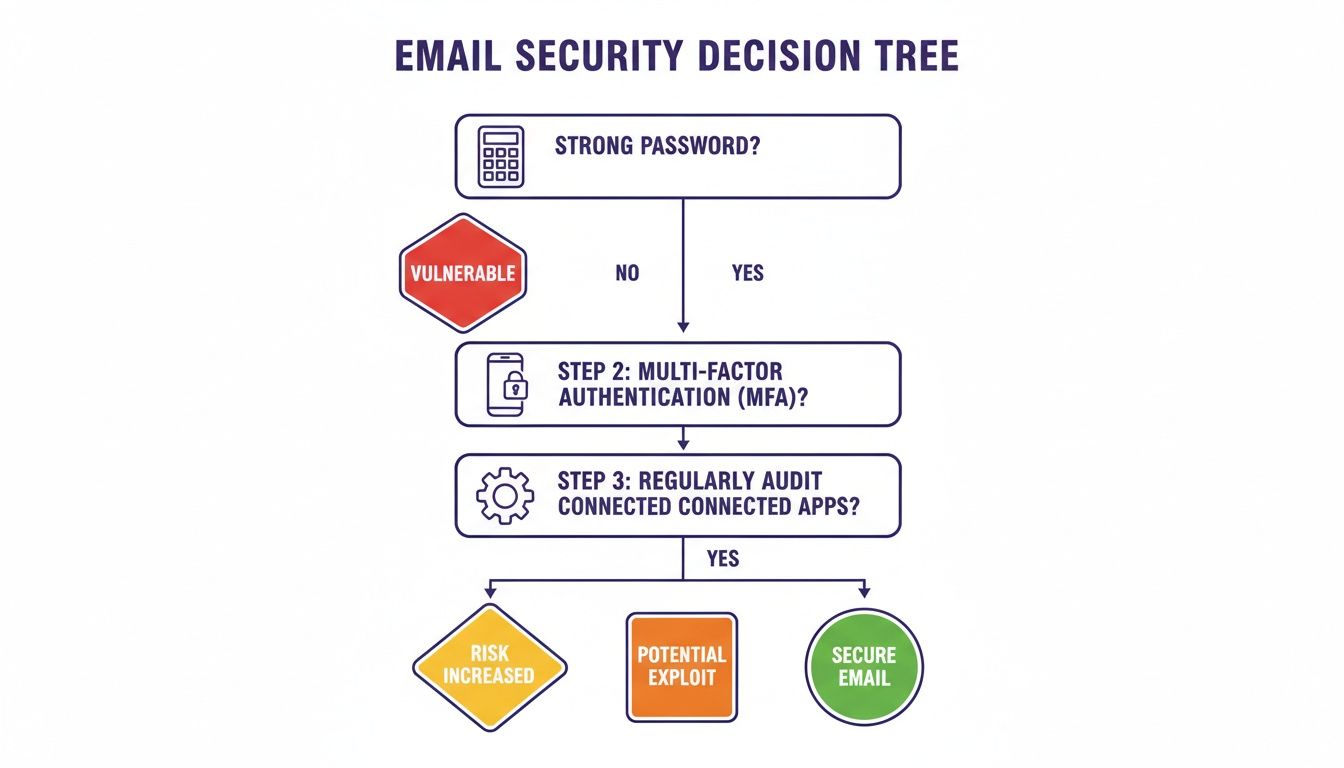
As this visual shows, your active defense strategy works best when it's built on a solid foundation of a strong password, multi-factor authentication, and regular app audits.
A Unified Defense for a Multi-Channel World
Scammers almost never stick to just one channel. A sophisticated attack might start with a phishing email, then follow up with a text message (smishing) or a phone call (vishing) to pile on the pressure and seem more legitimate. This is where many people get tripped up.
To combat these advanced tactics, many organizations rely on security awareness training programs to help reduce human error.
For your personal life, you need a solution that sees the whole picture. This is where an AI-powered service like the Gini Help app comes in. It provides a unified shield by screening not just your emails, but also your texts and phone calls. It identifies and blocks threats no matter how they try to reach you. You can download gini help app on Google Play: https://play.google.com/store/apps/details?id=com.theginigroup.ginihelp&hl=en_US and the App Store: https://apps.apple.com/us/app/gini-help-scam-protection/id6749169860. This ensures that even if a scammer pivots from your inbox to a text message, your defense holds strong.
Protecting Yourself Beyond the Inbox
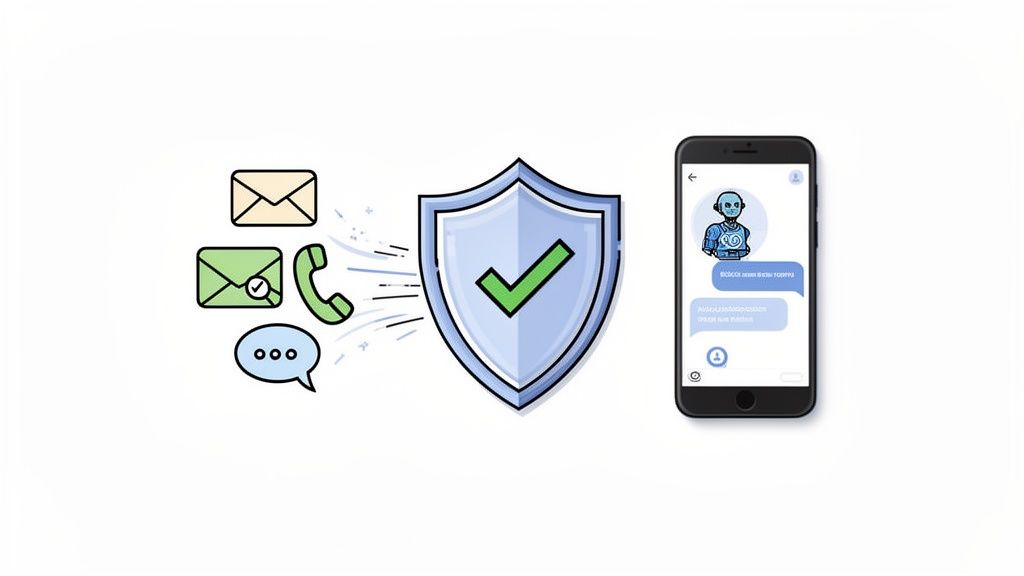
Spotting a sketchy email is a fantastic skill, but unfortunately, it's only one piece of the puzzle. Scammers know your inbox is just one way to get to you, and they rarely put all their eggs in one basket. They've learned to operate across multiple channels, often combining them to build a far more convincing and high-pressure attack.
A sophisticated con might kick off with a well-crafted phishing email. If you don't bite, they might follow up with a text message (a tactic called smishing) or even a direct phone call (vishing). By coming at you from different directions, they create a false sense of legitimacy and urgency that can rattle even the most skeptical person.
The Multi-Channel Attack Strategy
Think about it this way: you get an email claiming to be from your bank about a "suspicious transaction." You're cautious, so you ignore it. Good move. But an hour later, your phone buzzes with a call, and the caller ID looks eerily similar to your bank's number. The person on the other end brings up that exact same transaction, and suddenly, skepticism turns into real fear.
That’s the multi-channel strategy in action. By the time that call comes through, your defenses are already softened because the scammer has planted a seed of doubt. It's a classic social engineering trick—they're manipulating you to gain your trust and, ultimately, your money or information.
Scammers coordinate attacks across email, text, and phone calls to create an illusion of authenticity. When a threat seems to come from multiple sources, our brain is wired to think it must be real, pushing us to act first and think later.
This reality means your protection has to extend beyond your inbox. Relying on an email filter alone is like locking your front door but leaving all the windows wide open. To be truly secure, you need a solution that guards every possible entry point. You can learn more about how scammers use stolen data from one source to attack another in our guide on how to protect against identity theft.
Moving Beyond Outdated Blocklists
For years, the go-to defense against scam calls and texts has been the trusty old blocklist. It was a decent idea at the time, but it’s completely outmatched by today's scammers. They use technology to rapidly cycle through millions of new, "spoofed" phone numbers, making sure they always show up as a new, unknown caller. A blocklist is always playing catch-up.
A modern defense has to be smarter and more proactive. Instead of just reacting to numbers we already know are bad, it needs to analyze unknown contacts in real-time and figure out their intentions before they ever get to you.
This is exactly where an AI-powered security service changes the game.
Gini Help: A Unified Shield for Modern Threats
To fight a multi-channel problem, you need a multi-channel solution. The Gini Help app acts as a comprehensive shield, protecting you across emails, texts, and phone calls—all from one place. It uses advanced, conversational AI to screen threats, offering a level of security that a patchwork of separate tools just can't provide.
Here’s how it creates a true safety net:
- Smart Call Screening: When an unknown number calls, Gini Help's AI answers first. It has a quick, natural conversation with the caller to figure out if it's a real person, a robocall, or a potential scam. Your phone only rings if the call is confirmed to be safe.
- Live Call Analysis: For calls you choose to answer, Gini Help can listen in and analyze the conversation in real-time. If it picks up on suspicious language, high-pressure sales tactics, or other classic scam indicators, it gives you immediate on-screen alerts and vibrations, warning you of danger as it's happening.
- Integrated Email and Text Protection: The app also ties into your email and SMS. It uses the same powerful AI to scan for and neutralize phishing links, malicious attachments, and smishing attempts before you have a chance to fall for them.
This unified approach closes the gaps in your defense. It understands that a threat that begins in an email might end on a phone call, and it stands guard at every step of the way.
For caregivers, this kind of technology offers incredible peace of mind. You can set up Gini Help for a vulnerable parent or loved one, creating a powerful buffer that filters out the confusing and manipulative tactics scammers use to prey on older adults. It's a modern solution built for today's complex threats.
To secure all your communication channels, download Gini Help today from the Google Play Store or the Apple App Store.
Your Top Questions About Email Scams Answered
Even when you know what to look for, some situations can leave you feeling uncertain. Let's walk through a few of the most common questions I hear, with some practical answers to help you handle these threats with confidence.
What Should I Do If I Accidentally Clicked a Phishing Link?
Okay, it happened. We’ve all had that split-second of panic. The most important thing is to act fast, but don't freak out.
If you clicked the link but didn't type anything in, your first move is to pull the plug on your internet connection. Literally—turn off Wi-Fi or unplug the ethernet cable. This can stop a piece of malware in its tracks before it has a chance to "phone home." Once you're offline, run a full, deep scan with your antivirus and anti-malware software.
Now, if you did enter a password or other personal info, the clock is ticking. You need to immediately change that password on the site you thought you were on. And if you’ve reused that password anywhere else (we know we shouldn't, but many of us do), you need to change it there, too. Right now is also the perfect time to turn on multi-factor authentication everywhere it’s offered.
The moments after a mistaken click are critical. Acting quickly to sever the connection, scan your system, and change your credentials can significantly limit the potential damage a scammer can do.
As a final precaution, keep a close eye on your bank accounts and credit reports for any weird activity. It's also a smart move to place a free fraud alert on your credit file, which makes it harder for someone to open new accounts in your name.
Can I Get a Virus Just by Opening a Scam Email?
This is a really common fear, but you can breathe a little easier. With modern email platforms like Gmail, Outlook, and their competitors, it's incredibly unlikely you'll get a virus just from opening a message. They've built in some pretty robust protections to stop malicious code from executing automatically.
The real danger kicks in when you interact with the email's contents. The risk comes from:
- Clicking a shady link.
- Downloading and opening an attachment.
- Enabling "macros" in a document, like a Word or Excel file.
So, while opening the email itself is low-risk, the safest bet is still to just delete anything that looks suspicious without even peeking inside.
How Can I Protect My Elderly Parents from Email Scams?
Helping an older family member navigate this is all about a blend of patient education and smart technology. It’s not about being condescending, but about empowering them. Sit down with them and gently walk through the red flags we’ve covered, using real examples they might actually see—like a fake alert from their bank or a delivery notification.
On the tech side, you can often adjust their email filters to a more aggressive setting to catch more junk. Making sure their computer and phone are always running the latest software updates is also a huge help, as these updates often patch security holes.
A dedicated security service can be a real game-changer. Scammers know that older adults can sometimes be less tech-savvy, and they exploit that. A tool that provides protection across email, text messages, and phone calls creates a powerful safety net that catches threats from all sides. A great option is to download the gini help app on the Google Play Store: https://play.google.com/store/apps/details?id=com.theginigroup.ginihelp&hl=en_US and the Apple App Store: https://apps.apple.com/us/app/gini-help-scam-protection/id6749169860, as its multi-channel approach is why many caregivers find these solutions so valuable.
Are Scam Emails from Companies Like Amazon or Netflix Real?
This trick is called brand impersonation, and it's one of the most popular plays in the scammer's handbook because it works so well. They’ll craft an email that looks exactly like an official one from a company you trust—think Amazon, Netflix, or your bank—to fool you into giving up your login details on a lookalike website.
The dead giveaway is almost always the sender's email address. Hover over the "From" name and look at the actual address. It might have a sneaky misspelling (like support@netfl1x-billing.com) or be from a completely random domain.
Here's the golden rule: Never click the links or buttons in an unexpected email. If you get a security alert, just open a new browser window, type in the company's official web address yourself, and log in directly. If the alert is real, you'll see it in your account dashboard.
For a complete safety net that guards against these multi-channel threats, Gini Help offers an AI-powered shield for your emails, texts, and phone calls. It proactively screens and blocks scams before they can reach you, providing peace of mind for you and your loved ones. Download it today from the Google Play Store or the Apple App Store.