How to Stop Email Spam and Reclaim Your Inbox
By Josh C.
Getting a few stray junk messages is one thing, but if you want to truly stop spam, it takes a combination of smart digital habits, learning the tools your email provider already gives you, and sometimes, bringing in a bit of extra firepower. The best defense is a good offense—you want to stop your email address from getting on spam lists in the first place and have powerful filters ready to catch anything that still gets through.
The Never-Ending Battle for Your Inbox
If you feel like you're fighting a losing war against junk mail every time you open your inbox, you're not imagining things. The sheer volume of spam is overwhelming, turning what should be a simple communication tool into a daily battleground for your attention and, more importantly, your security.
The numbers are mind-boggling. We're now seeing a global tidal wave of 376.4 billion emails sent and received every single day. And the scary part? Somewhere around 46-47% of that—a stunning 176 billion emails daily—is just plain spam. The U.S. is actually the biggest source, pumping out between 8 and 9.1 billion of those junk messages a day. If you're curious, you can dig into more detailed spam statistics to see just how big this problem has become.
The Threats Have Gotten Smarter
Spammers have come a long way from the old, poorly written "Nigerian prince" emails we used to laugh at. These days, they’re using sophisticated automation and AI to craft incredibly convincing messages that are designed from the ground up to fool you and sneak past basic filters.
Here’s what makes the current wave of spam so much more dangerous:
- AI-Powered Phishing: Scammers are now using AI to write highly personalized phishing emails. These can look exactly like a real fraud alert from your bank, a shipping notification from Amazon, or even an urgent request from your boss. Current events, like the recent global elections, are often exploited, with scammers sending fake voter registration emails or political donation requests designed to steal personal information.
- Credential Harvesting: Many spam emails contain links that send you to a fake login page. It might look identical to your real banking or social media site, but its only purpose is to steal your username and password the second you type them in.
- Malware Distribution: That innocent-looking attachment or link can be a delivery mechanism for malware. One wrong click can install software that spies on you, steals your financial information, or locks your files for ransom.
This isn't just about deleting annoying clutter anymore. Modern spam is a direct threat to your digital safety. Every single one of those unwanted emails is a potential doorway to identity theft, financial fraud, or a hacked account.
Why You Need a Proactive Defense
Just deleting spam as it arrives is like trying to bail out a sinking boat with a teaspoon. It’s a reactive strategy, and you’ll never get ahead. A proactive, layered defense is the only way to truly protect your digital life. That means not only cleaning up the mess you have now but building habits and using tools that prevent most of that junk from ever reaching your inbox.
For many of us, especially those helping older parents or relatives navigate their digital world, the constant vigilance is exhausting. This is where an automated tool can be a game-changer. An AI-powered service like the Gini Help app essentially acts as a personal security guard for your communications, screening emails, calls, and texts for threats before you even see them.
You can take back control by downloading the app for your phone:
Understanding what you’re up against is the first step. Now, let’s build a defense that can stand up to this daily digital siege.
Mastering Your Email's Built-In Defenses
Your first and most powerful weapon against spam isn't a third-party app—it's already built right into your email account. Moving past just hitting the "spam" button is where the real progress begins. To truly reclaim your inbox, you need to get hands-on with the native tools in Gmail, Outlook, Yahoo, and iCloud.
Think of your inbox settings as a security guard you can train. Every time you mark a message as spam (or rescue a legitimate email from the junk folder), you’re teaching the algorithm what to watch out for. This consistent feedback makes its automatic filtering smarter and far more effective over time.
The sheer scale of the problem is staggering. We're not just talking about a few annoying emails; it's a daily deluge.
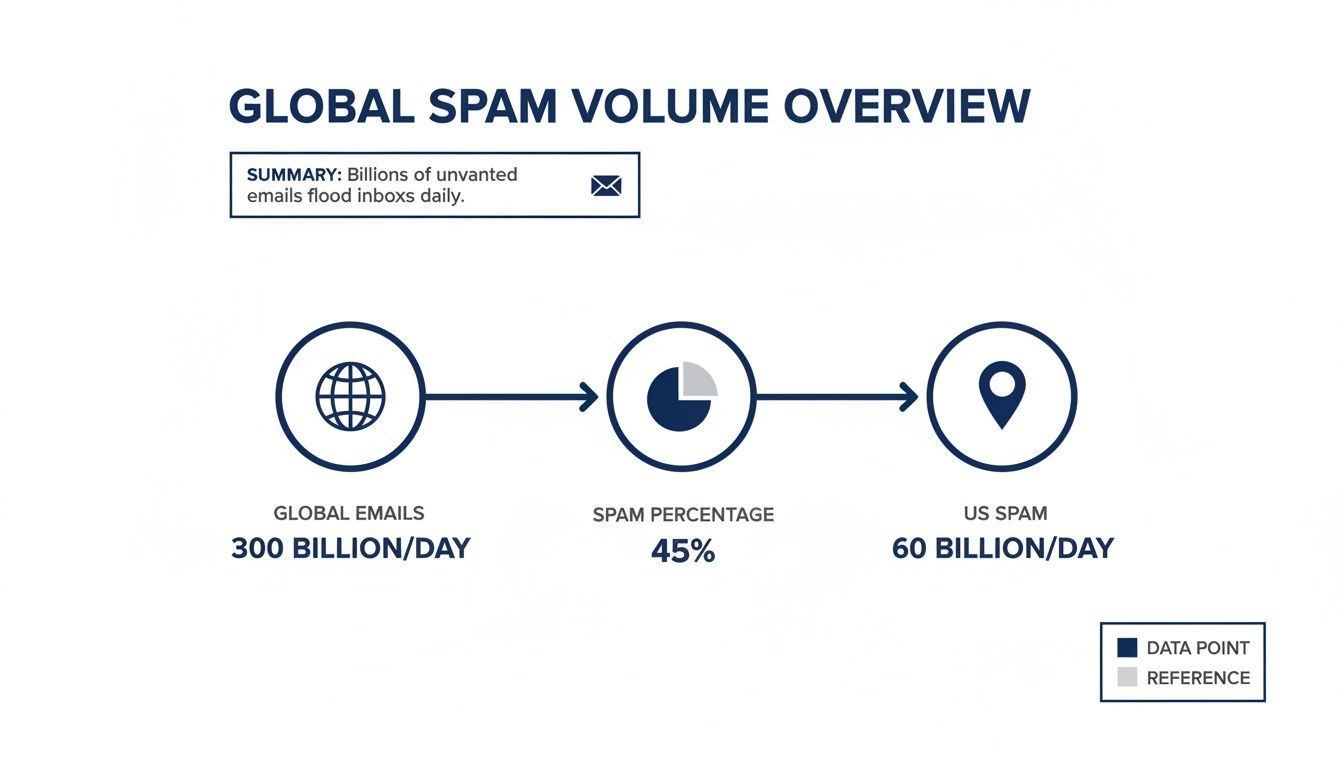
This data isn't just a statistic; it's the reason a proactive defense is so essential. With a massive chunk of all email traffic being unsolicited, your built-in filters are what stand between you and a completely unmanageable inbox.
Go Beyond Just Blocking Senders
Blocking a single sender feels satisfying, but it's rarely a long-term fix. Spammers churn through email addresses constantly, so a simple blocklist is like playing whack-a-mole. The smarter strategy is to create rules and filters based on the content of the junk mail itself.
For example, if you're getting hammered with fake crypto offers, don't just block the sender. Create a rule that automatically deletes any email containing phrases like "crypto giveaway" or "Bitcoin bonus." Now you're blocking an entire category of spam, no matter who sends it.
Here's another real-world scenario: My inbox used to get clogged with newsletters I wanted to read… eventually. Instead of letting them pile up, I created a filter that automatically moves any email from my favorite publications into a "Read Later" folder. My primary inbox stays clean, and my reading material is neatly organized for when I have time. You can learn more about how providers flag these messages in our guide on what "potential spam" really means.
Fine-Tuning Filters for Major Email Providers
Every email service gives you powerful tools to manage your inbox. The key is learning how to use the one you've got. They all have slightly different names for their features, but the core function is the same: putting you in control.
Before we dive into specifics for each provider, here’s a quick overview of what you can expect from the major players.
Email Provider Spam Filter Features at a Glance
| Feature | Gmail | Outlook | Yahoo Mail | iCloud Mail |
|---|---|---|---|---|
| Spam Folder | Yes (Junk) | Yes (Junk Email) | Yes (Spam) | Yes (Junk) |
| Custom Rules/Filters | Yes, very powerful | Yes ("Rules") | Yes ("Filters") | Yes ("Rules") |
| Block Sender | Yes | Yes | Yes | Yes |
| Report Phishing | Yes | Yes | Yes | Yes |
| Filter by Keywords | Yes | Yes | Yes | Yes |
| Filter by Sender | Yes | Yes | Yes | Yes |
| Auto-Sort to Folder | Yes ("Labels") | Yes | Yes | Yes |
As you can see, the core functionality is there across the board. Now let’s look at how to put it into practice.
For Gmail users: Its filters are incredibly robust. In the search bar, click the "Show search options" icon. This opens up a control panel where you can build rules based on sender, keywords, attachment size, and more, then tell Gmail exactly what to do with those messages—delete them, apply a label, or archive them automatically.
For Outlook users: Look for "Rules," which you can find under Settings > Mail > Rules. A great rule to create here is one that moves any message with "unsubscribe" in the body to a special folder. This corrals all your subscriptions in one place, making it easy to review and manage them.
For Yahoo Mail users: You'll find these settings under Settings > More Settings > Filters. One smart filter I've seen people use is to automatically send any email from a sender not in their address book to a "Review First" folder. It's a great way to isolate messages from unknown sources.
For iCloud Mail users: On the web version, go to Settings > Rules. You can set up a rule to forward specific emails, like online shopping receipts, to a separate email address you use for finances. It’s a simple trick that keeps your main inbox focused on personal communication.
The goal here is to automate your inbox so it practically cleans itself. A few well-designed rules can save you hours of manual sorting and deleting every month, creating a system that works for you around the clock.
But spam isn't just an annoyance; it's a serious security risk. Phishing, its most malicious form, accounts for 3.4 billion emails sent every day. These scams fuel over half of all global cybercrimes. This threat is especially dire for older adults, who are prime targets for the $12.5 billion lost to fraud annually—a staggering 96.8% of seniors report encountering spam. And with Gmail dominating 72.1% of the email market, its users are squarely in the crosshairs.
Beyond just filters, true security means learning how to identify phishing emails on sight. For an even stronger layer of protection, especially if you're helping protect a vulnerable family member, an AI-powered service is worth considering. The Gini Help app acts as a vigilant gatekeeper, screening emails, calls, and texts for scams before they can do any harm.
Take the next step in securing your digital world and download the app today.
- Get Gini Help on Google Play: https://play.google.com/store/apps/details?id=com.theginigroup.ginihelp&hl=en_US
- Download Gini Help from the App Store: https://apps.apple.com/us/app/gini-help-scam-protection/id6749169860
The Unsubscribe Button: When to Click It and When to Walk Away
We've all been there. You're staring at an email you never wanted, and your mouse is hovering over that tiny "unsubscribe" link at the bottom. But you hesitate. Is clicking it going to solve the problem, or will it just tell a spammer that your email is live and kicking, inviting an even bigger flood of junk?
That hesitation is smart. The truth is, that little link can be your best friend or your worst enemy.
For legitimate companies you actually remember signing up with—think major retailers, established newsletters, or services you use—the unsubscribe button is perfectly safe. In fact, they're legally required to honor your request. Click away.
But for the truly random, out-of-the-blue spam from senders you’ve never heard of? That link is almost always a trap. Clicking it is like raising your hand and telling the spammer, "Yep, this account is active!" That makes your address more valuable, and you can bet it'll be sold to other spammers. Suddenly, your spam problem is much, much worse.
Spotting a Safe Link vs. a Spam Trap
So, how do you know which is which? You have to play detective for a few seconds before you click.
Look for these clues:
- The Sender's Address: Take a hard look at the "from" address. Does it look professional, like
newsletter@wellknownbrand.com? Or is it a jumbled mess of characters from a domain you don't recognize, likekfg84h@randombiz.xyz? A sketchy sender is your biggest red flag. - Professional Polish: Legitimate companies invest in their emails. They have consistent branding and are free of obvious spelling or grammar mistakes. Sloppy, unprofessional-looking emails are a dead giveaway for spam.
- A Personal Touch: Does the email greet you by name? It's not foolproof, but legitimate senders usually will. A generic "Dear Customer" from an unknown sender should make you suspicious. Scammers often use generic greetings in things like a phony Apple ID scam email, too.
The golden rule is this: If you don’t recognize the sender or remember signing up, don't click "unsubscribe." Just mark the email as spam and delete it. This action trains your email provider’s filter without validating your address to the bad guys.
A Better Strategy: Disposable and Secondary Emails
An even better long-term strategy is to avoid this dilemma altogether by protecting your primary email address from day one.
Instead of giving your main email to every website that asks for it, set up a secondary or "disposable" email address. Use this account for things like newsletters, online shopping, loyalty programs, and one-off downloads. Think of it as a firewall for your digital life.
All the promotional clutter goes to your secondary inbox, which you can check whenever you feel like it—or just ignore. Your primary inbox, reserved for friends, family, work, and important financial stuff, stays clean and secure. And if that secondary account gets buried in spam? Just abandon it and create a new one. No big loss.
This frustration is incredibly common. Recent research found that 28% of Gmail users unsubscribe from mailing lists simply because the content feels too much like spam. It's a thin line between helpful marketing and outright noise.
For the ultimate, automated protection—especially if you're helping an older relative manage their email—a dedicated screening service is the way to go. The Gini Help app, for example, analyzes your emails for threats before they ever hit your inbox, automatically blocking spam and scam attempts.
You can add this powerful layer of security by downloading the app:
Proactive Habits for a Permanently Cleaner Inbox
If you really want to achieve lasting inbox peace, you have to switch from a reactive mindset to a proactive one. Constantly deleting spam is a losing battle. The only real way to win is to stop it from ever reaching you in the first place.
This means building a digital lifestyle that walls off your personal information and hardens your accounts against attack. It’s time to stop playing defense and start playing offense. Instead of just swatting away junk mail as it arrives, you’ll learn to make your online activities inherently resistant to spammers.
Lock Down Your Account with Two-Factor Authentication
Your first move, and it's a big one, is to enable two-factor authentication (2FA) on your email account. Think of your password as the lock on your front door; 2FA is the deadbolt. Even if a scammer manages to steal your password from a data breach, they still can't get into your account without that second piece of the puzzle—usually a code from your phone.
Even security experts get tricked. In a well-known case, a sophisticated phishing attack duped security pro Troy Hunt into giving up his credentials. The attackers logged in instantly and swiped his entire mailing list. The one thing that could have stopped them? Phishing-resistant 2FA, like a physical security key.
While many services only offer text-based codes, any form of 2FA is a massive upgrade over a password alone. It’s a non-negotiable step for securing your primary digital asset: your email account.
Use Email Aliases to Pinpoint Spam Sources
Ever sign up for a new service and suddenly get hit with a tidal wave of spam? It's a classic scenario. A powerful way to fight back is to stop handing out your primary email address to every website that asks for it. Start using email aliases.
Most major email providers have this feature built right in. With Gmail, for instance, you can just add a plus sign (+) and any word you want before the @ symbol in your address.
- Use
yourname+shopping@gmail.comfor all your retail sign-ups. - Use
yourname+news@gmail.comwhen you subscribe to newsletters. - Use
yourname+social@gmail.comfor social media accounts.
All the emails sent to these aliases land in your main inbox, but you can see exactly which address received it. If yourname+shopping@gmail.com starts getting hammered with junk, you know a retailer either sold your data or got breached. You can then just create a filter to automatically trash every single email sent to that specific alias. The spam is cut off at the source, and your real address stays clean.
You can dive deeper into safeguarding your communications in our guide on how to send secure email.
Special Considerations for Protecting Older Adults
Scammers often see older adults as prime targets, and their inboxes can quickly become a minefield of dangerous and confusing emails. Protecting them requires a smart mix of technology and patient education.
Key Protective Habits to Build:
- Simplify the Inbox: The goal is to make the main inbox a safe space. Set up aggressive filters that automatically shuttle any email from an unknown sender into a separate "Review" folder. This way, the inbox is reserved only for messages from trusted family and friends.
- Teach the Red Flags: Take the time to calmly and regularly discuss the tell-tale signs of a scam. Teach them to be instantly suspicious of any email that creates a sense of panic, asks for personal information, or is riddled with spelling and grammar mistakes.
- Implement an AI Shield: For caregivers, trying to manage a loved one's inbox can feel like a full-time job. This is where a service powered by AI, like Gini Help, can be a game-changer. It acts as a digital bodyguard, analyzing and blocking scams and spam before they ever have a chance to appear in their inbox.
Beyond just managing incoming mail, think about the bigger picture. Proactively erasing your digital footprint can drastically reduce how much of your personal data is floating around online for scammers to find and exploit in the first place.
For true peace of mind, especially when you're looking out for vulnerable family members, automating your defense is the most reliable strategy you can have.
Download the Gini Help app to provide a powerful, proactive shield against the daily onslaught of email threats.
- Get Gini Help on Google Play: https://play.google.com/store/apps/details?id=com.theginigroup.ginihelp&hl=en_US
- Download from the App Store: https://apps.apple.com/us/app/gini-help-scam-protection/id6749169860
When Your Own Defenses Aren't Enough: Bring in an AI Guardian
Let's be realistic. You can create the most iron-clad filters and practice perfect email hygiene, but the sheer volume and sophistication of modern spam can still feel like a losing battle. When you’re up against AI-driven spam campaigns, fighting back with manual rules alone is like bringing a knife to a gunfight.
This is where dedicated AI-powered screening services come into play. Think of them as a highly intelligent security guard for your inbox, offering a layer of protection that your email provider’s built-in tools just can’t replicate. Instead of just reacting to spam that's already known, these services proactively analyze incoming data in real-time, spotting threats before they ever get a chance to land in your inbox.
How AI Outsmarts the Spammers
An advanced AI screening tool doesn't just see a sender; it understands their intent. The technology goes far beyond simple keyword flagging and performs a much deeper, more contextual analysis of every single message.
Here’s a look at what a good AI service is doing behind the scenes:
- Sender Behavior: Is the sender's domain brand new? Does it have a known history of sending junk? AI systems tap into massive, constantly updated reputation databases to vet senders in an instant.
- Link Safety: Before a link even appears in front of you, the AI has already "clicked" it in a safe, isolated environment (a sandbox) to check for malware, phishing forms, or other nasty surprises.
- Language and Intent: Modern AI is incredibly good at picking up on the subtle linguistic tricks scammers use. It can spot the manufactured urgency, deceptive phrasing, and weird grammar that often signal a phishing attempt, even in an email that looks legitimate at first glance.
This proactive approach is critical. Even security experts get fooled sometimes. In a recent, high-profile case, security professional Troy Hunt fell for a cleverly crafted phishing email that slipped past his defenses, which led to his entire mailing list being stolen. It’s a sobering reminder that human error is always a variable—a single moment of distraction is all a scammer needs.
An AI-powered service acts as that crucial safety net, catching the threats that slip past human vigilance. It’s an automated layer of security that works 24/7, tirelessly protecting you from both annoying spam and genuinely dangerous scams.
A Security Blanket for Your Digital Life
For many of us, especially those looking out for vulnerable family members or juggling a hectic professional life, the mental energy spent on being constantly on guard is exhausting. An AI-powered service delivers more than just a clean inbox; it provides real peace of mind.
A service like Gini Help is a great example of this, acting as a comprehensive shield for your communications. It goes beyond just email, extending its protection to screen your phone calls and text messages, too. By integrating with major providers like Gmail, Outlook, and Yahoo, it creates a unified defense system that blocks threats across your most-used channels.
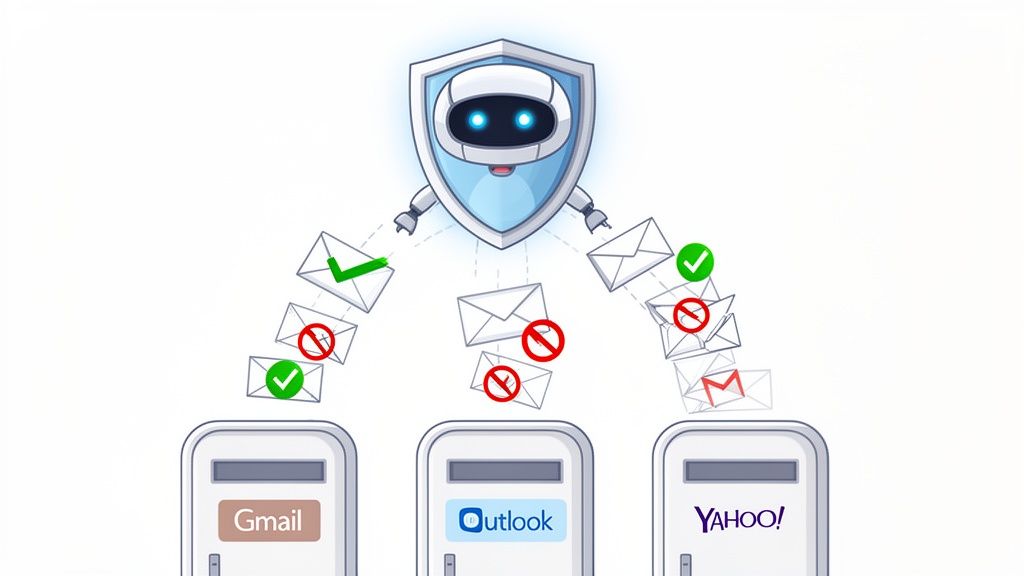
The idea is to automate your digital safety, giving you a powerful tool to shut down junk mail and scams without requiring constant hands-on effort from you.
If you’re tired of fighting a battle you can't win alone, it might be time to let an AI guardian take over. We strongly recommend downloading the Gini Help app to automate your protection and finally reclaim your inbox.
- Download on the App Store: Gini Help for iOS
- Get it on Google Play: Gini Help for Android
Your Top Spam Questions, Answered
Even with the best game plan, some common questions and myths about spam always seem to crop up. Let's clear the air and get you the straight answers you need to manage your inbox like a pro.
Will Replying 'STOP' to a Spam Email Actually Work?
Honestly? Almost never. It’s a tempting idea, but replying to a random, unsolicited email—even with "STOP" or "Unsubscribe"—is basically sending a signal flare to the spammers. You're telling them, "Hey, this email address is real and someone is checking it!"
This simple action confirms your address is active, which makes it a more valuable target for them and anyone they sell their lists to. You'll probably just open the floodgates for even more junk.
The only time this works is with legitimate newsletters or marketing from companies you know you signed up for. For everything else, the best move is to hit the spam button and delete it without a second thought.
Why Did I Suddenly Start Getting So Much Spam?
If your inbox feels like it's been hit by a tidal wave of junk mail out of nowhere, it almost always points to one thing: your email address was likely exposed in a data breach.
When a company you use gets hacked, customer email lists are a prime target for cybercriminals, who then sell or trade them. It can also happen if you've recently signed up for a sketchy website that sells user data to the highest bidder. A recent study confirmed that nearly 80% of companies that suffer a data breach end up exposing customer email addresses, making this a common cause of sudden spam influxes.
A great first move is to use a service like Have I Been Pwned to see if your email has been caught up in a known breach. Either way, changing your password immediately is a critical security step.
It's a sobering thought, but even the experts get caught off guard. Security researcher Troy Hunt, who created the very service mentioned above, fell for a sophisticated phishing attack himself. It’s a powerful reminder that it only takes one distracted moment, reinforcing the need for strong, automated defenses.
Can an AI Service Read My Personal Emails?
This is a totally fair question, and the answer comes down to how reputable services are designed. An advanced tool isn't interested in your family photos or weekend plans. Instead, it’s built to analyze email metadata, sender reputation, and structural patterns for red flags—all without a human ever laying eyes on your personal conversations.
Think of it like a security guard who checks IDs at the door but doesn't follow people around inside. The AI is trained to spot threat indicators like malicious links or classic scam language, automatically blocking the bad stuff. Your private emails stay private, but you get a powerful layer of protection.
Is It Worth Paying for an Anti-Spam Service?
For a lot of people, the answer is a resounding yes. Your email provider's built-in filters are good, and they catch a lot of the low-hanging fruit. But they often struggle against the sheer volume and increasing sophistication of modern threats.
A premium service acts as a more advanced, proactive shield. It saves you the time and mental energy of constantly sorting through junk and dramatically lowers your risk of clicking on a link that could lead to a costly scam. That small investment brings a cleaner inbox and, more importantly, peace of mind—something that's invaluable for busy professionals and anyone looking after a vulnerable family member. For robust, automated protection, we suggest downloading the Gini Help app from the App Store or Google Play.
Ready to take the guesswork out of email security? Let an expert handle the heavy lifting for you. Gini Help uses advanced AI to screen your emails, calls, and texts, blocking threats before they can ever reach you.
- Download Gini Help from the App Store
- Get Gini Help on Google Play