Personal Information Security in 2026
By Josh C.
In 2025, consumers filed about 3 million fraud reports describing $15.9 billion in losses, up from 2.6 million reports and more than $12 billion in losses in 2024, according to the Federal Trade Commission's 2026 testimony on fraud. That shift changes the personal information security conversation. Passwords still matter, but they're no longer the whole defense. Your phone, email, trusted vendors, family accounts, payment apps, and everyday conversations all form part of your identity perimeter.
The practical answer is to build layers that stop suspicious contact before you respond, limit the damage when a company leaks your data, and make recovery fast if something goes wrong. Use strong account controls, but also add proactive AI screening for calls, texts, and email. In 2026, waiting for a scam to become obvious is a poor security strategy.
The New Reality of Digital Threats
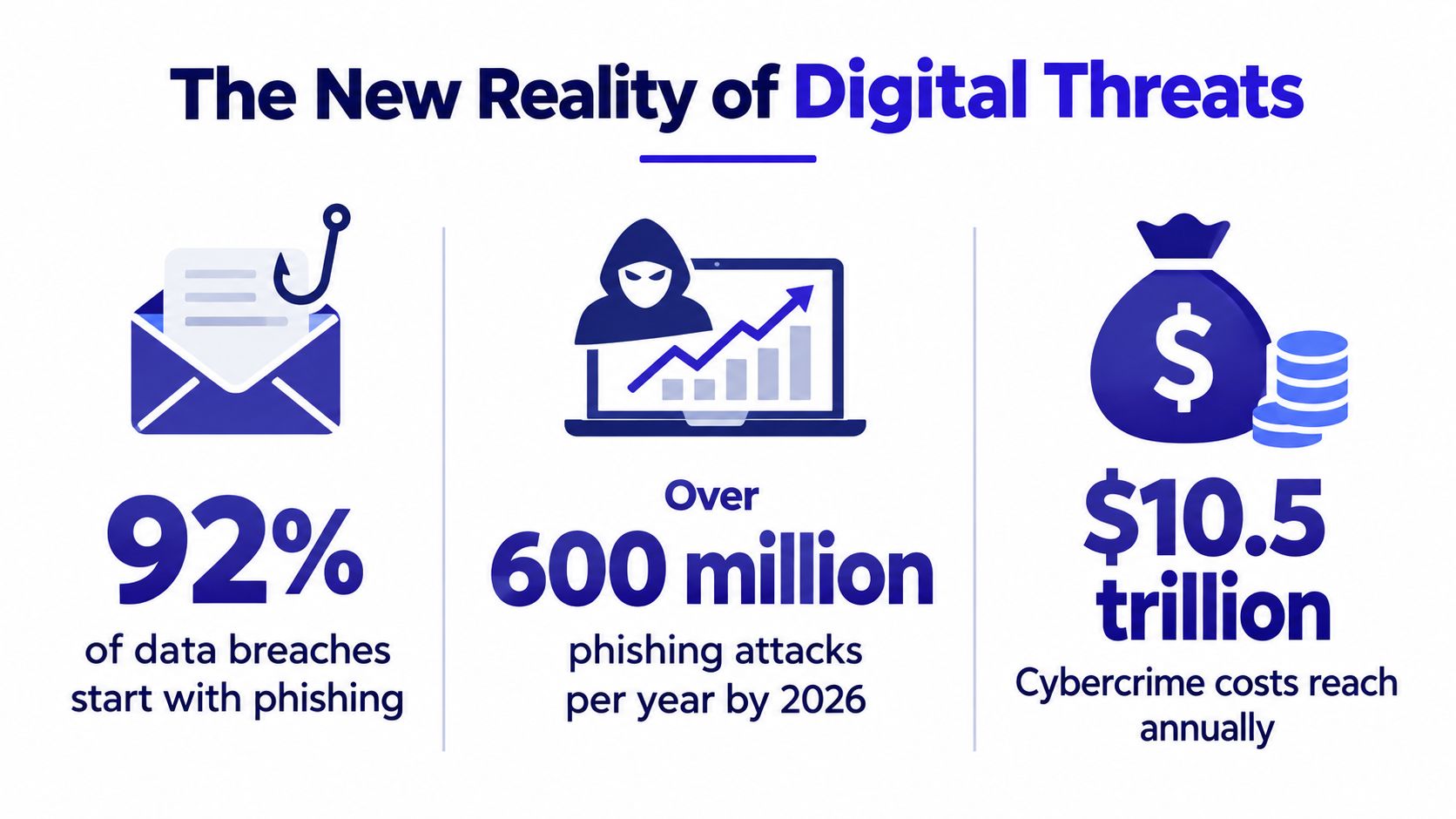
Fraud now operates at industrial scale. FTC testimony reported about 3 million consumer fraud reports and $15.9 billion in reported losses in 2025, compared with 2.6 million reports and more than $12 billion in losses in 2024 (FTC data and testimony). Many incidents go unreported, so every household should assume it may be targeted.
The Identity Theft Resource Center found that unauthorized access to a computer or mobile device became the leading compromise method for adults ages 35 to 64 for the first time in its reporting history. It represented 27.2% of identity compromises, up from 15.3% the prior year, a 78% increase (2026 ITRC Trends in Identity Report). People sharing personal information still caused 36.1% of compromises, down from 43.1%, which confirms that social engineering remains a major path to data exposure.
Why password advice falls short
Password hygiene blocks credential stuffing and reused-password attacks. It cannot stop you from approving a fraudulent transfer, giving an impostor a one-time code, installing a malicious app, or trusting a breached vendor.
The Anti-Phishing Working Group recorded 971,181 phishing attacks in Q1 2026, a 13.8% increase from Q4 2025. Social platforms were dominated by impersonation at 43.8% and scams at 27.1% (APWG Q1 2026 trends report). Attackers increasingly use compromised companies and real-time AI-driven social engineering to make false requests sound authentic. They do not need to break your password if they can persuade you to bypass your own controls.
Make proactive AI screening your first defense layer for unexpected calls, texts, and emails. Use it to flag suspicious language, impersonation signals, unusual payment requests, and messages that pressure you to act before verifying the sender. Then confirm important requests through an independently obtained phone number or trusted account portal.
Your phone is an information vault. It may hold authentication sessions, payment details, private messages, family contacts, photos, and cloud access. A stolen or compromised device can expose far more than one password.
Practical rule: Treat every unexpected request for money, credentials, personal details, or a verification code as hostile until you verify it through a separate channel.
The data lifecycle also includes disposal. Old phones, laptops, drives, and office equipment may retain personal information unless they are wiped and handled correctly. For secure equipment retirement, consult this Beyond Surplus Atlanta ITAD guide.
Use integrated threat intelligence guidance to connect signals across calls, messages, emails, and vendor alerts. A strong personal information security plan covers the device, the service provider, and the conversation around every request.
How Modern Scams Bypass Your Defenses
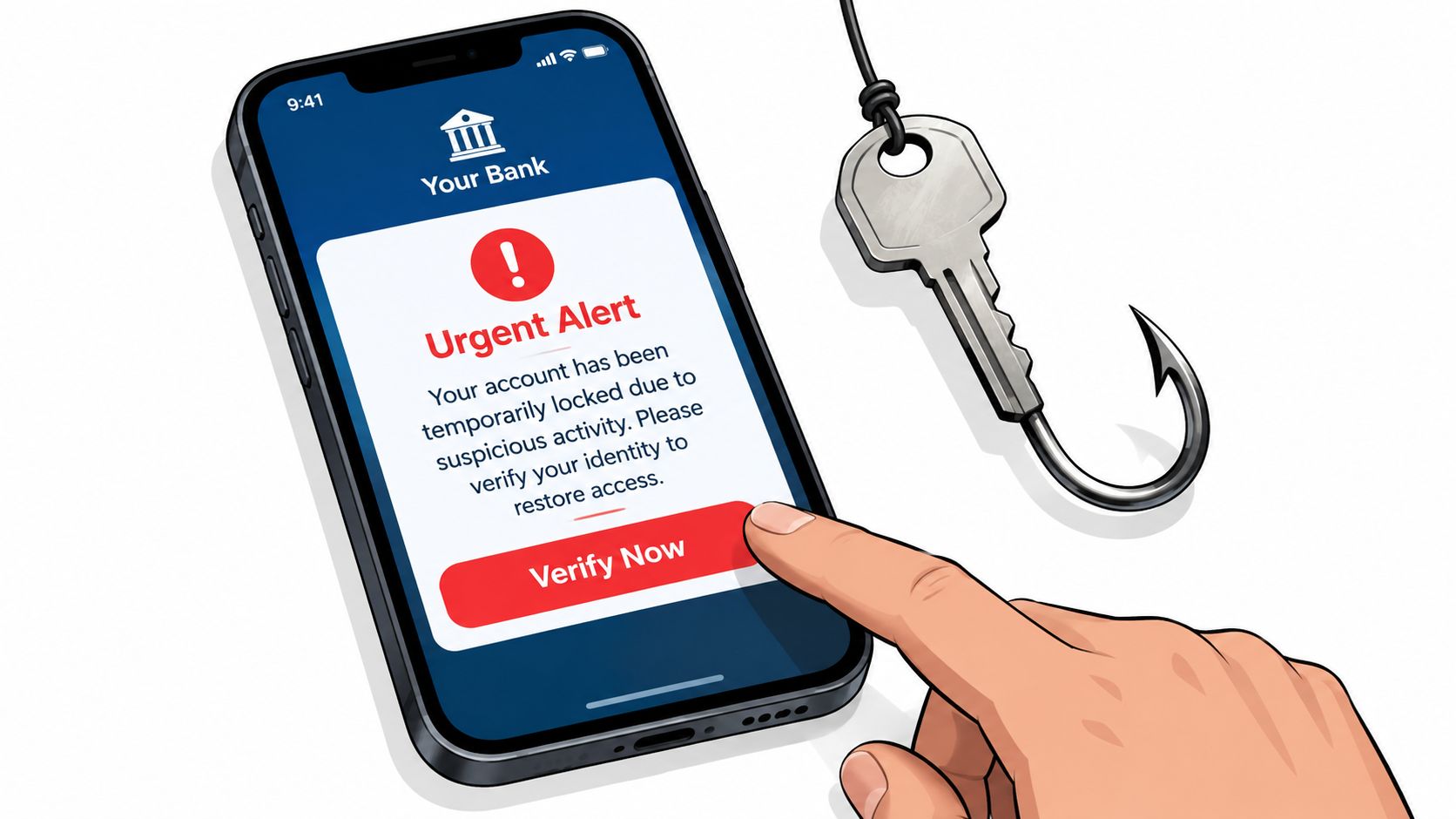
A modern scam usually starts with a believable alert, moves to a phone call, and ends with a request designed to override your judgment. The attacker does not need to defeat your password if they can make you approve access, reveal a code, or send money yourself.
You may receive a text claiming that your bank detected suspicious activity and instructing you to call immediately. The caller may know your name and mention a recent transaction. That sequence combines smishing, a fraudulent text message, with vishing, a deceptive voice call. The attacker creates a problem, offers a solution, then asks for information supposedly needed to protect your account.
The request could involve a one-time code, full card number, login approval, or transfer to a supposedly protected account. The danger lies in the progression. Each step makes the next demand seem more credible.
The pressure tactics that work
Scammers choose familiar situations because they reduce suspicion:
- Delivery pressure: A message says a parcel is delayed and asks you to confirm an address or pay a small fee.
- Bank urgency: A caller claims your account is under attack and insists that you stay on the line.
- Family distress: Someone impersonates a relative who needs money immediately and cannot speak freely.
- Account warnings: An email threatens suspension unless you sign in through its included link.
- Investment promises: A contact builds trust, then pushes a high-value decision before you consult anyone.
These attacks also spread through compromised vendors, familiar platforms, and convincing profiles. A name, logo, or recent transaction reference can create false trust even when the request is fraudulent. AI-generated messages and voices make tone, grammar, and apparent familiarity less reliable warning signs.
Your response should interrupt the sequence
Do not click an unexpected alert or call the number inside it. Open your bank's official app, or type its known website address yourself. If someone claims to be a family member, call a number already saved in your contacts.
Use proactive AI screening as the first filter for unexpected calls, texts, and emails. Screening should flag impersonation signals, unusual payment requests, suspicious wording, and pressure to act before verification. It should support your judgment, not replace it. Confirm important requests through an independently obtained number or a trusted account portal.
For suspicious calls, reputation-based filtering can identify known patterns, but reputation alone cannot keep up with rotating numbers and impersonated organizations. This reputation-based filtering guide explains why screening should assess an interaction's context and behavior, not only the caller's number.
A caller who demands secrecy, bypasses normal procedures, or becomes offended when you verify the request is providing useful evidence. End the interaction. Legitimate banks, delivery companies, and government agencies can tolerate independent verification.
Protecting Older Adults from Targeted Fraud
Older adults deserve protection without losing independence. The FTC's 2025 data showed people age 50 and older reported $4.3 billion in fraud losses, compared with $2.3 billion among younger adults (FTC older-adult fraud data summarized by AARP). Those figures make fraud prevention a family responsibility, not a judgment about someone's intelligence or technical ability.
Scammers target older adults because they often combine savings, home equity, retirement income, and established credit with a willingness to answer calls from unfamiliar people. They also exploit situations where a person may feel embarrassed about asking for help. A victim who fears criticism may hide the incident, giving the scammer more time.
The most effective family intervention is a safety net that preserves control. Agree in advance that any unusual payment, investment opportunity, password request, or emergency involving a relative gets a second conversation before money moves.
Guardrails that respect autonomy
Start with practical agreements:
- Create a verification phrase. Use it for unusual family requests, especially those involving money or travel.
- Set transaction alerts. Let the account holder see activity quickly without requiring a relative to manage every purchase.
- Use trusted contacts. Banks and investment providers may offer procedures for reaching someone if suspicious activity appears.
- Review remote-access tools. Legitimate support rarely requires an unknown caller to control a computer.
- Discuss scams regularly. Short, calm conversations work better than a single frightening lecture.
Watch for sudden secrecy, unexplained withdrawals, unfamiliar subscriptions, new “friends” requesting money, or repeated calls from supposed authorities. These signs don't prove fraud, but they justify a private, respectful check-in.
Family standard: Nobody should have to decide under pressure. A request can wait while the recipient verifies it independently.
Older adults also need protection across voice, text, and email. Blocking obvious spam helps, but it won't address a convincing impostor who uses a fresh number or a compromised account. The senior fraud prevention guide provides additional ideas for building supportive routines rather than relying on memory during a stressful interaction.
If fraud occurs, avoid blame. Secure the account, preserve evidence, and report the incident. Shame helps the scammer, not the victim.
Your Step-by-Step Device and Account Hardening Checklist
Start with controls that remove the most opportunity from attackers. Don't spend an afternoon changing low-risk settings while leaving your primary email and financial accounts protected only by a password.
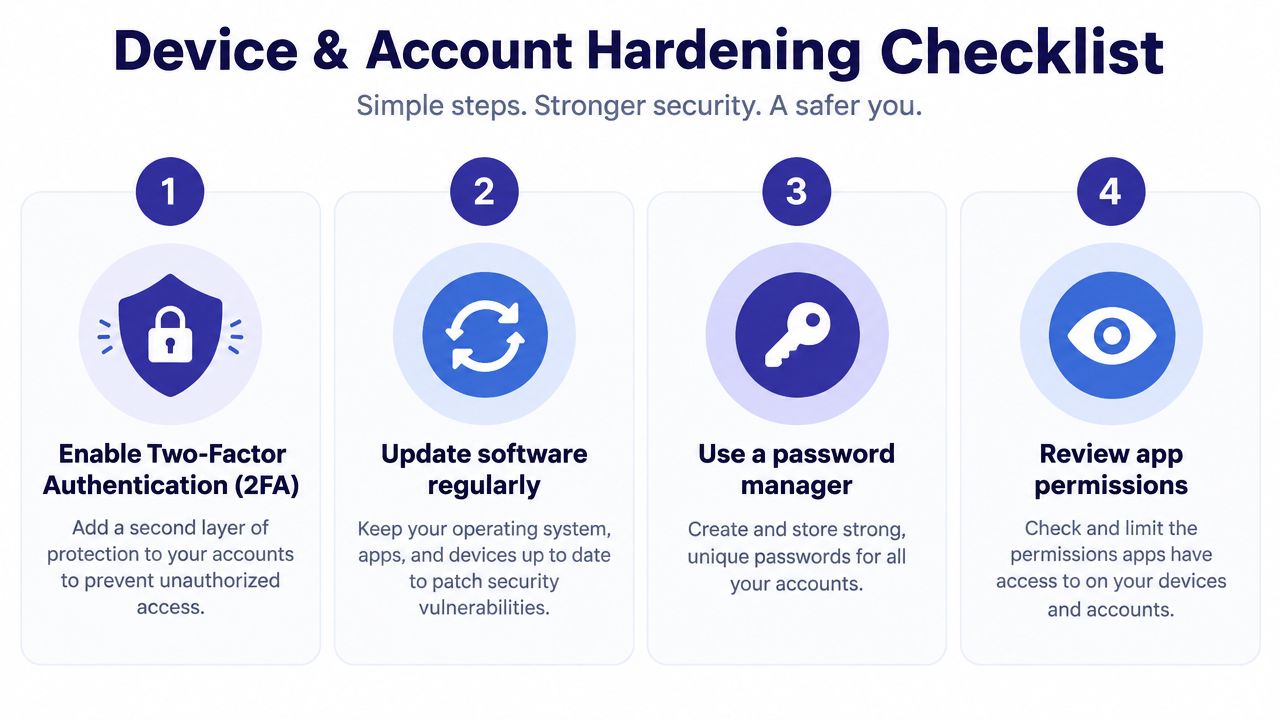
1. Turn on MFA for important accounts
Enable multi-factor authentication on email first, then banking, payment services, cloud storage, social media, and your mobile carrier account. An authenticator app or hardware security key is preferable where available, though text-based codes are still stronger than password-only access.
Microsoft's measurement study reported a 99.22% reduction in compromise risk for users with MFA enabled, with more than 99.99% of MFA-enabled accounts staying secure during the study period (Microsoft MFA measurement summary). The same study reported a 98.56% reduction even when passwords had already leaked. MFA doesn't stop every attack, but it makes stolen passwords far less useful.
2. Secure the phone itself
Use a strong device passcode, biometric authentication, automatic updates, and remote-find and erase features. Install apps only from official stores, remove apps you no longer use, and review permissions for contacts, microphones, cameras, location, and notifications.
Email deserves special treatment. Protect the recovery address, remove unfamiliar forwarding rules, and never approve an account sign-in you didn't initiate.
3. Make passwords unique
Use a password manager to generate and store a different password for every important service. Your email password should be unique because control of email often enables password resets elsewhere. Don't store passwords in notes, reuse one across family services, or share them through ordinary text messages.
4. Add proactive screening
Traditional spam databases can miss new numbers and convincing impersonation. Gini Help is one option for screening calls, texts, and emails through a single app. Its Live Call Analysis can provide real-time scam detection during calls you answer, including a risk score and haptic warnings when it detects threats.
You can download Gini Help on Google Play or get it from the App Store. Use it as an additional screening layer, not as permission to ignore basic account security.
This video provides a visual walkthrough of account and device protection:
Managing Third-Party Breaches and Vendor Risks
You can't personally secure a company's database. You can choose what information to give a service, separate accounts from one another, and respond quickly when a vendor discloses exposure.
The 2025 Data Breach Report from the Privacy Rights Clearinghouse found service providers were involved in 8 of the 20 largest breaches, affecting 231 million of 375 million individuals in those breaches. The most common notification window was 91 to 180 days later. That delay means you may not know that a vendor exposed your information until attackers have already tested or reused it.
Reduce the blast radius before a breach
Use a separate email alias for retailers, newsletters, and lower-trust services. Reserve your primary email for banking, healthcare, government, and close personal contacts. If one address appears in a breach, the separation makes suspicious messages easier to identify.
Use virtual card numbers where your bank supports them, limit saved payment details, and delete accounts you no longer need. A password manager helps you identify which services share a password, while credit monitoring and account alerts can reveal misuse after disclosure.
Vendor risk also applies to networks. On shared or public WiFi, avoid sensitive account activity unless the connection is trusted and encrypted. Review the privacy features of guest WiFi when choosing or configuring a network for visitors, because convenience shouldn't require collecting more personal information than necessary.
When a breach notice arrives, read what was exposed. Email exposure calls for stronger phishing awareness. Social Security or financial data requires more serious identity and credit monitoring. A generic password reset may be inadequate if the exposed information includes identity documents or account recovery details.
Incident Response and Recovery Playbook
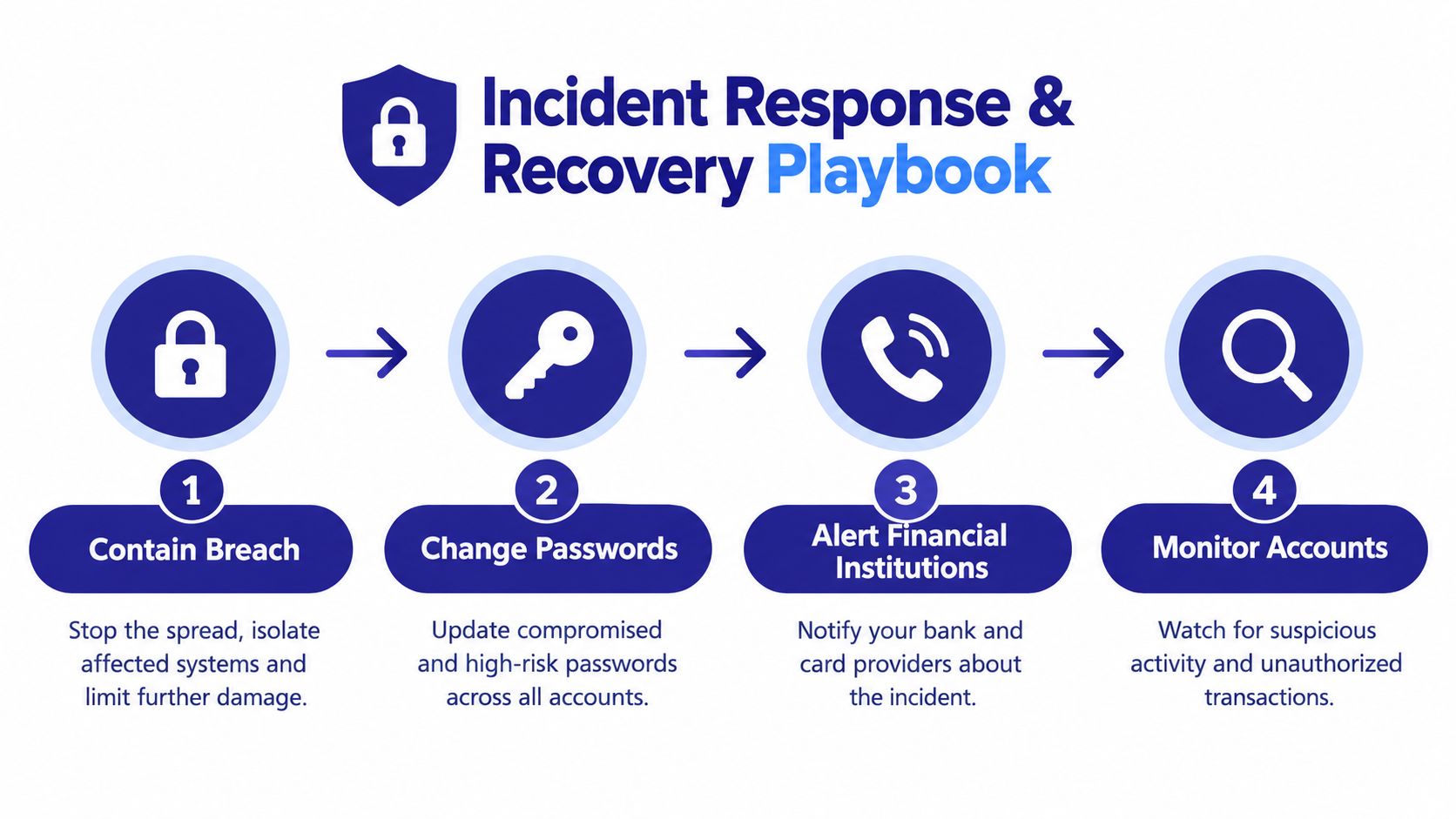
Panic creates openings for attackers. Follow a fixed order, preserve evidence, and record each action while details remain fresh.
First, contain the access
Stop communicating with the scammer. If malware or remote access may be involved, disconnect the suspected device from the internet. Use a clean device to change the affected account's password, then update every account that reused it.
Turn on MFA immediately. Sign out of active sessions, remove unknown devices, revoke suspicious connected apps, and inspect email forwarding and recovery settings. These checks can stop an intruder from restoring access after a password change.
Next, protect money and identity
Contact your bank, card issuer, payment app, or investment provider through an official number. Explain what happened and ask which transactions can be stopped, reversed, or monitored. If identity information was exposed, place a credit freeze with the relevant credit bureaus and follow the provider's identity-theft instructions.
Report consumer fraud through the Federal Trade Commission. If the incident involved online crime, submit a complaint to the FBI's Internet Crime Complaint Center. A report creates a record that can help authorities connect related incidents.
Preserve evidence and monitor
Save texts, emails, caller IDs, payment receipts, wallet addresses, screenshots, and account notifications. Record dates, names used, requested actions, and when you recognized the problem. Do not delete evidence before financial institutions or investigators review it.
Tell family members if shared passwords, payment accounts, devices, or contacts may be involved. Keep checking statements, login alerts, credit files, and password-manager warnings for follow-up activity. Use AI screening for suspicious calls, texts, and emails, but verify urgent requests through an official channel before taking action.
Building Long-Term Security Habits and Resources
Personal information security works best as a routine, not a one-time cleanup. Review account access, device updates, app permissions, payment alerts, and recovery methods regularly. Keep learning from the FTC, the FBI's IC3 program, the Identity Theft Resource Center, and the Anti-Phishing Working Group, especially when a new scam reaches your community.
The strongest mindset shift is from reactive defense to proactive filtering. Password managers and MFA protect accounts after an attacker reaches a login screen. Screening tools can help prevent the suspicious call, email, or text from becoming a conversation in the first place.
Families should also create a shared response plan. Decide who gets notified after a suspicious payment, where evidence is stored, and which official numbers are safe to use. That preparation reduces hesitation when someone is frightened or under pressure.
Automation can make good habits easier to maintain. Gini Help provides screening across phone calls, email, and SMS, while Live Call Analysis can flag risks during calls you answer. It should sit alongside MFA, unique passwords, updates, credit monitoring, and careful verification.
Gini Help screens calls, texts, and emails to help identify spam and scams before they demand your attention, with real-time analysis available during calls you answer. Visit Gini Help to add proactive protection to your personal information security routine and help safeguard your household across communication channels.