7 Spam Call Prank Ideas for Safer Scam Awareness
By Josh C.
A harmless family joke can become a useful lesson when someone receives an unexpected call and has to decide whether to answer, verify, or hang up. But a surprise “spam call prank” can also create fear, embarrass a loved one, or make a senior less willing to answer legitimate calls. The safe boundary is clear: every simulation must be announced or consent-based, must never request money, passwords, account numbers, or other sensitive information, and must end with an immediate debrief.
The seven exercises below focus on practical skills, including callback verification, red-flag recognition, voice analysis, SMS safety, email awareness, and protection against impersonation scams. They also connect practice with blocking, reporting, caregiver safeguards, and Gini Help's multichannel protection. For additional emergency-communication context, families can review this 911 dispatch app resource. You can also download Gini Help on Google Play or get it from the App Store.
Legal and ethical caution: Don't spoof caller ID, impersonate a bank, police officer, healthcare provider, or relative without checking applicable law and obtaining informed consent. Recording calls may require permission from everyone involved. Stop immediately if anyone becomes distressed.
1. The Educational Callback Test Teaching Scam Recognition Through Simulated Calls
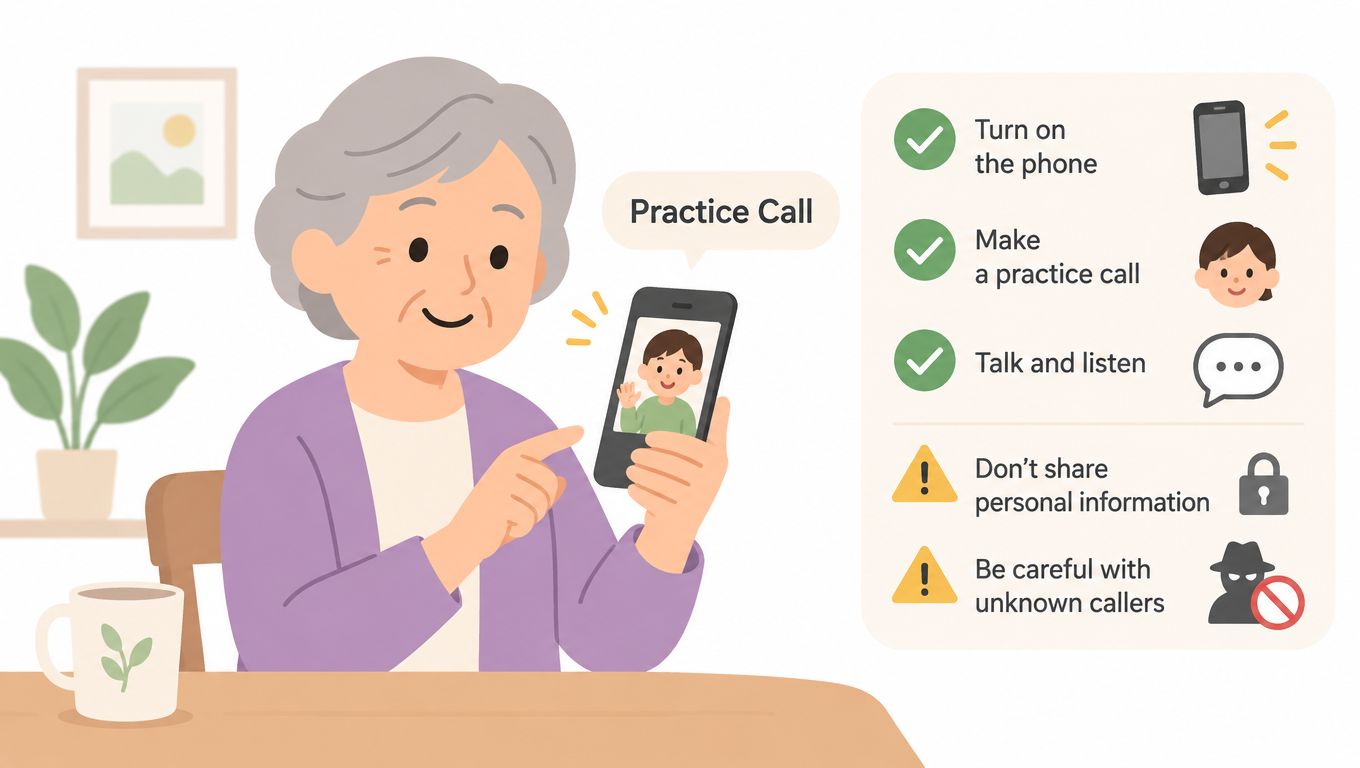
A scheduled callback can teach a person what a suspicious conversation feels like without exposing them to a real scam. A family member or caregiver might arrange a short role-play about a fictional delivery problem, account notice, or service appointment. The participant should know beforehand that a practice call will happen, even if they don't know the exact wording.
The exercise works because it turns abstract advice into a repeatable response. The participant can practice refusing pressure, ending the call, locating an official phone number independently, and calling back through a trusted channel. Don't use a real company's branding, a real account detail, or a message that suggests immediate danger.
For background, the FCC's telemarketing and robocall guidance explains how U.S. protections developed from the Telephone Consumer Protection Act of 1991 through later FCC rules, the National Do Not Call Registry, and tighter consent requirements. That history helps families explain why unsolicited automated calls deserve caution without portraying every unknown caller as dangerous.
Make the callback useful
Choose a calm setting and keep the scenario short. Afterward, ask what felt suspicious and which action felt easiest.
- Schedule the drill: Confirm the participant understands that the call is practice.
- Use a safe script: Include no payment request, credential request, or personal information prompt.
- Practice independent verification: Have the participant find a trusted number rather than using one supplied by the caller.
- Record learning, not private details: Note whether the participant paused, challenged the caller, or ended the conversation.
- Add a protection layer: Consider installing Gini Help so unknown calls, texts, and emails can be screened during real-world situations.
For more practical signs to discuss after the exercise, use this guide to identify scam calls. The aim isn't to make someone suspicious of every call. It's to give them a calm routine they can use when a caller creates urgency.
2. The Verify the Caller Challenge With Gamified Call Verification
A family can turn caller verification into a short, consent-based challenge. Announce a “verify the caller” week in the family group chat, then arrange brief role-plays around organizations the participant knows, such as a utility provider or medical office. Reveal the exercise once the participant verifies the request or politely ends the call.
The lesson is simple: familiar details do not prove identity. A caller might know someone's name, approximate address, or service provider and still be untrustworthy. Verification works like checking a label against the original package. The participant pauses, avoids any number supplied during the call, and finds the organization's contact details through its official website, statement, or saved contact.
Use points to reward the routine, not to embarrass anyone who misses a clue. The participant can earn credit for:
- Asking for the caller's name, department, and reason for calling.
- Saying, “I do not make decisions during an unsolicited call.”
- Ending the conversation without arguing.
- Finding the organization's official contact information independently.
- Confirming whether the request was genuine.
Begin with an obvious fictional request. Add more natural conversation only after the participant feels comfortable. Never imitate a real employee's voice, use caller-ID spoofing, or suggest that a bank, government office, or relative is in immediate danger. A caregiver can observe with permission and help record whether the participant paused, verified independently, or reported the attempt.
A strong verification habit is simple: end the unsolicited conversation and start a new one through a trusted channel.
Caller ID is not proof of identity. The caller verification guide can support the discussion. Gini Help can also screen unknown calls, texts, and emails and provide live analysis when someone answers. These tools reduce pressure on the recipient while leaving the final decision with the person and their agreed family safeguards. After practice, families can block and report suspicious contacts so the exercise leads to protection beyond the role-play.
3. The Spot the Red Flags Voice Message Prank With Scam Audio Analysis
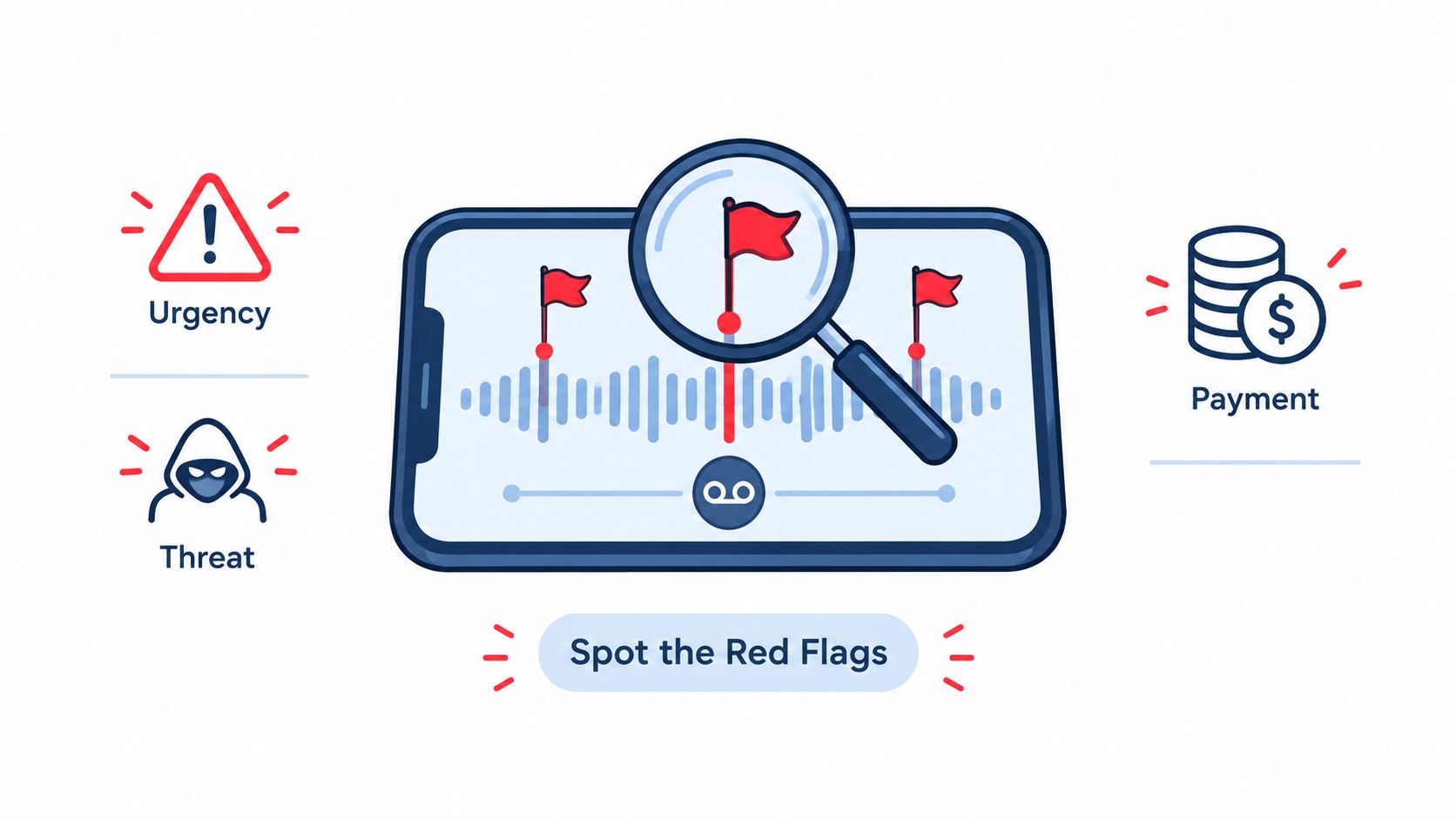
A voicemail arrives during the agreed practice window. The participant already knows it is fictional, so the exercise focuses on recognition rather than surprise. A family member or caregiver can listen alongside them, with permission, and pause the recording whenever a phrase needs discussion.
Create a short message using invented names, organizations the participant uses, such as a utility provider or medical office, and a clearly fictional request. Begin with one obvious warning sign, then add more natural conversation only after the participant feels comfortable. Never imitate a real person's voice, use a real caller's recording, or create fear about an actual account or relative.
Impersonation can sound convincing. The FCC's guidance on deepfake audio and video explains that AI-generated voice calls fall under robocall rules and warns that voice cloning can support imposter scams, misinformation, product promotion, and theft of money or personal information. The lesson is simple: a familiar voice is a clue to verify, not proof of identity.
Mark the pressure points
Play the message once without interruption. Then ask the participant to name the tactic before showing the answer:
- Urgency: Is action demanded before the listener can think?
- Threats: Does the message suggest arrest, account closure, or another frightening consequence?
- Payment pressure: Does it request gift cards, transfers, cryptocurrency, or another unusual payment method?
- Secrecy: Does it discourage contacting family or the named organization?
- Identity claims: Does it depend on a familiar voice rather than independent verification?
A checklist supports memory without turning the activity into a test. Afterward, delete the recording and rehearse the response: pause, verify through an official channel, block the number, and report the attempt. If a bank, government office, or family member is in real trouble, the participant should contact them independently. Gini Help's voice pattern analysis information can support live call awareness, while caregivers and families set safeguards together. Automated analysis can assist, but the person retains the final decision.
4. The Text Message Authentication Prank With SMS Phishing Simulation
A scam may shift from a phone call to a text. The caller could tell someone to expect a message, confirm an identity, click a link, or continue the conversation in another app. A consent-based SMS exercise teaches that the follow-up message deserves its own security check, even when the original caller sounded familiar.
Explain the exercise first and offer a clear opt-out. Send only from a fictional sender to an educational destination controlled by the family or organization. Do not imitate a real bank, healthcare provider, delivery company, or government service. The message must not collect information, request credentials, or trigger a login.
The connection between voice and text abuse also matters. Government guidance treats robocalls and robotexts as related forms of unwanted communication, and the FCC reported more than 24,000 consumer complaints about unwanted text messages in 2024 through October in its spoofed robocalls guidance. Use that figure to explain the shared risk, not to suggest that every text is fraudulent.
Give the participant a message that can be examined safely, without opening its link. Ask what they would do, then discuss the reasoning:
- Pause: Wait until the pressure or alarm has passed.
- Inspect: Review the sender, wording, and destination without tapping.
- Verify elsewhere: Use the official app or type a known website address manually.
- Report and delete: Use the device or carrier reporting tool when appropriate.
- Tell a trusted person: Share requests involving money, identity, or account access.
The exercise works because it separates recognition from reaction. A participant practices spotting pressure, then repeats the safer habit until it feels automatic. Confirm immediately that no real account was tested, delete the simulation, and rehearse how to block and report a genuine message.
Gini Help can screen calls, texts, and emails in one app, supporting multichannel protection. Caregivers and families can also agree on safeguards, while the user keeps the final decision and reports suspected fraud to the relevant provider or official authority.
5. The Reverse Scam Awareness Prank Through Role Reversal
A role-reversal exercise can make manipulation easier to spot because the participant has to build the pressure tactics instead of receiving them. In a supervised setting, one person creates a clearly fictional call or message and plays the role of the urgent caller. The scenario can use an invented prize, a fake delivery problem, or a made-up account alert. Everyone must know it is only practice, and the script must forbid real money, credentials, personal data, and threats.
The value comes from seeing how quickly a request feels persuasive once urgency, authority, familiarity, or secrecy enters the script. A caregiver can pause the exercise and ask, “Which part was meant to make the other person act before checking?” That keeps the discussion focused on technique, not blame.
A calm setup matters.
Use a facilitator who can stop the exchange and reframe the wording if it starts to feel too real. For older adults, avoid scenarios involving real grandchildren, medical emergencies, bereavement, or past victimization unless a qualified professional has designed the session and the participant has given specific consent.
A simple fraud-literacy chart can keep the lesson clear:
- The claimed identity: Who did the caller pretend to be?
- The requested action: What did the caller want the person to do?
- The pressure tactic: What made the request feel urgent?
- The safe alternative: Which official channel could verify it?
- The stopping point: What phrase would end the conversation?
End by praising the person for noticing a tactic, even if they needed help. Do not call a missed clue careless. Scammers refine scripts to exploit normal human responses, and a calm practice setting should build confidence rather than shame.
Gini Help's live call analysis can add a risk score and haptic warnings during calls a user answers, including signals tied to urgency, pressure, and requests for money. Treat that support as one more prompt to pause, not as permission to keep talking to a suspicious caller.
6. The Email Fraud Simulation With Phishing Inbox Testing
An unfamiliar email appears in a participant's inbox, using a familiar service name and asking for an immediate response. A consent-based simulation turns that moment into scam-literacy practice. Participants learn to inspect the sender, question an unexpected request, avoid suspicious links, and report the message instead of reacting automatically.
Tell everyone through a trusted channel when the exercise will take place. Send a clearly fictional email during normal inbox use, then give immediate feedback if someone clicks or replies. The landing page should explain the lesson without collecting credentials, installing software, or recording behavior beyond what participants expressly agreed to share.
Examine the message before opening anything
Ask the participant to review the email on screen and explain each choice:
- Sender details: Does the full address match the organization's legitimate domain?
- Request context: Was the recipient expecting an invoice, reset notice, or document?
- Link destination: Does the destination match the service named in the message?
- Pressure language: Does it threaten closure or demand immediate action?
- Safe route: Can the recipient open the official app or type the known website manually?
Use fictional organizations rather than a participant's real bank, healthcare provider, employer, or family member. The exercise teaches the same inspection habit without creating avoidable anxiety. Leave out shortened links, attachments, and content resembling a real password-reset workflow.
Afterward, demonstrate how to report and delete the email. Repeat the reporting habit in Gmail, Outlook, Yahoo, and iCloud, since the buttons differ while the underlying decision stays the same. Caregivers can help by confirming that account recovery details and family contact methods are current, without reading private messages or taking control of the participant's inbox.
If Gini Help is connected to a supported email account, its multichannel protection can provide another screening layer. The participant should still verify unusual requests through an independent, known channel. Practice works like a fire drill: it builds a pause-and-check response, while account settings, reporting tools, and caregiver safeguards help make that response easier to use later.
7. The Grandparent Scam Simulation For Sensitive Fraud Education
A fictional “grandchild” calls with an urgent problem and asks for money. The family has agreed to the exercise, reviewed the script, and chosen a stop signal. The participant knows it is practice, and the call takes place in a calm setting, never during a genuine emergency or an unexpected late-night call.
This exercise teaches a specific response: pause when emotion and familiarity are used to bypass caution. The participant practices ending the call, contacting the relative through a saved number, asking a family verification question, and refusing to transfer money based only on a voice or urgent story. The aim is scam literacy, not a test of love or loyalty.
Stop immediately if the participant feels genuine fear, confusion, or distress. A lesson should build confidence, not create a sense of betrayal.
Agree on a family emergency protocol
Write the procedure down before any role-play. A clear plan works like a fire drill, giving everyone a practiced route when pressure makes clear thinking harder.
- Use a private verification phrase: Choose words that are not posted publicly or shared casually.
- Call through another channel: Use a saved number, video call, or known family group rather than the incoming contact.
- Ask a personal question: Use information that an unknown caller or cloned voice is unlikely to know.
- Bring in another trusted person: Discuss high-pressure requests with someone else before taking action.
- Report suspicious contact: Preserve messages and caller details, then contact the relevant authority. Block the number or account after recording what is needed.
The FCC's consumer information on deepfake deception explains why a familiar voice is not sufficient proof. Families can revisit that guidance while discussing their protocol, without treating voice recognition as authentication.
A short video can help caregivers and older relatives discuss emotional pressure before they create their own procedure.
7-Point Spam Call Prank Comparison
| Program / Prank Title | 🔄 Implementation complexity | ⚡ Resource requirements | 📊 Expected outcomes | 💡 Ideal use cases | ⭐ Key advantages |
|---|---|---|---|---|---|
| The Educational Callback Test: Teaching Scam Recognition Through Simulated Calls | Medium, planned pre-announcement, consent, debrief | Low, phone, family coordination, simple documentation | Measurable improvement in hang-up behavior (e.g., 3x better) | Family/caregiver settings, senior centers, low-tech environments | Memorable, confidence-building, cost-effective |
| The "Verify the Caller" Challenge: Gamified Call Verification Pranks | Medium–High, scoring system, spoofing simulation under consent | Medium, spoofing simulation tools, leaderboard, management time | High verification success rates when practiced (e.g., 91% vs 34%) | Gamified programs, reluctant learners, ongoing engagement routines | Increases participation, builds verification muscle memory |
| The "Spot the Red Flags" Voice Message Prank: Scam Audio Analysis | Low, produce recordings and distribute with worksheets | Low, recording tools, playback, checklists | Strong pattern-recognition gains (e.g., +73% detection in 30 days) | Remote/asynchronous training, scalable group sessions, low-stress learners | Zero-stress, replayable, highly scalable |
| The "Text Message Authentication" Prank: SMS Phishing Simulation | Medium, ethical URL setup, timing notices, consent | Low–Medium, SMS platform, safe landing pages, tracking | Large drop in click rates post-training (e.g., 38% → 8%) | Populations vulnerable to smishing; any phone users | Directly targets primary attack vector for seniors; practical skill training |
| The "Reverse Scam" Awareness Prank: Role-Reversal Learning | High, supervised role-play, strict rules, skilled facilitation | Medium–High, facilitator, time, controlled environment, materials | Deep behavioral change and understanding (e.g., +84% defense improvement) | Workshops, in-depth curricula, organizations seeking lasting change | Deep insight into scammer psychology; empowers participants |
| The "Email Fraud Simulation" Prank: Phishing Inbox Testing | Medium, timing, delivery coordination, debriefing | Medium, email platform, templates, tracking, landing pages | Significant reduction in click-throughs (e.g., 45% → 12%) | Organizations, families with email use, scalable training programs | Addresses most common attack vector; measurable and scalable |
| The "Grandparent Scam" Simulation: The Most Targeted Fraud Education | High, emotionally sensitive, strict oversight and consent | High, trained facilitator/counselor, scripts, immediate debrief support | High behavioral impact (e.g., 81% more likely to verify) | High-risk older adults, families concerned about financial exploitation | High emotional realism, highly memorable, targets costliest scam |
Practice Carefully, Then Make Protection Automatic
A simulation teaches recognition. It doesn't block a real caller, confirm a real identity, or reverse a payment. Keep the boundary firm: never surprise or pressure a participant, never request money or credentials, stop at signs of distress, and check applicable local laws before simulating impersonation or recording calls.
The need for calm protection is clear from current consumer behavior. A 2026 survey found that 63% of U.S. adults let calls from unrecognized numbers go to voicemail by default, while 43% silence or block all unknown callers by default. The same survey reported an average of 2.4 spam calls and 1.7 spam texts per day, and 66% said they had missed an important legitimate call because they assumed it was spam. Those findings support a balanced approach. People need protection from nuisance and fraud without losing access to legitimate callers, particularly when a caregiver, medical office, school, or service provider calls from an unfamiliar number. Read the consumer survey on the cost of spam calls and texts for the full context.
Use this caregiver routine after any suspicious contact:
- Agree on family phrases: Create a private verification method before an emergency occurs.
- Use device controls: Turn on built-in spam filtering, block repeat callers, and review unknown-caller settings.
- Check carrier tools: Ask the mobile provider how to report and filter unwanted calls and texts.
- Protect every channel: Review phone, SMS, email, and messaging-app settings together.
- Report the incident: Use the FTC or the relevant national authority, carrier, platform, and financial institution when appropriate.
- Follow up without blame: Save the message, document what happened, and discuss one safer response for next time.
Robocalls remain a large-scale problem. The FTC recorded about 5 million unwanted-call reports and more than 3.4 million robocall complaints in fiscal year 2021, followed by 1.1 million robocall complaints in fiscal year 2024, while the National Do Not Call Registry had more than 253 million active registrations in fiscal year 2024. The FTC's National Do Not Call Registry data shows why individual blocking and reporting should sit alongside education rather than replace it.
A separate academic corpus captured 10,015 inbound calls in 53 days, including 6,601 calls with two or more conversational turns, 895 hours of audio, 328,869 transcribed turns, and 5,665 distinct originating numbers. That research illustrates why number-based blocking alone can struggle when conversations and caller identities keep changing. The academic scam-call corpus offers useful background for families comparing traditional caller databases with conversation-aware screening.
For another perspective on protecting video and communication content, review this MEDIAL video security overview. Families can also download Gini Help on Google Play or from the App Store. Gini Help screens calls, texts, and emails, can answer unknown calls before they reach the user, and offers live analysis during calls a user does answer. Service features and availability may change, and no tool replaces careful judgment, independent verification, or official reporting.
Gini Help screens unknown calls, texts, and emails and can analyze live conversations for pressure, urgency, and other scam signals. Use it alongside a consent-first spam call prank exercise to turn recognition practice into everyday protection, then visit Gini Help to explore the available options.