Phone Security App: What to Look for in 2026
By Josh C.
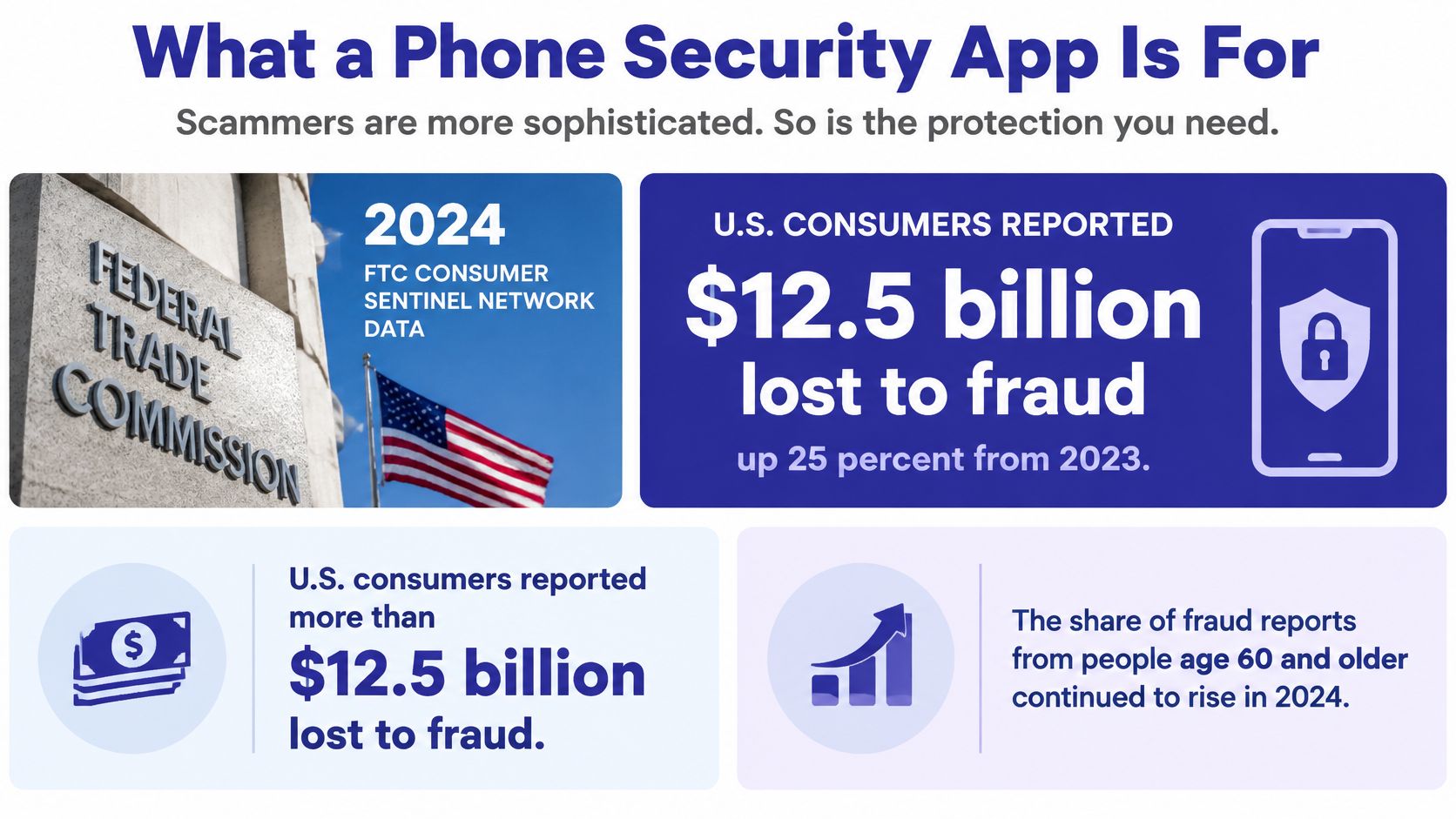
U.S. consumers reported more than $12.5 billion lost to fraud in 2024, a 25% increase from 2023, according to the Federal Trade Commission's summary of scams reported that year. That figure changes the question from “How do I stop annoying calls?” to “How can I recognize a scam before it pressures me into acting?”
What a Phone Security App Is For
A phone security app is software that reduces harm from unwanted calls, scam texts, risky links, and sometimes email by screening, warning, or blocking before you act. It serves a different purpose from antivirus software, which looks for malicious software on a device rather than a persuasive stranger trying to talk you into sending money.
Consider a familiar chain of events. A text says a delivery is delayed and asks you to confirm a detail through a link. Later, someone calls claiming to be from your bank, refers to a problem with your account, and urges you to share a security code. A call blocker might recognize neither the new phone number nor the convincing story. A useful app should help you examine the message and the call as parts of the same possible scam.
The FTC found that the share of people who reported fraud and said they lost money rose from 27% in 2023 to 38% in 2024. Phone calls were the second most commonly reported way scammers contacted people, followed by text messages. People who interacted with scammers by phone experienced a median loss of $1,500. Imposter scams generated $2.95 billion in reported losses, including $789 million from government imposters, while investment scams caused the largest category loss at $5.7 billion. Those are U.S. figures, but the tactics, impersonation, urgency, and unsolicited contact, can be used anywhere.
Built-in safeguards are part of the picture, not the whole answer. Google said Android's scam defenses protected users from more than 10 billion suspected malicious calls and messages per month in 2025. Yet a Kaspersky report on Android smartphone attacks found attacks increased 29% in the first half of 2025 compared with the same period in 2024, and a Malwarebytes survey of mobile users found that 44% of surveyed mobile users worldwide encountered mobile scams daily in 2025.
The useful test isn't whether an app promises to stop every bad call. It's whether it can interrupt a scam before a person shares a code, taps a link, or sends money. Understanding how different screening methods make that decision helps you choose the right kind of protection.
Blocklists Versus Real-Time Call Screening
| Approach | What it checks | When it acts | Main miss | Best for |
|---|---|---|---|---|
| Known-number blocklist | Numbers already reported as spam | Before the ring if the number matches | New, rotated, or spoofed numbers | Repeat nuisance callers |
| Carrier or phone spam label | Network reputation and call patterns | Labels, silences, or filters likely spam | A new script that has no reputation yet | Baseline filtering everyone already has |
| AI conversation screening | Who is calling and why, plus scam tactics in the dialogue | Answers unknown callers before your phone rings | Harsh settings that delay a real urgent call | Impersonation and unknown callers |
| On-call warning | Speech after you have already answered | During the live call | Calls you never pick up, and alerts you don't notice | Calls you choose to take |
| Allow list and block list | Contacts you trust and numbers you reject | Skips screening or stops that number for good | Anyone not already on either list | Doctors, pharmacies, family, and known pests |
Think of a blocklist as a bouncer checking names against a list of people already banned. It can stop a repeat nuisance caller, but a scammer who changes numbers or spoofs a familiar-looking caller ID may get past it. Carrier and phone spam labels add another layer by using network reputation and call patterns. They can quiet many known robocalls, but they can't assess a brand-new caller's persuasive script just from a number.
Conversation screening asks who's at the door and why before the phone rings. Gini Help answers unknown calls itself, asks who's calling and why, and lets real people through according to your settings. Every plan includes this screening before the phone rings. That's different from an on-call warning, which can flag pressure only after you've answered, and from an allow list, which is a human override for trusted contacts rather than a detection engine.
The distinction matters because scammers don't need malware to succeed. Verizon's 2025 Mobile Security Index cited more than 4 million mobile-focused social-engineering attacks detected during 2024 and reported that 80% of surveyed organizations experienced mobile-phishing attempts targeting employees. Verizon's Data Breach Investigations Report also found that approximately 60% of confirmed breaches involved a human element, such as phishing, stolen credentials, or user error.
Those figures come from enterprise-focused research, but the underlying trick works on households too: someone persuades a person to click, disclose information, transfer money, or stay on a call. A known-number database checks identity signals; conversation screening can also evaluate what the caller says. The next question is what other features you should expect from an app that combines these approaches.
Features That Separate Useful Apps
A high malware-detection score matters, but it can't tell you whether a caller posing as a bank employee is trying to extract a verification code. AV-TEST's July–December 2025 Android endurance test exposed security products to nearly 9,000 new attackers and another 9,000 known attackers. Six products achieved 100% detection across the test sets. Google Play Protect detected 99.6% of real-time samples and 99.7% of reference samples.
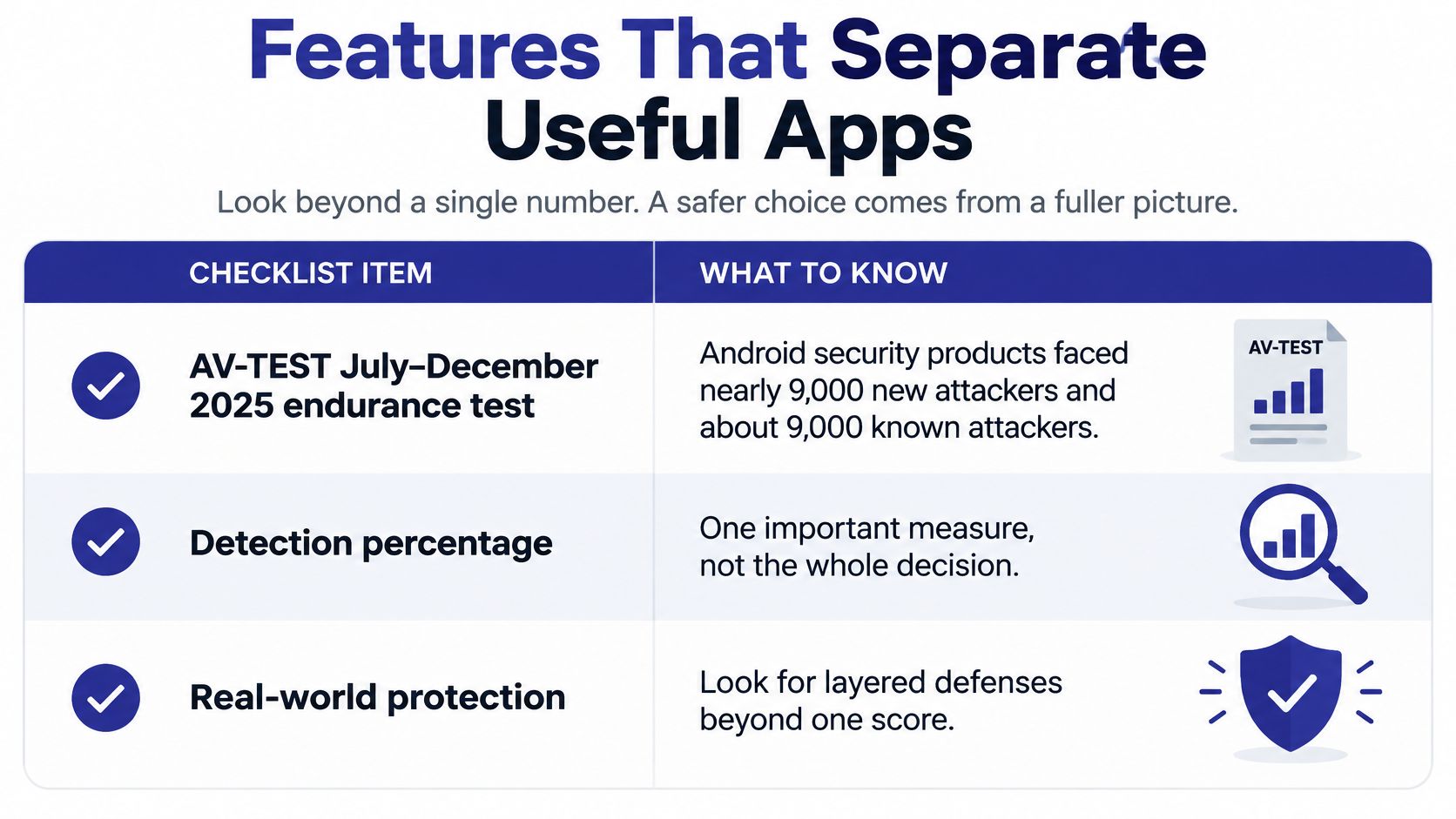
That comparison is useful for assessing malware protection, not the whole experience of protecting a phone. AV-TEST's May 2025 evaluation of Android security products also assessed usability and false positives. Google Play Protect scored 5.5 out of 6 for protection and 6 out of 6 for usability. When comparing apps, consider how accurately they detect threats, how they handle incorrect warnings, and whether blocked events are explained clearly. A perfect score on one malware test doesn't tell you how the app handles an urgent call from a doctor.
| Feature | Problem it solves | What good looks like |
|---|---|---|
| Pre-ring call screening | An unknown caller starts a pressured conversation | AI answers first and rings you only for calls that fit your rules |
| Live in-call warning | A scam starts after you say hello | A risk cue appears if someone demands a code, account number, or instant action |
| Text quarantine | Scam texts look like deliveries, prizes, or banks | Filtered messages sit in a review folder instead of your main inbox |
| Link handling | One tap opens a phishing site | Dangerous links can be blocked before they open |
| Email scanning | The same scam arrives as a fake invoice | A supported inbox such as Gmail, Outlook, or Yahoo is checked and warned |
| Allow list | A doctor or pharmacy is an unknown number | Named contacts skip screening and ring straight through |
| Plain call log | You can't tell what was blocked | The app shows who called and how it handled the call |
| Family plan | One person sets protection while relatives stay exposed | Each member gets call, email, and text protection under one subscription |
| App control on Android | The attack comes from a bad install, not a call | New or risky apps can be allowed, limited, or rejected in plain language |
Gini Help's text filtering holds scam messages in a separate folder for review, including fake delivery alerts, prize scams, and phishing links. Its text-protection settings are Low, Medium, High, and Maximum, and dangerous links can be blocked with one tap. If you connect a supported inbox, email protection checks Gmail, Outlook, or Yahoo and warns about suspicious messages rather than requiring you to treat call screening as the whole defense.
For people supporting relatives, family coverage gives each member their own call screening, email watch, and text filtering under one subscription. A readable call log can also make protection easier to discuss: Gerald describes being able to open the app and see who's calling. On Android, app control is a separate job from call and message screening. A solid protection approach should let you review a new app, its behavior, and its permissions in plain language.
For a broader framework for reducing risk across people and devices, MR2 Solutions' guide to reducing cyber risk with zero trust offers useful context. The practical takeaway is simple: treat malware scores as one column in your decision, not the verdict. Look for layers that address calls, messages, links, inboxes, and app behavior.
Privacy Limits and Missed Calls
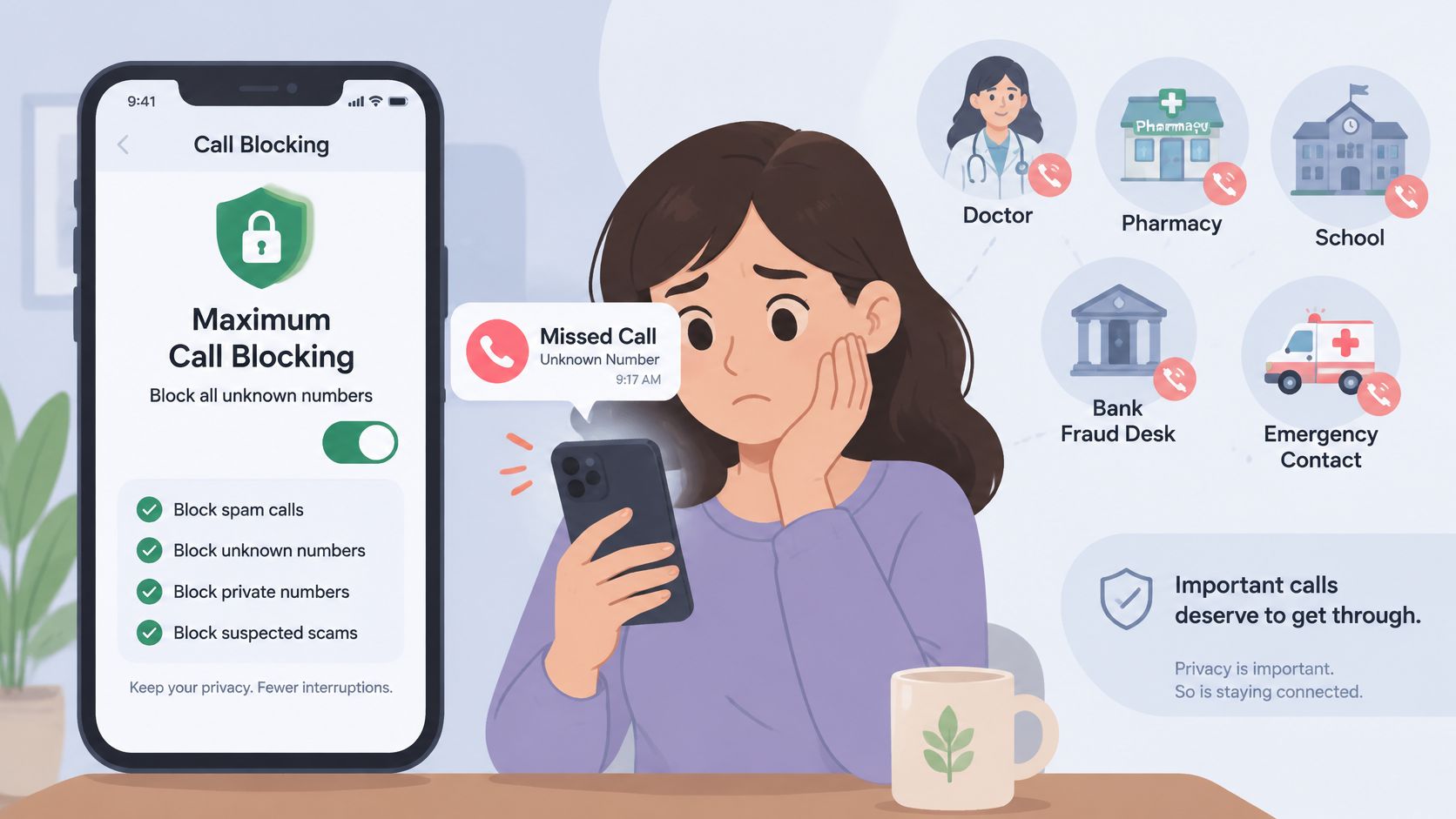
Maximum blocking isn't automatically the safest setting. A doctor may call from a hospital line you haven't saved; a pharmacy, school, or bank fraud desk may use an unfamiliar number. Rejecting all unknown callers without notification could keep out a scammer, but it could also keep out the person you need to reach.
A Senate report on aging and AI says Americans reported nearly $21 billion in cybercrime losses in 2025, including $893 million linked to AI-enabled scams across more than 22,000 complaints. FTC figures in the same report show that, from 2020 to 2024, reports of older adults losing at least $10,000 to scams increased more than fourfold, while reports involving losses above $100,000 rose nearly sevenfold. Those risks justify meaningful intervention, but they don't make every unknown call disposable.
Choose a mode you can recover from
Block stops a particular number and suits a known pest. Screen delays an unknown caller and asks why they're calling, a practical middle ground for daily use. Warn lets the call through and alerts you during the conversation, which can suit someone who must answer unfamiliar calls for work or care.
For example, a household could block a repeat robocaller, screen other unknown numbers, and let a saved pharmacy number ring through. If a nurse calls from a hospital line that isn't saved, screening can delay the conversation while giving you a chance to review what the caller says. A system may misread an accent, hesitant speech, or urgent wording, so you need a visible log and a way to recover a held call.
Privacy is part of the choice. Any app that analyzes a live call or inbox should clearly explain what it hears or reads, what it stores, and how to turn off a channel. Gini Help's data-collection and privacy explanation is a place to review how it handles information. Screening can reduce unwanted calls, but it can't identify every scam or guarantee every caller is safe.
Test the settings with real household calls before choosing the strictest text filter. Add trusted people to the allow list, keep a reviewable log, and agree on who in the family can check held calls if the phone's owner wants help. If anyone asks for money, a password, or instant action, independently verify the request using a number you look up yourself.
Scam Paths a Single Blocker Misses
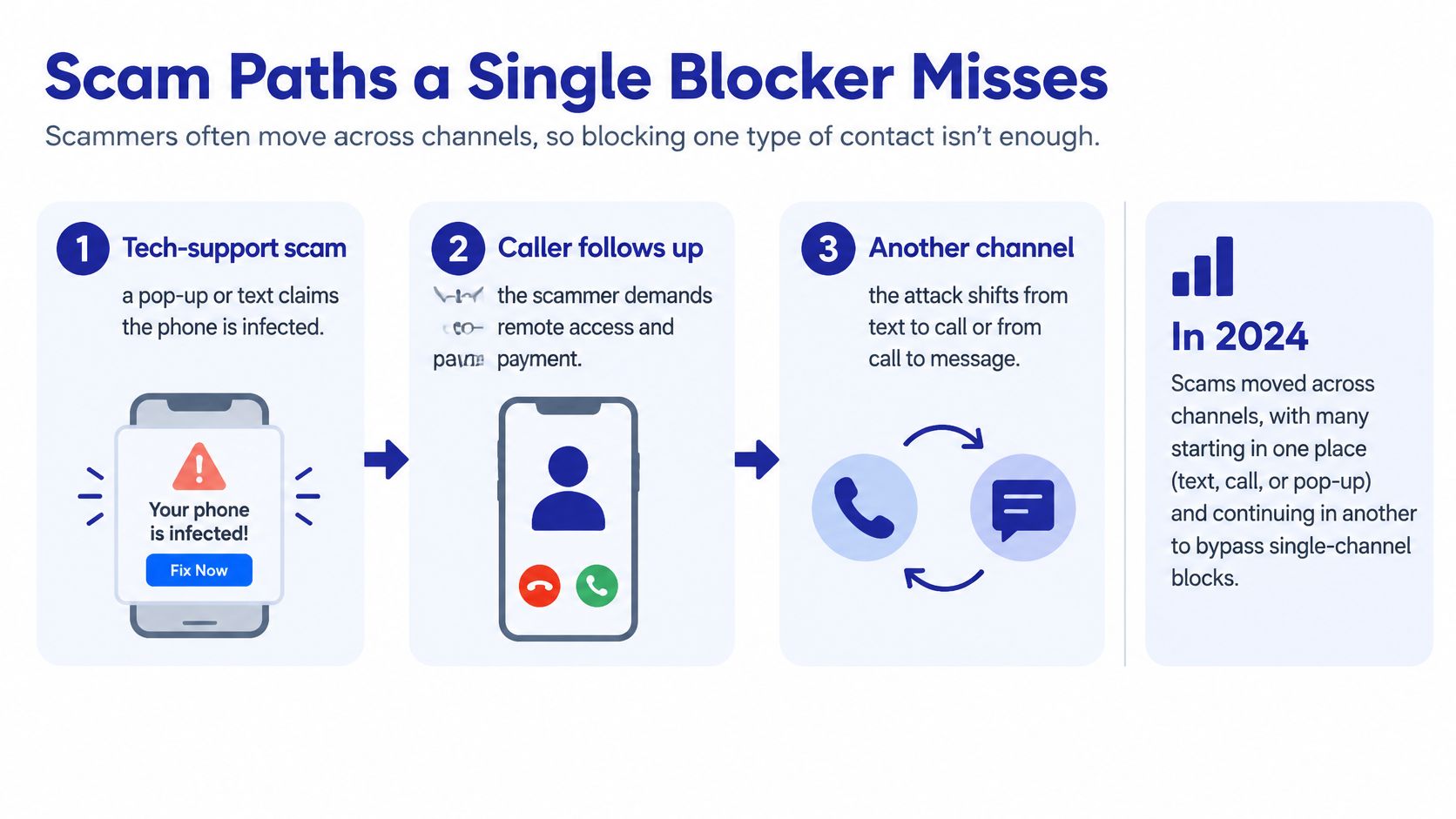
A scam can begin in one channel and finish in another. A text may create worry, an email may make a request look official, and a live caller may pressure someone to act. Blocking a known number alone can miss that chain because the threat changes channels.
First, a tech-support scam. A pop-up or text claims a phone is infected, then a caller offers a fix and demands remote access or payment. In 2024, people aged 60 and over were five times more likely than younger consumers to report losing money to a tech-support scam, and older consumers reported $159 million in losses to that category, according to the FTC's report on its actions to protect older adults. The warning signs include a fabricated emergency, a remote-access request, and a demand for payment, not just the caller's number.
Second, an impersonation scam. A caller claims to represent a business or government office, warns of arrest or a frozen account, and pushes the person to send money. The FTC's analysis of impersonation scams affecting older adults found that reports from older adults who lost at least $10,000 to business- or government-impersonation scams rose from 1,790 in 2020 to 8,269 in 2024. In 2024, 41% of older adults reporting those large losses said a phone call was the initial contact.
Third, a text-led chain. A fake delivery alert creates concern, an email supplies a lookalike invoice, and a later call pressures the recipient to transfer money. The FTC recorded $470 million in U.S. losses from text-message scams in 2024, according to its text scam data spotlight. Across 42 markets, research found that 70% of adults encountered a scam in the previous 12 months, while 13% encountered one daily, as detailed in global scam research.
The FTC's older-adult fraud analysis found that adults aged 60 and older reported median individual losses of $2,210 when fraud began with a phone call, compared with $650 when it began on social media. In phone-based scams reported by older adults, business impersonation accounted for 40% of reported losses, government impersonation 23%, and prize, sweepstakes, and lottery scams 15%.
That channel-switching is why protection needs to account for more than calls. Gini Help filters scam texts into quarantine for review, and its text-message security guide explains how to spot suspicious messages. A household can also use guidance to reduce phishing risks at work, since the same pressure tactics can appear in messages outside the home. Live Scam Detection keeps listening after an unknown call is answered and warns during the call if a caller asks for a verification code or account number, or pressures someone to act immediately.
How to Set Up Screening Safely
Set up protection in an order that preserves important calls first. If you're helping a relative, do the steps together so they know what the app will screen and where held messages appear.
- Check the phone platform. Text filtering and warnings depend on the phone, and email protection only works after connecting a supported inbox. Gini Help offers email protection for connected Gmail, Outlook, or Yahoo inboxes.
- Install from an official app listing. Use Google Play or the App Store, not a link sent in a text.
- Sign in with the code texted to the phone. Gini uses a texted code, so there's no password to phish.
- Add trusted contacts to the allow list first. Include doctors, pharmacies, family, school, and the building manager so they can skip screening and ring through.
- Block known pests. Use the block list for numbers you're sure you don't want calling again.
- Start with screening for unknown calls. Don't begin by choosing the most restrictive text setting.
- Test both paths. Call from a household phone that isn't on the allow list and confirm the app asks why the caller is calling. Then call from an allow-listed phone and confirm it rings straight through.
- Set text filtering to Medium. Review the quarantine folder and move legitimate messages back into the inbox.
- Connect an email inbox if you want email protection. Check that your Gmail, Outlook, or Yahoo account is connected and that the app warns on a sample suspicious message instead of assuming coverage is active.
- Include the landline if the household relies on it. The Premium Plus + Home Phone plan screens the home phone in the same way as the cell phone.
- Turn on live detection after the allow list works. It warns during calls from unknown numbers, so first make sure trusted callers can get through as expected.
- Review the call log and quarantine folder together. A weekly check with a caregiver can help catch a held legitimate message or call.
You can follow Gini Help's phone-protection setup instructions while completing the steps. A trial isn't available on every plan, so the two test calls are important before making a longer commitment. If a step fails, Gini Help support can assist with call screening, email, text safety, and reporting a scam.
Pick a Screening App and Install It
Choose an app based on the problem you need to solve, not a universal ranking. If unwanted calls and scam protection are your main concerns, Gini Help screens unknown callers, helps you spot scams, and shows how calls were handled. It's a weaker fit if your only goal is classic antivirus protection for a shared tablet.
Gini Help has five plans: Premium, Premium Plus, Premium Plus + Home Phone, Family, and Family Plus. The base service is about $5.99 a month. Premium Plus adds live scam detection; Premium Plus + Home Phone also screens a landline. Family options suit a caregiver who wants each relative to have their own protection under one subscription. A trial isn't available on every plan, so you can watch the browser demo of a live spam call before signing up.
Screening reduces unwanted calls, but it can't identify every scam. After installing, return to your allow-list test before raising text filtering. If someone asks for money or a code, hang up and call back using a number on a statement or the organization's own website.
Download Gini Help from Google Play or the App Store.
Gini Help screens unknown calls before they ring and adds protection for scam texts and connected email, helping interrupt fraud that moves between channels. Visit Gini Help to compare plans and choose a setup that protects important contacts while giving you a way to review calls and messages the app holds.