How to Protect Yourself from AI Scams in 2026
By Josh C.
Older adults' reported losses involving amounts above $100,000 to government or business impersonators increased eightfold, from $55 million in 2020 to $445 million in 2024, according to the Federal Trade Commission's analysis of impersonation fraud. The important lesson isn't that everyone must become better at spotting fake voices. It's that a convincing identity should never be enough to authorize a payment.
Learning how to protect yourself from AI scams starts with a practical change: treat voice, face, and caller ID as unusable for authentication. Check the request through a separate channel you already trust, use a private family phrase for urgent family requests, and know whom to contact if money has already moved.
Match Your Contact to the Right Move
| Channel | Convincing fake | Pause signal | Do this instead |
|---|---|---|---|
| Unexpected phone call | Cloned voice or spoofed caller ID of a bank, agency, employer, or relative | Urgency, secrecy, gift card, cryptocurrency, wire, or remote access | Hang up and use a number you already saved |
| Text or SMS | Fake delivery, bank, prize, or toll alert | A link plus a short deadline | Don't tap the link; open the official app |
| Lookalike domain, logo, and a changed payment instruction | New bank details or a login link | Type the known website yourself | |
| Video call or voice note | Deepfake face or voice of someone you know | Emergency money and a demand not to tell anyone | Call back on a known number and use the family phrase |
| Job, romance, or investment pitch | Polished profile and fluent chat | Move to another app or send cryptocurrency | Stop and check the organization on your own |
A familiar voice, a real logo, or matching caller ID is not proof of identity. Those details can make a request feel credible without establishing who controls the conversation.
The FBI's announcement accompanying its 2025 Internet Crime Report recorded 22,364 complaints referencing artificial intelligence, with adjusted reported losses exceeding $893 million, including more than $30 million in business-email-compromise losses involving AI, nearly $19 million in romance or confidence-scam losses with a likely AI connection, and almost $13 million in AI-involved employment scams. The FBI cautions that these totals likely understate the problem because victims may not recognize or report AI involvement.
Judge the requested action
You don't need to determine which AI tool a criminal used. Instead, identify what the sender wants you to do: surrender access, reveal a secret, change payment details, or send money somewhere new.
Say an email appears to come from your usual contractor. The writing sounds normal, the invoice looks familiar, and the sender explains that the business has changed banks. The changed payment destination is the reason to verify, even if nothing else looks suspicious.
A supposed bank investigator may take the opposite approach. Rather than asking for money directly, they might ask you to install remote-access software so they can fix an account problem. Access to your device deserves the same pause as access to your money.
Practical rule: You can stop a suspicious interaction without first proving that the person is a scammer.
A request to move to another messaging app isn't automatically fraudulent. Neither is a wire transfer. But when an unexpected contact combines those requests with secrecy or pressure, don't continue because each detail has a plausible explanation.
Match the message in front of you to a row in the table and take that safer action now. If anyone requested money or an authentication code, keep the messages, phone numbers, payment details, and screenshots rather than deleting everything in frustration.
Verify Any Request Before You Act
A two-channel check means receiving a request through one channel and confirming it through another, independently chosen channel. An incoming call followed by a text from the same caller doesn't qualify. Both contacts could be controlled by the same person.
The FBI's AI-fraud guidance, reported by BleepingComputer, recommends hanging up, researching the purported organization, and calling an independently obtained number. It also advises limiting publicly available voice and image content that criminals could use for impersonation.
Follow these moves during a live request
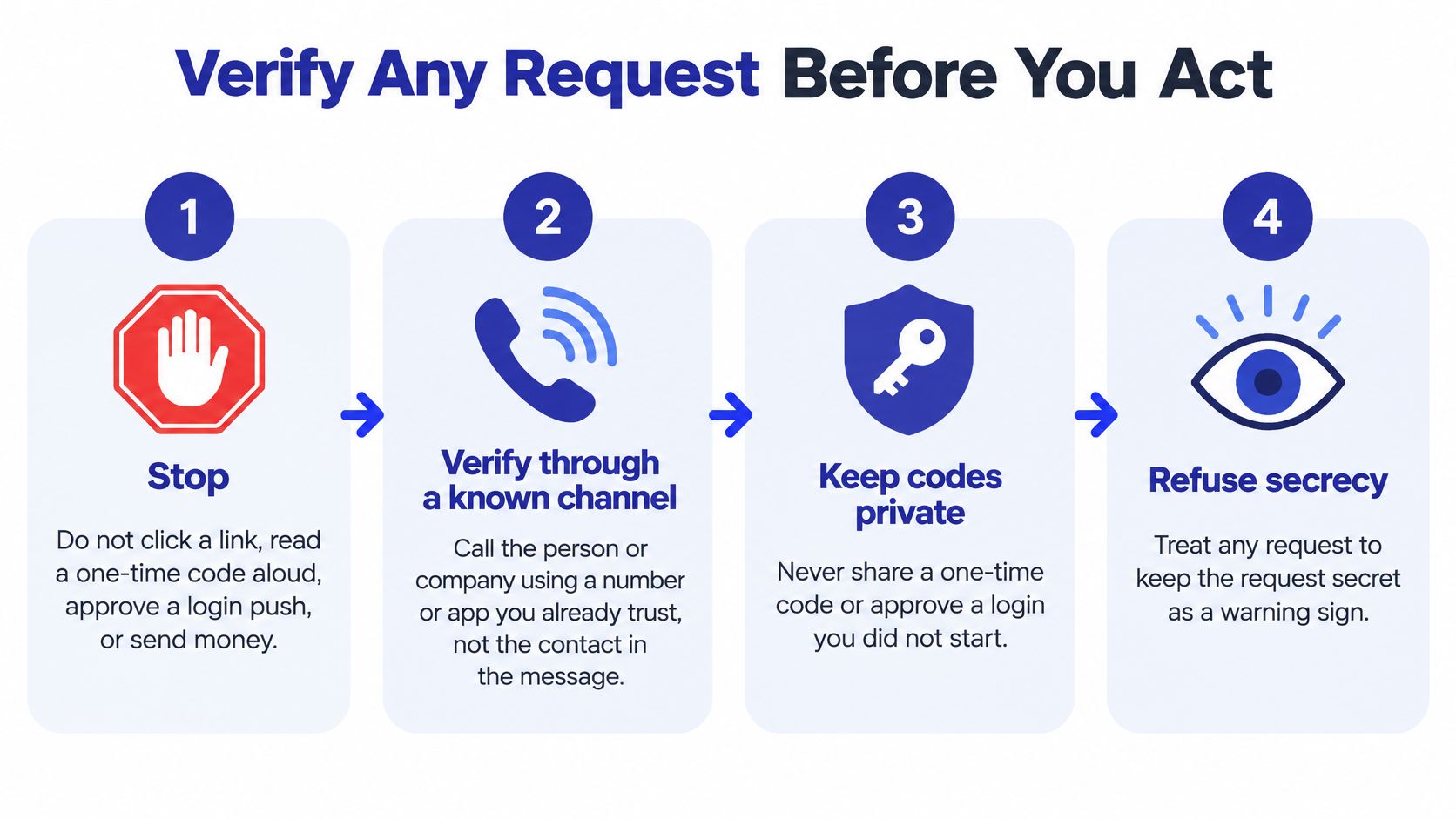
Stop the requested action. Don't click a link, read a one-time code aloud, approve a login notification, or send funds. If you've already opened a page, leave it without entering anything else. You don't owe the caller an explanation before protecting yourself.
End the call or close the chat. Do this even when the face, voice, or displayed number seems right. Public posts can provide material for synthetic voices and images, while caller ID can be spoofed. Staying connected gives the caller more opportunities to interrupt your judgment or redirect your verification.
Find contact information independently. Use the number printed on your bank card, a statement, an official app, or a contact you saved before this interaction. Don't use the message's signature, an attached business card, or the missed-call screen. If you need a website, enter an address you already know rather than following the supplied link.
Ask the person or organization about the specific request. Explain what you were asked to do, including the destination of any payment. Confirming that your employer has an accounts department isn't enough; you need to confirm that the department requested this banking change or transfer. For organizations, ask through the established account or support channel.
Require the private family phrase and another relative's agreement before a transfer. Choose a phrase together before an emergency happens. Don't post it, text it around, or save it in a note named after the person. Practice using it during a calm conversation, and make the callback mandatory even if the caller knows the phrase.
Recognize the reasons to pause. Urgency, secrecy, a push to another app, and payment by gift card, cryptocurrency, or wire warrant independent checking. They aren't conclusive proof of fraud. They are enough reason to withhold money and information until you've verified the request.
Keep a visual reminder where you normally answer calls.
Make family verification independent of appearance
Consumer research described in CNBC's coverage of financial exploitation found that only 36% of respondents felt very or extremely confident spotting AI-generated scam media, while 53% of social-media and messaging users had encountered AI-generated images or video used in scams. The useful question isn't whether you're unusually good at hearing artificial speech. It's what independent evidence you require before acting.
Say someone who sounds like your grandson calls about an accident. You can care about the possible emergency while refusing to transfer money during that call. End the interaction, call his saved number, and contact the relative you designated to help confirm urgent requests.
Choose a phrase that isn't a pet's name, school, birthday, or another detail someone could discover online. A private question can provide an additional check, but don't rely on information that a social-media profile might reveal. The phrase supplements the callback; it doesn't replace it.
No emergency cancels the family callback rule.
For someone who finds phone menus or small text difficult, prepare a large-print card with trusted contact names and numbers. Keep the secret phrase separate from anything a visitor could casually read. Practice finding the saved contact and placing the callback, not just remembering the phrase.
Apply the same standard to authority figures
A request doesn't become safer because the caller claims to represent your employer or a government agency. The FTC's imposter-scam findings put reported business-impersonation losses at nearly $1 billion and government-impersonation losses at approximately $920 million in 2025. Verify those requests through established organizational contacts, not the authority claimed in the conversation.
For workplace payments, name another person who must approve unusual transfers and banking changes. For personal calls, our caller-verification guide can help you turn the callback habit into a repeatable routine. If a caller asks for money, passwords, or urgent action, independently check the request before acting.
The common failure is deceptively simple: hanging up, then dialing the number that just called you. That returns you to the original contact, not an independent source.
Lock Accounts So a Stolen Code Is Useless
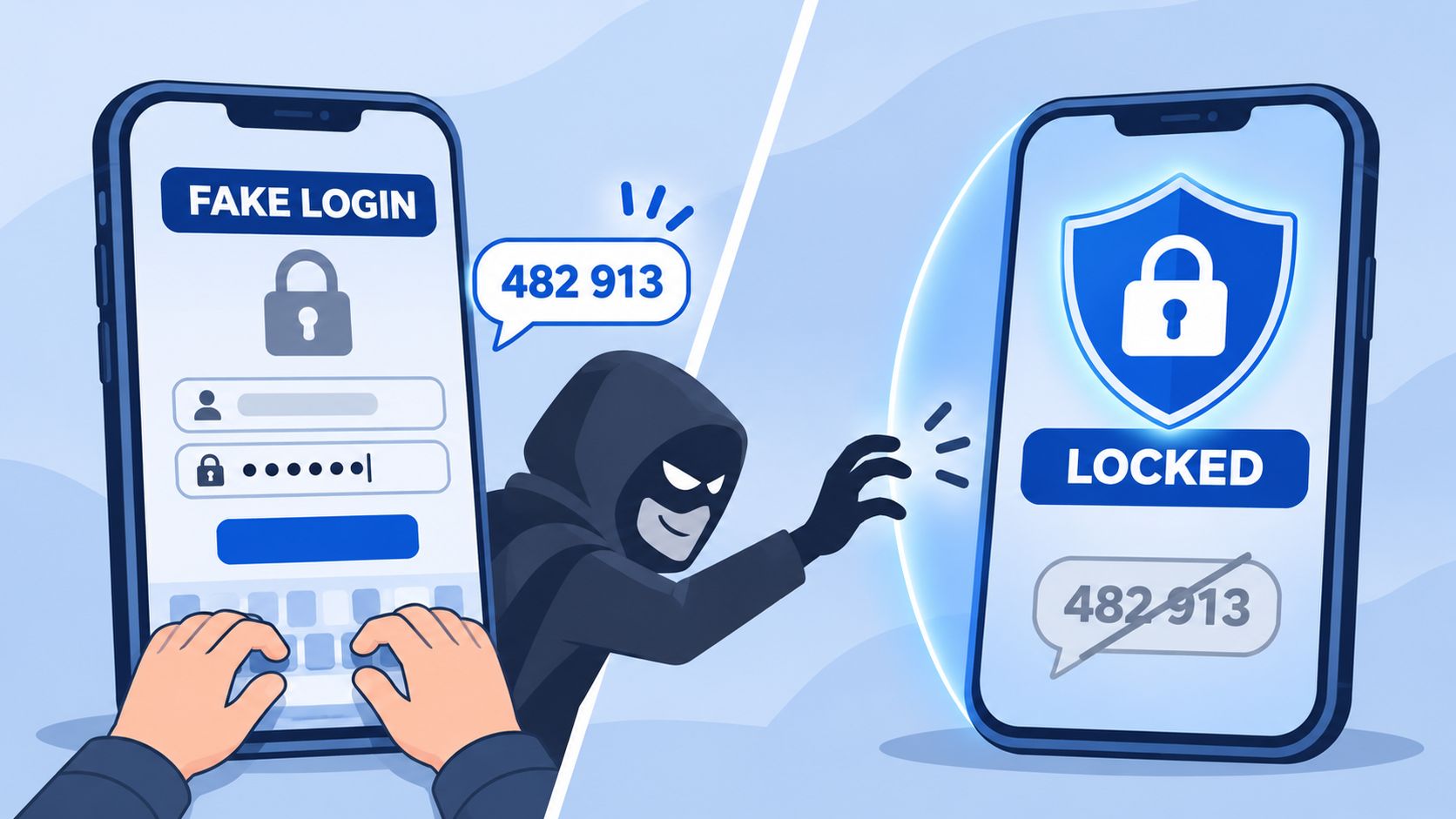
A password and a temporary code can both be stolen. A fake sign-in page can collect them and pass them to the genuine service before the code expires. An unexpected login approval can also give someone else access. For stronger sign-in protection, use a passkey or compatible security key where the account supports it. NIST's digital identity guidelines describe phishing resistance as preventing an attacker from capturing and relaying authentication data.
Start with the account that resets the others
Secure your primary email account first. It may be used to reset other passwords, receive security alerts, and access conversations that someone could misuse. Then review your banking, cloud storage, and administrator accounts.
Set up each account in this order:
- Enable a passkey or FIDO2 security key in the security settings if available. A passkey uses your device's usual authentication process; a hardware security key is a separate physical device.
- Add a backup authenticator, preferably on a separate device. Avoid making the phone you're protecting your only way to recover access.
- Save recovery codes offline. Keep a paper copy somewhere secure rather than storing the only copy in the email account you're securing.
- Review recent sign-ins and remove sessions you don't recognize. If activity looks unfamiliar, investigate it even if your password still works.
- Practice account recovery before an incident. Find out where your backup is and which recovery method the service will ask you to use.
Understand what the protection doesn't do
A passkey can protect how you sign in. It cannot judge whether a payment request is honest. You might log in securely to your real bank and still be coached into sending money to a criminal. Treat login security and checking a transaction as separate safeguards.
Also review the account's remaining sign-in and recovery options. A passkey does not make weaker fallback routes disappear. Before removing a fallback, confirm that your replacement and recovery methods work. When reviewing a financial tool's account security and data safeguards, check which sign-in methods it supports, how you can recover access, and how to end a session you don't recognize.
For later sign-ins, open the official app or type the address yourself. If stronger options aren't available, use an authenticator-app code. Never read an authentication code to someone who called you claiming to be support.
The First 30 Minutes After Money Moves
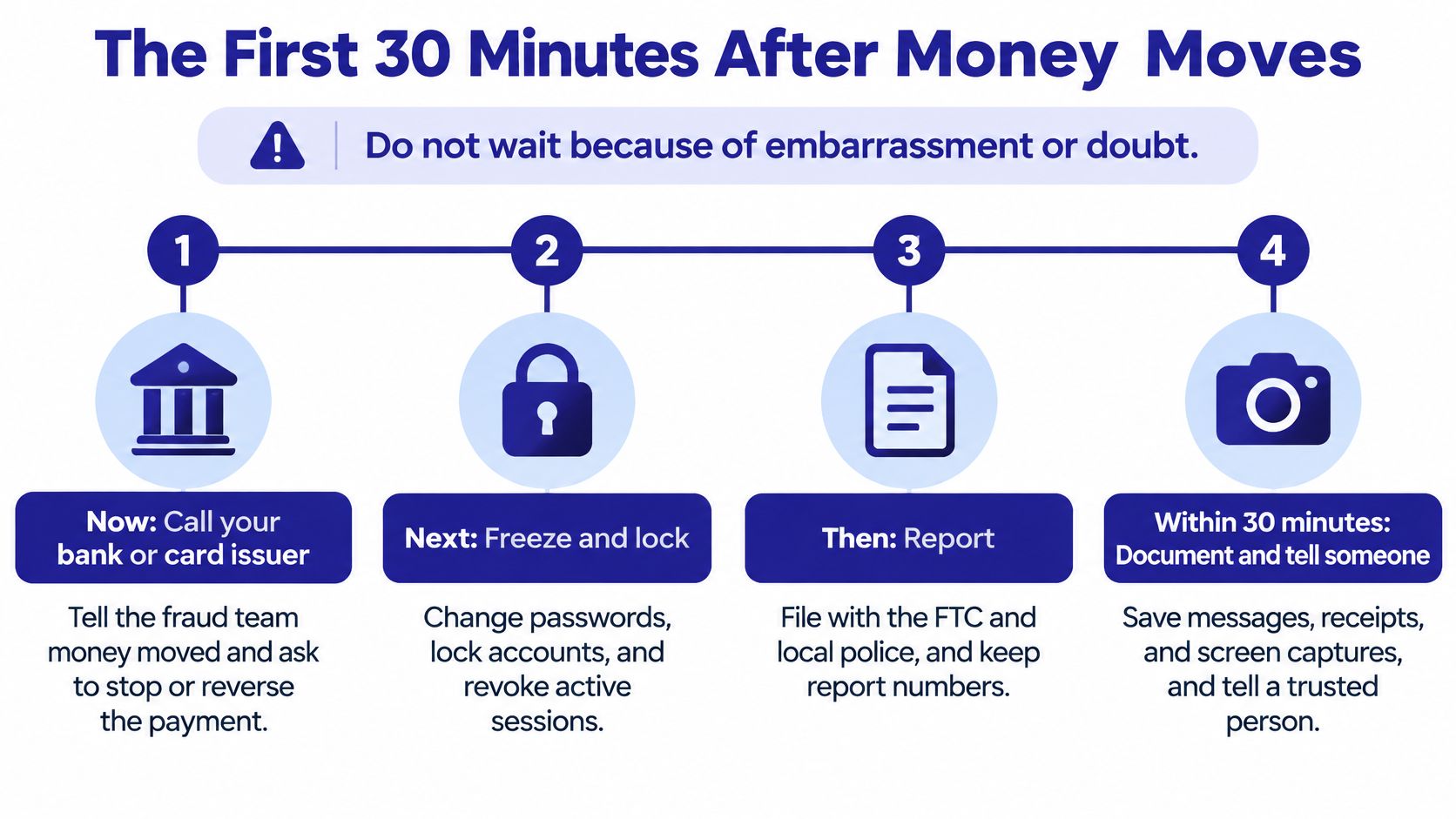
Don't wait because you're embarrassed, unsure whether the voice was synthetic, or convinced that approving the payment means nothing can be done. An authorized transfer can be harder to unwind than a hacked login, but you should still ask for intervention immediately. Recovery isn't guaranteed, and a payment provider needs the facts before it can assess its options.
Webroot's AI-scam overview cites FBI reporting of more than 22,000 AI-related complaints and approximately $893 million in losses, reinforcing the need for a recovery plan rather than prevention alone. Don't spend the response window trying to prove which technology the criminal used.
First, contact whoever can interrupt the payment
End the call or chat. Then call your bank, card issuer, or payment provider through the official app or a number on your card. Tell the fraud team what moved, where it went, when it happened, and whether you authorized it under false pretenses.
Ask whether a recall, hold, freeze, or fraud investigation is possible. Describe the payment accurately rather than calling it unauthorized if you personally approved it.
| Payment type | Contact first | Request |
|---|---|---|
| Wire transfer | Your bank, on a number from your card | Immediate recall and a fraud flag |
| Card payment | Card issuer | A dispute on the charge |
| Peer-to-peer app | The payment app and the bank that funded it | A report in the app and a bank hold |
| Cryptocurrency | The exchange used, if one was used | A freeze request; on-chain transfers are rarely reversed |
| Gift card | The brand, with card numbers and receipt | Check whether value remains |
These are requests for assistance, not promises that a provider can reverse the payment. For cryptocurrency, preserve the wallet address and transaction details. For gift cards, keep the physical card even if you already shared its numbers.
Preserve evidence and stop further access
Save texts, emails, caller IDs, receipts, screenshots, and any screen recordings you already have. Record what the caller claimed and the actions you took while the details are fresh. Don't continue talking to the criminal just to collect more evidence.
- Secure email first. Change a compromised or reused password from a trusted device, revoke unknown sessions, and enable a passkey where available.
- Protect financial accounts next. Tell the provider if you shared a code, account information, or remote access, even if you haven't found a missing payment.
- Tell a trusted relative or caregiver. Ask them to help organize records and handle follow-up while you speak with the fraud team.
- Report the incident. In the United States, report to the FBI Internet Crime Complaint Center and the FTC, and keep confirmation details with your evidence.
Our guide to what to do after being scammed can help organize the follow-up. If you shared only a code, act anyway: tell the affected service exactly which code you disclosed and end any sessions you don't recognize.
You don't need certainty about AI involvement before reporting suspected fraud.
Put Screening in Place This Week
The most useful setup is one you'll use when you're tired, distracted, or worried about someone you love. Build a short routine around the phone and accounts you already have rather than depending on constant alertness.
For older adults and the relatives who help them, agree on who handles each task. Offer to sit together during setup, but keep the account owner involved in the decisions. A safeguard is easier to follow when the person understands what it does and how to respond.
Finish these practical tasks
- Save official contacts. Add your bank, card issuer, and trusted relatives to your contacts. Use details from existing cards, statements, and known contacts rather than an unexpected message.
- Agree on family verification. Choose the private phrase and name the relative who will help approve emergency money requests. Make sure everyone knows whom to call if the supposed person is unreachable.
- Protect email access. Turn on a supported passkey and make the backup recovery method usable. Don't leave recovery as a task for the day the phone goes missing.
- Add screening where manual checks are unrealistic. Someone who receives frequent unknown calls or struggles to inspect messages may benefit from having suspicious contacts screened before deciding whether to engage.
Use screening as support, not permission to trust
For that screening job, our Gini Help mobile app answers unknown callers with AI before the phone rings, and every plan includes text and email scam scanning for messages and a connected Gmail or Outlook inbox. On eligible plans with the required setup, Live Scam Detection keeps listening during answered calls from unknown numbers and warns about tactics such as requests for a verification code or account number, or pressure to act immediately.
You can watch a live browser demo of Gini blocking a real spam call before signing up. Our explanation of how filtering works can help you understand what happens to suspicious contacts and what you may need to review. Text filtering and warnings depend on your phone platform.
Download the app from Google Play or the App Store. During setup, take time to understand the permissions and connect only the supported inbox you intend to protect.
Screening can miss scams, so a call reaching you doesn't certify that the caller is safe. A warning is a reason to pause and investigate, while an absence of warnings doesn't replace independent verification.
Today, save your bank's official number and choose the family phrase before the next unknown call. Those actions give you something concrete to do when a caller tries to hurry you.
Gini Help offers AI call screening and text and email scam scanning to help you handle suspicious contacts before acting on them. Visit Gini Help to watch the browser demo and consider whether screening fits your routine, while keeping independent callbacks as your rule for important requests.