How to Block a Number Cell Phone: Step-by-Step Guide
By Josh C.
150 million unwanted calls happen every day, so blocking one number is only a partial answer to the modern caller ID rotation problem. Open your Phone app, find the unwanted caller in Recents, and choose Block, then add carrier and app-based protection when unfamiliar numbers keep changing.
You may be dealing with a caller who rings repeatedly, a fake delivery notice, or a local-looking number that disappears as soon as you block it. That frustration is understandable. Manual blocking gives you immediate control, but it doesn't always stop the next call because the person behind it may use a different number or disguise the caller ID.
The scale explains why this matters. Suspected spam calls rose from 11.3 billion in Q4 2024 to 12.5 billion in Q1 2025, then reached an estimated 13.7 billion in Q2 2025, according to Hiya's Voice and Spam Call Insights data. In the same Q1 data, people in the United States received an average of 17 spam calls per person each month. The practical answer to “how to block a number cell phone” is therefore layered: block known callers on the device, use your carrier's network controls, and consider screening tools that assess calls before you answer.
Why Native Blocking Is Your First Line of Defense
Maya's phone rang during breakfast, then again while she was working, and once more that evening. Each time, the same caller ID appeared. She didn't recognize the number, and the repeated calls had become distracting rather than urgent.
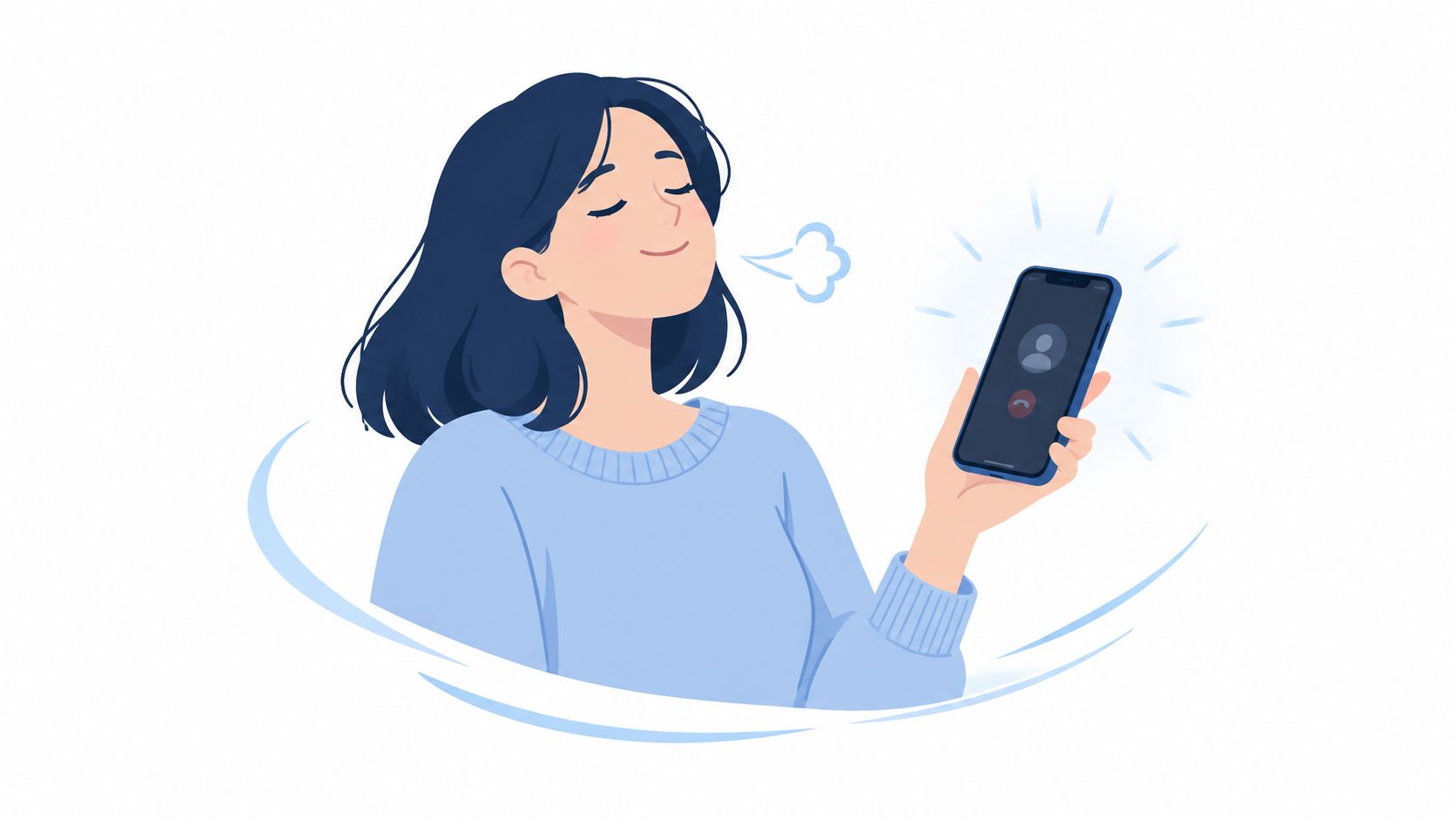
The fastest response was also the simplest. She opened the recent-call list, tapped the caller's information icon, selected the blocking option, and stopped that specific number from ringing again. That small action restored a sense of control immediately.
What native blocking can and cannot do
Built-in blocking is a device-level filter. It works well when a persistent nuisance caller keeps using the same number, and many phones also prevent blocked callers from sending texts. You don't need a separate account, subscription, or technical setup.
It won't create a permanent identity lockout. If the caller changes numbers, uses a hidden caller ID, or spoofs a familiar local number, your phone may treat the replacement as a new caller. A blocklist definition for developers can help clarify the basic idea: a blocklist contains entries that a system should reject or filter, but a new identity isn't automatically on that list.
Practical rule: Block the number that's bothering you, but don't assume that one blocked entry represents the whole threat.
Native controls are still the right first move for harassment, repeat sales calls, and a number you know you never want to hear from. They also help you build a personal record of which callers should be ignored. For a broader explanation of how filtering works before a call reaches you, see what robocall blocking means.
Use the device's own controls before downloading anything. The menus are designed for ordinary phone owners, and current Android and Apple guidance treats blocking, silencing unknown callers, and call screening as standard safety features rather than specialist tools. That steady integration has made the basic routine familiar: identify the caller, open the call entry, and block it.
Blocking Numbers on iPhone and Android
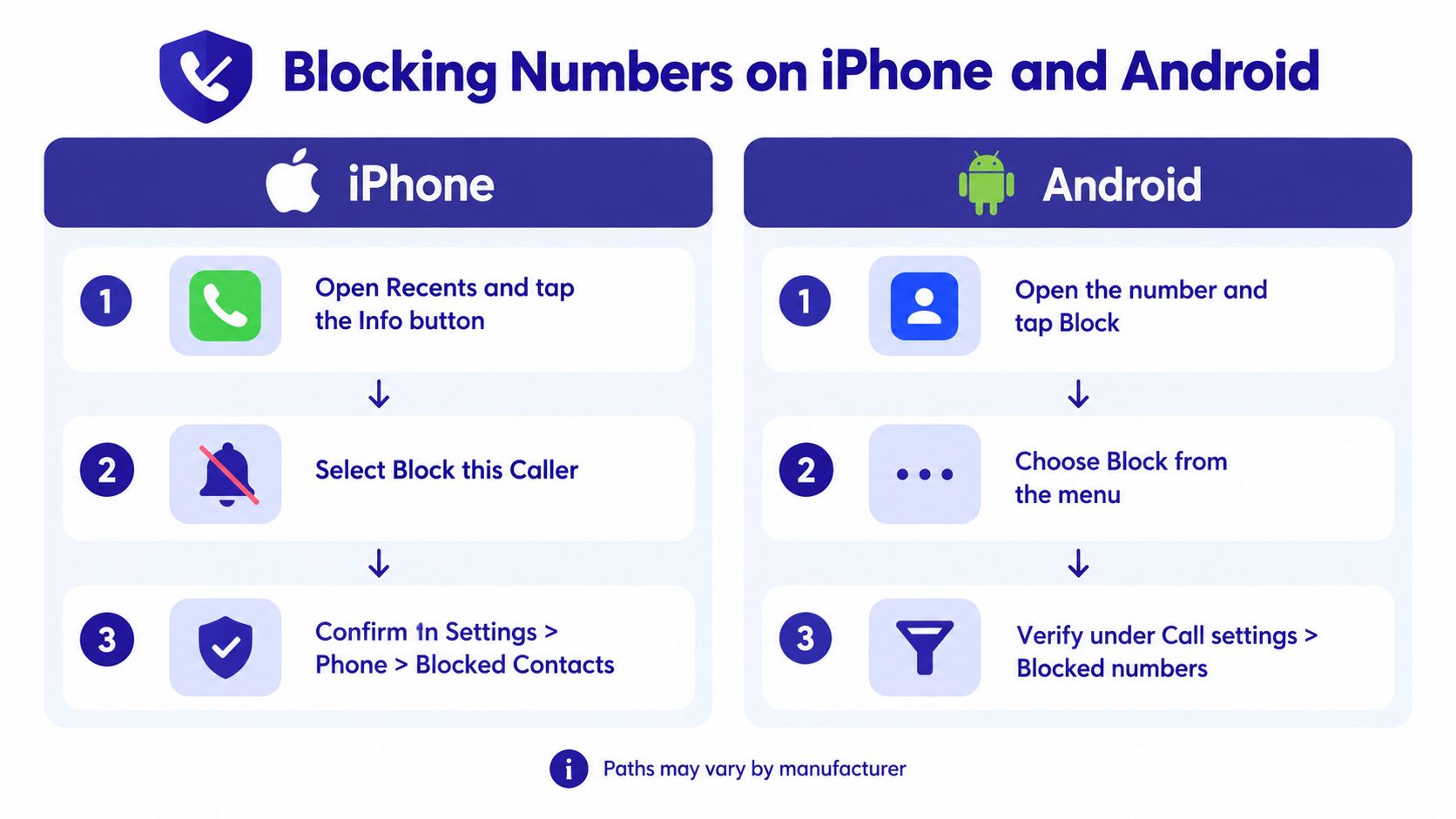
The exact labels vary by operating system and manufacturer, but the logic stays consistent. Start from the number in your recent calls if it has just contacted you. You don't need to save it as a contact first.
On an iPhone
Open the Phone app and tap Recents. Find the unwanted number, then tap the Info button beside it. Scroll until you see Block this Caller, select it, and confirm.
You can also block someone already saved in Contacts. Open the contact, scroll down, and choose the blocking command. Blocking from Recents is usually easier for spam because you don't have to store an unknown number in your address book.
Apple also provides controls for calls from people you don't know. Depending on your iOS version and settings, you may be able to silence unknown callers or screen calls before deciding whether to answer. Those settings offer wider protection, but they can also affect legitimate calls from a new doctor, school, delivery driver, or family member's temporary number.
On Android
Google's Phone app generally uses this path: open Phone, tap More, select the recent call, and choose Block or report spam. Confirm the choice when the phone asks.
Samsung phones use a slightly different route. Open Phone, go to Recents, tap the caller's information, and choose Block. You can also open Phone, tap More options, choose Settings, then Block numbers. From there, you can enter a number manually, select one from Recents, or enable blocking for unknown or private numbers. Samsung's support instructions show these options in detail.
If the menu looks different: Look for the caller's information icon, three-dot menu, or a setting named Blocked numbers. Manufacturers rearrange labels, but the blocking command is usually close to the call details.
Android phones may extend blocking to text messages and unknown callers. Xiaomi, Samsung, Google Pixel, Motorola, and other manufacturers can place the relevant controls in different menus, so search the Phone app's settings for “block” if the Recent Calls shortcut isn't visible. If you're also troubleshooting call quality, a separate iPhone reception guide from DigiDevice may help distinguish a blocked call from a weak-signal problem.
The Limits of Manual Number Blocking
A blocked number is like a locked door with one address on it. It can stop the caller who keeps returning to that address, but it doesn't stop someone from approaching through another entrance.
Caller ID spoofing makes this especially confusing. A scammer can make a call appear to come from a local number, a business, or even a number that resembles your own. The FCC warns that a label such as “potential scam” or “spam” may indicate that the displayed number has been spoofed, and its guidance on spoofing explains why the number on your screen isn't always the caller's real identity.
Read more about the mechanics in this guide to caller ID spoofing. The important point is practical, not technical: blocking the displayed number may stop that particular entry, while the person or automated system behind it can present another one later.
Three defenses, three different jobs
Native controls, carrier services, and third-party apps don't solve exactly the same problem.
| Method | Best For | Spoofing Resistance |
|---|---|---|
| Phone settings | Stopping a known repeat caller or blocked contact | Limited, because a new or spoofed number may bypass the entry |
| Carrier tools | Filtering suspicious patterns across the network before calls reach the device | Broader than one-number blocking, but dependent on carrier detection |
| Screening apps | Assessing unknown calls and applying rules across calls, texts, or other channels | Potentially stronger when the service evaluates behavior instead of relying only on a static number list |
Phone settings are the most accessible option and usually the least complicated. Carrier controls can act earlier, before the call reaches your handset, while apps may provide settings for screening, reporting, and custom allowlists. The tradeoff is that wider filtering can create false positives.
That matters if you rely on unfamiliar numbers. Blocking every unknown caller could hide an important call from a clinic, school, courier, or relative using a new phone. The right question isn't just whether to block unknown callers. It's whether your protection can identify risk without cutting you off from people who have a legitimate reason to reach you.
Layering Protection With Carrier and App Solutions
The volume of unwanted calling makes a one-number strategy too narrow for many households. A major industry report estimated 150 million unwanted calls every day by Q2 2025, while the FCC says consumers can use phone settings, carrier services, and third-party apps to block unwanted calls through different layers of protection. Its call-blocking guidance also notes that carriers may proactively block suspicious calling patterns and may automatically enroll customers in blocking services, with an opt-out option where wanted calls are a concern.
Start with the network
Carrier tools can identify patterns that a single phone cannot see. They may label suspected spam, block known robocall behavior, or offer an approved-contact list, sometimes called a whitelist. This is useful when the same campaign produces many numbers, because the carrier is assessing activity across its network rather than waiting for each customer to report an individual caller.
Ask your carrier what is included with your plan and whether you can review blocked calls. A strict setting may reduce interruptions, but it may also affect unfamiliar legitimate callers. If you expect a medical appointment, delivery, job interview, or school call, check whether the service lets you allow important contacts or review filtered activity.
Add screening when the pattern keeps changing
A third-party app can provide controls that the basic Phone app doesn't include. Depending on the service, it may identify suspicious calls, maintain a blocklist, screen an unknown caller, or combine call protection with text-message and email analysis. Review permissions carefully and choose a service that clearly explains what it screens and how you can change its rules.
An AI-based system can take a different approach from a database of previously reported numbers. Instead of asking only whether a number is known, it can assess the caller's behavior and conversation in real time. That can be useful against rotating numbers, but no filter should be treated as infallible. Keep important contacts accessible and review settings after installation.
For a plain-language explanation of the broader category, read this overview of a call-screening service.
Current research reinforces why these layers remain relevant. Hiya's 2026 Voice and Spam Call Insights says almost half of consumers believe spam calls increased over the previous year and reports average losses of more than $800, as summarized in Hiya's current report. Truecaller's 2025 report identified 68 billion spam and fraud calls during 2025 and reported that 79% of unknown calls in Indonesia were spam or fraud, compared with 70% in Chile, according to its 2025 spam-call report. These figures don't mean every unknown caller is dangerous, but they do support treating unfamiliar calls with care.
A sensible setup uses the phone for immediate control, the carrier for network-level filtering, and an app for deeper screening. Each layer has a different view of the call, so one missed signal doesn't have to leave you exposed.
How Gini Help Protects Your Phone and Home
For people who want more than a growing list of blocked numbers, Gini Help provides an AI-powered protection service that screens calls, texts, and emails to block spam and scams before they reach you. The service launched in December 2025, uses a subscription model priced at $5.99 per month, and offers family plans that share threat intelligence across members.
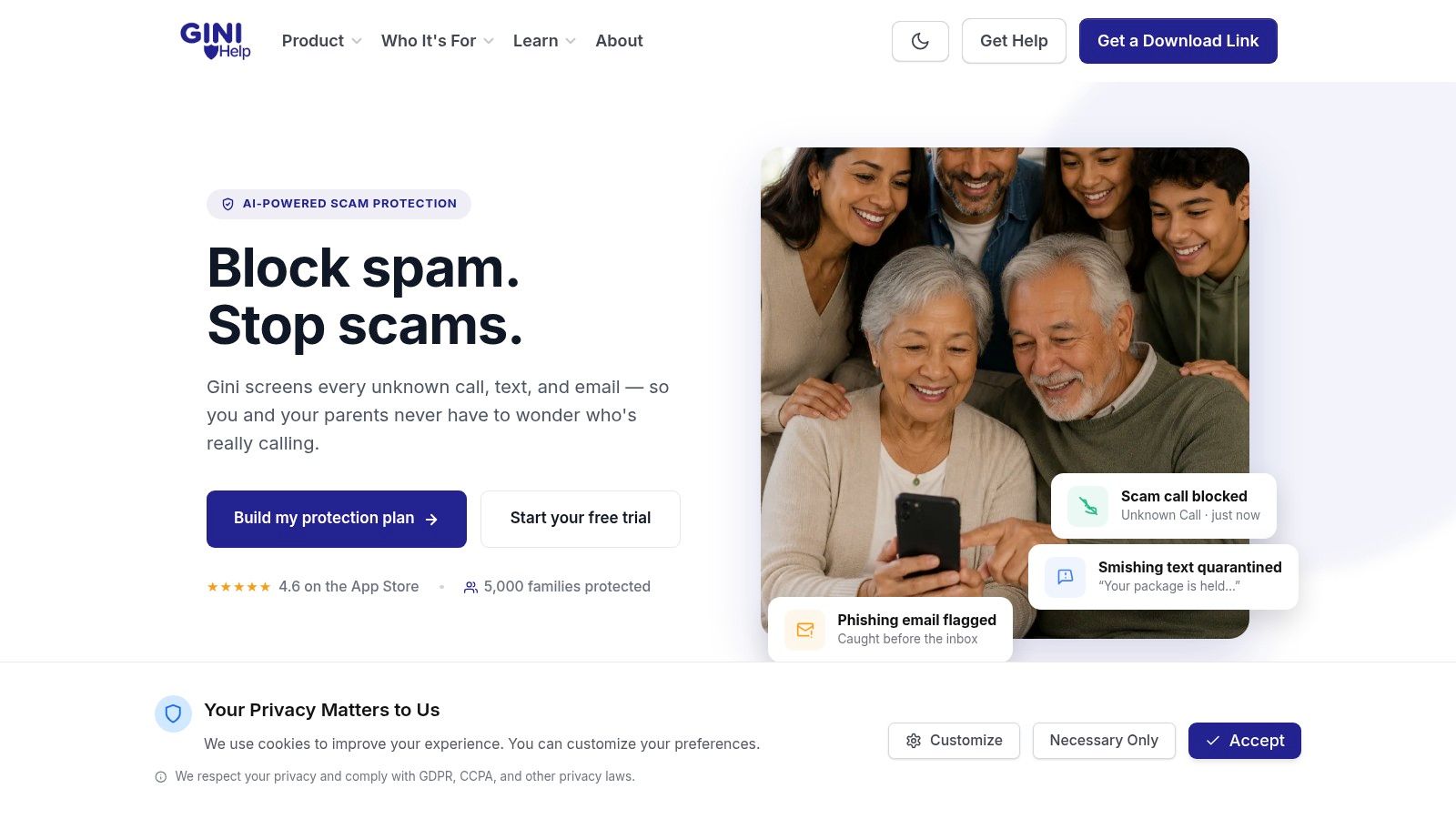
The service uses fine-tuned large language models to analyze unknown callers through dynamic conversation. Rather than relying only on a static database of numbers, it can answer first, evaluate whether the interaction appears legitimate or threatening, and decide whether to connect the call. That approach addresses the central weakness of manual blocking, the caller who changes identity after one number is rejected.
It also includes a block list for immediate rejection and Live Call Analysis for calls you do answer. Live analysis can provide a risk score and haptic warnings when the conversation shows signs of a scam. For older adults, caregivers, and family members managing phone safety remotely, screening can reduce the pressure to make a quick decision every time an unfamiliar number appears.
Watch the product demonstration to see how call screening fits into a broader protection routine.
The wider benefit is consistency across communication channels. A suspicious message shouldn't become safe merely because it arrives by SMS or email instead of voice. Using one service for calls, Gmail, Outlook, Yahoo, iCloud, and SMS can make protection easier to manage, although you should still keep trusted contacts and expected communications available.
Gini Help is available through Google Play and the App Store. Review its permissions, family settings, and screening rules before enabling protection so the service matches the way your household communicates.
Building Your Complete Scam-Safe Routine
Use a simple three-layer routine rather than expecting one blocked number to solve every unwanted-call problem.
- Device: Block repeat callers immediately from Recents. Keep the number blocked when it is clearly unwanted, but avoid silencing every unfamiliar caller if you depend on new contacts.
- Carrier: Turn on your provider's spam detection and ask whether it supports network-level blocking, approved contacts, or filtered-call review.
- AI app: Add screening for calls, texts, and emails when spoofing, rotating numbers, or family safety makes manual lists impractical.
Review the routine whenever a legitimate call gets filtered or a new scam pattern appears. The goal isn't to make your phone unreachable. It's to let trusted people contact you while suspicious activity gets challenged before it demands your attention.
Gini Help screens calls, texts, and emails and can analyze unknown callers before they reach you, giving families and caregivers a broader alternative to one-number blocking. Visit Gini Help to review the protection options, then download the app and set up your phone's first layer today.