8 Phishing Email Signs to Spot in 2026: A Checklist
By Josh C.
You're halfway through the front door with the grocery bags when the phone buzzes. It's an email from your bank, or a courier, or the IT desk at work. A payment didn't clear. A parcel is being returned. Your password expires tonight. One tap and it's handled.
The message looks right. The logo is right. The layout matches the last real email you got from that company, and the sentences are cleaner than anything a criminal would have written ten years ago.
That's the point. The FBI logged 191,561 phishing and spoofing complaints in 2025, per its 2025 Internet Crime Report, and the AI-assisted lures behind those numbers are fluent, personalized, and branded correctly.
None of that makes phishing undetectable. It means the signals worth checking have moved away from how a message reads and toward things an attacker has to set up and can't easily hide: the domain it came from, the page a link opens, the file attached, the request being made.
Eight signs, in the order to check them, about ten seconds each. Sender first, then pressure, links, attachments, and requests. Each one gets what it looks like, where it fails, and the single next step worth taking. No single sign proves anything on its own, and I'll say so where it matters.
1. Spoofed or Mismatched Sender Address
Start above the body text. The name in the From field is free text that anyone can type, so "Chase Card Services" or your boss's name in that line proves nothing at all.
The address behind it is harder to fake convincingly. What you're looking for is paypa1.com instead of paypal.com, a real brand name with "secure" or "verify" bolted onto it, or a random Gmail account standing in for a company that owns its own domain.
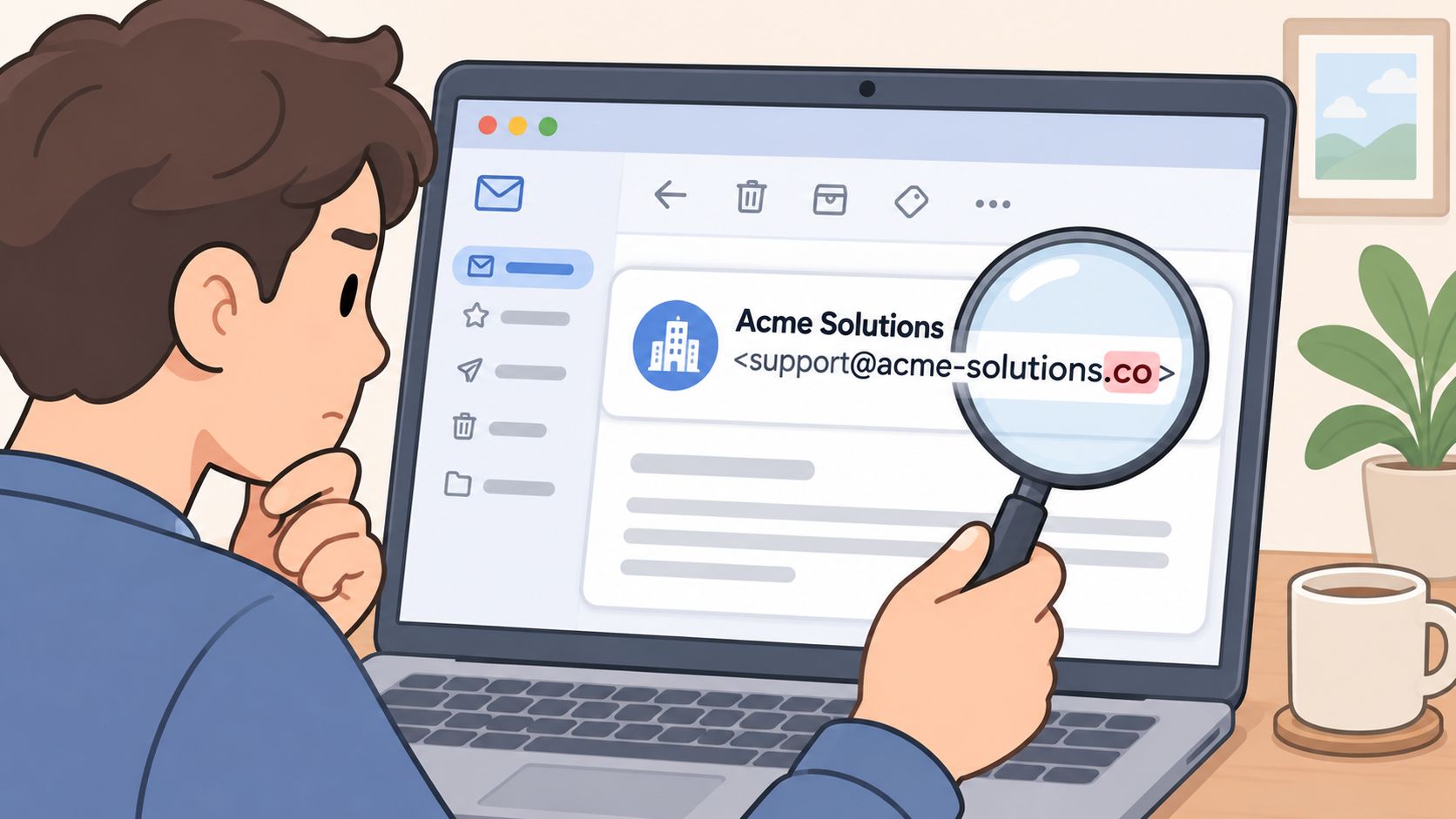
The CISA guidance on avoiding social engineering and phishing attacks lists sender addresses that imitate legitimate domains through character substitution or omission as a leading indicator, alongside shortened URLs and unsolicited attachments. That ranking holds up in practice. This is the check least likely to waste your time, because a real organization sends from its own domain and has no reason not to.
Look-alike domains do real damage beyond consumer spam. Attackers register them to impersonate suppliers and business partners, then send invoices or payment requests that pass a quick glance, and the money is wired before anyone checks the spelling. Defenses against this range from careful registration monitoring to technical controls, covered in this guide to how organizations stop look-alike domain fraud.
One honest limitation: a clean address is not proof of safety. Attackers compromise real mailboxes, and a message sent from a genuine account will pass this check completely. That's why the sender test is step one of the routine, not the whole routine. When the domain is wrong you have your answer in seconds; when it's right, you keep moving down the checklist.
The ten-second version
- On a computer: click or hover the sender name so the full address expands.
- On a phone: tap the sender line, then the details arrow. Mobile clients hide the raw address by default.
- Domain padding: treat words like "secure", "support", "verify", or "notifications" inserted into a brand name as a reason to stop.
When the domain doesn't match, don't open anything. Reach the company through the site you already know or the number on your card. The header details worth checking are explained in how to detect fake emails, and if you'd rather have something else watching your inbox, our email protection works with Gmail, Outlook, and Yahoo and warns you before you click a dangerous link. The app is on Google Play and the App Store.
2. Manufactured Urgency and Threats
Urgency is the oldest lever in phishing and still the most effective, because a deadline stops you from thinking.
The pitch always has the same shape. Your account will be suspended. Your parcel goes back to the sender. A payment is overdue. Legal action follows unless you respond inside 24 hours. Real companies do close accounts and return parcels, but they don't announce it in a surprise email with a one-click fix and a countdown.
The volume explains why this keeps arriving. The Anti-Phishing Working Group's trends reports tracked a sharp rise in phishing attacks through 2025. At that scale, no inbox stays clean for long, and every wave leans on the same lever: a clock ticking somewhere in the message.
Government impersonation is the sharpest version. The FBI has warned about scammers posing as Internet Crime Complaint Center staff, with more than 100 reports of that specific impersonation between December 2023 and February 2025. The Bureau states plainly that IC3 never contacts people directly by phone, email, social media, or messaging apps. An urgent message from "IC3" is therefore fraudulent by definition, whatever branding it carries.
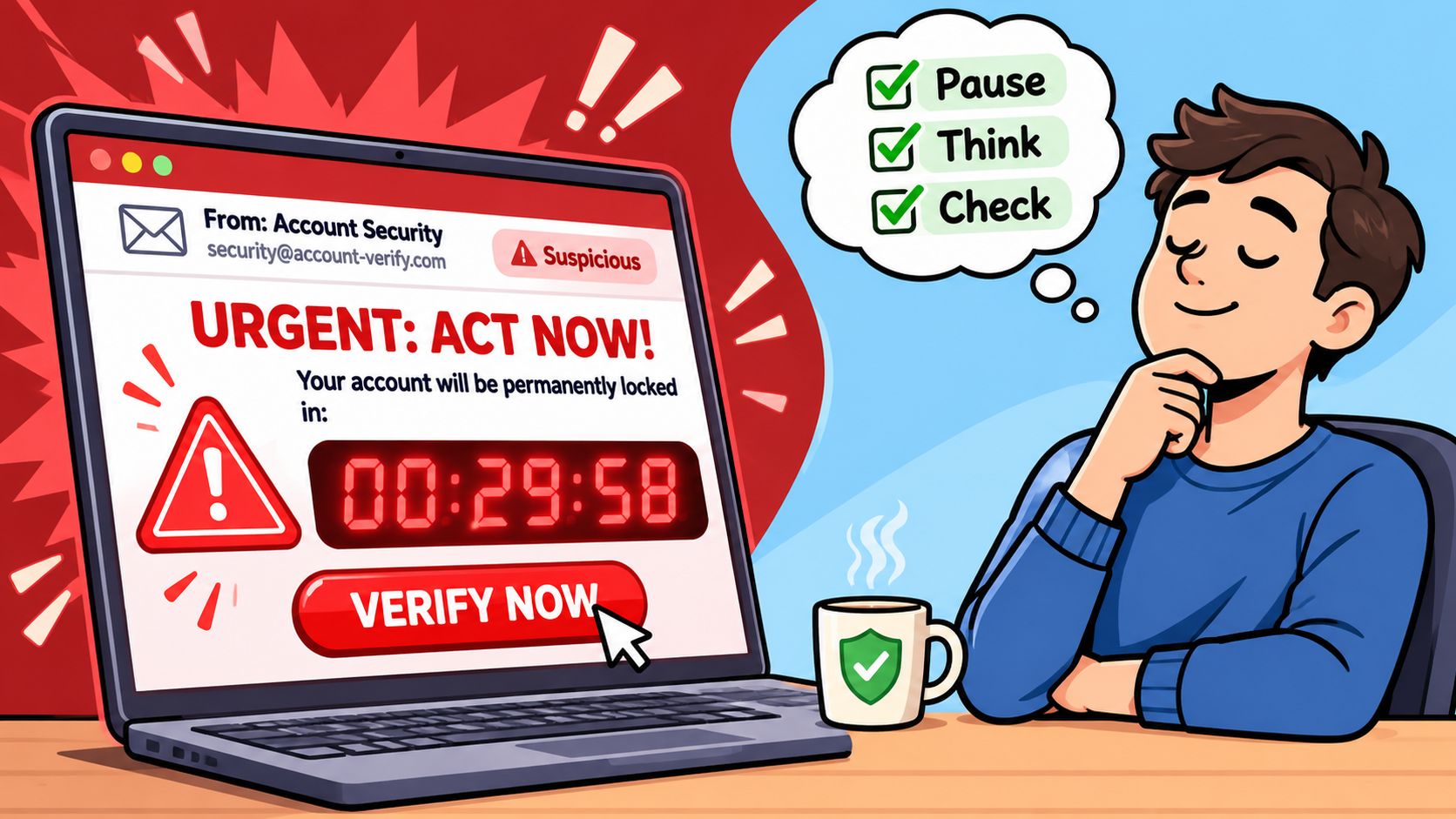
Practical rule: a real deadline survives a phone call. Close the email, open the company's app or dial the number on your card, and see whether the problem still exists.
That one habit defeats most of this category. If the account really is suspended, the app will say so. If the parcel really is held, the tracking page will say so, and it won't ask you to pay a redelivery fee in gift cards.
One caveat worth keeping in mind. Urgency on its own proves nothing, because legitimate senders do use deadlines: a fare sale ends, an invoice falls due, a password reset link expires. The difference is what the message asks you to do about it. A real notice points you back to channels you already use, while the fake one supplies its own link and punishes hesitation. Judge the request, not the tone. A calm email with a malicious link is worse than a pushy one you can verify in ten seconds.
3. Generic or Missing Personal Greeting
"Dear Customer" is a tell, and a weaker one every year.
A bank that has held your account for nine years knows your name, and its systems insert that name automatically. Bulk senders work from a list of addresses, so they fall back on "Dear User", "Dear Account Holder", "Dear Valued Member", or nothing at all. The FTC's guide to recognizing and avoiding phishing scams lists a generic greeting among the signs, next to a claim that an account is suspended over a billing problem and a link asking you to update payment details.
Where this sign falls apart is the flip side. Your name in the greeting proves nothing, because names come from data breaches, membership lists, and social media. A well-built campaign greets you correctly and gets the last four digits of your account right.
Read the greeting as one data point, then look hard at the request. A bank email that asks you to click through and confirm a password is fake whether it says "Dear Margaret" or "Dear Customer". A bank email that tells you to log in normally, with no link and no deadline, is usually real.
- Bulk greeting plus a request: treat as hostile until verified independently.
- Your name plus a request: same answer. The name buys no trust.
- Real detail you recognize: note it, then still verify. Breach data supplies plenty of accurate detail.
A quick test
Compare this message with how the organization normally writes to you. Say your credit union sends a statement every month from the same address, always addressed to you by first name, always telling you to log in through the app. A message that opens "Dear Member" and asks you to confirm your identity through a link is not that credit union, no matter how good the logo looks.
4. Deceptive or Mismatched Links
A button that reads "Sign in to Microsoft 365" can open microsoft-login.verify-account.net. A page that loads can copy the authentic sign-in screen, logo and all. Link text is a label the sender writes. It does not have to match the destination.
Hover on a computer, or long-press on a phone, before you follow it. Read the domain before the first single slash. Everything after that slash is a page path, not the site.
Some messages skip a clickable link and use a QR code. Microsoft's email threat landscape report put email-based phishing threats at roughly 8.3 billion in Q1 2026 and tracked QR-code phishing rising from 7.6 million attacks in January to 18.7 million in March, a 146% increase. QR codes now appear in a growing share of phishing emails. A QR code is a link drawn as an image, so hover does nothing, and the destination opens on a phone where the original message is no longer in view.
The clip below shows that handoff on a real message.
Treat a QR code in an email the way you'd treat a link from a stranger. Don't scan to log in, and don't scan to pay.
Ten seconds on the link
Run this after the sender and the pressure, and before you touch an attachment or a request for a password. One bad link is enough to stop. A tidy link is not proof the mail is real. AI-written phishing has removed many of the old spelling and layout giveaways, so a clean sentence and a familiar logo buy nothing.
- Desktop: hover and read the domain before the first slash.
- Mobile: press and hold, read the full URL, then close the preview without tapping.
- Shorteners: bit.ly and t.co hide the destination. Do not expand them. Open the organization yourself.
- QR codes: leave the camera alone. Use the official app or type the address.
I stop at any mismatch and check the account from a bookmark or the app, not from the mail. If you already clicked, work through what to do after clicking a link in a phishing email in order: change the password from a different device, check for MFA prompts you did not trigger, then report it.
5. Unexpected or Suspicious Attachments
An attachment is the one part of an email that runs code on your machine.
That's why the file types that matter are the ones that execute rather than display: .exe, .scr, .js, .iso, .zip archives holding any of those, and Word or Excel documents with macros enabled. A PDF can carry a malicious script too, though it's rarer. An invoice you weren't expecting, a "shipping label" for a parcel you didn't order, a voicemail notification with an .html file attached: these are delivery vehicles, not documents.
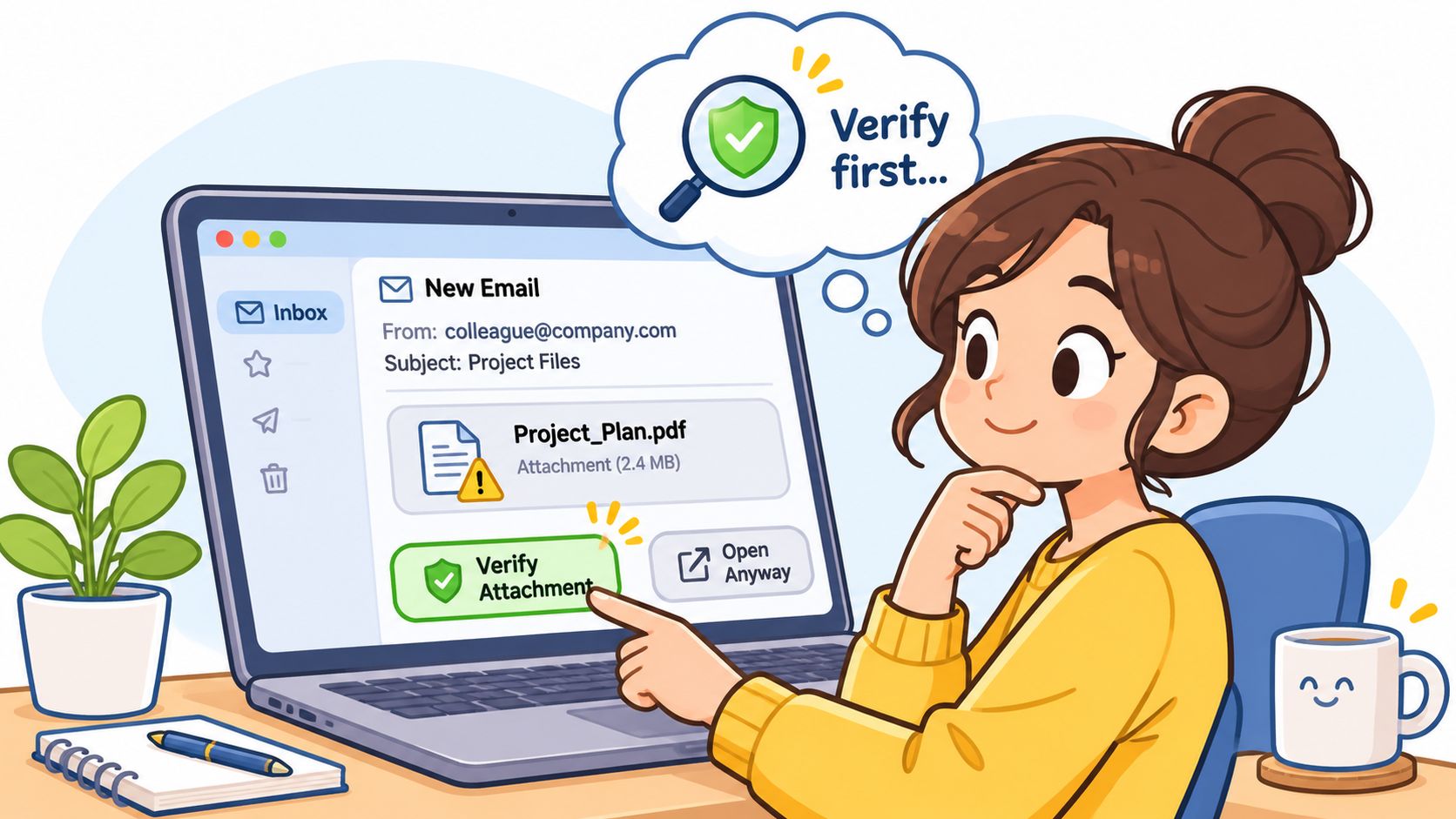
The FTC's consumer alert on phishing scams notes that email was the leading contact method for scams reported in 2024, and advises against clicking links or downloading attachments in unexpected messages at all. Contact the organization through details you found yourself instead.
Emotet is the classic demonstration. It spread for years through Word documents with macros attached to ordinary-looking invoices and shipping notices, and it took an international law enforcement operation to dismantle its infrastructure. The infection chain started with one person opening a file and clicking "Enable Editing".
What to do instead of opening it
- Call the sender on a number you already have, never one printed in the email, and ask whether they sent a file.
- Never enable macros on a document that arrived unsolicited. No legitimate invoice needs them.
- Check the extension, not the icon. Windows hides extensions by default, so switch that setting on once and leave it.
A legitimate supplier who needs to send an invoice will survive being asked to send it a second way. The fraudster will get impatient, and that impatience is your answer.
6. Requests for Passwords, Payment, or Personal Information
A message from "Microsoft" says a sign-in was blocked and asks you to confirm your password to secure the account. There was no sign-in attempt. Open the account security page yourself and the alert is not there. The request is the payload. Stop on it.
The FBI's 2025 Internet Crime Report defines this activity as unsolicited email, text messages, or phone calls that appear to come from a legitimate company and ask for personal, financial, or login credentials. A false identity, then a request for something valuable.
No bank, tax authority, insurer, or IT department needs your password, a one-time code, your full card number, or your Social Security number by email. When a message asks you to "verify" your identity through a linked page, that page is the campaign. Attackers who clone Apple, Google, and bank sign-in screens relay your one-time code to the legitimate site in real time, so a stolen password can still clear two-factor authentication. Fluent wording is no longer a reason to trust the ask. No single sign proves an email is safe or malicious on its own.
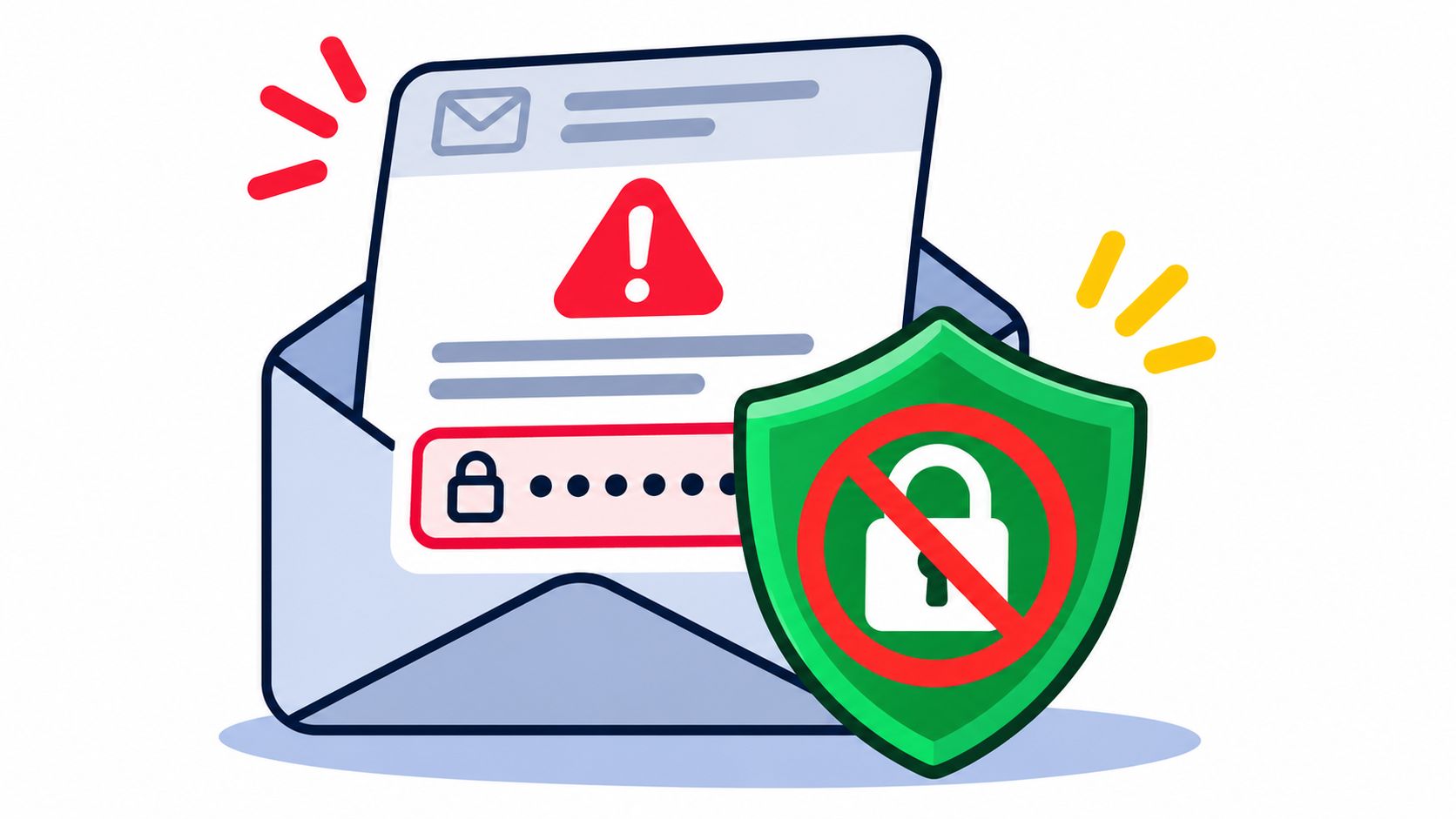
Credentials flow into the app you opened yourself, never into a form a message sent you to.
The habits that block this
- Never reply with a password, verification code, or account number, even when the message quotes a real reference number.
- Let the password manager decide. It won't autofill on a look-alike domain, and that silence is a warning worth heeding.
- Use an authenticator app rather than SMS codes where the account allows it. Texted codes can be intercepted.
I treat a payment-detail change the same way: a second person approves it, and you confirm the request on a number you already have before any money moves. Whether a policy pays after the transfer is a separate question, covered in cyber policy exclusions explained.
7. Poor Grammar, Spelling, or Formatting, and Why It's Fading
A payroll note arrives with the right logo, even spacing, and one line: confirm your direct deposit before Friday. Nothing is misspelled. That polish used to be the all-clear. It is now the weakest item on the list. Clean prose is not proof the sender is real, because generated text removed the old giveaway.
You will still see the clumsy version. Fonts pasted from another template, a logo in the wrong shade, sentences that read like a double translation. It shows up most in mass campaigns aimed at consumers. Treat that as supporting evidence only.
Generative tools made fluent English the default. Verizon's 2025 Data Breach Investigations Report found the human element in roughly 60% of breaches. People with recent phishing practice report test emails far more often than people without it, and machine-written copy now turns up in a much larger share of malicious mail. I do not treat perfect grammar as a pass.
What to read once the spelling looks fine
- Tone too formal for the relationship. "Kindly be advised" from a colleague who writes in fragments is a mismatch.
- Vague specifics. A real internal note names the project, the date, and the person. Generated mail says "our recent discussion."
- Structure that feels assembled. Greeting, problem, call to action, polite close, every time, with three sentences where one would do.
- Robotic perfection. A rushed human note has shorthand and a missed comma. Flawless punctuation on a "quick" ask is a reason to slow down.
Gini Help weighs this layer next to the technical checks, and what Gini looks for in phishing covers the signals it evaluates beyond spelling. Odd formatting still catches some campaigns. Grammar alone catches almost none.
8. Too-Good-to-Be-True Offers and Out-of-Character Requests
Two scams wear this mask and they pull in opposite directions. One offers you something. The other asks for something you'd normally do without thinking.
The offer side is obvious in theory: a prize you never entered for, a tax refund, an inheritance, a gift card balance about to expire. The request side is the dangerous one. A supplier emailing new bank details. An executive needing a wire before a meeting. A colleague who wants gift cards for a client, today, and asks you to keep it quiet.
Business email compromise is the expensive version. The FBI's 2024 Internet Crime Report recorded $16.6 billion in total losses across 859,532 complaints, and put losses attributed to business email compromise at about $2.77 billion in the same year. What makes it work isn't a malicious link or a dodgy attachment. It's a request that arrives at a plausible moment from the right name.
The two-phone rule
Any change to payment details gets confirmed by calling a number you already have on file, never the number in the email, before anything moves. At a small business, add dual approval for wire transfers and vendor bank changes so one person under pressure can't move money alone.
- Prize or refund you didn't ask for: ignore it and go to the company's site directly.
- A secrecy request: the loudest warning sign in the whole list. Legitimate business never needs you to keep quiet.
- Urgency plus authority plus money: three levers at once. Treat it as fraud until proven otherwise.
Small business rule: if a message breaks your normal procedure, that break is the whole signal. Procedure exists so nobody has to make a judgment call under pressure.
A supplier changing bank details is a five-minute phone call to a number you already have. A fraudulent payment is a month of recovery, and often a legal argument about who covers it.
How the eight phishing email signs compare at a glance
| Item | Quick check | Main strength | Main limitation |
|---|---|---|---|
| Spoofed or Mismatched Sender Address | Check the full sender and reply-to addresses for lookalike domains. | Quick, easy check that can catch phishing before you click. | Compromised real accounts can pass sender checks; mobile apps may hide full addresses. |
| Manufactured Urgency and Threats | Watch for short deadlines, threats, or pressure to keep the matter secret. | Pausing to verify often defeats urgency-based scams. | Genuine alerts can also be urgent, and impersonated authorities may seem convincing. |
| Generic or Missing Personal Greeting | Look for generic greetings and missing account or order details. | Easy to spot and useful for identifying bulk campaigns. | Legitimate messages may be generic, while phishing messages can use your name. |
| Deceptive or Mismatched Links | Preview the destination and compare it with the displayed link. | Fast to check; email platforms and browsers may flag dangerous sites. | Full URLs are harder to inspect on phones, and trusted cloud services can host phishing pages. |
| Unexpected or Suspicious Attachments | Treat unexpected files, archives, and macro-enabled documents with caution. | A simple rule, do not open unexpected attachments, reduces risk. | Malicious files can look legitimate or come from a compromised contact. |
| Requests for Passwords, Payment, or Personal Information | Be wary of requests for passwords, codes, financial details, or transfers. | A clear rule against sharing credentials helps prevent account takeover and identity theft. | Legitimate services may request information on their websites, so independent verification is needed. |
| Poor Grammar, Spelling, or Formatting (and Its Declining Reliability) | Notice errors or inconsistent formatting, but check other signals too. | Helpful as one clue, especially in older or mass-produced scams. | AI can produce polished messages, and legitimate senders may make errors. |
| Too-Good-to-Be-True Offers or Unexpected Requests | Verify unexpected prizes, refunds, or payment-detail changes independently. | Verification can prevent major financial losses and catch many scam types. | Genuine promotions may look similar, and trusted contacts can be impersonated. |
What to Do the Moment an Email Feels Wrong
Stop. Don't click, don't reply, don't open the attachment, don't scan the code. Nothing legitimate breaks because you waited ten minutes.
Then verify through a channel the sender can't control. Open the company's app or type its address into a fresh browser tab. Call the number on the back of your card or the one on your last statement. If the alert is real, it'll be waiting inside the account. If it isn't, you've just saved yourself a week of cleanup.
Reporting matters more than people assume. Every email provider has a "report phishing" button, so use it, because it trains the filter for everyone else on the same service. Report fraud to the FTC and to the FBI's Internet Crime Complaint Center, and tell your bank the same day if you entered card or account details. If the message arrived at work, forward it to whoever handles security, and don't forward it to colleagues as a warning, since the link travels with it.
None of the eight signs above is conclusive by itself. A perfect sender domain can still front a compromised account. A clean, well-written message can be entirely fraudulent. A generic greeting can come from a mailing list you joined. The MR2 Solutions cybersecurity risk playbook makes the same point from the business side: defenses fail when they rest on a single control. Combine three or four checks and the odds swing sharply your way, because an attacker has to beat every one of them at the same time.
That's the shift since the days of spotting typos. You're not judging whether a message looks professional. You're judging whether the domain, the destination, the attachment, and the request all agree with each other.
For ongoing cover, Gini Help screens calls, texts, and email in one app, flags the specific reason a message looks suspicious, and can warn you before you act on it. It's available on Google Play and the App Store.
Gini Help checks your inbox for phishing signals, from mismatched sender domains and hidden destinations to urgent language and requests for codes or payment, and tells you why a message was flagged before you click. Connect Gmail, Outlook, Yahoo, or iCloud and the same app filters scam texts into a separate folder and warns you during a call if the conversation turns toward verification codes or account numbers. Visit Gini Help to watch a live demo of it blocking a real spam call in your browser.