What Does It Mean to Screen a Call? Plain Answers for 2026
By Josh C.
Screening a call means checking who is calling and why before you decide whether to answer. The volume behind that check is enormous: the National Do Not Call Registry receives a very large volume of consumer complaints and holds hundreds of millions of registered numbers. That scale explains why screening matters, but it also shows why a blunt filter can create problems of its own.
So why does screening still feel like a gamble? The question most advice skips isn't "how do I block more calls." It's "what happens to the call I needed." A pharmacy confirming a refill, a specialist's office with a test result, a home aide arriving two hours early, a school nurse with a sick child: any of these can come from a number you've never seen. A gate that stops everything stops those too, and the cost of a false positive can be a missed message that mattered.
Screening is a decision layer, not a wall. It works like a front desk that asks two questions before sending someone through: who is calling, and why? The useful part is seeing where those decisions happen and what evidence each one uses. Then the trade-offs become something you set on purpose instead of something that happens to you.
What Screening a Call Means in Plain Terms
Picture a doorman in an apartment building. A visitor gives a name and a reason, the doorman checks the list, and the door buzzes or stays shut. Nobody upstairs walks down four flights to find out who is there. That is what screening a call does for your attention: it places a decision between the ring and the answer, so the interruption only happens after someone or something has established who is on the line and what they want.
The habit is older than the smartphone. The Library of Congress dates the earliest telephone answering devices to around 1900, when they mainly served busy professionals such as doctors and dry cleaners, and adoption spread through the 1970s and 1980s until nearly three-quarters of U.S. households had an answering machine by the mid-1990s. Letting a caller state a name or a purpose before you picked up was the whole function. Today's versions add reputation data, automated questions and conversation analysis, but the job hasn't changed.
Six ways a phone can handle an unknown call
Read the table top to bottom and you can watch the decision shift further away from you at each step.
| Method | What decides the outcome | Main strength | Main limit |
|---|---|---|---|
| Let it ring | Your judgment after the phone rings | Nothing to set up | Every unknown call interrupts you |
| Voicemail | The caller chooses to leave a message | Lets you defer the call | Real callers may not leave a message |
| Caller ID display | The number shown on screen | Quick glance before answering | Numbers can be spoofed |
| Block list | Whether the number is already known as unwanted | Stops repeat callers | Scammers rotate through new numbers |
| STIR/SHAKEN authentication | Whether the displayed number is verified | Reduces caller ID spoofing | Does not prove the caller's purpose |
| Conversational screening | The caller's answers and requests in real time | Catches scripted scam behaviour | Depends on how accurately the system reads the call |
Gating calls is now network infrastructure rather than a gadget you buy. By the end of the third quarter of 2025, Australian telcos had reported blocking more than 2.7 billion scam calls since December 2020, according to the Australian Communications and Media Authority. That scale is why screening counts as consumer protection. The goal isn't to stop everything, it's to let legitimate calls continue according to your setup while unwanted calls are stopped.
If you want the automated version spelled out end to end, the Lighthouse Legal call screening explainer walks through how a system handles an unfamiliar caller from the first ring onward.
A quick self-check before we go further: which method in that table does your phone use right now, and which one still leaves you personally answering every unknown number that lights up the screen?
How a Screened Call Unfolds Step by Step
A blocker works like a locked door with a nameplate. It checks the number and decides before anyone speaks. A screen works more like a receptionist. It answers, asks a few practical questions, then decides whether the call should reach you.
Here is how that exchange unfolds, step by step.
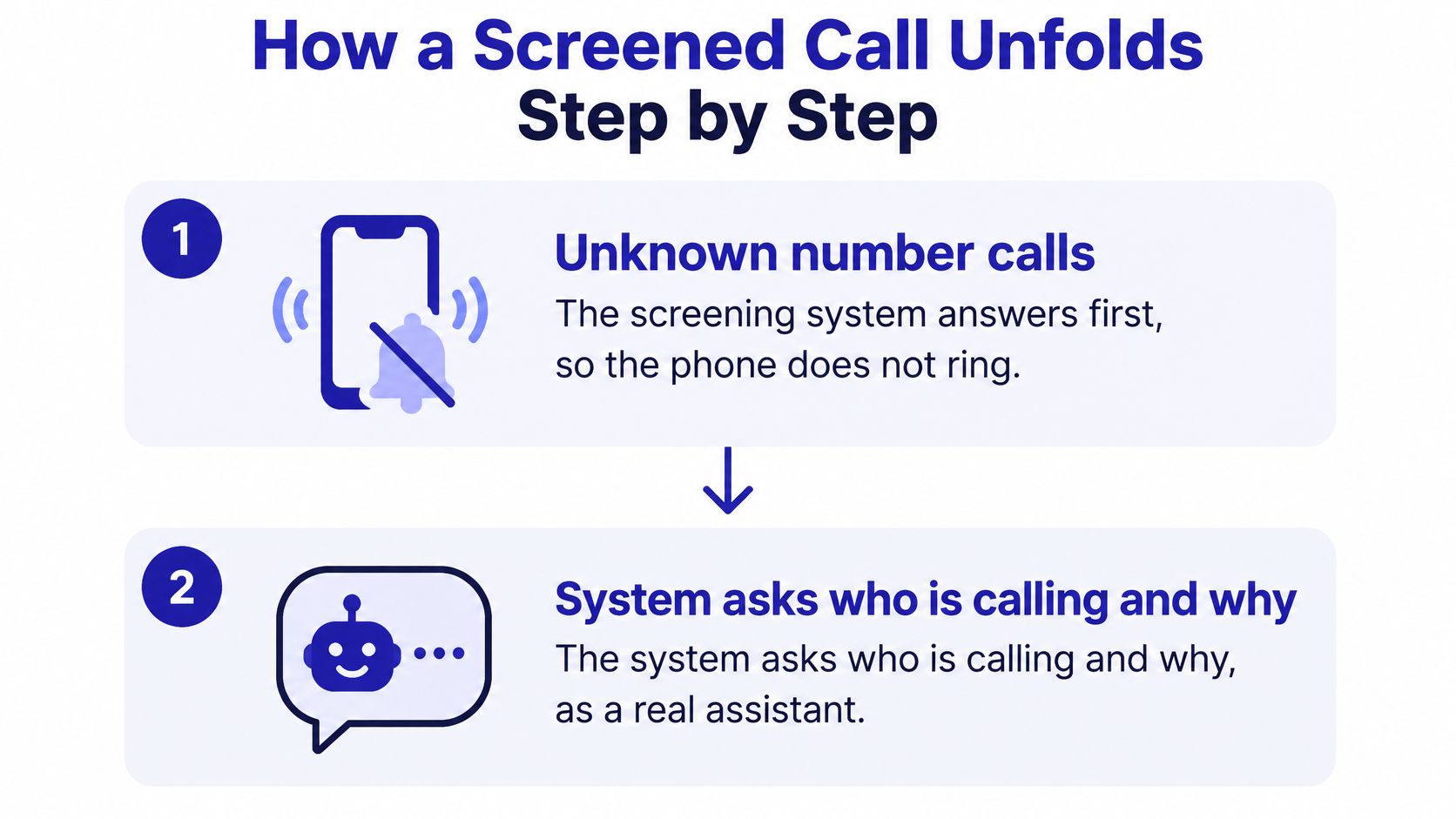
1. The system answers before your phone rings. The call is handled before it reaches your handset, so it does not interrupt the room. The common slip is treating a call that never rang as a missed call. It was not missed. It was screened, and the record should be waiting for you. Some phones expose a manual version too: a Screen call button on the incoming call screen hands the caller to an assistant that asks for a name and a reason.
2. It asks who is calling and why. A polite human receptionist might say, "May I ask who's calling?" A screening system does the same thing in plain language. Gini answers calls from unknown numbers, asks who is calling and why, and rings you through when the call is real. The confusion comes from over-reading a hang-up. Someone who will not state a purpose gives you a reason to verify, not proof of fraud. Plenty of people dislike talking to a machine.
3. It reads the answers for intent, requests and urgency. The Congressional Research Service analysis of call authentication and screening describes this stage as a live classification problem: audio becomes speech features or a transcript, the system assesses intent and social-engineering tactics, and a risk score updates as new evidence arrives. Scam risk unfolds sequentially. A caller can sound entirely plausible for two minutes before asking for a one-time code, a verification code or an account number.
4. Your rules decide what happens next. Approved callers ring through, caller rules turn some calls into messages, and unwanted calls can be stopped. That is the difference between a simple filter and a policy you set. With Live Call Screening, you follow Gini's conversation with an unknown caller as it happens, then take over the call, send it to voicemail or block the caller.
The threshold rule: a low-risk call connects, an ambiguous call gets held for confirmation, and a high-risk call is ended or blocked. The point of the middle category is that uncertainty gets a response rather than a silent drop.
5. You see the record afterwards. A screened call should leave a trail: the caller's name if they gave one, the reason they gave, and how the call was handled. That history matters when you depend on unknown callers. A doctor's office, pharmacy or caregiver may call from a number you do not recognize. Screening reduces unwanted calls, but it cannot identify every scam or guarantee that every caller is safe.
From your side, a normal screened call is almost boring. The phone rings once, for a caller who said who they were, and you pick up knowing the name and the reason. Everything else waits in the history. If your interest runs the other way, toward outbound calls that only work when a person answers, Dial Milo on outbound reminder calls shows how reminder calls get routed to a human.
Why Caller ID and Block Lists Fall Short
The assumption worth challenging is that a verified number is a safe number. It isn't, and the reason sits inside how authentication works.
STIR/SHAKEN gives the network a way to sign a call. The FCC's call authentication page explains that digital certificates and public-key cryptography let the originating provider attest that the caller is authorized to use the displayed number, and the receiving provider verifies that signature and can feed the result into analytics that label, block or complete the call. That reduces caller ID spoofing. It doesn't establish that the caller's purpose is legitimate. A properly authenticated number can still belong to a scammer, and calls outside that authentication coverage may carry no equivalent evidence at all.
Say a call arrives showing your bank's real number and the display checks out. The voice on the line says there's a suspicious transfer and asks you to confirm your password or read back a code. The number was genuine. The request was not. Identity answered "where does this call claim to come from," and you still needed to answer "what is this person asking me to do."
A verified number tells you where a call claims to come from. It never tells you what the caller wants.
What a block list can and can't do
Block lists handle repetition well. A number that has already annoyed you, or already been reported by thousands of others, stays out. The weakness is arithmetic: scammers burn numbers by the thousand and move on, so any list of known bad numbers is always describing yesterday's calls. Your list also can't help with a familiar number that has been spoofed.
Strong screening combines identity signals with behaviour. The requests that matter most are the ones that show up in the conversation, such as:
- Credentials: a password, a PIN, or a verification code read aloud
- Payment: a transfer, gift card, wire, or crypto deposit
- Remote access: installing software or granting screen control
- Secrecy: "don't tell the teller," "don't hang up," "stay on the line"
- Urgency: a deadline measured in minutes
The architecture follows in plain steps. Check identity where it's available, weigh reputation and call patterns, then apply a threshold before anything reaches you. Unlike a blocker that only consults a database of known spam numbers, Gini answers unknown calls itself, asks who is calling and why, and only lets real people through to your phone. You can read more about what a caller ID display proves in this guide to caller ID on your phone. One honest caveat sits over all of it: screening reduces unwanted calls, but it cannot identify every scam or guarantee that every caller is safe.
Scam Signals to Listen For During a Screened Call
Numbers alone won't sort your calls, so the useful question becomes what a screen should listen for once the call is answered. Complaint data shows the recurring themes. The Federal Trade Commission reported more than 2.6 million complaints to the National Do Not Call Registry during fiscal year 2025, with more than 258 million telephone numbers registered by the end of that year, and robocalls accounted for most reported violations, according to the FTC's biennial report to Congress. The most common reported subjects were debt reduction, impostor calls pretending to be government agencies, businesses, relatives or friends, and medical or prescription issues.
That list is a map of the scripts. A screen that only checks whether a number is in a database will miss a spoofed call entirely, because the display can be made to look like anyone. The FCC's guidance on unwanted communications notes that spoofing makes a scam appear to come from a legitimate number, and federal rules prohibit malicious spoofing intended to defraud, cause harm, or wrongfully obtain something of value.
| Signal | Example from the call | What to do |
|---|---|---|
| Asks for a verification code | Read me the code we just sent to your phone | Hang up and sign in through the official app or website |
| Asks for an account number | Confirm your account number so we can fix this | Do not share it; call the organization on a number you know |
| Claims to be a government agency | Calling about an overdue payment to a federal agency | Hang up and look up the agency's number yourself |
| Debt reduction pitch | We can cut what you owe today | End the call; legitimate lenders do not require an instant decision |
| Medical or prescription urgency | Your prescription is on hold and needs payment now | Verify with your pharmacy using the number on your bottle |
| Pressure to act now | Your account will be closed in 10 minutes unless you pay now | Pause, refuse to act on the call, and check independently |
How to use the table on a live call
Treat each row as a tripwire rather than a verdict. Any single match is a reason to stop the conversation and verify through a channel you already trust: the number on your card, the app you signed into yourself, the pharmacy line printed on the label.
"If the call asks you to do something, the call is no longer the authority on whether you should do it."
A caller who passes every identity check can still fail on the request. A code request from a "bank" is a code request, whoever the display says is calling. More worked examples sit in this guide on how to identify scam calls.
Setting Up Screening Without Blocking Real Calls
The hard part of screening isn't blocking. It's the false positive, a genuine call that gets held. Older adults often depend on incoming calls from doctors, pharmacies, caregivers, delivery workers, schools, government offices and emergency contacts, and a setup tuned for maximum blocking will eventually hold one of them.
The stakes behind that exposure are real. The FBI reported that people over 60 filed more than 201,000 internet-crime complaints and reported over $7.7 billion in losses in 2024, according to its summary of scams targeting older adults. A screen that holds a legitimate hospital call to avoid one scam call has traded a small risk for a bigger one.
The allow list comes first
Before tightening anything, name the people and offices that must never be held. Every Gini plan includes an allow list, where trusted contacts skip screening entirely, and a block list, where unwanted callers are blocked for good. Emergency calls to 911 are never blocked or screened. The allow list is the setting that makes stricter screening safe, so build it first; the guide to understanding your allow list covers how entries behave when a trusted number arrives from a different line.
What to do with the calls in between
Uncertain calls deserve a third path. A screen should offer voicemail or a callback, explain what triggered the hold, and let you override the decision. That matters for callers who can't answer follow-up questions: someone with hearing difficulty, someone speaking limited English, or a delivery driver at a noisy gate. Asking questions is a good filter until it becomes a barrier.
A held call should never vanish silently. If the system can't decide, it should say so, leave a message option, and show you the reason it was unsure.
Five things to set before you switch to strict mode:
- Medical contacts: add your doctor's office, the clinic's main line and your pharmacy
- Care network: add your caregiver's mobile, the agency's line and any home-health coordinator
- Family and school: add your children or grandchildren's school office and close family numbers
- Local services: add delivery companies and any regular tradesperson
- A test: call yourself from a number you know and confirm it rings through before you trust the setup
Turn On Call Screening Before the Next Scam Call
Screening is a decision layer between the ring and the answer. Start with one change, then watch how it handles real calls before you make it stricter.
- Find the switch. On iPhone, look in Settings under Phone for Silence Unknown Callers. On Android, open the Phone app's settings and look for caller ID and spam protection or blocked numbers. Write down where it lives so you can find it again.
- Match the strictness to your risk. Start with caller rules and voicemail for uncertain calls, and save maximum blocking until you've tested the setup for a few weeks. A doctor, pharmacy, caregiver, or delivery driver may call from a number you do not recognize, so give uncertain callers a route to leave a message.
- Test it with a number you know. Call from a second phone or ask a family member to ring you, then confirm the call reaches you normally. Check that your current screening status is shown on the Home screen of the app if you are using one.
- Review the activity history weekly for the first month. Look for real calls that were held, and adjust the rules that caused it. One misplaced hold is worth more attention than ten blocked spam calls.
- Keep the allow list current. Doctors change offices, pharmacies change numbers, caregivers change phones. Update the list whenever one of those changes, because trusted contacts on the allow list skip screening entirely.
Screening rules earn their keep at the edges, when someone needs to reach you quickly. That is why the allow list belongs beside any strict block list, especially for people who depend on unknown callers for care, deliveries, or scheduling.
Here's how a screened call plays out on a phone that already has protection running.
If you'd rather not manage rules yourself, the Gini Help app screens unknown callers, helps you spot scams, and shows how calls were handled. Every plan includes AI call screening, where unknown callers are answered and screened by AI before the phone rings. You can watch a live demo of Gini blocking a real spam call in your browser before signing up. Install it from Google Play or the App Store, and choose Help when unwanted calls and scam protection are the main concern.
Gini Help asks who is calling and why, then rings through when the call is real. It also keeps call history, so you can see the outcome of each call it handled. Emergency calls to 911 are never blocked or screened.
For related reading, these plumbing emergency call coverage tips look at urgent call handling from a service business angle.