What to Do When You Get a Scam Call: A Practical Guide
By Josh C.
Your phone rings while you're making dinner. The number looks local, or the caller ID says your bank, Medicare, the IRS, or a family member. The caller immediately creates a problem that supposedly needs your attention now. Before you can think, you're being asked to confirm your name, read a code, move money, or stay on the line.
That pressure is the scammer's main tool. The safest answer to what to do when you get a scam call is simple: treat every unexpected call as untrusted until you verify it independently. This guide breaks the response into three time-critical tracks, during the call, immediately after, and in the days that follow, including the steps to take if you already shared information or sent money.
The First Few Seconds of a Suspicious Call
An unfamiliar number appears. You feel the quick jolt of concern, especially if the caller ID looks local or displays a recognizable organization. You answer, and a voice says your account is compromised, your benefits are at risk, or a relative needs help. The caller may add, “Don't hang up,” because keeping you connected prevents you from checking the story.
Those first moments matter because urgency narrows your attention. A scammer wants you reacting to the threat instead of questioning the call. The correct rule is blunt: an unexpected call is untrusted until you prove who is calling through a separate channel.
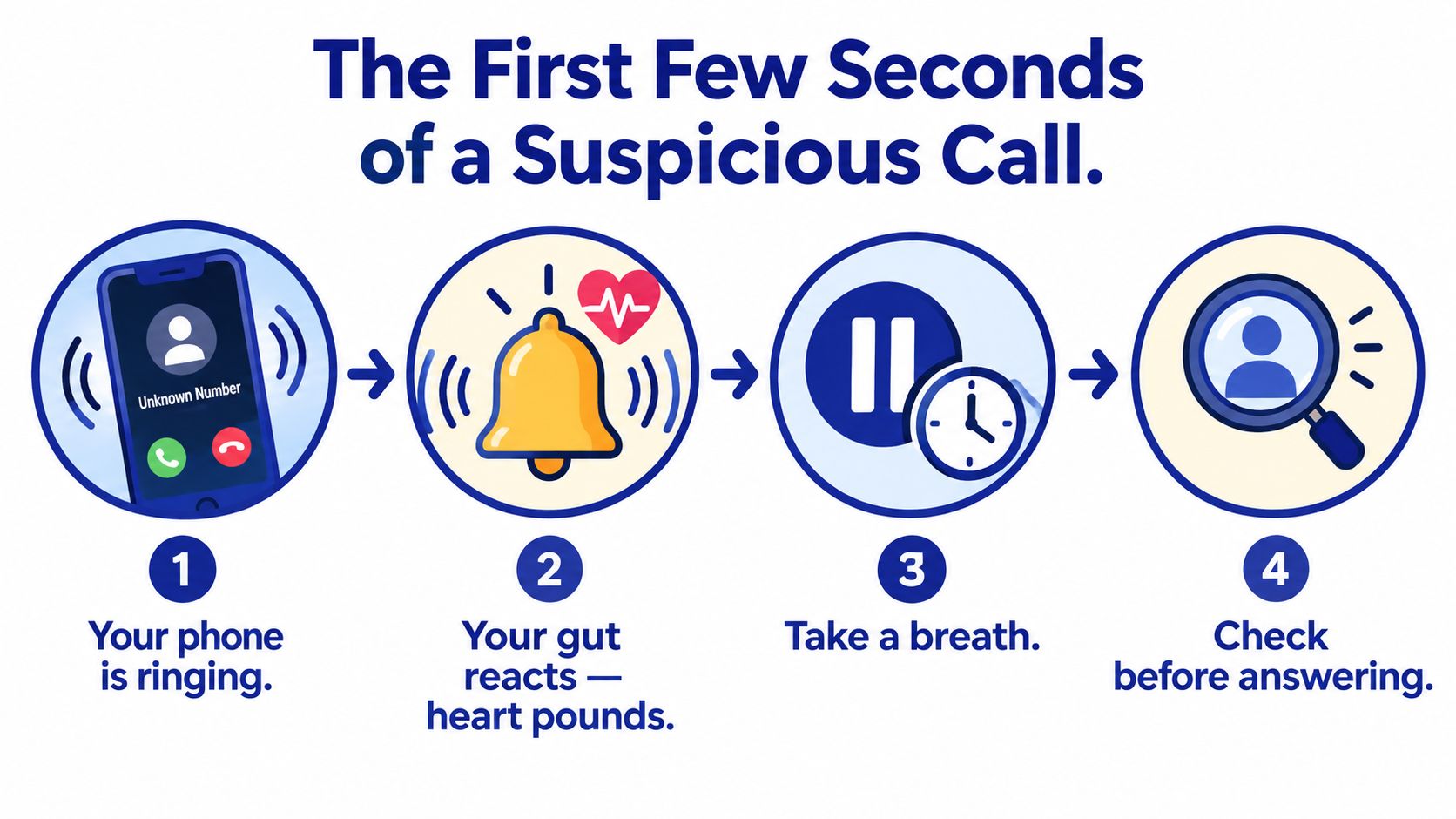
Recognize the pressure pattern
Watch for a sudden problem paired with a demand for immediate action. Common examples include a supposed bank investigator telling you to “protect” your money, a government caller threatening legal consequences, or a technician claiming your computer is infected.
A legitimate organization can be contacted through its published channels. A legitimate family member can be reached through a number you already know. The caller's urgency doesn't create an obligation for you to continue the conversation.
Phone calls are a major entry point for high-value impersonation scams affecting older adults. In 2024, 41% of adults aged 60 and over who reported losing at least $10,000 to a business or government impersonation scam said the scam began with a phone call, compared with 15% that began with an online advertisement or pop-up and 13% with an email, according to FTC data on impersonation scams targeting older adults.
Make the first decision before speaking
If you don't recognize the number, let it go to voicemail when possible. If you answer and hear a recording, don't press a number to reach an agent or stop future calls. The FCC warns that interacting with a robocall this way can identify your number as active, and it says caller ID isn't proof of identity because criminals can spoof familiar numbers, businesses, and agencies. Its guidance on stopping unwanted robocalls and texts supports the safest sequence: pause, disengage, verify independently, and report.
You don't need to identify the scam perfectly before ending the call. A strange pause, a demand for secrecy, a threat, or a request for sensitive information is enough. Hang up first. Investigate later, using contact information you find yourself.
What to Say and What Never to Say on the Call
Once a caller starts asking questions, don't try to win an argument or expose the fraud. Your goal is to end the interaction without giving the caller useful information.
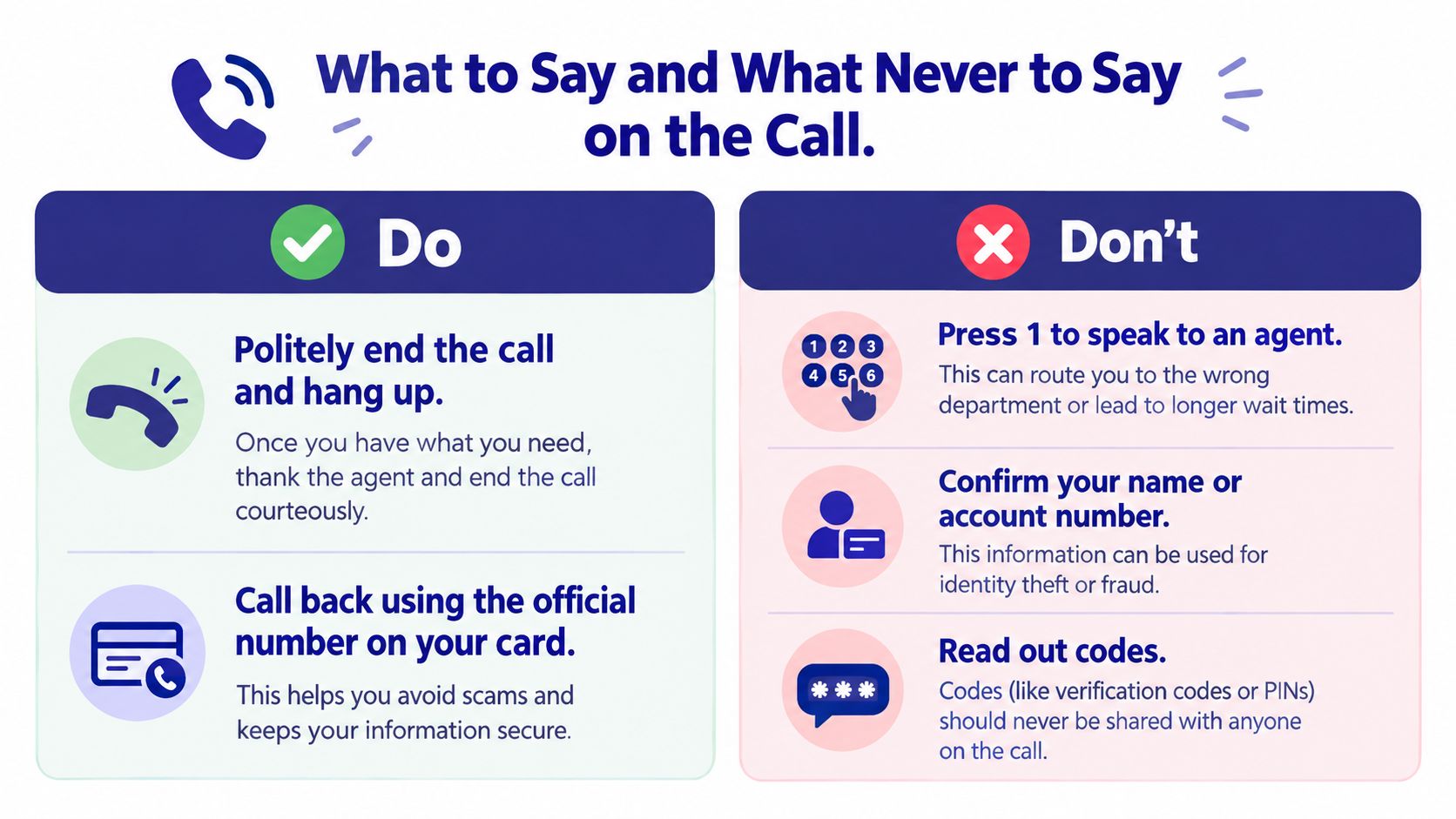
Use this four-part script:
- Stop the conversation. Say, “I don't handle account issues on incoming calls.”
- Refuse the supplied callback details. Say, “I'll call the official number myself.”
- End the call. Don't wait for permission, reassurance, or a final explanation.
- Verify separately. Find the number on your bank card, statement, insurance document, or the organization's official website.
That second sentence is the most useful one to memorize. It works whether the caller claims to be from a bank, a government agency, a medical office, or a delivery company. You can find more practical examples in this guide to handling answers to spam calls.
What not to confirm
Don't confirm your full name, address, date of birth, account number, Social Security number, Medicare identifier, password, payment details, or one-time security code. Don't read anything from a text message to a caller who contacted you unexpectedly. Never provide remote access to a computer or move money to a supposed “safe account.”
You also don't need to answer harmless-sounding prompts. Avoid confirming whether you're the account holder, whether you live at a particular address, or whether a phone number belongs to you. A recording or live conversation can help a criminal build a more convincing follow-up.
Practical rule: You don't need to say “yes,” prove your identity, or remain polite after a caller demands sensitive information. Hang up.
Consider a bank impersonation example. The caller says, “This is the fraud department. We need to confirm your account number and send a code to stop a transfer.” Your response is: “I'll call the official number on my card myself.” Then hang up. Don't use the number displayed on your screen, the number the caller gives you, or a number included in a text they send.
Right After You Hang Up
The first minutes after a suspicious call are valuable. Your memory is clear, evidence is still available, and you can prevent a second conversation from pulling you back in.
Start by writing down the details before blocking or deleting anything. The FBI recommends recording the caller's claimed identity, phone number, time, requested action, payment method, and instructions, while preserving voicemails, texts, emails, receipts, and screenshots. Follow its elder-fraud reporting guidance and keep the original evidence intact.
Capture the evidence
Create a short incident note with:
- Displayed number: Record exactly what appeared on caller ID, even if it looked official.
- Callback number: Write down any number the caller supplied, but don't use it.
- Claimed organization: Note whether the caller said they represented a bank, agency, insurer, employer, or relative.
- Timing and pressure: Record the time, the alleged emergency, deadlines, threats, and requests.
- Payment or access demand: Include gift cards, cryptocurrency, wire transfers, card payments, passwords, codes, or remote access.
- Saved material: Keep voicemails, texts, emails, screenshots, receipts, and payment confirmations.
Don't forward suspicious links to friends as a warning unless you can do so safely. Preserve them for investigators, but avoid clicking them. If the message contains a callback number, don't treat that number as evidence of legitimacy.
Block, then verify
Block the number on your iPhone or Android phone after you've saved the relevant details. Your mobile carrier may also provide call-labeling or blocking tools. These tools can reduce repeat calls, but blocking alone doesn't address spoofing, where a scammer displays a different number during the next attempt.
If the caller claimed to represent an organization, find its official number independently. Use a bank card, statement, insurance document, or official website. Ask whether the call was real, and tell the organization what information the caller requested. Don't rely on a search result advertisement or a number sent by the caller.
Send the report to the right place
| Call Type | Reporting Channel | What to Include |
|---|---|---|
| Impersonation | FTC at ReportFraud.ftc.gov | Claimed organization, caller's story, requested information or payment, and evidence |
| Spoofing | FCC consumer complaint system | Displayed number, callback number, time, claimed identity, and what the caller requested |
| Robocall | FCC consumer complaint system | Recording details, displayed number, prompts, and whether the call requested interaction |
| IRS or Social Security impersonation | FTC, the relevant agency, and the FBI's Internet Crime Complaint Center | Claimed agency, threats, payment demand, phone details, and preserved messages |
| Tech support | FTC and the FBI's Internet Crime Complaint Center | Company name, remote-access request, payment demand, software mentioned, and screenshots |
A report still matters if you didn't lose money. Official figures don't capture every incident, but reporting helps authorities connect repeated numbers, scripts, payment routes, and impersonated organizations. If the caller threatened violence or immediate physical harm, contact local law enforcement.
If You Already Shared Information or Sent Money
Don't freeze, hide the incident, or keep talking to the scammer. Speed matters because financial institutions and account providers may have options that disappear as time passes.
If you gave a password, account number, Social Security number, Medicare identifier, payment detail, security code, or remote access, treat the incident as an active compromise. If you sent money, treat it as an emergency even if the caller insisted the transfer was temporary or protected.
Take these actions first
- Stop communicating. Don't negotiate, warn the caller, or answer follow-up calls.
- Contact the financial provider through a verified channel. Call the bank, card issuer, wire service, or cryptocurrency platform using a number from its official website, card, statement, or app. Explain exactly what happened and ask whether the transaction can be recalled, canceled, or frozen.
- Secure accounts from a clean device. Change compromised passwords, especially passwords reused elsewhere, and enable multifactor authentication.
- Call your mobile carrier if your number may be taken over. Ask the carrier to review unauthorized changes and protect the account.
- Preserve everything. Keep receipts, wallet addresses, transaction records, texts, voicemails, emails, and screenshots.
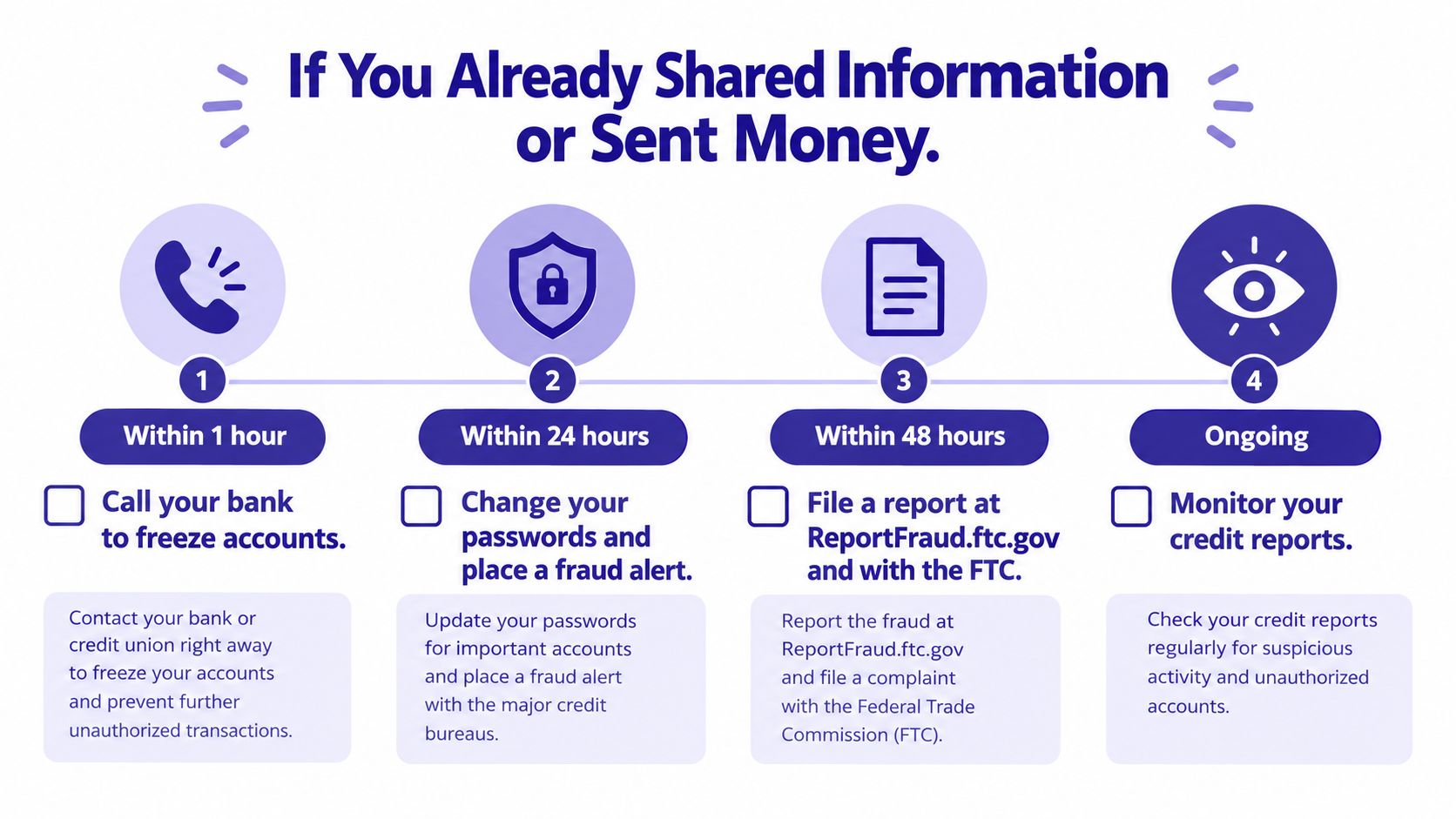
Tell a trusted family member, caregiver, or friend immediately. Shame benefits the scammer, while another person can help you make calls, document events, and spot additional requests. Don't let the caller isolate you by demanding secrecy.
Protect the accounts around the original target
If you shared an email password, secure the email account first because it can open the door to password resets elsewhere. Review recent sign-ins and account changes, remove unfamiliar recovery details, and sign out of unknown sessions. If you shared payment information, monitor related accounts and contact the provider about replacement cards or account restrictions.
If a Medicare identifier was exposed, contact Medicare through an independently verified official channel and monitor statements for unfamiliar activity. If a Social Security number was exposed, ask the relevant financial and identity-protection providers what fraud alert or account safeguards apply. Report the incident to the FTC and the FBI's Internet Crime Complaint Center when appropriate.
The scale of the problem makes delay especially dangerous. FTC data show that reports from people who lost $10,000 or more to impersonation scams increased more than fourfold from 2020 to 2024, while reported losses involving more than $100,000 rose from $55 million to $445 million over the same period, as documented in this FTC analysis of impersonation losses.
For additional recovery-oriented steps, use this resource on recovering money from a scammer. It won't guarantee recovery, but it can help you organize the urgent actions instead of losing time to panic.
When the Caller ID Looks Familiar or Official
Caller ID is a display, not an identity document. Criminals can spoof the number of a bank, public agency, doctor, family member, or a number in your own area code. The FCC explains spoofing in its consumer guidance on caller ID manipulation.
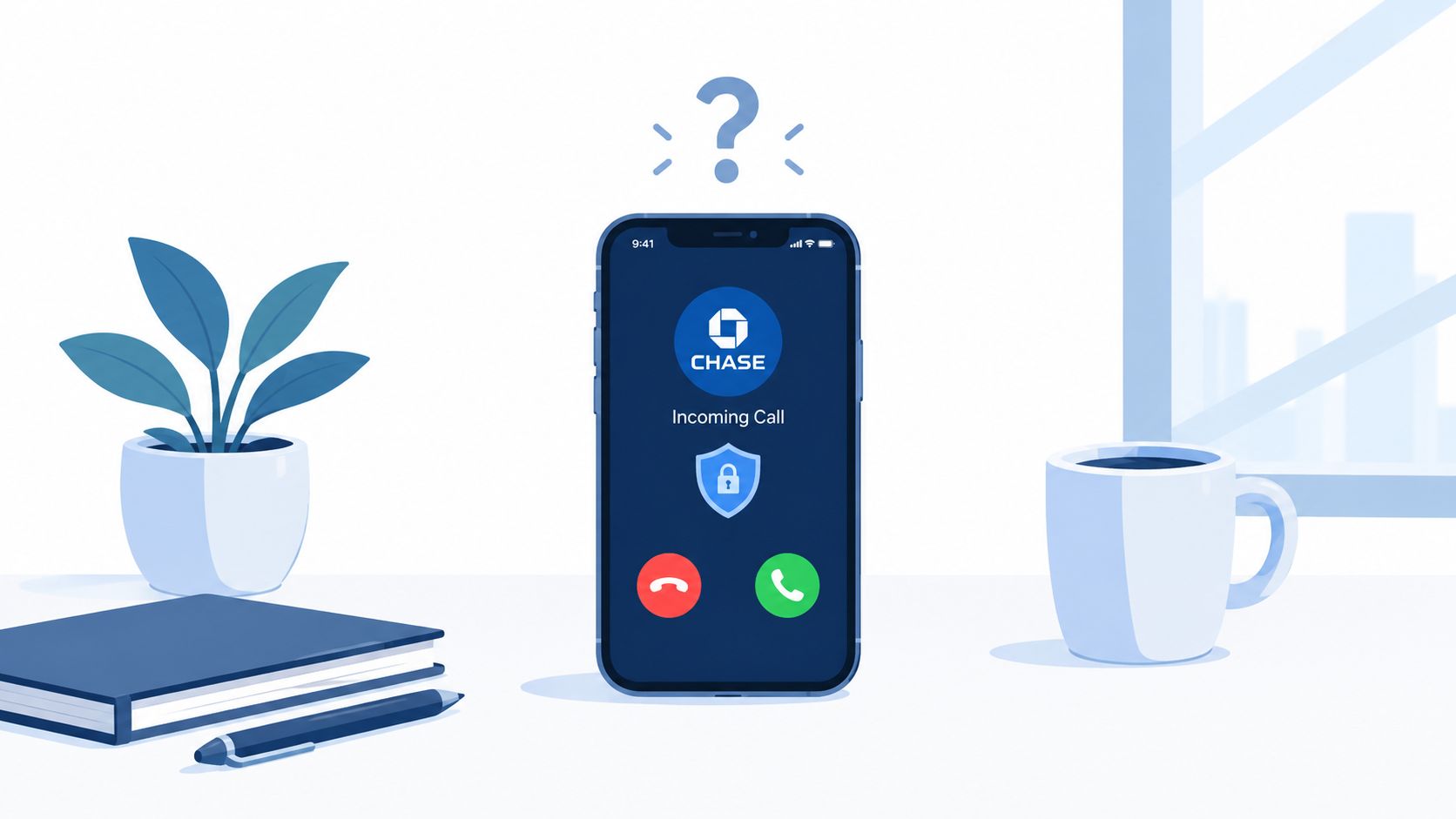
That means “the number looks right” isn't a verification step. A familiar display can make a scam more persuasive, but it doesn't change the correct response. End the call and start a new conversation through a number you found independently.
Use a role-specific exit
For a bank call saying your account is locked, say, “I'll call the number on my card.” Hang up and use the card or official banking app.
For an IRS or Social Security threat, don't argue and don't pay. End the call, then contact the agency through its official website or published number.
For a supposed grandchild or relative in trouble, hang up and call the person directly using your saved contact. If they don't answer, contact another family member. Don't use a number supplied by the caller.
For a Medicare refund or benefits call, don't provide your Medicare identifier, Social Security number, or bank details. End the call and contact Medicare through a number you obtained independently.
“I don't handle sensitive account issues on incoming calls. I'll contact the organization myself.”
A quick independent check can also help when a caller claims to represent a business you don't recognize. For broader company-verification guidance, review SOSfinder's resource on checking whether a company is legitimate, but don't let any third-party directory replace the organization's own official contact information.
Caller ID spoofing is easy to misunderstand, which is why this explanation of what caller ID spoofing means is useful when teaching a parent, caregiver, or older relative. The key lesson is practical: familiar does not mean verified.
The following video reinforces why a displayed organization name shouldn't end your scrutiny. Watch it after reading the examples so the verification rule stays connected to a real call scenario.
Layered Defenses That Stop the Next Call
No single phone defense catches every scam. Caller-ID databases, carrier filters, and AI screening solve different parts of the problem, so choose layers rather than trusting one label.
Traditional caller-ID databases compare incoming numbers with known records and user reports. They're useful for familiar spam patterns, but criminals can rotate numbers and spoof legitimate ones. A clean-looking number can therefore pass a database check while the conversation remains fraudulent.
Carrier-level tools add network filtering and call labels before or as the phone rings. Turn them on through your mobile carrier, but review how they handle unknown callers because an aggressive filter can divert legitimate calls. These tools work well as a broad first layer.
What AI screening adds
AI screening answers an unknown caller before you do, asks who is calling and why, and evaluates the live exchange before deciding whether to connect the call. That approach focuses on conversation behavior, not only the number displayed. It can help with calls from newly used or spoofed numbers that have no useful reputation history.
Some services also analyze calls you answer. Gini Help, for example, offers Live Call Analysis that provides a risk score and haptic warnings when it detects threat signals during a call. It also screens calls, texts, and emails in one app. If you're comparing services, look for transparent controls, real-time warnings, independent verification prompts, and a clear way to review or report a flagged call.
Fraud losses reported by adults aged 60 and over rose approximately fourfold, from about $600 million in 2020 to $2.4 billion in 2024, while reported losses exceeding $100,000 increased from $55 million to $445 million in that period, according to the FTC's annual report on protecting older adults. That makes layered protection a sensible household decision, especially when a family member regularly receives confusing or high-pressure calls.
Your setup can combine carrier blocking with an app-based screener, or use free carrier controls if your needs are modest. Caregivers comparing phone access, pricing, and accessibility can also consult this guide to senior phone programs. Whatever you choose, keep the human rule in place: never disclose sensitive information on an unexpected incoming call.
Your Scam Call Response Checklist
Save this list in your phone, print it, or place it near the landline.
- Let unknown calls go to voicemail: If you answer and the call feels wrong, hang up.
- Treat caller ID as unverified: A familiar bank, agency, local number, or family name can be spoofed.
- Don't press a number on a robocall: End the call instead.
- Say one sentence: “I'll call the official number myself.”
- Disclose nothing: Never give passwords, account numbers, Social Security numbers, Medicare identifiers, payment details, or security codes.
- Use your own contact details: Call through a number on a card, statement, official website, or trusted app.
- Record the incident: Save the displayed number, claimed identity, time, request, payment method, and instructions.
- Preserve evidence: Keep voicemails, texts, emails, screenshots, receipts, and transaction records.
- Report the call: Use the FCC for illegal calls and spoofing, the FTC at ReportFraud.ftc.gov, and the FBI's Internet Crime Complaint Center when fraud or financial loss is involved.
- Act immediately after exposure: Contact your bank or payment provider, secure accounts, change reused passwords, and alert your mobile carrier if needed.
- Bring in another person: Tell someone you trust, particularly if money or identity information was involved.
- Add a screening layer: Download the Gini Help app on Google Play or the Gini Help app on the App Store as part of a broader protection plan.
The right response isn't complicated, but it must be immediate: end the call, disclose nothing, verify independently, preserve evidence, and report it.
Gini Help screens unknown calls, texts, and emails, and its Live Call Analysis can provide real-time warnings when a call you answer shows scam signals. Visit Gini Help to review the protection options and add a practical screening layer for yourself or a family member.