209 Area Code Scams: Why a Local Number Proves Nothing
By Josh C.
Area code 209 is a legitimate California numbering region, created in 1958 and split in 1997 to carve out 559, so the prefix on your caller ID says nothing about whether the person dialing is real. The step that settles it is the one almost nobody takes: end the call and reach the organization through a number you find yourself, never the number the caller gave you.
So why does a perfectly ordinary area code generate so many searches for "209 area code scams"? Because the number is the only part of a call a recipient can see, and it happens to be the cheapest part for a criminal to fake. If a stranger displays a 209 number and claims to be your bank, your Medicare plan or a delivery company, what have you learned? Only that some number issued in the 209 region is being displayed, or that someone typed those three digits into a spoofing tool. The rest of the story, the part that decides whether you lose money, arrives in what the caller says next.
That gap, between a familiar-looking label and the actual risk, is where most consumers make their decision. It's also where the evidence points somewhere useful.
Why a 209 Number Proves Less Than You Think
Does a 209 prefix tell you who is calling? It tells you where a number was issued. It says nothing about who is holding the phone, where they are sitting, or what they want next.
The code has a plain administrative history, and that matters here. The California Public Utilities Commission records that 209 was created in 1958 through a split from 415, one of the state's original area codes, and that it once covered parts of the Central Valley and the Sierra foothills. In 1997 the commission approved a further geographic split that created 559 and reduced 209 to a smaller territory. By April 2021 only 35 usable prefixes remained, roughly 4% of the code's total capacity. That history describes numbering pressure, not fraud.
The non-obvious conclusion is simple: a legitimate code can still appear on an illegitimate call. 209 is a normal numbering region that ran short of numbers as demand grew. The overlay that followed let existing customers keep the numbers they already had. Nothing in that administrative record changes how a caller uses the number on your screen.
A 209 display works like a printed name tag. The tag is real, the adhesive is real, and the name on it may be invented. The code is correctly formatted, and it can be attached by whoever chose to attach it. That is why the number alone gives a weak reading of risk.
The better question is what each thing on your screen proves. The table below sets those signals side by side.
What a caller ID signal does and does not prove
| Signal you see | What it establishes | What it does not prove |
|---|---|---|
| A 209 prefix on caller ID | The number was issued in the 209 region | That the caller is in California, or is who they claim to be |
| A number matching your first six digits | The number was chosen to look familiar | That the caller is nearby or someone you know |
| A call that passes STIR/SHAKEN attestation | The originating provider vouches for the number's authorized use | That the purpose of the call is legitimate |
| A number saved in your contacts | You or someone you trust saved it earlier | That the number hasn't since been spoofed or taken over |
Every row has the same limit. The signal confirms something about the number. It confirms nothing about the person or the request. That limit becomes more important when the caller asks for money, passwords, a verification code, or immediate action. A familiar prefix can make an ordinary request feel settled when it is still unsettled.
Practical rule: the area code is a label. The request is the evidence.
Treat the prefix as one weak signal among several. Then judge the call by what it asks you to do. A 209 number attached to a request for a gift card code is a scam attempt. A 209 number attached to a dentist's receptionist confirming tomorrow's appointment is not. The digits did not change. The ask did, and the ask is where the loss risk sits.
Scam Types That Use a 209 Number
Complaint records for 209 numbers cluster around one subject more than any other, and it isn't the one many expect. Debt relief leads.
A published aggregation of unwanted-call complaints linked 6,836 complaints to 5,414 different 209 numbers, including 2,496 reports filed with the FTC's Do Not Call system since July 24. Where a complaint subject was identified, debt-relief pitches made up 21%, and 86% of those debt-relief contacts were recorded messages rather than a live conversation. Those counts describe a category of reported annoyance, not a confirmed criminal operation.
Read the same dataset with care. Caller ID is frequently spoofed, so a complaint filed against a 209 number isn't verified evidence that the caller physically used a 209 line. The geography makes that plain: 55% of complaints came from California residents, but only 27% came from people who themselves had a 209 number. A display that looks local is reaching people who live nowhere near Stockton.
Common 209 scam types and what they ask for
| Scam type | How it usually arrives | What it asks for | Warning sign |
|---|---|---|---|
| Debt-relief pitch | A recorded message, often a robocall | An upfront fee or personal details to consolidate debt | An unsolicited offer about debts you never mentioned |
| Bank or card impersonation | A live caller, sometimes right after a robocall | A verification code, account number, or a transfer to a "safe" account | A claimed fraud alert that demands immediate action |
| Medicare or government impersonation | A live caller or a recorded threat | Payment by gift card, cryptocurrency or wire transfer | A threat of arrest, lost benefits or legal action |
| Delivery or prize text | A text message containing a link | A click, a small fee or a login | A package or prize you never expected |
Walk the rows and a pattern emerges that the category names hide. The robocall that opens a debt-relief pitch exists to get you on the phone, where the actual ask happens. The bank impersonator skips the recording entirely and opens with "we've detected fraudulent activity on your card," which is a code request dressed as a warning. The government impersonator adds a threat, because fear shortens the time between hearing a demand and complying with it. The delivery text removes the human voice altogether so there's nobody to sound uncertain.
Different costumes, one objective: money, credentials or a click.
One rule covers every row: if a contact arrived uninvited and ends with you sending money or information, the category name doesn't matter.
Match a call to a type if it helps you notice the ask faster. Don't bother memorising the list beyond that.
How Spoofing Makes a Call Look Local
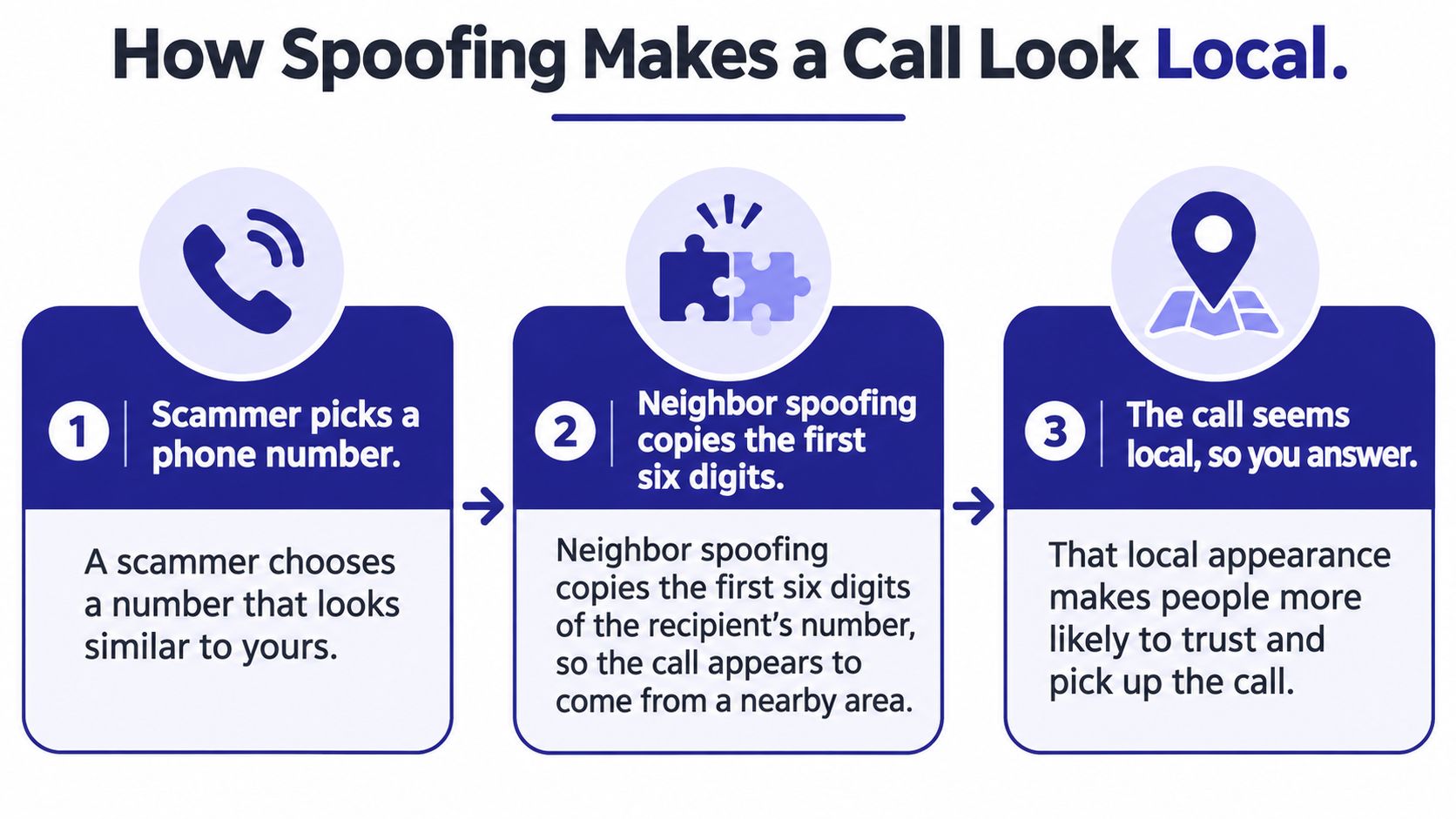
A spoofed call needs one thing to work: your belief that the number came from somewhere real. Neighbor spoofing delivers that belief cheaply by copying the first six digits of your own number, so the display looks like a street address you already know.
An FCC Consumer Advisory Committee recommendation reported that more than 80% of scam callers manipulate caller ID to display a familiar-looking number, and that roughly one in three scam calls is answered when it appears familiar. Familiarity lowers suspicion, and a lowered guard buys the caller time to ask for a code or a payment. For a California recipient, a 209 display is that familiarity in three digits.
The 2024 Incogni analysis of spam area codes found 209 ranked as the most commonly reported area code in California's unwanted-call data, with approximately 73% of the calls using neighbor spoofing to appear local. The code's popularity among scammers tracks its recognisability, not anything wrong with the region.
Here's how the three pieces fit together.
What STIR/SHAKEN actually certifies
STIR/SHAKEN is a public-key cryptography framework. The carrier that originates a call signs the caller ID information, and the carrier that delivers the call validates that signature across IP networks, as the FCC's call authentication explainer sets out. It's a sealed envelope with a wax stamp: it proves who posted the letter and that nobody swapped the address on the way. It says nothing about what's inside.
An authenticated 209 call means the originating provider vouches for that number's authorized use. The account behind it can still be run by someone who intends to defraud you, or the number can be abused by whoever controls it that afternoon. Authentication raises the cost of certain kinds of spoofing and supports carrier blocking. It doesn't audit motives.
The reverse is also worth knowing. Legitimate businesses spend real effort building a trustworthy calling reputation, and caller ID trust for call centers covers how that reputation is established and checked at scale. Scammers free-ride on the same infrastructure from the other direction.
Caller ID spoofing scams exploit exactly this gap between a verified number and an unverified purpose.
An authenticated call is a real call from a real number. It's not a real reason to trust the person talking.
So when a 209 call shows up with a clean attestation, what should you conclude? That the number is probably being used as authorised, and nothing more. Let unfamiliar calls go to voicemail, and never call back on the displayed number.
How to Verify a 209 Caller in Five Steps
Verification is a sequence, not a feeling. Run it in order and the call resolves itself, whether the caller is a fraudster or your pharmacy.
The AT&T area code 209 guide states the position plainly: 209 is a legitimate California code tied to Stockton and the surrounding Central Valley communities, and spoofing lets a caller display it from anywhere. Its recommended method is to end the call and contact the organisation through a number on an official website, statement, bill or saved contact, never a callback number the caller supplies.
That's the spine of the process. Here it is, step by step.
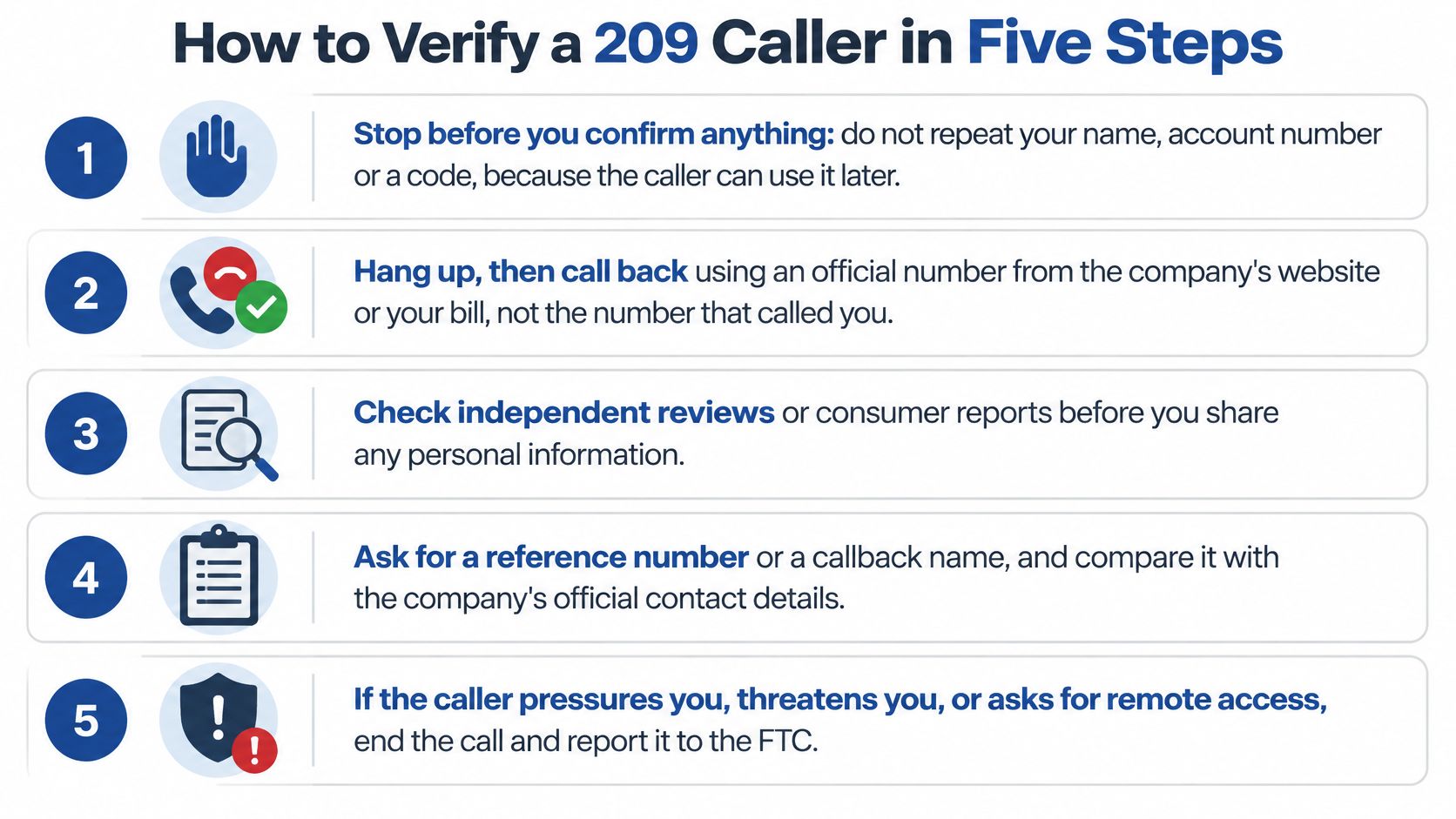
- Stop before you confirm anything. Don't repeat your name, account number or a code, even to be polite. The usual slip is answering "yes, this is she," which hands over a recorded confirmation a caller can reuse.
- Hang up or let it ring through to voicemail. A genuine bank or agency will call back through its official line, and the message it leaves gives you something to check against. The slip here is staying on the line to be helpful.
- Don't dial the number that just called you. Spoofed numbers can route straight back to the person who called. Habit is the enemy in this step, because the number is already on your screen and redialling takes one tap.
- Find the organisation's number somewhere you control. The official website, a recent statement, the back of your card, or a contact you saved months ago. Never the number the caller read out.
- Call that number and ask whether the request is real. If a family member is named, ring them directly on a number you already have. The slip is trusting a "case number" as proof of anything, since anyone can invent one.
What does a confirmed legitimate request look like when you finish? The organisation's own line answers, the representative can see the matter on your account, and nothing is urgent once you're the one who placed the call. A refused one looks different in a specific way: the request evaporates. The agent who needed an immediate transfer stops needing it, the "case" loses its reference, and the line you called has never heard of the person you spoke to.
If a caller asks for money, passwords or urgent action, check the request independently before you act.
That's the whole procedure. Caller verification done properly takes about four minutes, which is less time than a single unauthorised transfer takes to clear.
What to Do When a Caller Pushes for Money or Codes
Pressure is the tell. Legitimate organisations don't manufacture urgency, so the moment a caller insists you act now, before you've had time to think, you already know enough.
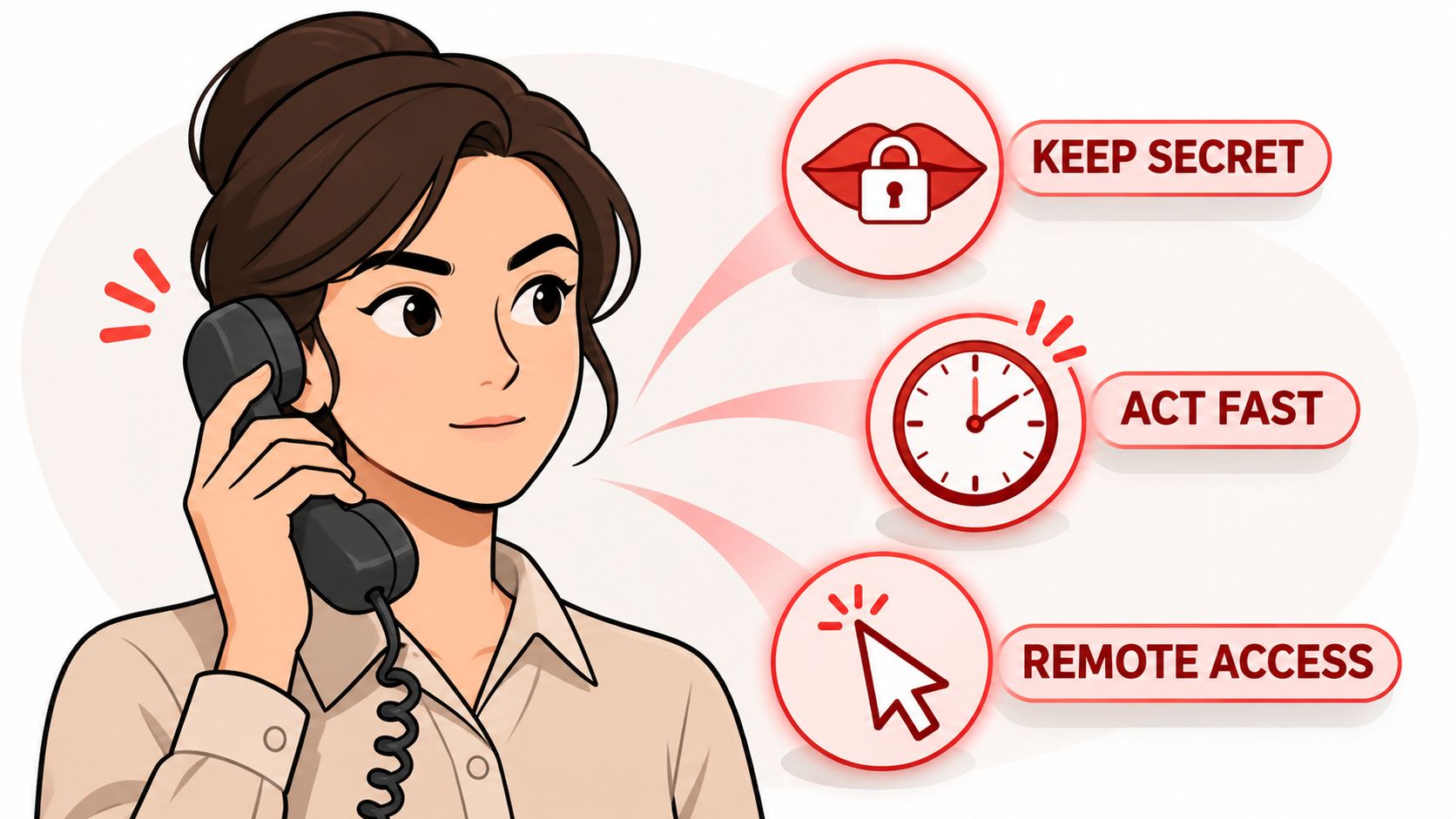
Listen for the requests themselves, because each one recurs across impersonation calls:
- Secrecy: "don't tell your family, they'll only worry," or "this must stay between us while we investigate."
- Remote access: a request to install software so an agent can "secure your device" or "reverse the transfer."
- Unusual payment rails: gift cards, cryptocurrency, wire transfer or a payment app, none of which a bank or agency would demand from a customer it can already see in its system.
- Account relocation: moving money into a supposedly safe account, always one controlled by the caller.
- Live codes: reading back a one-time passcode, which completes a login the caller started.
The FTC pattern explains why this matters more than the robocall nuisance. The FTC's imposter data spotlight reports that in 2024, 41% of older adults who reported losing at least $10,000 to a business or government impersonator said the first contact was a phone call. Reports from adults 60 and over involving losses of $10,000 or more rose more than fourfold from 2020 to 2024, losses above $100,000 rose nearly sevenfold, and combined losses reached $445 million in 2024.
Phone-originated fraud also tends to cost older adults more than fraud that starts on social media. A convincing voice is harder to interrupt than a text, and the caller can answer objections in real time. Losses concentrate there because talking is what makes a transfer feel routine, and four of the five requests above depend on keeping you on the line.
Before you pay anyone who claims to represent a company, confirm the business exists and that the entity you're dealing with is the one named. A pre-payment business verification workflow takes minutes and settles the question.
Keep one sentence ready. Say it and nothing else.
"I'll call you back on the number on my card."
Then hang up. Don't argue, don't explain, don't prove you're not falling for it. If money has already moved, call your bank or payment provider immediately and report it, and file the incident with the FTC. A scam call playbook for rehearsing your exit helps you practise the sentence before you need it.
Watching a real example play out makes the sequence easier to recognise in your own calls.
Families and caregivers should agree the rule in advance: any call about money gets verified through a family contact number, agreed and written down, so the person being called never has to make the judgment alone under pressure.
When Screening and Caller ID Fall Short
A screening tool cuts the number of unwanted 209 calls that reach your phone. It does not make the calls that survive trustworthy. A quiet phone measures call volume, not intent.
Filtered calls still fail in four ways.
- Attestation passes, intent doesn't. A number can clear STIR/SHAKEN because its provider vouches for its authorised use, while the live caller asks for a code or a transfer. The cryptography did its job, but that job was not about honesty.
- A trusted account gets hijacked. A message can arrive from a friend's compromised account, sit inside a real thread, and still be a scam.
- The genuine call looks identical to the fake one. A real bank sometimes calls about a real problem. An impersonator uses the same opening line, so either way you check the number you already hold.
- Branded links lie. A delivery or prize text can carry correct-looking logos and a URL that leads to a fake login page built to capture the password you type.
One boundary is absolute: emergency calls to 911 are never blocked or screened. No filter should sit between you and an emergency, and any tool that claims otherwise is one to remove.
Standard consumer-protection guidance on unexpected 209 calls, as summarised in this area code guide, is behavioural rather than geographic. Don't rely on caller ID. Let unfamiliar calls go to voicemail where possible, and hang up when an unrecognised caller answers. Pressure, threats, gift card or crypto payments, and requests for sensitive information all end the same way: don't comply, and report it.
Screening reduces unwanted calls, but no filter identifies every scam or guarantees that every caller is safe. Some scams still get through, so treat every request for money or credentials as unverified until you've checked it yourself.
After any tool has done its work, money, passwords, account numbers, Social Security numbers and one-time codes still get verified independently, through a number you control. Log what the unexpected contact asked for, when it came and which number displayed, then report it through the FTC's channels. The goal is to make a scam hard to finish, not to trust every call that survives the filter.
Confirm the Caller Before You Act
Set one rule and keep it: any call, text or email that asks for money, passwords, a one-time code or immediate action gets checked through a number you already trust before you respond. The rule is simple enough to hold under pressure, which is the only condition that matters.
If you want a layer that works before your phone rings, that's what Gini Help is for. It answers calls from unknown numbers, asks who's calling and why, and rings you through only when the call turns out to be real, which is a different approach from checking a database of numbers that spammers rotate out weekly.
For the calls you do answer, Live Scam Detection is available on eligible plans with the required setup. It keeps listening after you pick up and raises a risk warning when it hears a request for a verification code or account number, or pressure to act right now. A warning like that isn't proof of anything on its own. It's a reason to pause and check the request, which is usually the difference between a close call and a loss.
You can watch a live demo of Gini blocking a real spam call in your browser before signing up. The app is available on Google Play and the App Store.
No tool replaces the five-step check. Use both if you like, but keep the rule either way.
Before you act on any 209 call, ask one question: could I prove this request is real using a number or a person I already trust? If the answer is no, the call ends there.
Gini Help screens calls, texts and emails so the scams behind 209 area code scams reach a filter before they reach you, with a live warning when a conversation turns toward codes, account numbers or pressure to act. Try the browser demo to see a real spam call blocked, then download the app from Google Play or the App Store and make verification your default. Visit Gini Help to get started.